






How to Prompt AI Video for Ads: What Actually Works
Most people who try AI video for ads give up after a week. They generate ten clips, every one looks like a car commercial, none of them convert, and they conclude the tools are not ready yet. The tools are ready. The prompting is the problem.
Ad video has requirements that generic AI video does not. It needs to look unpolished. It needs to fit a script into a fixed number of seconds. It needs a face that stays the same face across five clips. Almost none of the prompt advice floating around addresses any of that, because it was written for people making pretty videos, not people making money.
Here is what actually works.
Your first problem is that it looks too good.
This is the single most common complaint. You write a prompt, you get back something that looks like it cost forty thousand dollars to shoot, and it dies in the feed.
That is not the model failing. That is the model doing exactly what it was trained to do, which is make impressive footage. You have to explicitly ask it not to.
Your prompt needs to specify the cheapness. Front-facing phone camera. Natural window light, not studio light. A lived-in bedroom or home office with a bed or a desk visible behind the subject. Slightly imperfect framing. Vertical, no production polish. If you want it to look like a real person filmed it on a Tuesday, you have to describe a real person filming it on a Tuesday.
Two more instructions that belong in every single ad prompt, because the models add both by default and both destroy the illusion:
No background music. No on-screen text.
Say it explicitly, every time. You add your own text in the edit, and the model's idea of background music will make your UGC clip sound like a pharmaceutical ad.
Script length is a hard constraint, and almost nobody respects it.
This is the most useful number in this whole article.
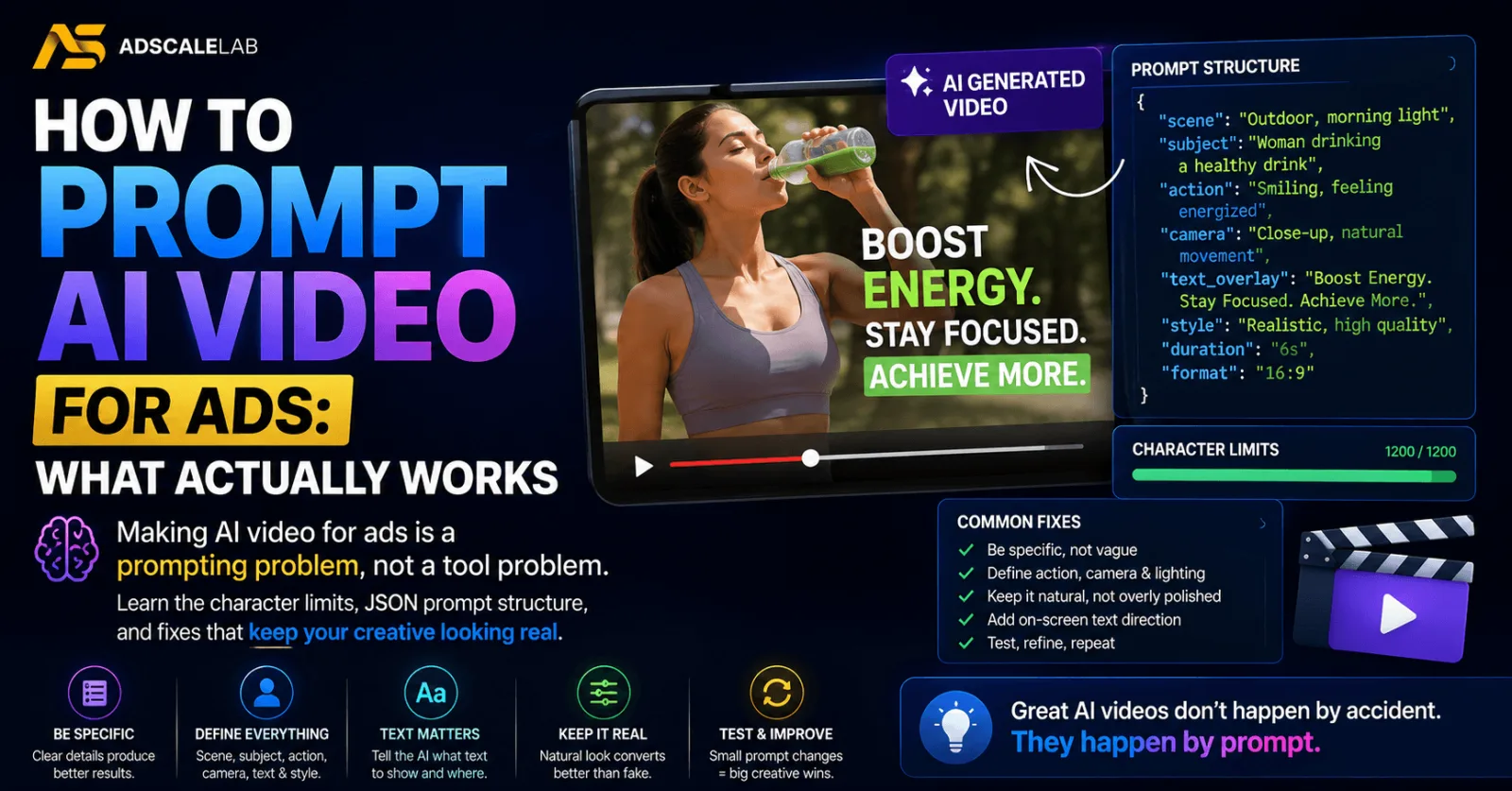
For a ten second clip, keep your spoken script to roughly 120 to 140 characters. That is characters, not words.
Go past that and the model does one of two things. It rushes the delivery, so your actor sounds like they are reading a legal disclaimer. Or it simply runs out of time and cuts the sentence off, which means your call to action never happens. Push it to around 160 characters and this happens reliably.
Count the characters before you generate. This one habit will save you more credits than any other change you make.
The general principle underneath it: do not feed the model more dialogue than it has time to naturally deliver in the clip length you asked for. If you have a long script, break it into scenes, and give each scene only as many words as it can actually speak.
Stop writing prose prompts, start writing structured ones!
Long paragraph prompts get interpreted loosely. The model takes the vibe and improvises the details, which is exactly what you do not want when you need the same character in scene four that you had in scene one.
The fix is to write the prompt as structured data instead. Break it into explicit named sections, something like:
- Subject: age, expression, what they are doing
- Hair: colour and style, in detail
- Clothing: each item, described separately
- Setting: the room, what is visible, the light
- Camera: shot type, angle, movement
- Style: the overall look you are going for
- Script: the actual spoken line
Then reuse that exact block across every scene, changing only the script and the camera. The details you locked down are what keep the character consistent.
The detail level matters more than you think. "A professional woman in her thirties" gives you a different woman every generation. Specify the hair colour, the grey strands in it, the half-up style, the casual long sleeve top, and suddenly you have someone the model can reproduce.
The Shortcut: Let The AI Write The Prompt
You do not have to write these from Scratch, and you probably should not.
Take a reference. That can be an image, a screenshot, or a video ad that is already working. Feed it to a language model and ask it to produce a detailed structured prompt describing what it sees, using your section template. It will notice things you would not have thought to specify.
The strongest version of this uses a winning ad as the input. Have the model analyse the ad properly, the hook, the visuals, the pacing, the copy, then rewrite the script for your offer and rebuild the prompt around that analysis. You are not copying the ad. You are extracting the structure of why it works and pointing it at your product.
For ecom this is close to unfair. Take a competitor's product photo, have the model produce a detailed prompt describing it, then feed that prompt back in with a clean shot of your own product on white BG. You get their staging with your product in it.
Choosing Between The Tools
The models genuinely behave differently, and knowing how saves a lot of wasted generations.
One of them follows very detailed instructions closely and will give you the specific thing you asked for, including things like exact text on a phone screen held up to the camera. It also tends toward the rougher, more authentic look on its own, which is what you want for UGC. It generally does better when it generates from scratch rather than from a supplied image.
The other has a strong pull toward cinematic quality, which is a problem for ad creative unless you fight it in the prompt. It is more realistic when you give it a starting image to work from rather than generating cold.
The practical takeaway is to use the literal one for hooks and anything where the details have to be exact, and to give the cinematic one a start frame so it has something concrete to build on rather than inventing its own beautiful version of your idea.
You do not have to pick one. A common structure is to generate the hook in one tool and the body and call to action in the other, then assemble.
The Audio is What Gives You Away
Generated voices have a thin, tinny quality that people clock instantly even if they cannot name it.
The cheapest fix: strip the generated audio out of your clip, run it through a voice tool's speech to speech function, and drop the cleaned version back in over the video. You keep the timing and the lip sync and you lose the artificial edge.
A useful trick when you generate a voice: describe the room, not just the person. A voice generated for "a woman in a room with high ceilings" or "outdoors in a field" carries the acoustics of that space and sounds far more real than a voice generated in a vacuum.
And watch out for the mismatch that ruins otherwise good ads. The video is rough handheld selfie footage, and the voice sounds like a professional voiceover artist in a padded booth. The two do not belong together, and the contradiction is what makes the whole thing feel fake.
Assembling a Full Video
Nobody is generating a three minute ad in one shot. The workable process is a chain:
- A language model writes the script.
- A second pass breaks the script into scenes, sized to the clip length each model can actually handle.
- An image model generates a start frame for each scene, and where you need continuity, an end frame that becomes the next scene's start frame.
- The video model generates each scene.
- You assemble in a normal editor, tighten the pacing, and speed it up slightly.
- Export the audio, clean it, put it back.
Budget two generations per scene minimum. The first one will be wrong. This is not a sign you prompted badly, it is just the cost of doing business, and people who plan for it stop feeling like they are failing.
Done this way, a three minute ad costs somewhere around ten dollars to produce. That number is the entire reason this is worth learning.
Content Filters, and The Thing That Actually Works on Them
You will hit refusals. Scripts with dialogue seem to trigger them more than anything else, which is inconvenient given that dialogue is the entire point of a UGC ad.
The thing worth knowing is that the filters are not consistent. The same prompt, resubmitted with one word changed, will often generate without complaint. This is frustrating but it is also useful, because it means a refusal is rarely a dead end. Reword and try again before you rebuild the whole concept.
The Warning Nobody Gave You
Save this part.
There are reports of AI generated video creative getting ad accounts restricted, and the failure mode is genuinely sneaky. Your ads show as approved in Ads Manager. They run. They spend. They convert. But in the account's support section, those same ads are logged as rejected. Then, after enough time or enough spend, the account gets restricted, and it looks like it came from nowhere.
Buyers who tested this by running human UGC and statics with the same copy on a fresh account did not see the same shadow rejections. The AI creative was the variable.
Nobody has a confirmed explanation. The leading theory involves invisible watermarking in the generated files, since the companies that appear to run this kind of creative at volume without trouble seem to be processing their output in ways that would disturb such a watermark.
Treat that as a theory, not a fact. But treat the underlying risk as real: check your support section, not just Ads Manager, when you are running AI creative at volume. Approved in one place does not mean approved in both. And do not put your best account in the blast radius while you are testing this.
AI Video For Ads: The Short Version
AI video for ads is not a prompt you copy. It is a set of constraints you learn to respect.
Ask for imperfection. Count your characters. Structure your prompts and reuse the structure. Let a model write the prompt from a reference. Clean the audio. Expect the first generation to be wrong. And keep an eye on the support section of any account you are running this on.
Do that and you can produce a week of creative in an afternoon for the price of lunch. Which is not a small thing, because volume of testing is still the closest thing this business has to a cheat code.
Agency ad accounts, without the wait.
Buy and top up Google, Meta, native, and more from one dashboard.
Get started

No comments yet. Be the first to comment.
Comments are open to registered AdScaleLab clients.
Sign in to comment