






Why Your Meta Ad Account Really Gets Disabled, And What Actually Brings It Back

Most media buyers think their ad account got banned because of an ad. Sometimes that is true. But if you talk to people who run real spend across a lot of accounts, a different picture shows up. A large share of disabled accounts have nothing to do with creative or policy at all. They come from boring operational mistakes that nobody warns you about until it is too late.
Here is what actually kills accounts, and what to do about it.
The payment method is the silent killer
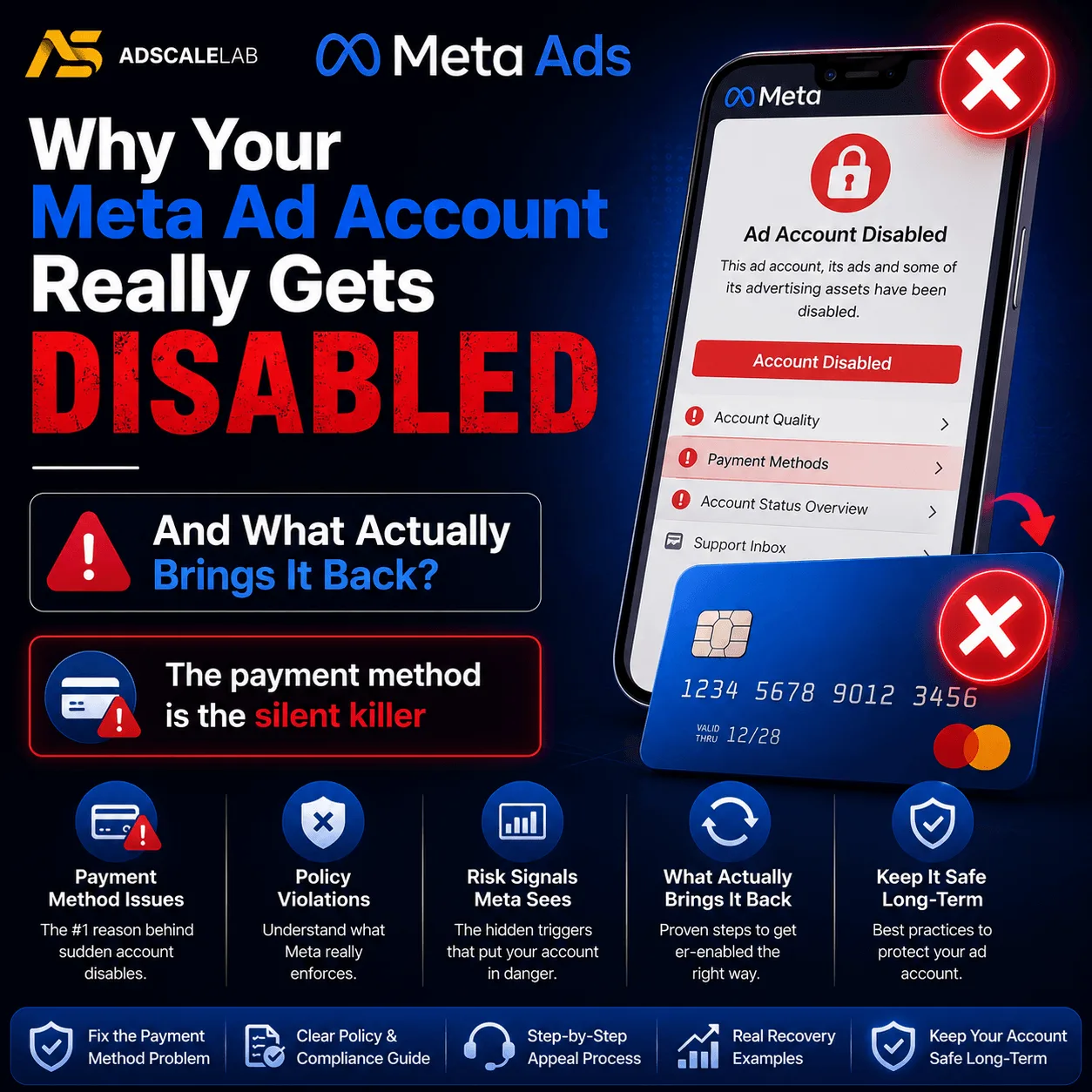
This is the one that catches good buyers off guard.
You add a new card to an ad account. The card is fine. It has funds. Your bank confirms nothing is wrong. But Meta throws a "payment failed" error, and within minutes the ad account is disabled for unusual activity.
We have seen buyers lose several profitable accounts in a single week this way. One buyer went from a few thousand dollars a day in profit to almost nothing, and every card involved was working perfectly.
The fix is almost stupidly simple, and it is the single most useful habit in this whole article.
Always add a new payment method to the Business Manager first. Never straight to the ad account.
If there is a problem with the card, the BM just throws an error and nothing bad happens. You lose nothing. If you add that same problem card directly to an ad account, the account gets disabled almost instantly. The BM works like a safety net. Test the card there, and only once it is accepted, use it on the ad account.
It costs you thirty seconds. It has saved people accounts they had spent years building.
Support cases can get you cut off
Here is a rule almost nobody knows. If you open too many support cases about the same issue, Meta will revoke your support access altogether.
The number seems to sit around three or four open cases for the same problem. After that, you are not just stuck with the original issue. You have lost the channel you would use to fix it.
So when something breaks, resist the urge to spam support until someone listens. Open one case. Give it time. If you need to escalate, escalate through a different route, not by opening a fifth ticket about the same thing.
Rejections are not consistent, and that is not a bug
Buyers waste a lot of energy trying to reverse engineer Meta's policy system into a set of rules. There are no stable rules.
The same script, the same b roll, two different actors. One gets approved. The other gets flagged. Something that passed review last month gets rejected this month for no reason you can point to. And a very common pattern is that Meta approves an ad, lets it run, and then rejects it the moment you try to scale it.
The practical response is not to find the rule. It is to build for the fact that there is no rule. Keep several concepts ready at all times. When one gets rejected, edit and resubmit rather than arguing. Treat approval as something you keep re-earning, not something you win once.
One more thing that helps: do not let rejected ads sit in the account. Clear them out. An account carrying a pile of unresolved rejections looks worse to the system than one that gets cleaned up.
The conversion problem that looks like a tracking bug
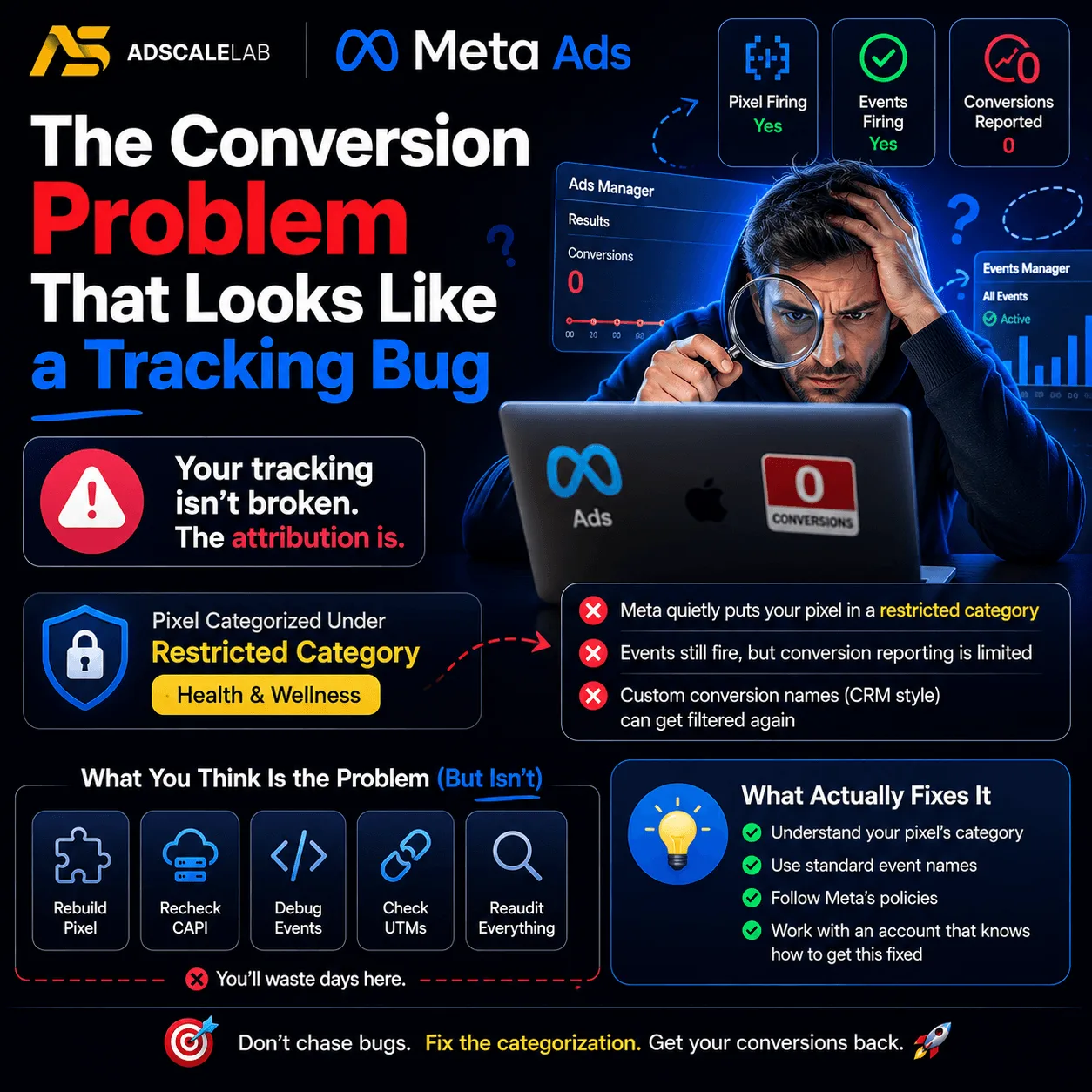
This one is worth knowing because it will send you on a week-long wild goose chase.
Your Events Manager shows activity. Events are firing. The pixel is clearly working. But Ads Manager reports zero conversions attributed to your ads.
Your first instinct is that your tracking is broken. You will rebuild your CAPI setup, check your server side events, and find nothing wrong, because nothing is wrong.
What can happen is that Meta has quietly categorized your pixel under a restricted category such as Health and Wellness. That categorization limits how conversion events get reported in Ads Manager. The events still fire. They just do not get attributed. And custom conversions labeled with CRM style names can get filtered a second time on top of that.
Appeals against this categorization do get rejected and upheld. So before you tear your tracking apart, check what category your pixel has been placed in. It may not be a tech problem at all.
Appeals are worth far more than people think
Most buyers write off a disabled account the moment it goes down. That is a mistake.
Accounts get recovered. Old ones. Accounts that have been sitting disabled for months, sometimes years. Buyers who go back and request a review on every disabled account they own often get a surprising number of them back, including accounts that once carried very large spend.
A few things seem to matter.
The chat based appeal route tends to work better than identity submission. And the review request itself is often far less demanding than people assume, so do not be paralyzed trying to build the perfect case. Request the review, submit what it asks for, and move on to the next one.
If an account comes back and then re-disables, check for an unpaid balance before you assume the appeal failed. A cleared balance often restores it.
The point is that appealing is nearly free and takes minutes. Going back through every dead account you own is one of the highest return uses of an afternoon in this business.
What this all adds up to
Notice how little of this is about ads.
Payment methods. Support etiquette. Pixel categorization. Appeal routing. These are operational disciplines, not creative ones, and they are where most account losses actually come from. The buyers who survive at scale are not the ones with a secret policy loophole. They are the ones who never add a card to an ad account, who keep spare concepts ready, who clean up rejections, and who go back and appeal the graveyard.
Build the habits before you need them. The day an account goes down is the wrong day to start learning this.
Agency ad accounts, without the wait.
Buy and top up Google, Meta, native, and more from one dashboard.
Get started
No comments yet. Be the first to comment.
Comments are open to registered AdScaleLab clients.
Sign in to comment