






How To Use Outbrain Vertical Video For Performance Campaigns
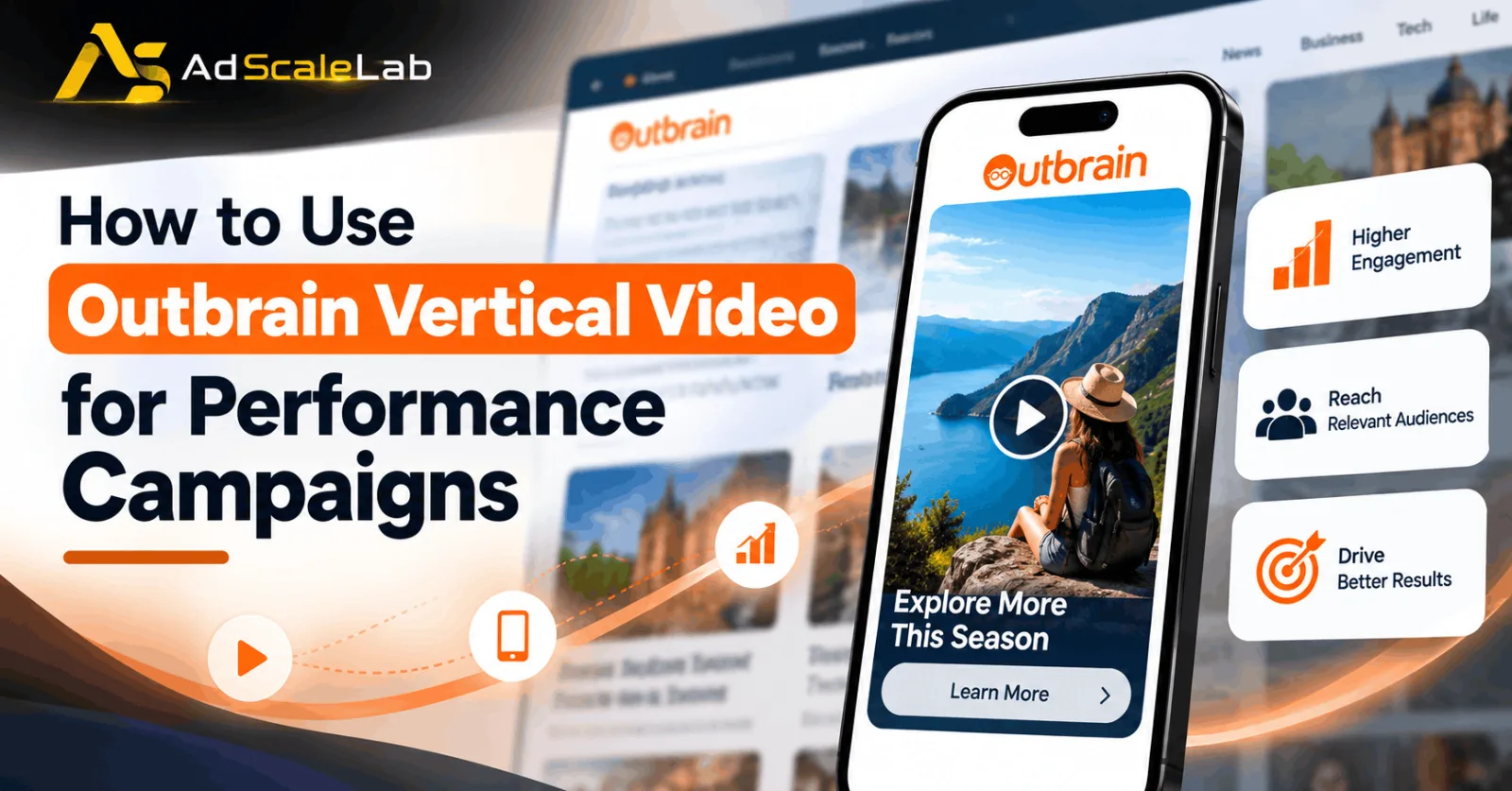
Video advertising is no longer limited to YouTube, TikTok, Instagram, or other social media platforms. Advertisers are also exploring ways to reach people while they read articles, browse publisher websites, and use mobile applications. This is where Outbrain Vertical Video for Performance Campaigns becomes an interesting option for digital marketers.
Outbrain offers a vertical video advertising format through its Amplify advertising platform. It allows advertisers to show full-screen, portrait-style videos across eligible mobile web and in-app placements. The format uses the same 9:16 screen orientation that people already recognize from short-form social videos, but it extends that experience to the open web.
According to Outbrain's official Vertical Video guide, advertisers can reuse suitable vertical videos created for social media rather than producing completely new assets. This can make testing the format easier for brands that already have video content. However, creating a video ad is only one part of a successful campaign. Advertisers also need to select the right objective, track conversions, test different creatives, and understand how much they are paying for meaningful results.
In this guide, we will explain how to use Outbrain Vertical Video for performance campaigns, which video specifications to follow, and how advertisers can improve their campaigns without wasting their advertising budget.
What Is Outbrain Vertical Video?
Outbrain Vertical Video is a full-screen video advertising format designed primarily for mobile audiences. It uses a 9:16 aspect ratio, which means the video is taller than it is wide and fits the shape of a smartphone screen. Unlike a traditional horizontal video ad, a vertical video fills more of the mobile screen. This gives advertisers more room to demonstrate a product, explain a service, show a product in action, or communicate a simple offer.
The format runs across eligible premium mobile web and in-app placements, including environments associated with editorial publishers. Advertisers can use it to support consideration and performance objectives, according to Outbrain's official advertising format specifications.
For example, an online store selling skincare products could use a short video to demonstrate how a product is applied. A software company could show how its tool solves a common problem, while a financial services company could explain a service before inviting interested users to visit its website.
The main advantage is that the advertiser can tell a story visually instead of depending only on a headline and a static image. It is important to understand that a vertical video view does not automatically become a sale or lead. The video needs to attract the right audience, communicate a useful message, and lead to a landing page that makes the next action clear.
Why Use Outbrain Vertical Video For Performance Campaigns?
The main reason to test Outbrain Vertical Video for Performance Campaigns is that it combines a mobile-friendly creative format with a platform designed to drive measurable advertising outcomes.
First, advertisers can reuse suitable 9:16 videos from their existing social media campaigns. This reduces the need to create every asset from scratch and makes it easier to test the same core message in another advertising environment.
Second, vertical videos can demonstrate products more clearly than some static creatives. A business can show how a product works, explain a feature, or answer a common customer question within a short video.
Third, the format gives advertisers another creative option when they want to reach people beyond social platforms. It can be particularly useful for brands that want to test mobile web and in-app inventory alongside their existing advertising channels.
Finally, Outbrain provides campaign reporting and conversion-tracking options that help advertisers understand whether their campaigns are generating useful actions. The available reporting and optimization features should be checked in the advertiser's account, particularly because Outbrain identifies Vertical Video and Multi-Format campaigns as beta features in its current documentation.
These benefits do not guarantee a lower cost per acquisition or a higher return on ad spend. Results depend on factors such as the audience, offer, creative quality, landing page, competition, and conversion tracking.
How To Use Outbrain Vertical Video For Performance Campaigns:
Step 1: Define Your Campaign Goal
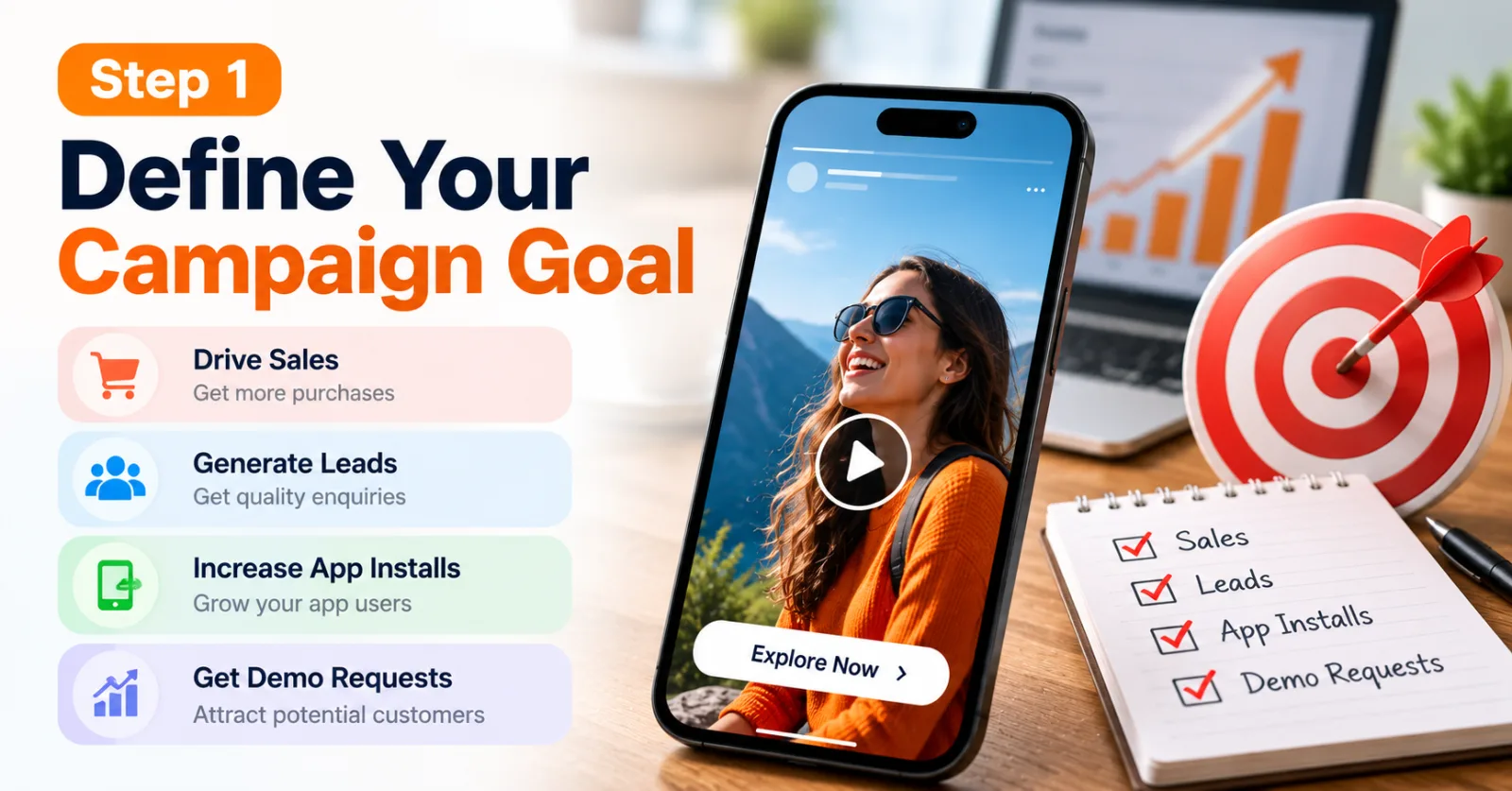
Before creating a vertical video, decide what you want the campaign to achieve. A campaign designed to generate leads may need a different message from one designed to sell products or increase app installs.
For example, an ecommerce advertiser may want customers to complete purchases, while a B2B company may want potential customers to submit a demo request. An app developer may focus on installations.
Choose a measurable primary conversion and decide what result would make the campaign worthwhile. If your goal is lead generation, you should consider the acceptable cost per qualified lead rather than judging success only by the number of video views or clicks. This step also helps you decide what the video should communicate. Every creative should have a clear purpose instead of trying to promote several unrelated benefits at once.
Step 2: Prepare A Vertical Video Creative
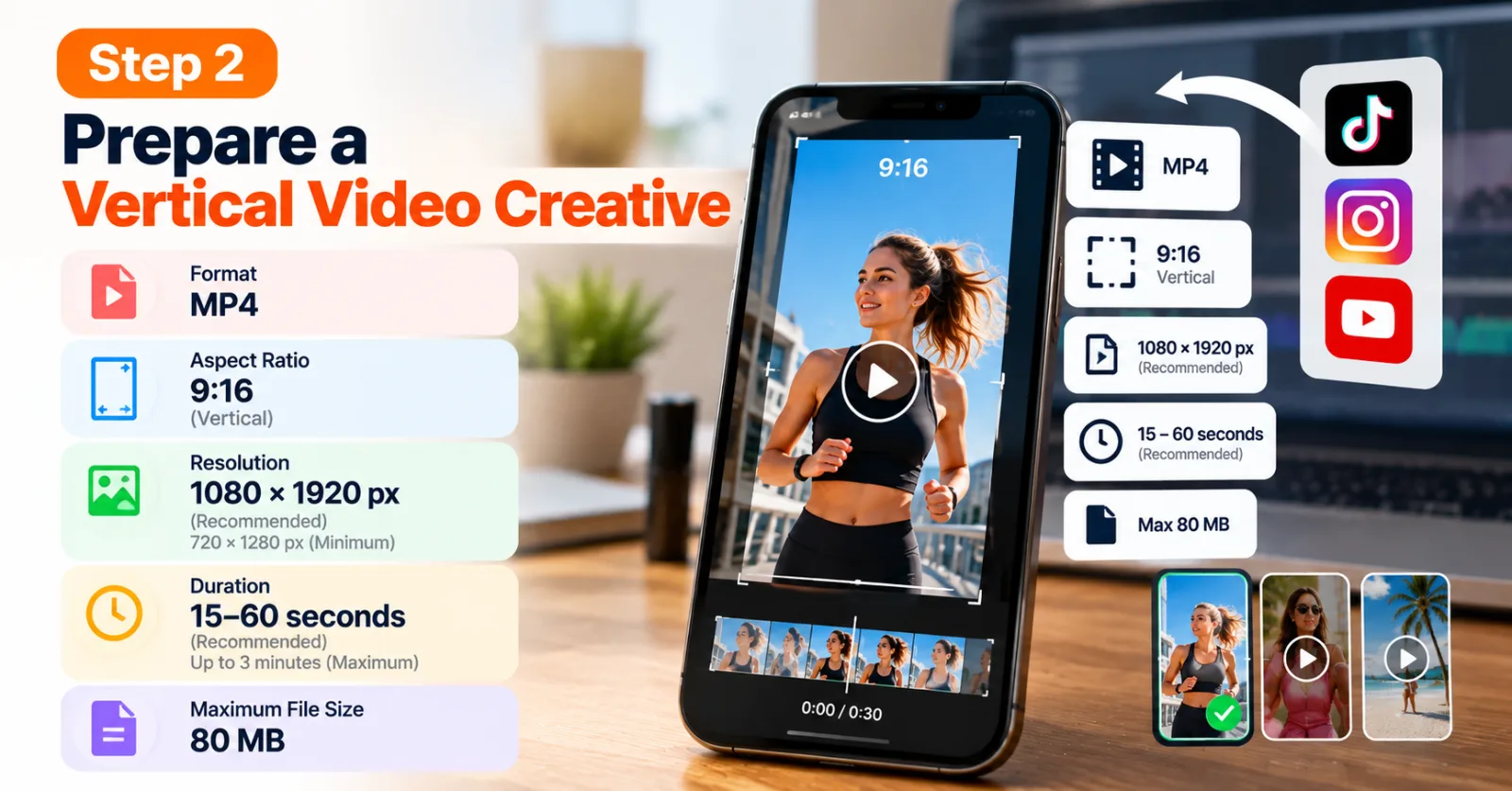
Outbrain's official specifications recommend an MP4 video with a 9:16 aspect ratio. The recommended resolution is 1080 × 1920 pixels, while 720 × 1280 pixels is the stated minimum. The recommended duration is 15–60 seconds, although the maximum permitted duration is three minutes. The maximum file size listed in the guide is 80 MB.
These specifications matter because a video designed for a horizontal placement may appear poorly framed when adapted to a portrait screen. Important product details can become difficult to see, and text may be cut off if the creative is not designed for mobile viewing.
If you already have vertical videos for TikTok, Instagram Reels, or YouTube Shorts, review them before uploading. Remove platform-specific elements that do not make sense in the new placement, check the framing, and make sure the message still works without relying on a platform's interface.
Step 3: Make The First Few Seconds Useful
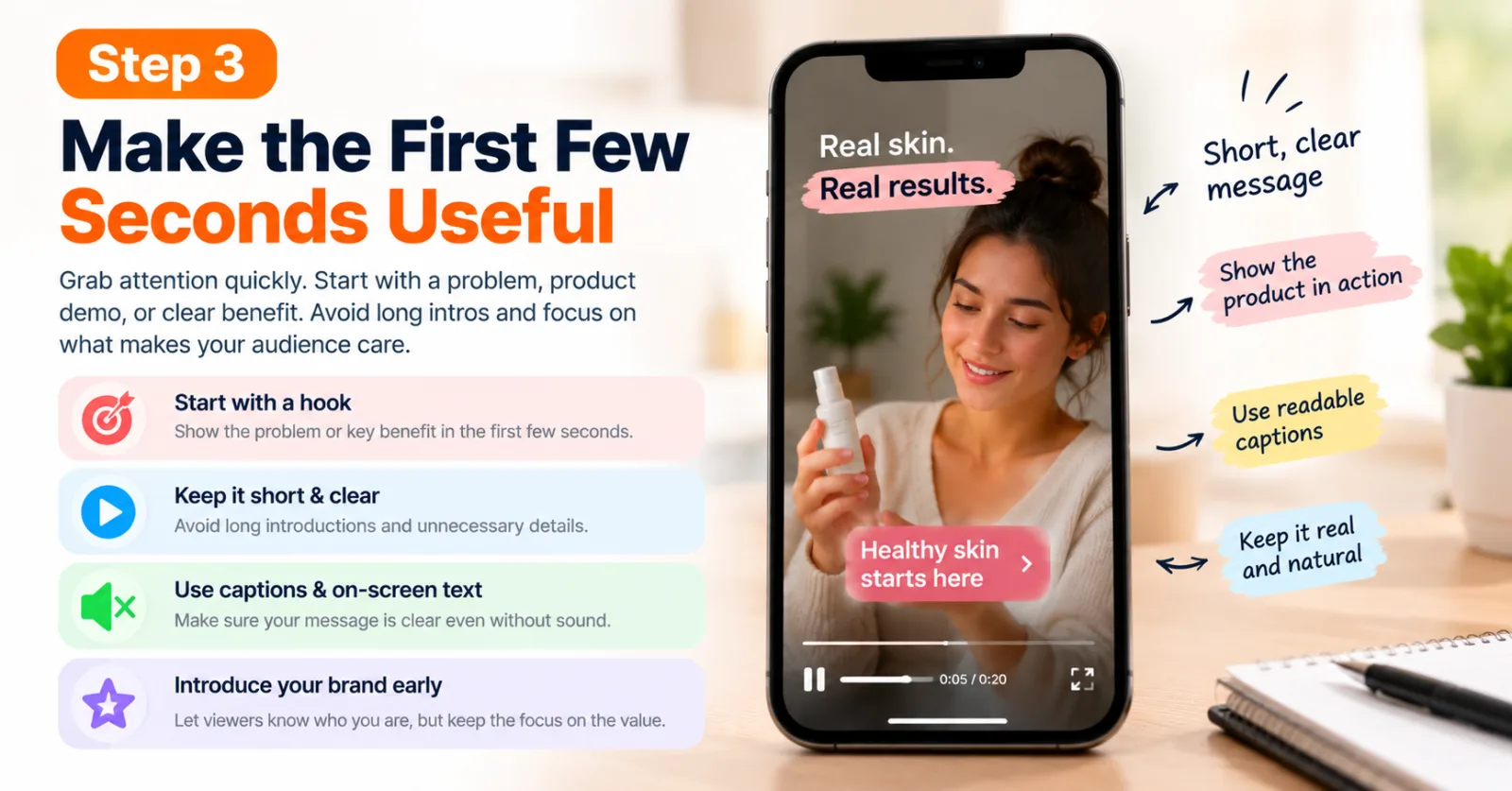
People browsing a mobile website may not be actively looking for an advertisement. Your video needs to communicate its value quickly. Start with a problem, a product demonstration, or a clear benefit that matters to the intended audience. For example, a company selling a time-saving software tool could begin by showing the task that users struggle with and then demonstrate how the tool makes it easier.
Avoid long introductions, unnecessary logos at the beginning, and exaggerated claims. Introduce the brand early enough for viewers to understand who is advertising, but keep the opening focused on the reason they should pay attention.
Outbrain recommends using clear captions, mobile-friendly text, authentic creative styles, and a single main message. Because audio can be muted, the important information should remain understandable even when someone watches without sound.
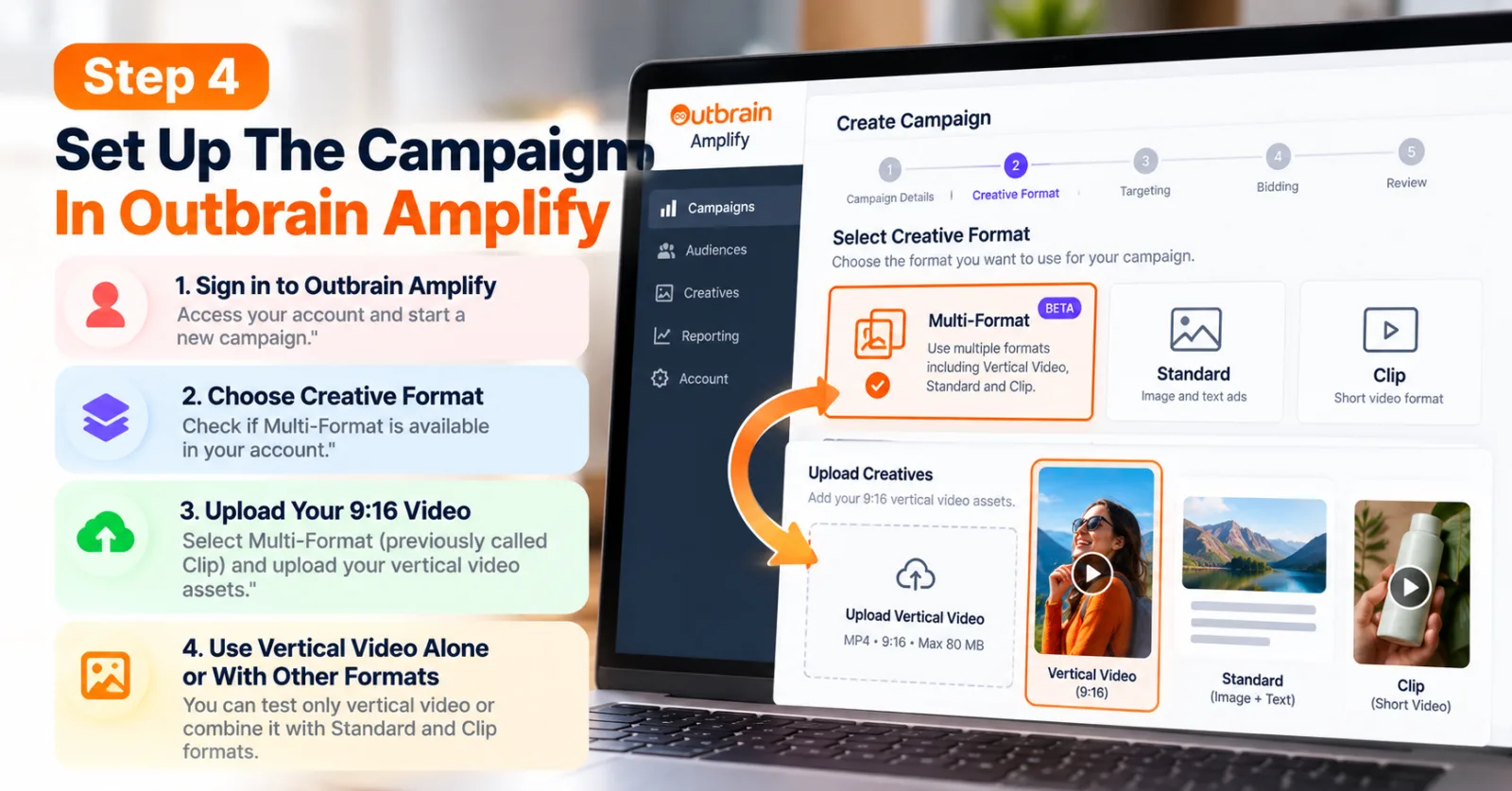
Step 4: Set Up The Campaign In Outbrain Amplify
Once your creative is ready, sign in to Outbrain Amplify and follow the available campaign creation process. At the creative-format stage, check whether Multi-Format is available for your account.
Outbrain's Vertical Video setup guide explains that advertisers can select Multi-Format, previously called Clip, and upload their 9:16 video assets. The guide also states that vertical video can be used on its own or alongside supported formats such as Standard and Clip. If you want to test only vertical video, upload that format alone. If you want the platform to compare multiple eligible formats, consider adding suitable alternatives within the supported campaign configuration.
The exact options available may depend on your account and the feature's beta status. Check the current interface or contact your Outbrain account manager if the option is not available.
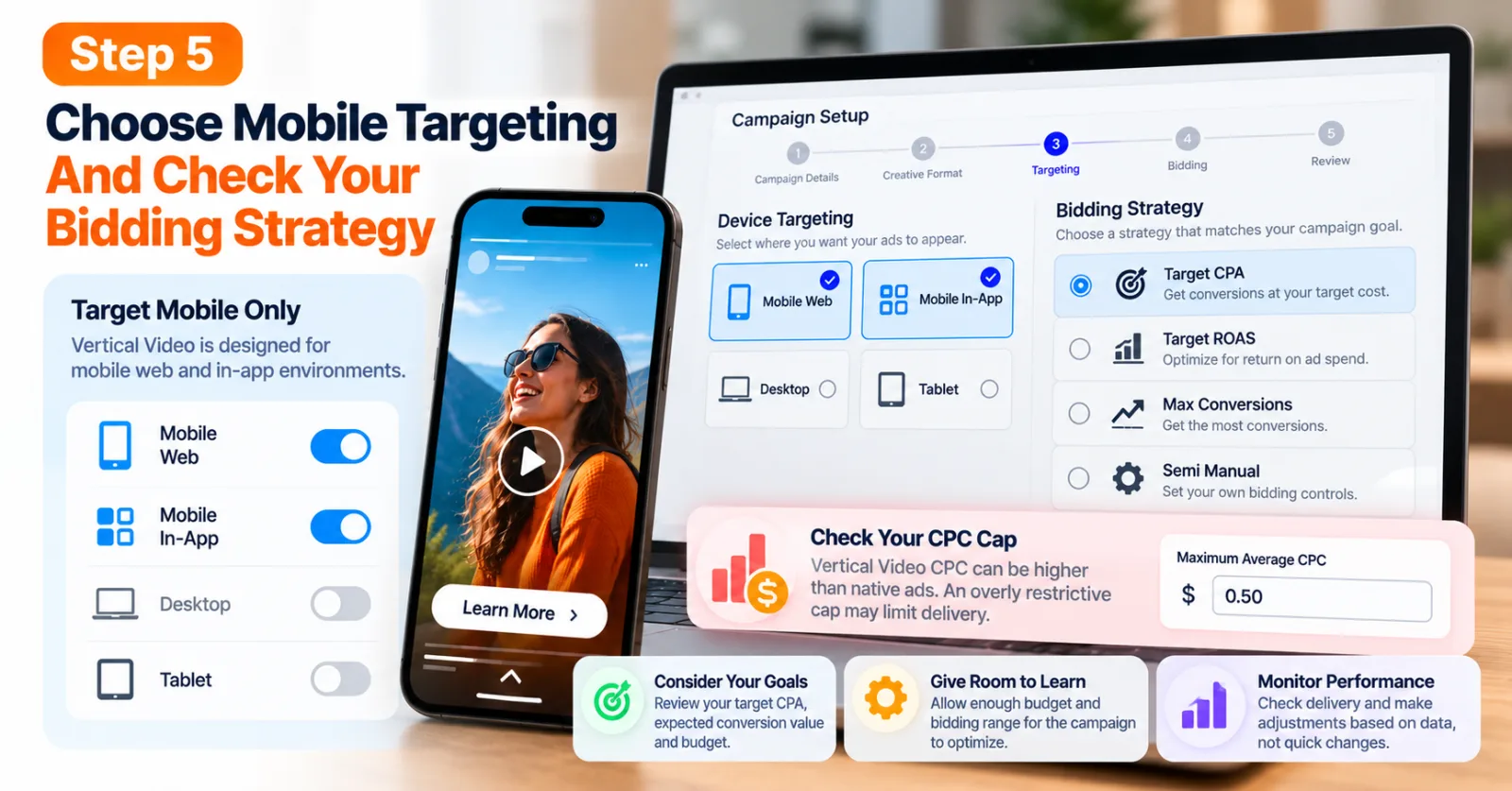
Step 5: Choose Mobile Targeting And Check Your Bidding Strategy
Vertical Video is intended for mobile web and in-app environments, so review your device settings carefully. Outbrain's setup recommendations specify mobile-only platform targeting for this format. Next, select a bidding strategy that matches your campaign objective and available conversion data. Depending on eligibility and account configuration, options may include Target CPA, Target ROAS, Max Conversions, or Semi Manual bidding.
Before launching, check whether a maximum average CPC cap is restricting delivery. Outbrain warns that Vertical Video CPC can be higher than native advertising CPC, so an overly restrictive cap may limit the campaign's ability to compete for eligible impressions. This does not mean you should automatically raise your bids. Review your target acquisition cost, expected conversion value, and budget before making changes. The objective is to give the campaign enough room to learn while keeping spending within acceptable limits.
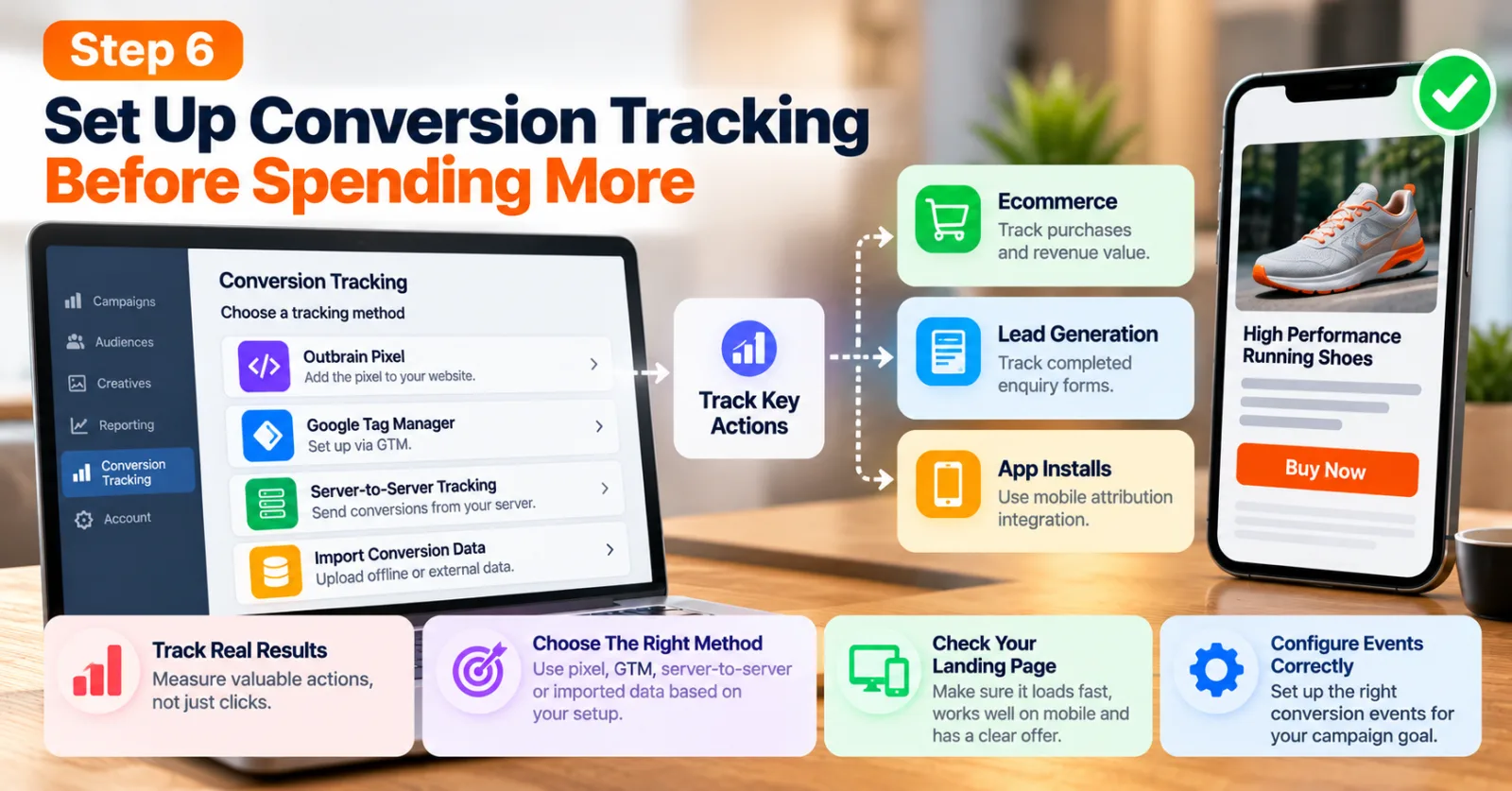
Step 6: Set Up Conversion Tracking Before Spending More
A campaign can generate clicks without generating valuable customers. That is why conversion tracking should be checked before evaluating performance.
Outbrain supports different conversion-tracking methods, including its pixel, Google Tag Manager integrations, server-to-server tracking, and imported conversion data. The appropriate method depends on your website, analytics setup, and campaign objective. For a lead-generation campaign, you might track completed enquiry forms. An ecommerce business could track purchases and their associated values. If you are promoting a mobile application, you may need an appropriate mobile attribution integration.
Review Outbrain's official conversion-tracking instructions and make sure the required tracking method and conversion events are configured correctly. You should also verify that the landing page works properly on mobile devices. A slow page, confusing form, or unclear offer can reduce conversions even when the video itself attracts attention.
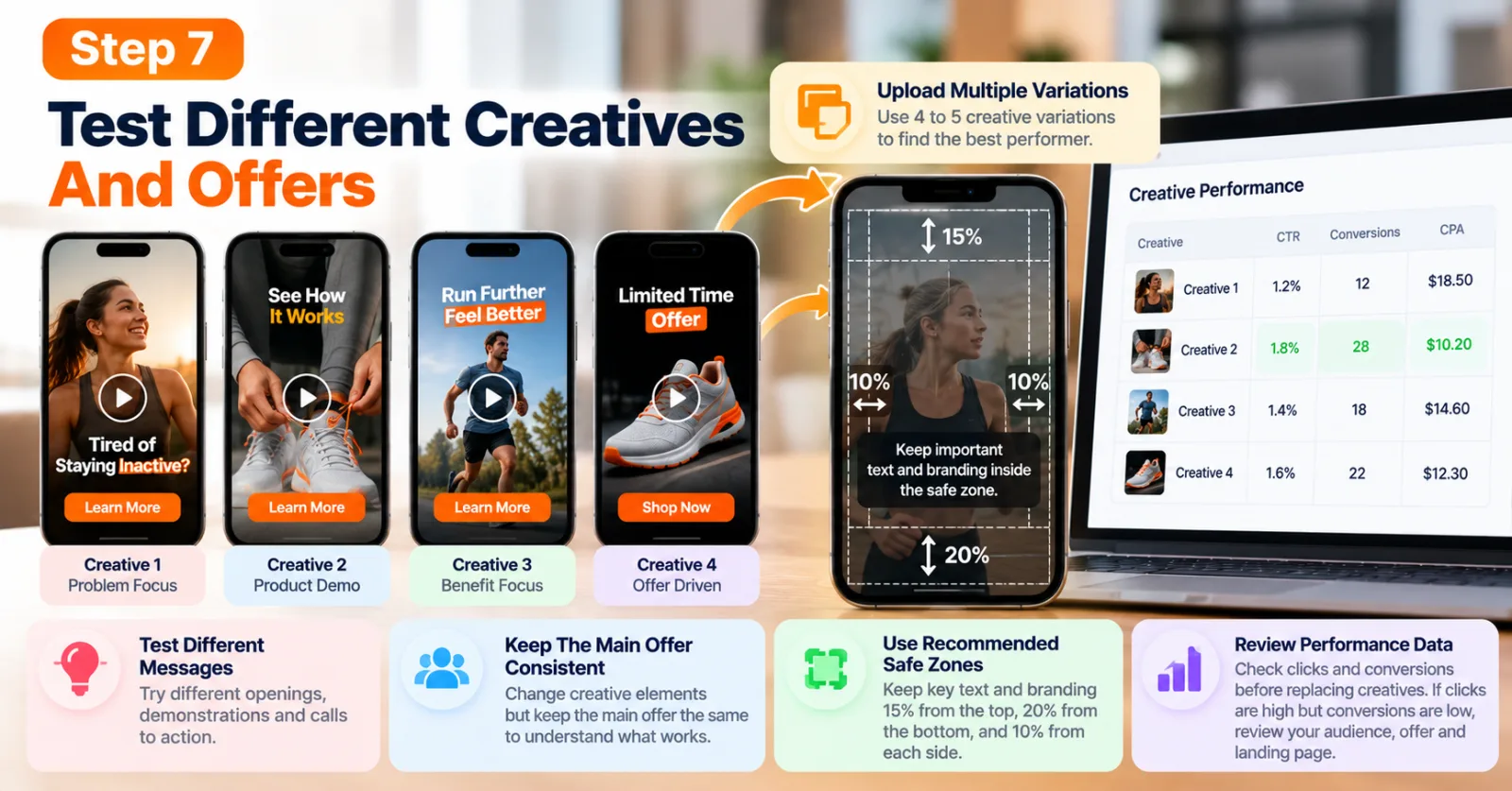
Step 7: Test Different Creatives And Offers
Do not assume that one video will be the best performer simply because it looks professional. Different audiences can respond to different openings, demonstrations, messages, and calls to action. Prepare several meaningful creative variations. One version could focus on a problem, another could demonstrate the product, and a third could highlight a customer benefit. Keep the main offer consistent where possible so that you can understand which creative elements may be influencing the results.
Outbrain recommends uploading four to five creative variations to help identify the strongest assets. You should also keep important text and branding inside the recommended safe zones: approximately 15% away from the top, 20% above the bottom, and 10% from each side.
Review the available performance data before replacing creatives. If one video attracts clicks but fails to generate conversions, investigate the audience, offer, and landing page instead of assuming the video is the only problem.
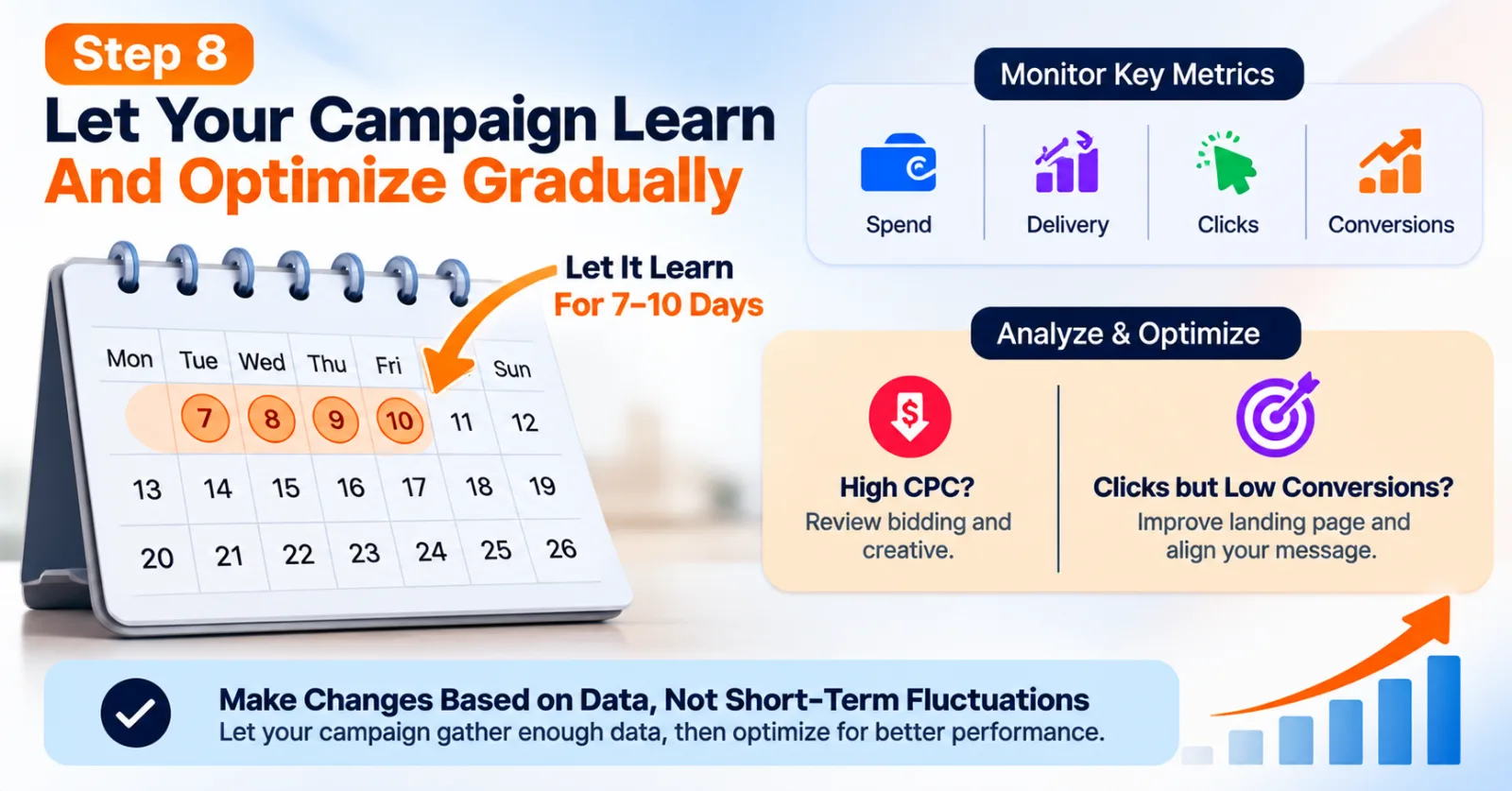
Step 8: Allow The Campaign To Learn And Optimize Gradually
Once the campaign is live, avoid making frequent major changes before enough data has accumulated. Outbrain recommends allowing at least seven to ten days before evaluating a new Vertical Video campaign, giving the optimization system time to learn. This is a practical starting point, not a guarantee that every campaign will have enough data within that period. Campaign volume, budget, conversion frequency, and market conditions can all affect how quickly useful conclusions become available.
During the learning period, monitor spending, delivery, clicks, conversion events, and any available breakdown by creative format. Avoid changing the budget, bidding strategy, targeting, and creative at the same time unless there is a clear reason to do so.
After enough data is available, identify what needs improvement. If clicks are expensive, review the bidding settings and creative. If clicks are coming in but conversions are weak, examine the landing page and the match between the video promise and the offer. The goal is to make changes based on evidence rather than reacting to every short-term fluctuation.
Which Metrics Should You Track?
When using Outbrain Vertical Video for Performance Campaigns, focus on metrics that connect advertising costs to business results. Click-through rate can help you understand whether the creative encourages people to visit your website. However, a high click-through rate does not prove that the campaign is profitable.
Conversion rate shows how many visitors complete the desired action, while cost per acquisition or cost per lead helps you understand how much you pay for each result. For ecommerce campaigns, conversion value and return on ad spend are also important.
For example, suppose a campaign spends $500 and generates 10 sales. The cost per sale is $50. If each sale generates $100 in revenue, the campaign's revenue-to-ad-spend ratio is 2:1 before accounting for product costs, fulfilment, fees, and other expenses. This simple calculation shows why advertisers should look beyond video engagement. A campaign can attract attention and still fail to deliver an acceptable business outcome.
Use the metrics available in Amplify alongside your own analytics and revenue data. Outbrain's reporting documentation explains how conversions can be reviewed and broken down using available reporting dimensions. Because some Vertical Video reporting features are still evolving during beta, confirm which video-specific metrics are currently available in your account.
Common Mistakes To Avoid
One common mistake is uploading a horizontal video without adapting it for portrait viewing. This can make products, captions, and other important details difficult to see. Another mistake is creating a video that depends entirely on audio. Although Outbrain supports audio, its specifications state that videos start muted and users can unmute them. Captions and clear on-screen messaging therefore remain important.
Advertisers should also avoid judging campaigns entirely by clicks or views. These metrics can be useful for understanding engagement, but they cannot replace conversion and profitability analysis.
Finally, do not make major optimization decisions too early. A few clicks or a small number of conversions may not provide enough evidence to identify the best creative or bidding strategy.
Is Outbrain Vertical Video Worth Testing?
Outbrain Vertical Video can be worth testing for advertisers who already have mobile-friendly video assets and want to explore performance advertising beyond social platforms. It offers a way to demonstrate products visually while using campaign tracking and optimization tools to measure business outcomes. It may be particularly useful for ecommerce brands, app advertisers, lead-generation businesses, and companies with products that are easier to demonstrate than explain through a static image.
However, advertisers should begin with a clear conversion goal, reliable tracking, a realistic budget, and a landing page that works well on mobile devices. They should also confirm feature availability and reporting limitations because Vertical Video and Multi-Format campaigns are identified as beta features in Outbrain's documentation. The best approach is to test the format against a meaningful business goal, compare the results with other eligible creatives, and scale only when the available data supports the decision.
Agency ad accounts, without the wait.
Buy and top up Google, Meta, native, and more from one dashboard.
Get started


No comments yet. Be the first to comment.
Comments are open to registered AdScaleLab clients.
Sign in to comment