



Google Ads Agency Account: How to Buy and Run a Verified Account at Scale
Google Ads is the most trusted advertising platform on earth, reaching billions across Search, Display, YouTube, and Performance Max. But anyone who has tried to scale on a fresh self-serve account knows the friction: sudden suspensions, payment reviews, and spend limits that stall campaigns right when they start working. A Google Ads agency account solves much of that. This guide explains how agency accounts work, then walks you step by step through buying and managing one inside the AdScaleLab dashboard.
Google Ads Agency Account
A Google Ads agency account is an ad account provisioned through an agency relationship, run under a verified manager account, rather than a standard individual signup. The advantage is trust and stability: agency accounts carry stronger standing, smoother approvals, and the ability to spend meaningfully from day one, where a fresh personal account often faces tight limits or sudden reviews early on. At AdScaleLab, our Google Ads agency accounts are sourced from Hong Kong and let you run Search, Display, YouTube, and Performance Max from one verified manager account. For media buyers and affiliates running real budgets, that stability is the difference between scaling and starting over.
Why Media Buyers and Affiliates Buy Agency Accounts
If you run paid traffic for a living, the pain is familiar: accounts that get suspended, limited, or flagged mid-campaign waste both time and money. Affiliates and media buyers seek out Google Ads agency accounts because they want to scale spend without fighting the platform every week. A good agency account means fewer surprises, faster approvals, and a clear path to keep running. The goal is simple, spend less time managing accounts and more time optimizing campaigns and offers.
Understanding the Manager Account and CID
Google Ads accounts are organized under a manager account (often called an MCC), and each individual account has a customer ID, known as a CID. When you get an agency account, you are given a CID that sits under a verified manager structure. This is part of what gives the account its standing. You do not need to build or verify a manager account yourself, which removes one of the slower, more error-prone parts of getting started on Google Ads at scale.
How to Buy a Google Ads Agency Account on AdScaleLab
Here is exactly how the process works in the dashboard, step by step.
Step 1: Create your account. Sign up at the AdScaleLab dashboard with your email, company name, and Telegram handle, then set a password. Verification is by email and no card is required. Your Telegram handle matters because order updates and notifications are sent there.
Step 2: Pick Google Ads. Once signed in, open the buy flow and select Google Ads from the list of available networks. You will see the supplier available along with the account details.
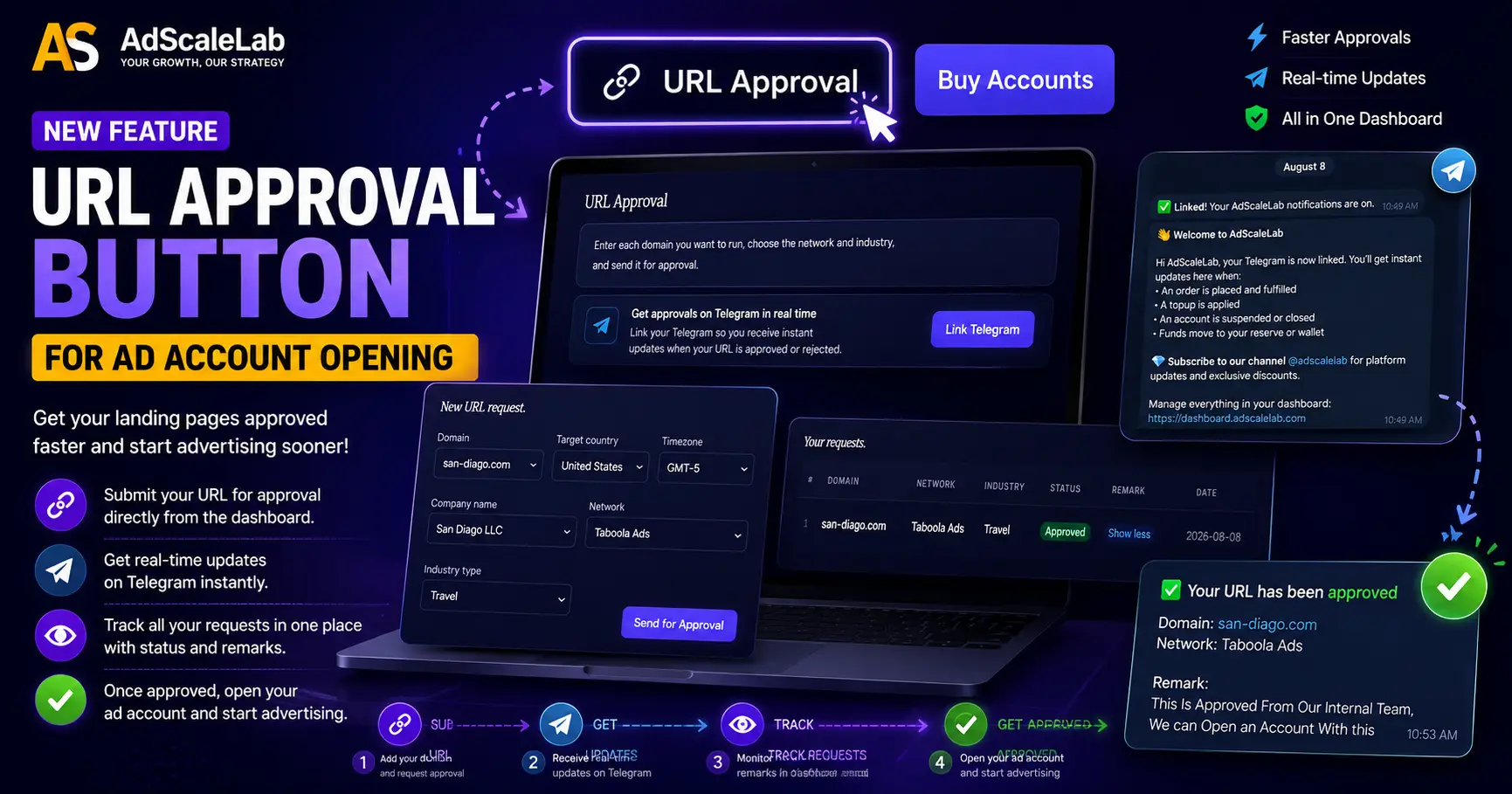
Step 3: Enter your campaign details. You will be asked for the information the account needs, including your destination URL, the landing page you intend to run. This URL is pre-approved before the account is delivered, which protects you from launching on an account that was never going to pass review. Submit the real page you plan to run.
Step 4: Choose how to pay. Pay from your wallet in USDT, or from your on-platform reserve balance if you have funds there.
Step 5: Pay in USDT and confirm. The dashboard shows you the exact USDT (TRC20) wallet address and amount. Send payment from your own wallet, then paste your transaction hash to confirm. The system verifies the transaction on-chain automatically, and each hash can only be used once, so there is no risk of a payment being double-counted.
Step 6: Receive your account. After payment is verified and your URL passes pre-approval, your Google Ads agency account is delivered with its CID and login credentials, visible right in your dashboard.
How to Top Up Your Google Ads Account
When you are ready to add spend, open the account from your dashboard and choose to top it up. Enter the amount you want to add, pay the USDT shown (a topup fee in the 3-10% range applies), and confirm with your transaction hash. If a network is ever paused, you can request to close the account and refund the unused balance instead.
Managing Everything From One Dashboard
The advantage of running your accounts through AdScaleLab is that buying, topping up, tracking spend, and viewing your credentials all happen in one place. You can see your accounts, their unused balances, your payment history filtered by date, and your live orders without leaving the dashboard. For media buyers juggling several accounts, that single clear view saves real time.
Staying Compliant on Google Ads
Getting an account is only half the job; keeping it healthy is the other half. Google reviews your landing pages closely, so your site should look like a genuine business with clear content, working policy pages, and honest claims. Avoid cloaking or showing reviewers a different page than real users see, because that is the fastest way to lose an account permanently. Misleading claims and restricted-category content invite suspension. The advertisers who run Google Ads profitably for the long term treat compliance as part of the strategy, not an obstacle.
Getting Started
A Google Ads agency account removes the slow, uncertain part of launching so you can focus on what actually drives results: keywords, creative, and offers. With fast setup, USDT topups, and a self-serve dashboard for managing everything, AdScaleLab gets you running on the world's biggest ad platform without the wait.
Ready to launch on Google Ads? Sign up, pick Google Ads, and get your agency account set up.
Frequently Asked Questions
Can you buy a Google Ads agency account?
Yes. A Google Ads agency account is provisioned through an agency relationship under a verified manager account, giving you stronger standing and the ability to spend at scale sooner than a fresh personal account. AdScaleLab supplies Google Ads agency accounts sourced from Hong Kong.
What is a CID in Google Ads?
A CID is the customer ID for an individual Google Ads account. With an agency account, your CID sits under a verified manager account, which is part of what gives the account its standing.
How do I buy an account on AdScaleLab?
Sign up, pick Google Ads, enter your destination URL, pay in USDT (or from your reserve), and confirm with your transaction hash. Once payment is verified and your URL is pre-approved, the account is delivered with its CID and credentials in your dashboard.
How do topups work?
Open the account in your dashboard, enter the amount, pay the USDT shown (a topup fee in the 3-10% range applies), and confirm with your transaction hash.
Why do Google Ads accounts get suspended?
The most common reasons are non-compliant landing pages, cloaking, misleading claims, and restricted-category content. Keeping your website and creative genuine and compliant is the best protection against suspension.
Agency ad accounts, without the wait.
Buy and top up Google, Meta, native, and more from one dashboard.
Get started
No comments yet. Be the first to comment.
Comments are open to registered AdScaleLab clients.
Sign in to comment