






How To Plan A MediaGo Agency Account Budget Before Launching Campaigns
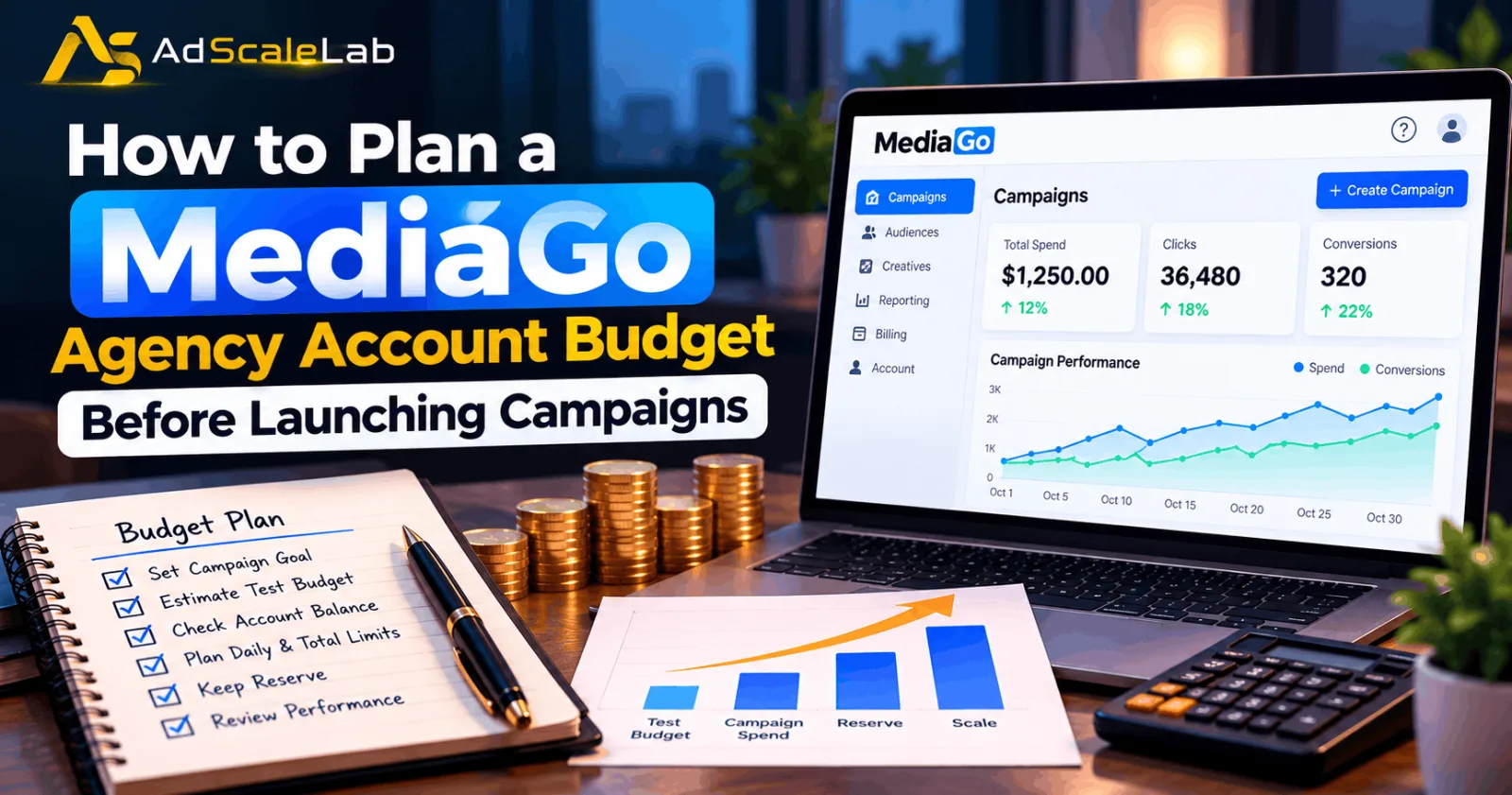
Launching a campaign on MediaGo without a clear budget can make it difficult to understand where your money is going. A campaign may receive clicks during its first few days, but those clicks do not automatically mean the ads are generating sales or qualified leads. If too much money is spent before you review the results, you may have little left to test a different creative or fix a problem with the landing page. That is why planning a MediaGo agency account budget should happen before the first campaign goes live. You need to decide how much money will be available, how much you can afford to spend during testing, and what results would justify continuing the campaign.
MediaGo is an advertising platform that offers native and display ads across the open internet. Its official advertiser information describes a primarily cost-per-click (CPC) pricing model and its SmartBid technology for intelligent bidding. The platform uses advertising and conversion signals to help evaluate opportunities, but it cannot guarantee that a particular offer will be profitable for every advertiser. MediaGo's official advertiser website explains its advertising and bidding approach.
For advertisers using an agency account, there is another detail to check: the money paid to the account provider may not be the same as the amount available to spend on campaigns. Funding requirements, fees and account arrangements can vary by provider. Understanding these details first gives you a more realistic budget and helps prevent unexpected interruptions after launch.
Check Your MediaGo Agency Account Budget Funding Requirements
Before choosing a campaign budget, confirm how your agency account works. Ask the provider how much funding is required to start, how top-ups are credited, whether any fees apply, and how long it normally takes for funds to become available. You should also ask how unused funds are handled if you decide to stop advertising.
These questions matter because an account deposit and a campaign budget serve different purposes. A deposit puts money into the account, while a campaign budget determines how much you intend to spend on advertising. Depositing $1,000 does not mean you should immediately allocate the full amount to one campaign.
For example, suppose you pay $1,000 to fund an account. If a hypothetical provider fee of $50 is deducted before the money is credited, only $950 may be available for advertising. If the fee is charged separately, the available balance may be different. These are illustrative arrangements, not a statement about MediaGo's standard fees or the terms of every agency provider.
Record the amount paid, the amount credited and any fee separately. You can then build your campaign plan around the actual available balance instead of the amount shown on a payment receipt. If you use an agency provider, confirm its specific terms directly. Do not assume that every MediaGo account has the same deposit requirement or funding process.
Understand MediaGo's Campaign Budget Settings
MediaGo's campaign documentation provides useful information for advertisers who want to plan spending before launch. Its official campaign-creation API includes fields for daily cap, campaign spend limit, CPC bid and spending pace. The documentation also describes campaign objectives such as lead generation, online purchases and website engagement.
The documentation currently specifies a minimum daily cap of $20 and a daily-cap-to-CPC ratio of at least 30 for CPC and SmartBid campaigns created through that API. These are documented campaign-configuration requirements, not a universal agency account deposit requirement. Your available settings may depend on the account and campaign setup, so check the requirements shown in your own account or confirm them with your MediaGo representative. It is also important to distinguish a daily cap from a campaign spend limit. A daily cap controls the planned spending limit for a day, while a campaign spend limit sets a limit for the campaign as a whole. If your account supports both settings, review them together before launch.
Consider a campaign with a planned daily cap of $100 and a total spend limit of $700. If it spends the full daily amount, the campaign could use its planned budget in seven days. Actual delivery may be lower, depending on traffic, bids and campaign conditions. The example simply shows why the daily setting and the total limit should be planned together.
Check the spending pace setting as well. MediaGo's API documentation describes options for consuming the daily budget more evenly or spending it as quickly as possible. If you are testing a new offer and want time to review performance, understand how the selected pacing option may affect delivery before you launch.
Set Your Budget Based On The Campaign Goal
The amount you should spend depends on what you want the campaign to achieve. A lead-generation campaign needs to be judged by the cost and quality of its leads. An ecommerce campaign needs to be judged by purchases, revenue and profit. A campaign designed to increase website engagement may require different success measures. Start by deciding what a successful conversion is worth to your business. Then set a target cost per acquisition (CPA), which is the amount you are willing to pay for a lead, sale or other defined result.
For example, imagine a business that can afford to pay $30 for a qualified lead. That $30 is the business's target, not a promise that MediaGo will generate leads at that price. If the campaign produces leads at $20 and those leads are genuinely valuable, the results may justify continuing. If leads cost $60 and rarely become customers, the campaign may need changes.
You should also account for the value of the final outcome. A campaign producing inexpensive leads is not necessarily better than one producing fewer but higher-quality leads. The same applies to ecommerce: revenue alone does not show whether the campaign is profitable after product costs and other expenses. Set the target before launch so you have a clear standard for judging the campaign. Otherwise, it becomes easy to keep spending simply because the campaign is receiving clicks.
Decide How Much To Spend On The First Test
A new campaign needs enough spending to collect useful information, but the test should stay within an amount the business can afford. There is no single testing budget that works for every offer, industry or conversion goal. One practical method is to estimate the test budget using your target CPA. Suppose your target CPA is $30 and you plan an initial daily budget of $150. That is five times your target CPA. If the campaign spends the full amount for five days, your planned test spend would be $750.
This calculation helps you understand the financial commitment before the campaign starts. It does not mean the campaign will generate 25 conversions or that MediaGo will spend the full amount. The actual result will depend on delivery, conversion rates and other factors.
If a $750 test is too expensive, reduce the size of the experiment where your account settings allow it, or reconsider whether you have enough funding to run a useful test. Do not borrow money or commit funds your business needs for essential expenses just to meet an arbitrary advertising budget.
It is also sensible to keep a reserve for later changes. If the first creative performs poorly, you may want to test a different headline or image. If tracking is broken, you may need to correct it before spending more. Using the entire budget on the first attempt leaves no room to respond.
Keep A Reserve Instead Of Funding Only One Campaign
Imagine you have $2,000 available for advertising. You could put all of it into one campaign, but that would leave you with little flexibility if the test fails or needs major changes. Instead, you might allocate $1,000 to the first test, reserve $700 for a second test or revised campaign, and keep $300 available for account fees or other funding needs. This is an example of budget allocation, not a recommended split for every advertiser. The right amounts depend on your account terms, campaign objective and financial position.
A reserve is particularly useful when you are testing a new offer or entering a market where you have limited performance data. You may discover that one creative attracts clicks but another generates better leads. Having money available for a second test allows you to act on what you learn. Keep the reserve separate in your budget records, even if the money is already sitting in the same advertising account. That simple habit makes it easier to see how much you can spend now without affecting the next stage of testing.
Prepare Tracking Before Spending Starts
A budget is only useful if you can measure what the campaign delivers. If conversion tracking is not working correctly, the dashboard may show clicks and spending without recording the leads or purchases that matter to your business.
Before launch, test the full journey from the ad to the landing page and the intended conversion. Check that the page loads on mobile devices, the form or checkout works, and the correct conversion event is recorded. Confirm that your tracking parameters are attached to the campaign URLs so you can identify traffic from MediaGo in your analytics system.
MediaGo's campaign API includes a field for campaign-level tracking information, as well as settings for the campaign objective and conversion goal. Check the documentation and your account configuration to make sure these fields match your measurement plan. For instance, if you are running a lead-generation campaign, test whether a completed form is recorded as a lead. A page visit alone should not be treated as a qualified lead unless that is genuinely the action you are measuring.
This check can save money. If the campaign receives clicks but reports no conversions, you need to know whether the offer is not working or the tracking setup is broken. Increasing the budget before checking this difference can make the problem more expensive.
Set A Spending Limit And A Review Point
Before launching, decide how much you are willing to spend before reviewing the campaign. This is a practical safeguard, not an official MediaGo rule. For example, you might decide to review a new campaign after it has spent $300 without producing a qualified lead. The right limit depends on your target CPA and how much evidence you need to evaluate performance. A campaign with a $100 target CPA should not automatically use the same review threshold as one with a $20 target CPA.
When the review point arrives, check more than the number of clicks. Look at conversion tracking, cost per result, landing-page performance and the quality of the leads or sales. If tracking works but the campaign is far outside your target, pause it or make a focused change instead of increasing the budget without evidence. At the same time, do not judge a campaign entirely on one short period of weak results. Make sure the data is sufficient for the decision you need to make. The aim is to control risk without making rushed changes that prevent you from learning anything useful.
Increase Spending Only When The Results Support It
Once the campaign starts producing results, compare actual performance with the plan you created before launch. Review spending, conversion costs and the quality of the outcomes. If the campaign is meeting your target and the results are consistent enough to support a decision, consider increasing the budget gradually.
MediaGo's SmartBid technology is designed to help optimize bidding using advertising signals, but automated bidding does not remove the need for financial oversight. The offer, creative, landing page and conversion data still affect performance. A larger budget cannot fix an offer that customers do not want or a page that fails to convert visitors.
If you change the budget, bidding strategy and creative at the same time, it may be difficult to tell which change affected the results. Where possible, make focused changes and review what happens before making the next decision. For more context, read AdScaleLab's guide to optimizing MediaGo campaigns with SmartBid 3.0. You can also compare MediaGo with other platforms in the MediaGo vs. Taboola guide before deciding where to allocate future advertising funds.
Final Thoughts
Planning a MediaGo agency account budget before launching campaigns is about knowing what you can afford, what you want to achieve and when you will review the results. Confirm the provider's funding terms, understand the campaign's daily and total spending limits, prepare conversion tracking and keep money available for follow-up tests.
MediaGo's bidding technology can help manage campaign delivery, but it cannot guarantee profitable results. Start with a budget that fits your business, judge performance using meaningful conversions, and increase spending only when the evidence supports it. A clear plan will not make every campaign successful. It will make it easier to understand what happened, protect your remaining funds and decide what to test next.
Agency ad accounts, without the wait.
Buy and top up Google, Meta, native, and more from one dashboard.
Get started
No comments yet. Be the first to comment.
Comments are open to registered AdScaleLab clients.
Sign in to comment