






MediaGo Agency Account URL Pre-Approval Tool
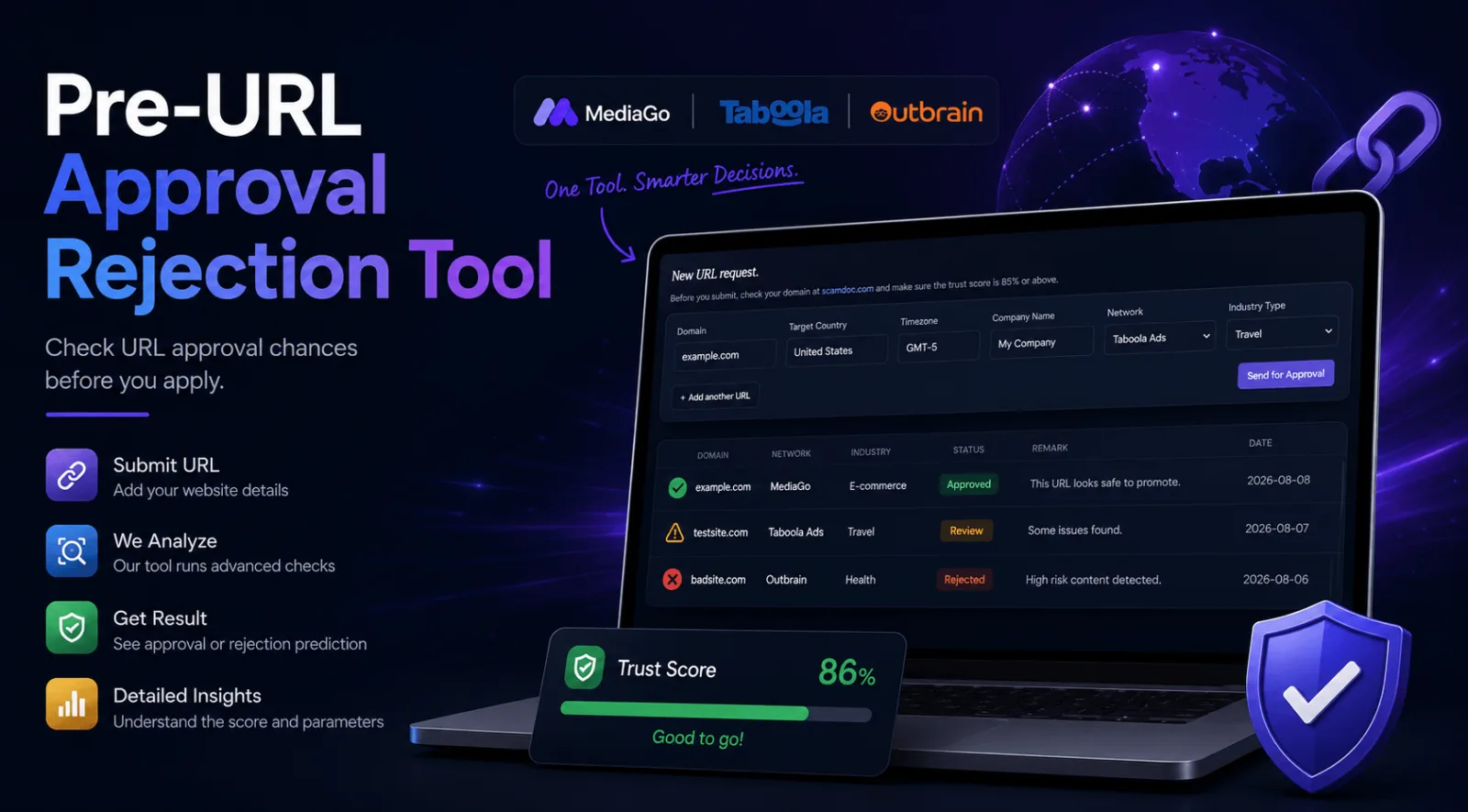
Most of the money lost on native advertising does not get lost in the auction. It gets lost before a single impression runs. You buy an account, upload your creatives, point them at your site, and the review comes back rejected. Now you own an account you cannot use, and you are sitting in a queue waiting on somebody else to make a decision about a page you could have fixed a week earlier.
The URL Approval tool inside your AdScaleLab dashboard exists to move that decision to the front of the process instead of the middle.
How the URL approval tool works
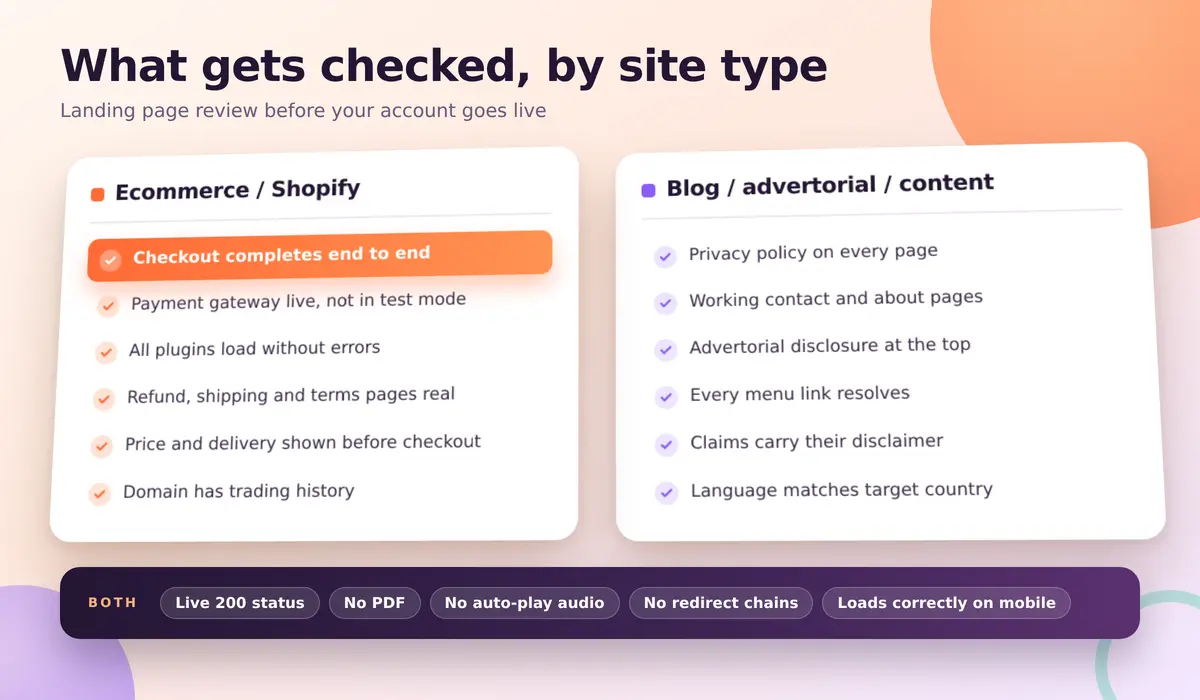
Sign in, open URL Approval from the top bar, and add a row. You fill in six things: the domain you want to run, the country you are targeting, the timezone, the company name behind the site, the network (MediaGo), and the industry type. Then you send it for approval.
From there the request goes to our internal MediaGo compliance team. They open the page the way a network reviewer would, run it against the checks below, and come back with a verdict and a written remark. The status shows in the same table on your dashboard, and the decision also reaches you by Telegram if your account is linked.
Three outcomes are possible: approved, rejected with a reason, or still in review.
What the team actually checks
The short version: nobody is asking whether your offer is good. They are asking whether a reader who clicks away from an MSN article lands somewhere real.
That framing is not arbitrary. MediaGo has had a direct agreement with Microsoft since 2020 for MSN native desktop inventory, and it also buys through Xandr and Google AdX. Your page is being judged against the standard those publishers expect on their own property. It works with GeoEdge and The Media Trust on ad quality, and it has been an IAB Europe TCF vendor since 2021, which is what lets it carry compliant European traffic at all. A network with that supply mix does not get to be relaxed about destinations.
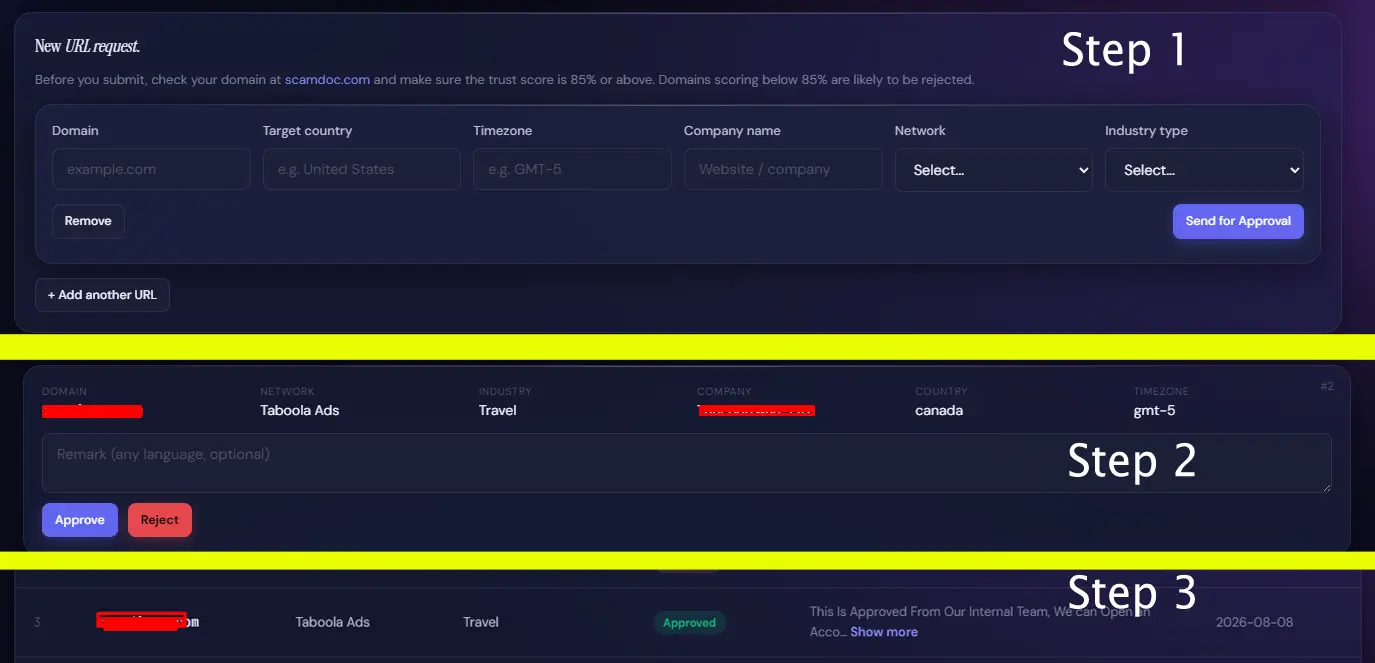
Ecommerce and Shopify stores
This is where most requests fail, and it is almost never the product itself.
- Checkout has to complete. If the payment gateway is not live, the store is still in test mode, or the card step throws an error, that is a rejection on its own. It is the single most common ecommerce failure we see.
- Every plugin has to actually load. Half-installed review widgets, a currency switcher that breaks the price, a chat bubble pointing at a dead script.
- Contact details, refund policy, shipping policy and terms all present, reachable, and written out rather than left as template placeholder text.
- Price, shipping cost and delivery time visible before checkout, not revealed at the last step.
- A domain with some trading history behind it. A store registered days ago with no footprint is a hard sell to any reviewer.
Blogs, advertorials and content pages
- A privacy policy reachable from every page, a working contact page, and a real about page.
- Advertorial disclosure at the top if the page is an advertisement written in the shape of an article.
- Working navigation. Every link in the menu goes to a finished page, not a draft or a 404.
- Claims that are supported. Health and finance get read hardest. A page promising a result needs its disclaimer sitting next to the claim, not buried in the footer.
- Language matching the country you are targeting, and matching the ad that sent the reader there.
- A live page returning a 200 status. PDFs are not a landing page.
The rest of the list
- No audio that starts playing on its own.
- No redirect chains, and no destination that differs from the one submitted.
- A site that loads properly on a phone, since a large share of native traffic is mobile.
- If your own page carries third party ads, they are labelled as ads.
What you get back
A written remark, not just a red cross. If the answer is no, the remark tells you what to change, which means you can fix the page and resubmit the same domain instead of guessing or burning a second one.
Every request stays in your table with its date and status, so over time you build a record of which of your domains are cleared for which network. That becomes useful the moment you are running more than one offer, or handing a domain to somebody else on your team. If you want to see how the destination question fits into the wider picture of getting on the network, our breakdown of MediaGo agency accounts covers the account side of it.
What the tool does not do
An approval here is a strong signal, not a guarantee. It clears your landing page as it stood on the day it was checked. Swap the page after launch, add a sharper claim, or point the ad somewhere else, and the network can still reject or suspend you later. It also covers your destination, not your creatives, so a compliant page behind an aggressive headline can still get pulled.
And it cannot rescue a site that is not really a business yet. No pre-check turns a store with a broken checkout into a store. What it does is tell you that before you have paid for an account, instead of after.
Use it before you buy, not after
The tool sits in your dashboard and costs nothing to use. Submit the domain first, fix whatever comes back, then buy the account against a destination you already know is clean. That order saves days, and it is the difference between a launch and a queue.
Agency ad accounts, without the wait.
Buy and top up Google, Meta, native, and more from one dashboard.
Get started

No comments yet. Be the first to comment.
Comments are open to registered AdScaleLab clients.
Sign in to comment