






How To Scale Native Ad Campaigns Without Increasing CPA
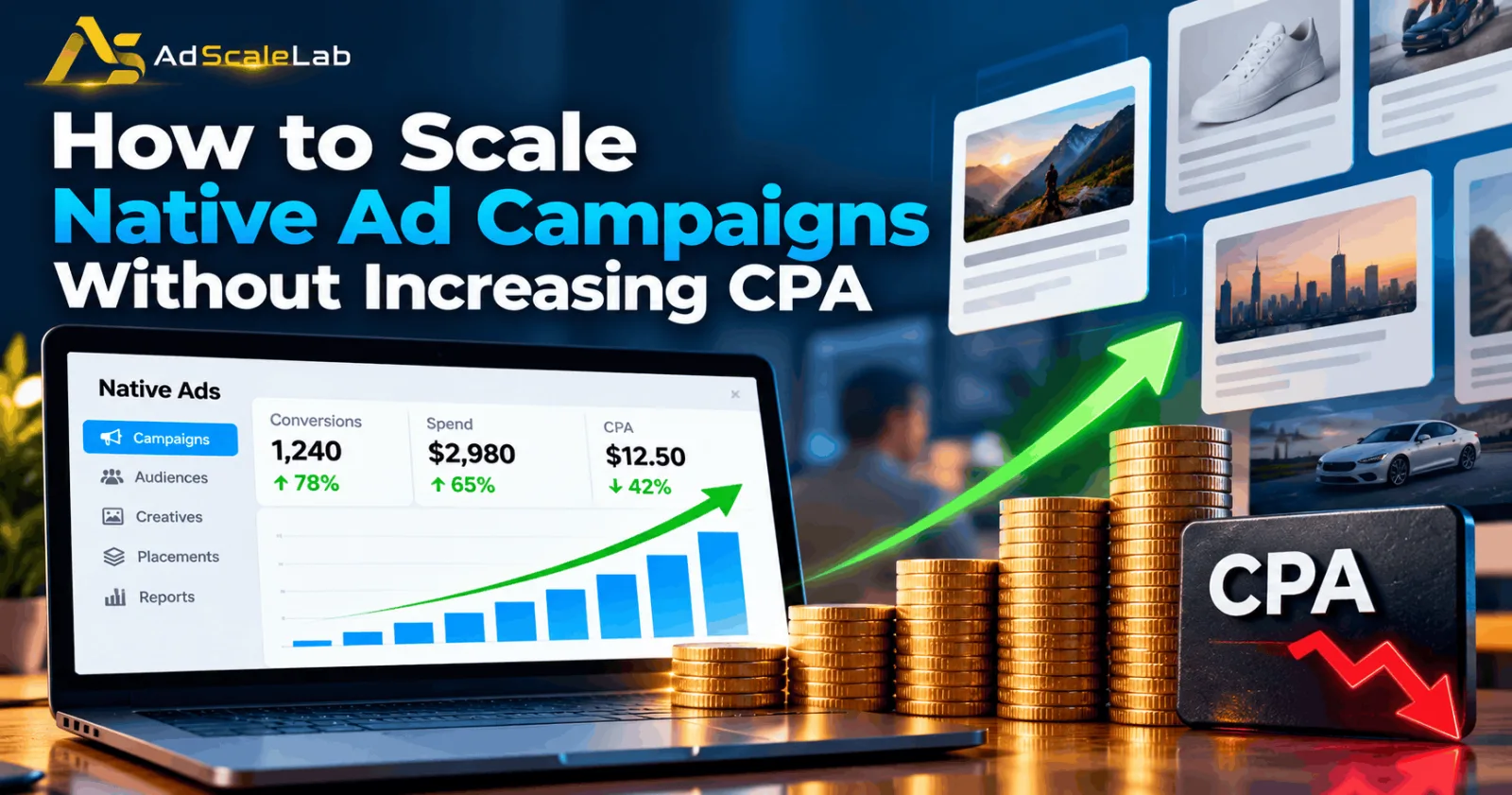
Learning how to scale native ad campaigns without increasing CPA is important for advertisers who want more conversions without losing control of their budget. A native advertising campaign may perform well with a small budget, bringing regular conversions at a cost per acquisition (CPA) that meets your target. Naturally, the next step is to spend more and get better results.
But this is where things can become difficult. You increase the budget, and suddenly your CPA starts rising. The campaign spends more money, but the number of conversions does not grow at the same rate. Sometimes, traffic quality also changes. This is a common challenge in paid advertising because a campaign that works well with a small budget will not always deliver the same results at a much higher spend. As your campaign reaches more people and placements, its performance can change.
The good news is that you can make scaling more controlled by using conversion data, testing new traffic sources carefully, and avoiding unnecessary changes. In this guide, we will explain how to scale native ad campaigns without increasing CPA, with practical steps that advertisers can use across native advertising platforms.
What Does Scaling A Native Ad Campaign Mean?
Scaling means increasing the amount of traffic, spend, or conversions you receive from a campaign while keeping its results commercially useful. This can mean increasing the budget on an existing campaign, reaching new audiences, testing additional publishers, or expanding successful creatives.
For example, imagine that you spend $500 on a native ad campaign and receive 25 conversions. Your CPA is $20. If you increase your spend to $1,000 and receive 50 conversions, your CPA remains $20. In this example, you have doubled your spend and conversions without increasing acquisition costs. However, if the $1,000 budget produces only 35 conversions, your CPA rises to about $28.57. You are spending more, but each conversion costs more than before.
This is why successful scaling is not simply about increasing a daily budget. It is about finding more opportunities to get conversions at a cost your business can afford. Native advertising platforms such as Taboola and Outbrain provide tools for managing budgets, optimizing bids, and analyzing campaign performance. Their official guidance also emphasizes campaign goals, conversion performance, and identifying effective creatives or placements. You can explore Outbrain's campaign scaling guidance and Taboola's overview of conversion-focused bidding for platform-specific examples.
Why Does CPA Increase When You Scale?
There is no single reason why CPA rises after a budget increase. Sometimes the campaign reaches people who are less likely to convert. In other cases, the additional spend goes to placements or creatives that generate clicks but not enough valuable actions.
Your original audience may also be relatively small. Once you reach more people, the campaign may have to compete for traffic that is less likely to take the action you want. A higher click-through rate does not automatically mean more sales or leads. Another problem is making several changes at once. If you increase the budget, change bids, replace creatives, and expand targeting on the same day, it becomes difficult to identify which change affected performance.
Tracking can also create confusion. If purchases or leads are reported late, recent results may look worse than they actually are. Google explains that conversion delays can temporarily make CPA appear higher because the advertising cost is already recorded while some conversions have not yet been reported. Although the reporting details differ between platforms, this is an important issue to check before reacting to recent numbers. See Google's explanation of conversion delays. The best approach is to understand the reason for a change before trying to fix it.
How To Scale Native Ad Campaigns Without Increasing CPA
Step 1: Check Whether Your Campaign Is Ready To Scale
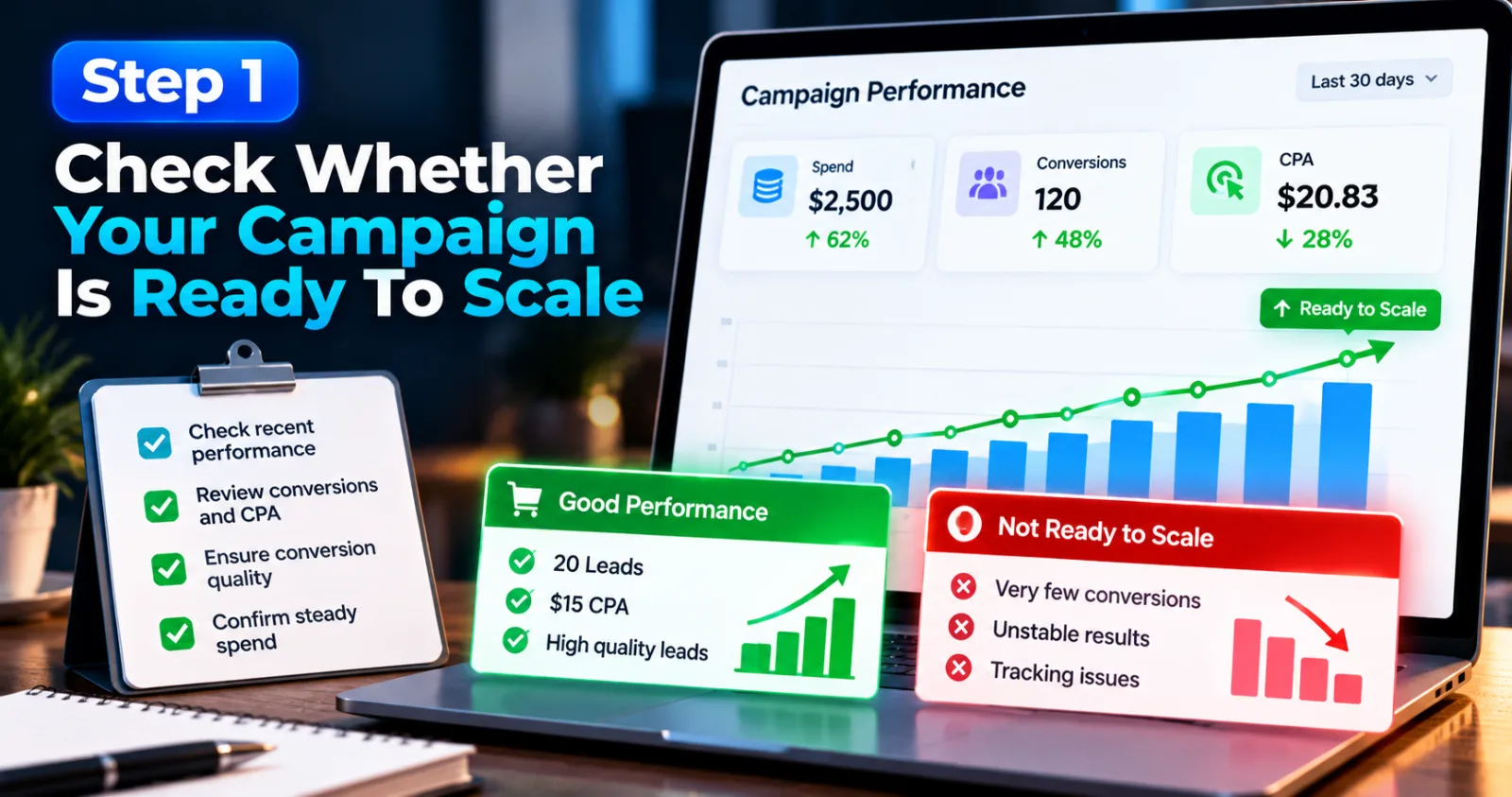
Before increasing spend, look at your campaign's recent performance. A few good days are not always enough to show that a campaign is ready for a larger budget. Check how much you have spent, how many conversions you have received, and whether your CPA is close to your target. Also review the quality of those conversions. For lead generation, this means checking whether leads are genuine and relevant. For ecommerce, look at purchases, revenue, and profit rather than clicks alone.
For example, a campaign might generate 20 leads at a $15 CPA. That looks attractive, but if most leads are invalid or never respond, increasing the budget may only produce more low-quality leads.
You should also check whether the campaign regularly spends its budget. If a campaign is already generating good results but frequently reaches its daily cap, increasing the budget may give it room to find more opportunities. Outbrain includes increasing budgets on successful campaigns among its scaling recommendations. If your campaign has unstable results, very few conversions, or tracking problems, fix those issues first. Scaling a weak campaign usually increases the amount of money exposed to the same problem.
Step 2: Confirm That Conversion Tracking Is Working Correctly
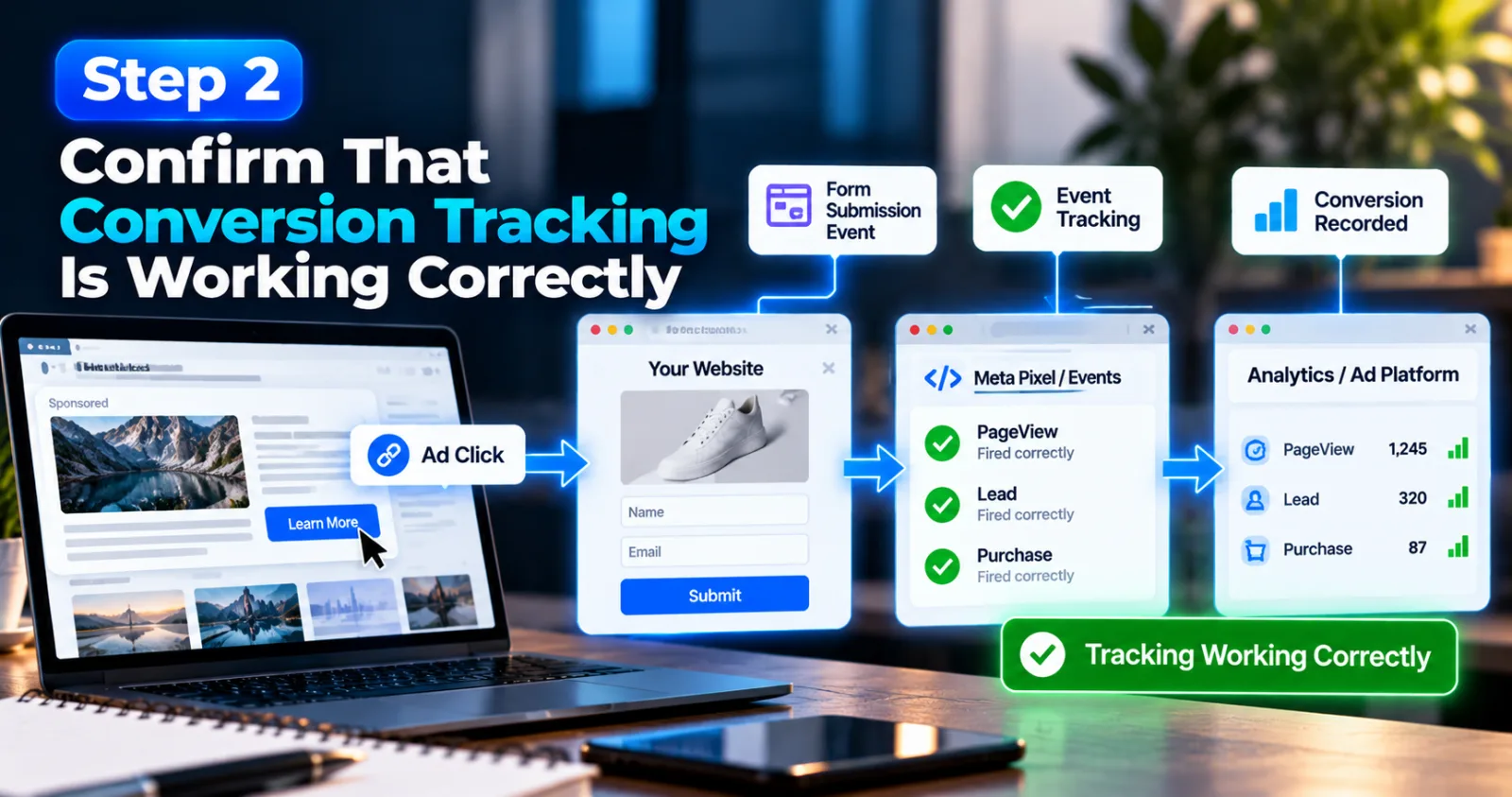
Reliable conversion data is essential when you want to scale without losing control of CPA. If your platform records clicks but misses purchases, leads, or other important actions, you may make decisions based on incorrect information.
Test your conversion setup before changing the budget. Check whether the correct event fires after a real conversion, whether duplicate events are being counted, and whether the platform and your analytics system are recording results in a way you understand.
For example, if a lead form sends a confirmation event twice, your reported CPA could look lower than your real CPA. You might then increase the budget based on performance that does not actually exist.
You should also understand how long conversions usually take. A visitor may click an ad today but purchase tomorrow or several days later. Comparing a recent, incomplete period with a fully reported period can lead to the wrong decision. Taboola's advertiser quick-start resources include materials on tracking conversions and installing the Realize Pixel. For a broader explanation of measurement, see Google's conversion measurement documentation. Do not start scaling until the numbers you use to judge performance are trustworthy.
Step 3: Increase The Budget In Controlled Stages
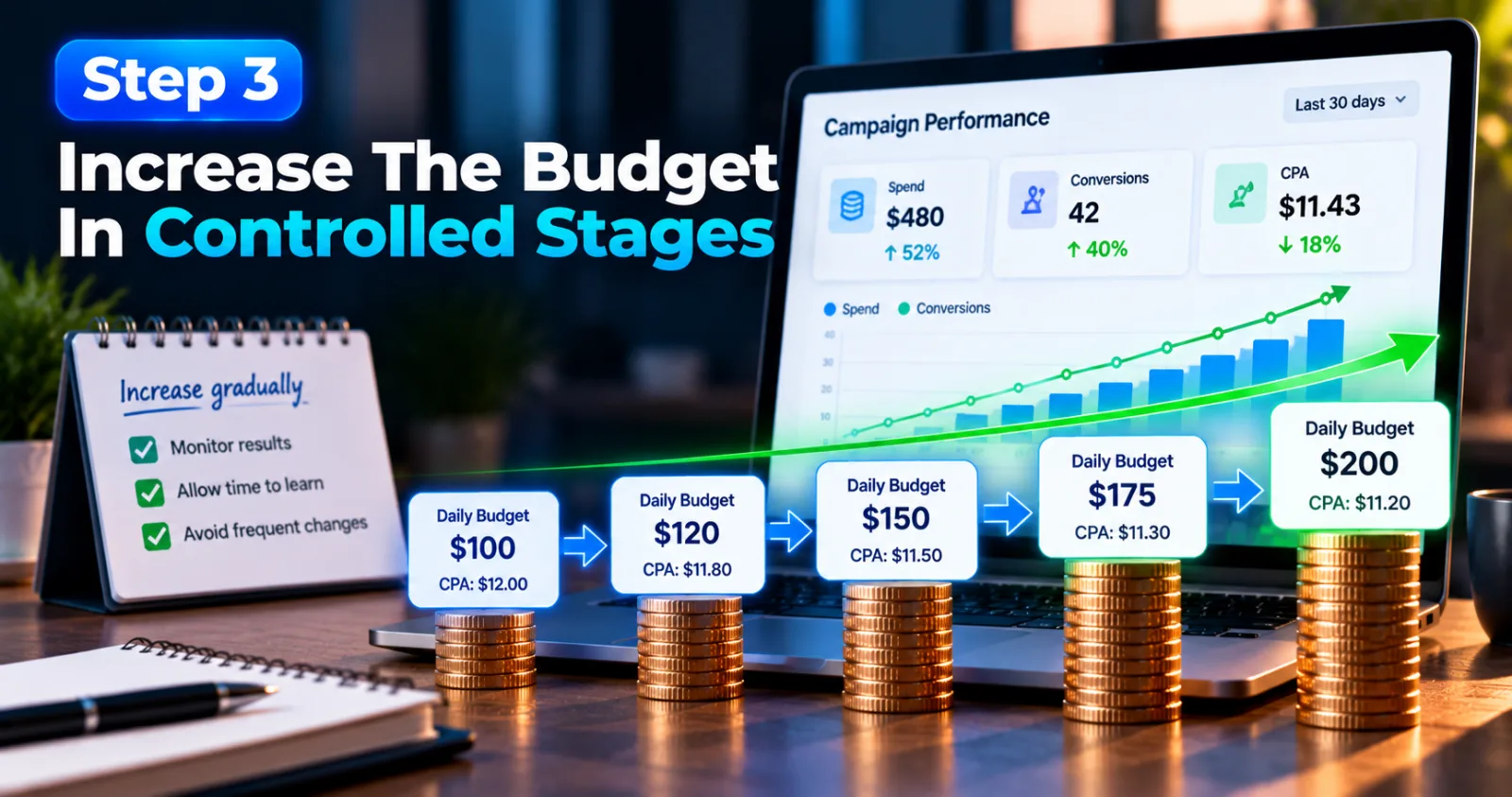
Once you have a campaign with reliable tracking and acceptable results, test a budget increase instead of making a very large change immediately. There is no universal percentage that works for every native campaign. Some campaigns can handle a meaningful increase, while others become less efficient after a small change. The right amount depends on conversion volume, available traffic, the bidding strategy, and the campaign's recent performance.
A practical approach is to choose a manageable increase, record the date and time, and observe how spend and conversions respond. Avoid making another major change before you have enough data to assess the first one. For example, if your campaign is spending $100 per day and producing conversions at your target CPA, you might test $120 or $125 per day rather than immediately raising it to $250. These amounts are examples, not platform rules. If performance remains healthy and the campaign can spend the additional budget efficiently, you can consider another increase.
Automated bidding campaigns need particular care. Taboola's technical documentation for Target CPA recommends using several days of stable CPA as a benchmark for setting the target. Google also advises advertisers to account for learning periods and avoid frequent changes to automated bidding settings. The exact rules vary by platform and campaign type, so check the relevant guidance before adjusting your own campaign. The goal is to give each change enough time to produce useful evidence.
Step 4: Expand Winning Creatives Instead Of Relying On One Ad
Your creative can affect both the number of people who click and the number who convert after clicking. When scaling, avoid depending entirely on one headline and thumbnail, even if they currently perform well. Start by identifying creatives that produce valuable conversions, not just high click-through rates. An ad that attracts many clicks but sends visitors who leave without taking action may not be a good choice for additional spend.
Create new versions based on the elements that already work. You might test a different headline angle, a clearer image, or a more specific benefit. Keep the promise in the ad consistent with the landing page so visitors know what to expect. For example, if a headline attracts users who want to compare products, a landing page that immediately explains the differences may be a better match than one that starts with a long, unrelated introduction.
Test new versions while monitoring conversion rate and CPA. If a new creative brings cheap clicks but weak conversions, do not keep it active simply because its click-through rate looks impressive. For more guidance on building effective ads, see AdScaleLab's Taboola Creative: Headlines & Thumbnails That Click if that URL matches the published article on your site. Keep the creative testing focused on finding more profitable traffic, not just increasing engagement.

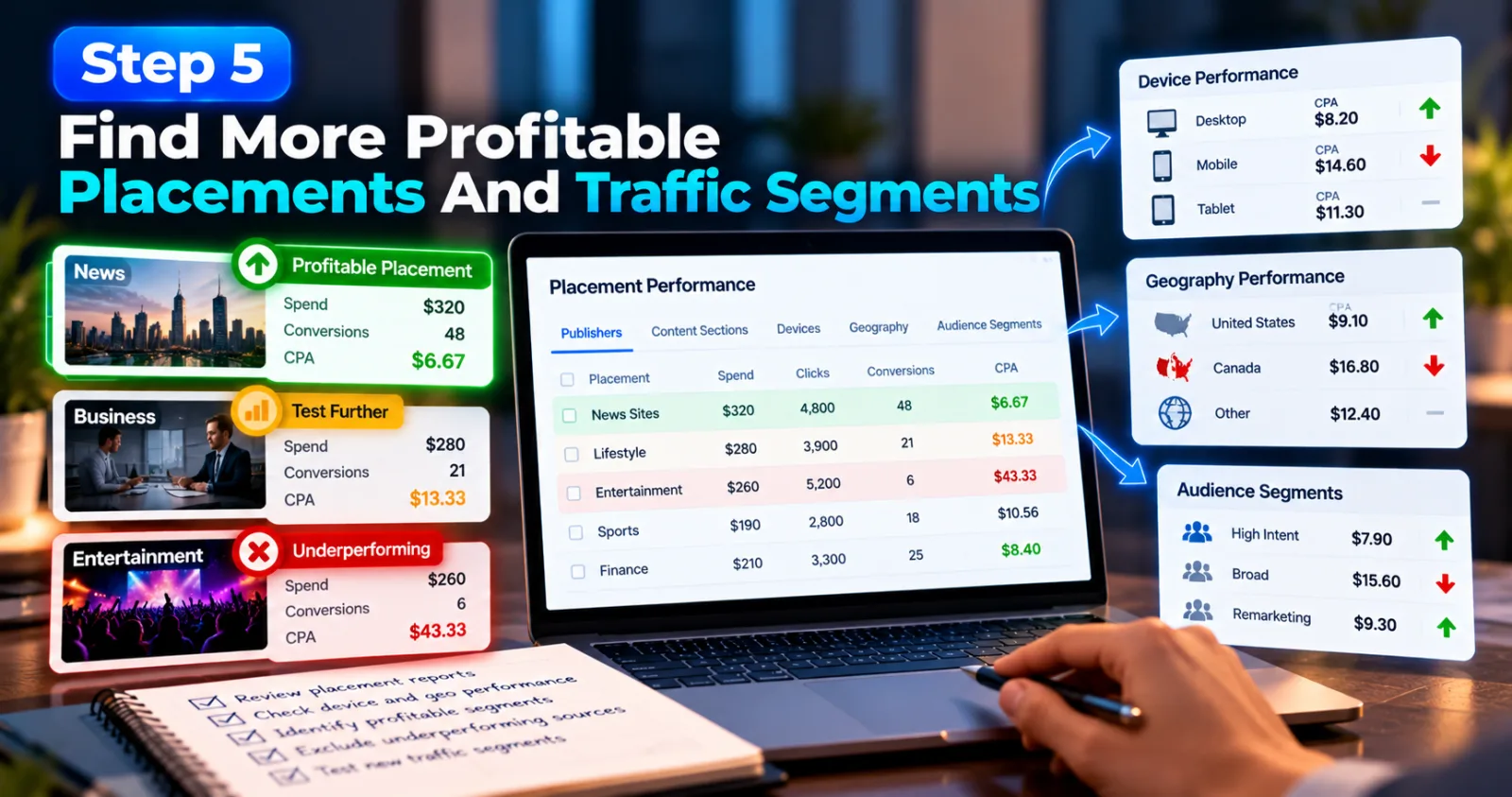
Step 5: Find More Profitable Placements And Traffic Segments
Native advertising campaigns can receive traffic from different publisher websites, content sections, devices, and audience segments. Performance may vary considerably across these sources. When you scale, look at where conversions actually come from. Review publisher or section reports, device performance, geography, and any other breakdowns available in your platform. Identify which segments bring conversions at an acceptable CPA and which consume spend without producing enough results.
If a placement consistently spends money without generating meaningful conversions, investigate it. Check whether the sample is large enough, whether conversion reporting is complete, and whether the landing page experience works well for that traffic. If the evidence supports it, consider reducing bids or excluding the placement using the controls available on your platform.
At the same time, do not exclude every source that looks weak after only a handful of clicks. Small samples can be misleading, particularly when conversions take time to happen. Outbrain's official campaign scaling guide describes reviewing publisher sections and adjusting or excluding underperforming sections. It also recommends testing additional campaigns to explore new geographical regions, devices, or content. The important point is to expand based on evidence. More traffic is useful only when it has a reasonable chance of producing the action you want.
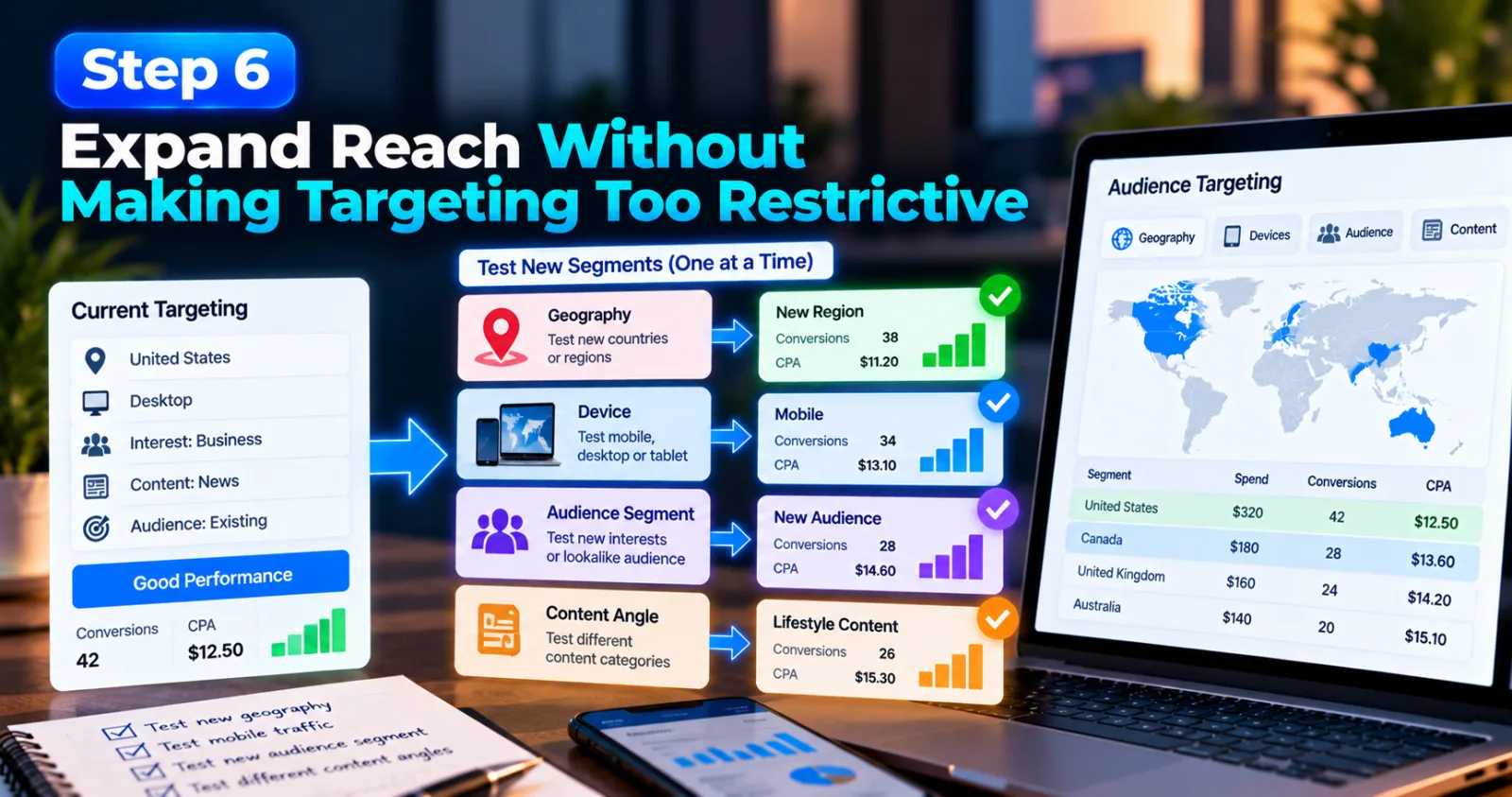
Step 6: Expand Reach Without Making Targeting Too Restrictive
Targeting can help you reach relevant users, but too many restrictions can limit the amount of traffic available to a campaign. When your original audience is performing well but cannot support more spend, you may need to test additional segments. Consider expanding one variable at a time. Depending on your campaign, this could mean testing a new geography, device, audience segment, or content angle. Keep the original campaign's successful setup available as a comparison where the platform structure allows it.
Do not assume that a segment will perform the same way simply because it resembles your existing audience. New traffic needs to be tested against your CPA goal and conversion quality. For example, a campaign that performs well on desktop may not deliver the same conversion rate on mobile. Before directing a large share of your budget to mobile, check whether the landing page loads properly, forms are easy to complete, and the traffic produces genuine conversions.
You should also avoid changing too many targeting settings at the same time. If you broaden the geography, change the creative, and increase the budget in one move, you may not know which change caused CPA to rise or fall. Use controlled tests to discover new sources of profitable traffic. Once a new segment shows consistent results, you can decide whether to expand it further.
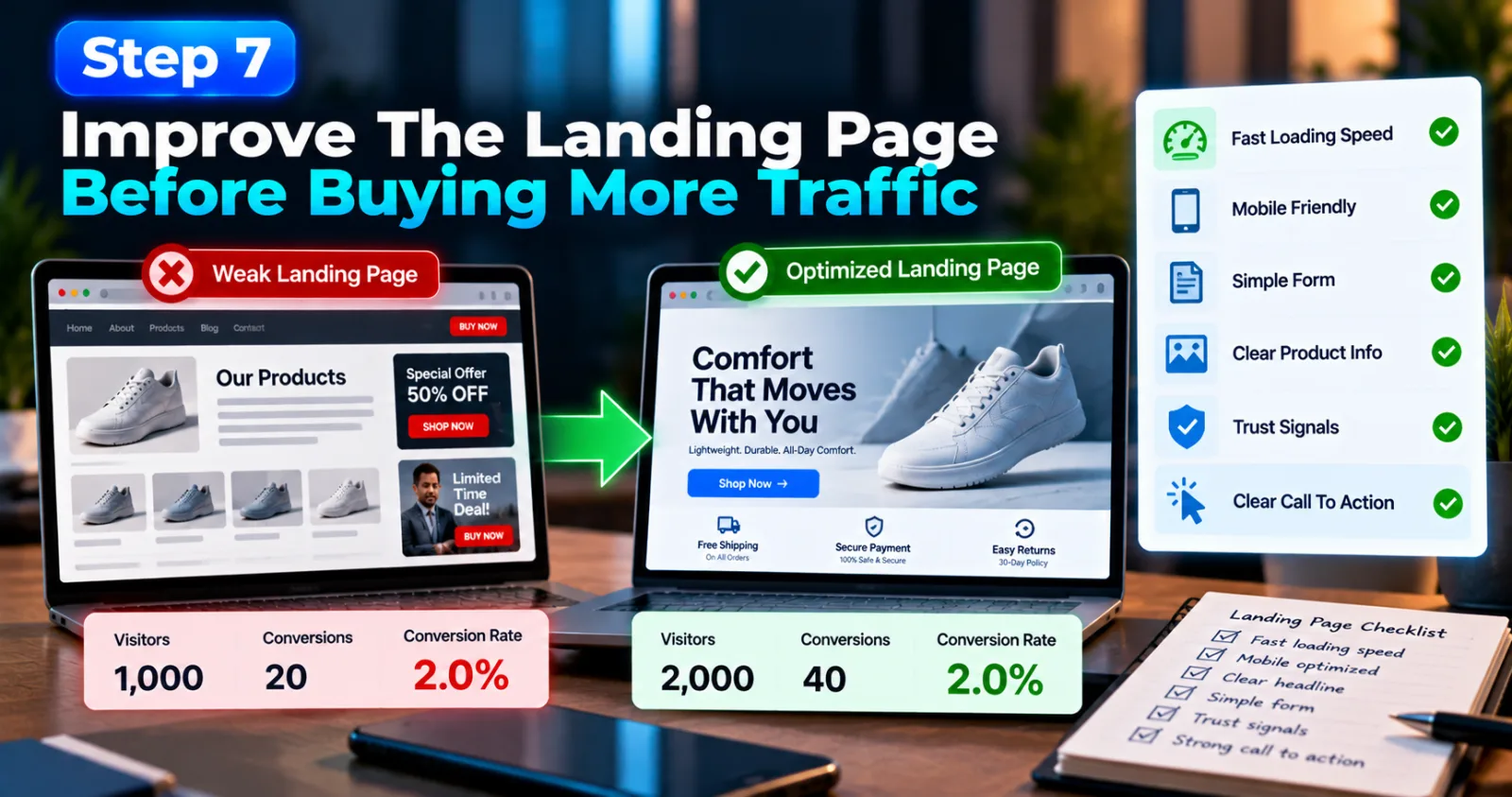
Step 7: Improve The Landing Page Before Buying More Traffic
A campaign can have good ads and still struggle to scale if the landing page does not convert visitors. When you increase traffic, even a small weakness in the page can become more expensive because more people encounter the same problem. Check whether the landing page delivers what the ad promises. Review loading speed, mobile usability, form length, product information, trust signals, and the clarity of the next action. Make sure the page does not contain unnecessary distractions that prevent users from completing the desired task.
Imagine that a native ad sends 1,000 visitors to a landing page, and 20 become leads. That is a 2% conversion rate. If the campaign attracts 2,000 visitors at a similar cost but the page conversion rate falls to 1%, you may not receive twice as many leads despite spending more. This is why it is worth improving the user journey before increasing traffic significantly. You can also compare the performance of different landing pages, provided you have enough data and a clear way to measure the results.
AdScaleLab's guide Never Send Traffic Straight to Native Ads Landing Page may be useful here. Review the existing article before adding the link to ensure it supports the point and does not repeat the same advice unnecessarily. The goal is to make every additional visitor more likely to convert, not simply to send more people to the page.
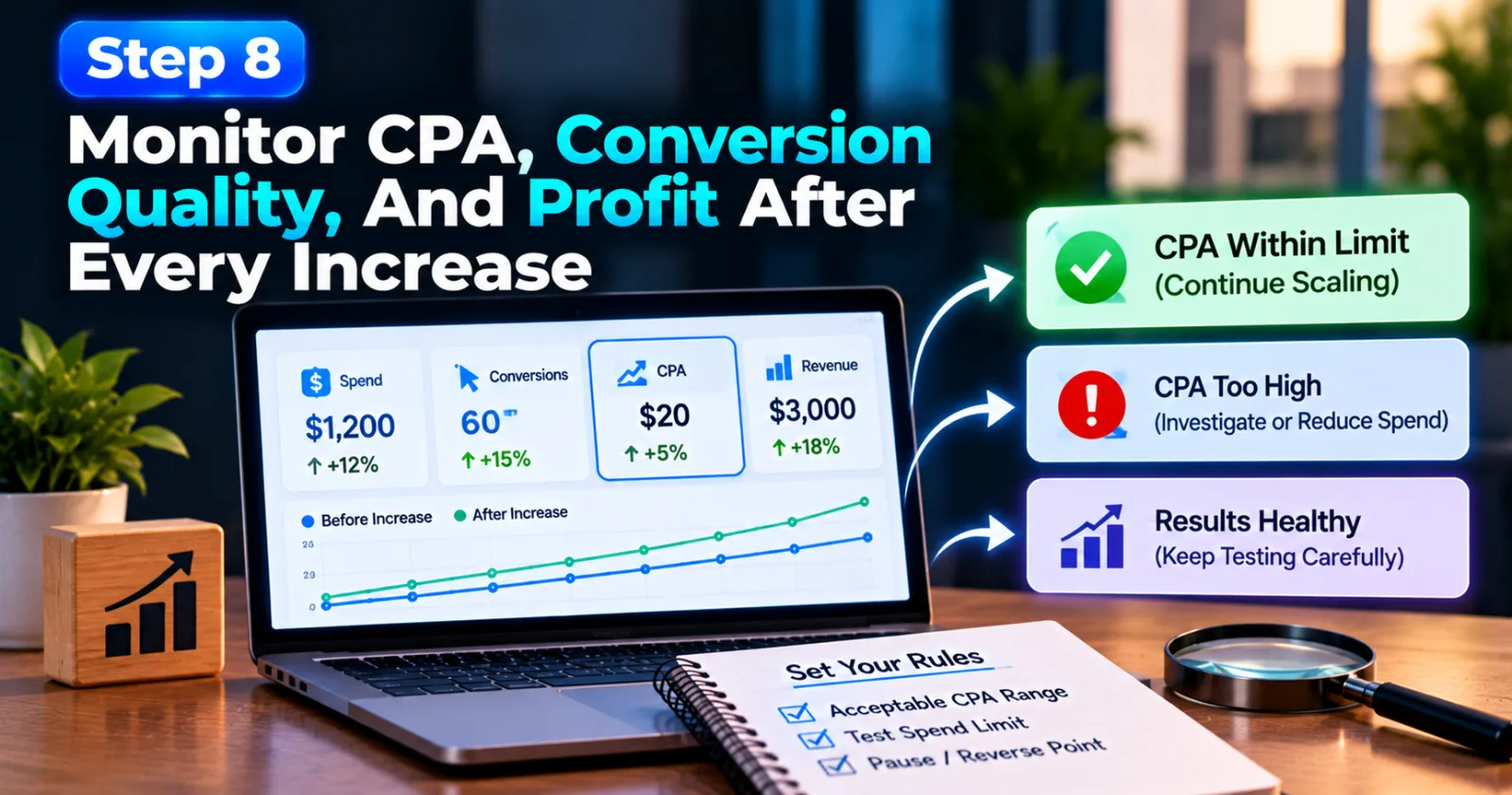
Step 8: Monitor CPA, Conversion Quality, And Profit After Every Increase
After increasing spend, monitor more than the total number of conversions. The main question is whether the additional budget is producing results at a cost your business can afford. Track spend, conversions, CPA, conversion rate, and revenue or lead quality where available. Compare the results with your target and with the campaign's previous performance. Also check whether the latest data is complete enough to support a decision.
Suppose your CPA was $20 before scaling and rises to $22 after a budget increase. That does not automatically mean the campaign has failed. You need to understand your acceptable CPA, profit margin, conversion delay, and the number of additional conversions generated. For a business with a $30 allowable CPA, $22 may still be profitable. For a business with a $21 limit, it may not be. Your decision should follow your economics rather than a universal benchmark.
Set clear rules before scaling. Decide what CPA range is acceptable, how much spend you are willing to risk during a test, and when you will pause or reverse a change. If CPA rises beyond your limit after sufficient conversion data has arrived, reduce the expansion or investigate the cause. If results remain healthy, continue testing carefully. If they deteriorate, return to the last reliable setup and make one change at a time. Scaling is an ongoing process, not a single budget adjustment.
Common Mistakes That Can Make Native Ads More Expensive
One common mistake is increasing the budget before a campaign has generated enough reliable conversion data. A small number of conversions can make results look better or worse than the long-term trend. Another mistake is judging creatives by clicks alone. High CTR can be useful, but it does not prove that visitors are becoming customers. Always connect creative performance to the final conversion goal. Advertisers can also make the mistake of changing several settings at once. This makes it harder to understand why performance changed and can disrupt automated optimization.
Finally, do not treat a target CPA as a guarantee. Automated bidding tools can help platforms work toward a target, but actual results still depend on traffic availability, competition, conversion data, and your website experience. Taboola's Target CPA documentation explains how its bidding strategy adjusts bids toward a campaign's CPA goal; that is an optimization objective, not a promise that every conversion will come at the exact target cost.
Final Thoughts
Learning how to scale native ad campaigns without increasing CPA is about making careful decisions rather than spending more money as quickly as possible. A campaign needs reliable tracking, a clear conversion goal, effective creatives, and a landing page that can turn additional visitors into customers.
Start by checking whether the campaign is ready. Increase the budget in controlled stages, study which placements and audiences bring valuable conversions, and expand successful creatives instead of relying on clicks alone. After every meaningful change, allow enough time for the conversion data to become useful before deciding what to do next.
Most importantly, set a CPA limit that makes sense for your business. If the additional traffic remains profitable, you can continue expanding. If costs rise beyond what your business can support, pause and find the reason before spending more. Successful scaling does not mean increasing spend at any cost. It means finding more profitable conversions while keeping your campaign under control.
Agency ad accounts, without the wait.
Buy and top up Google, Meta, native, and more from one dashboard.
Get started

No comments yet. Be the first to comment.
Comments are open to registered AdScaleLab clients.
Sign in to comment