






Taboola Performance Simulator How to Plan Your Budget
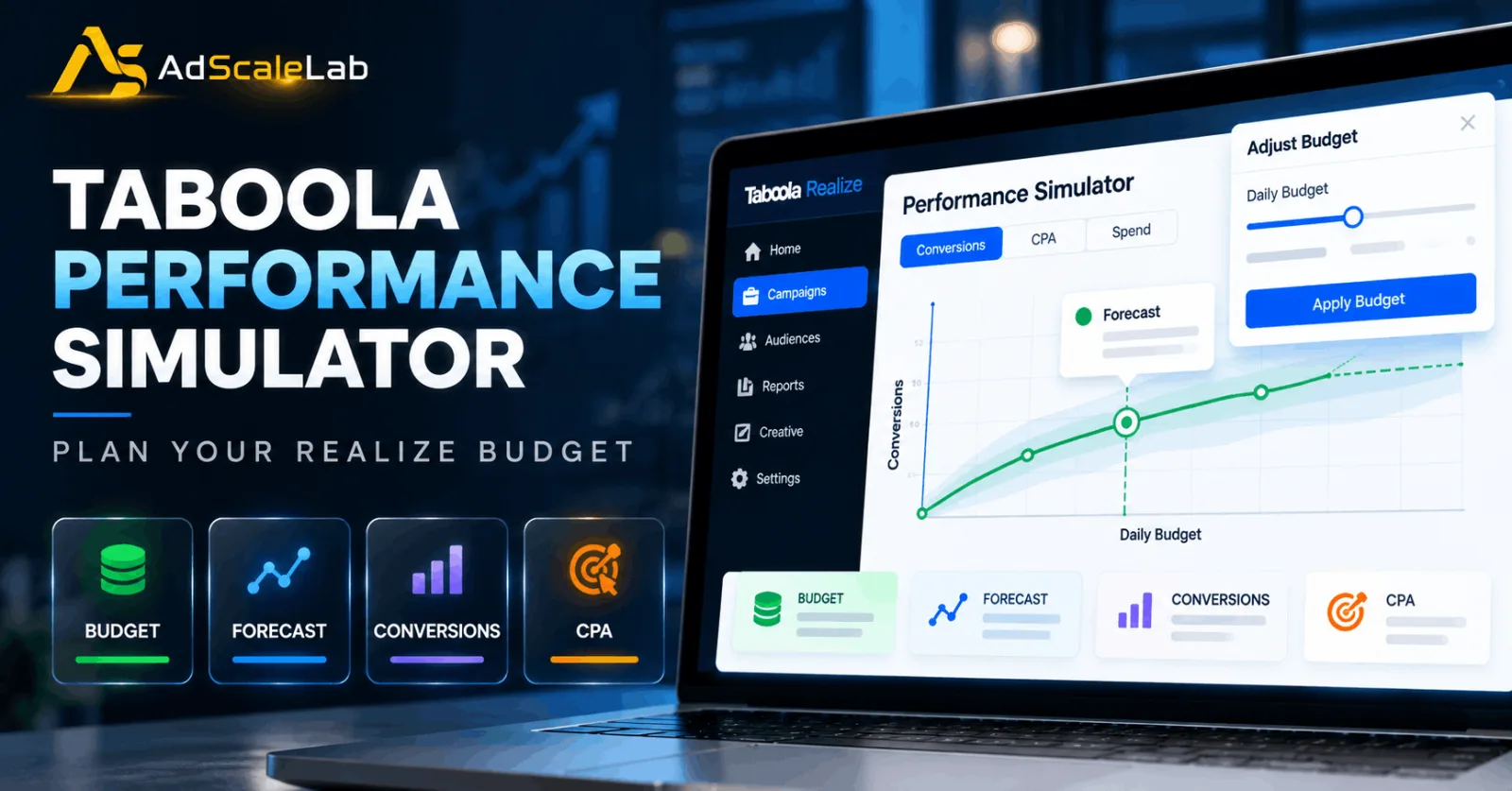
Setting a budget for an advertising campaign is easy. Knowing whether that budget is actually enough is much harder. You can start with a number that looks reasonable, but once a campaign begins running, you may wonder what would happen if you spent more. Would you get more conversions? Would your CPA stay close to where it is now? Or would the extra budget simply bring in more expensive traffic?
This is where the Taboola Performance Simulator can help. The Performance Simulator is a beta modeling tool inside Taboola's Realize advertising platform. It uses historical data from the same campaign to model how a budget adjustment could affect performance or scale. Realize describes it as a way to help advertisers find a more suitable investment level before making a budget change.
There is one important thing to understand from the beginning. The simulator is a planning tool, not a promise. Its forecast is based on recent campaign performance, while real advertising results can still change because of competition, audience behavior, creative performance and other factors. Realize currently states an 80% forecast accuracy for the simulator's range, so advertisers should use the result as guidance rather than a guaranteed outcome.
If you are already running a suitable Realize campaign and want to decide whether increasing the budget makes sense, the process is fairly simple. The important part is understanding what the simulator is showing you before you make the change.
What Is The Taboola Performance Simulator?
The Taboola Performance Simulator is a beta tool inside Realize that models possible changes in campaign performance or scale after a budget adjustment. Instead of asking an advertiser to increase a budget and then wait to see what happens, it uses recent campaign history to show a forecast for different investment levels.
The simulator does not simply use an old average from the campaign. Realize says it looks backward from the previous day and adds days while the campaign continues to show a consistent performance pattern. It can look back as far as seven days, but the exact period depends on how stable the campaign has been. This helps the forecast focus on recent, consistent behavior instead of mixing very different periods together.
The forecast also comes with a range. Realize says the dark green line represents the forecast, while the light-grey areas around it show possible deviations. More stable recent data can produce a tighter range, while less stable performance can make the forecast less certain.
That is why it is better to think of the simulator as a second opinion for your budget decision. It gives you more information before you change the amount of money behind a campaign, but it does not remove the need to watch the campaign afterward.
How To Use The Taboola Performance Simulator
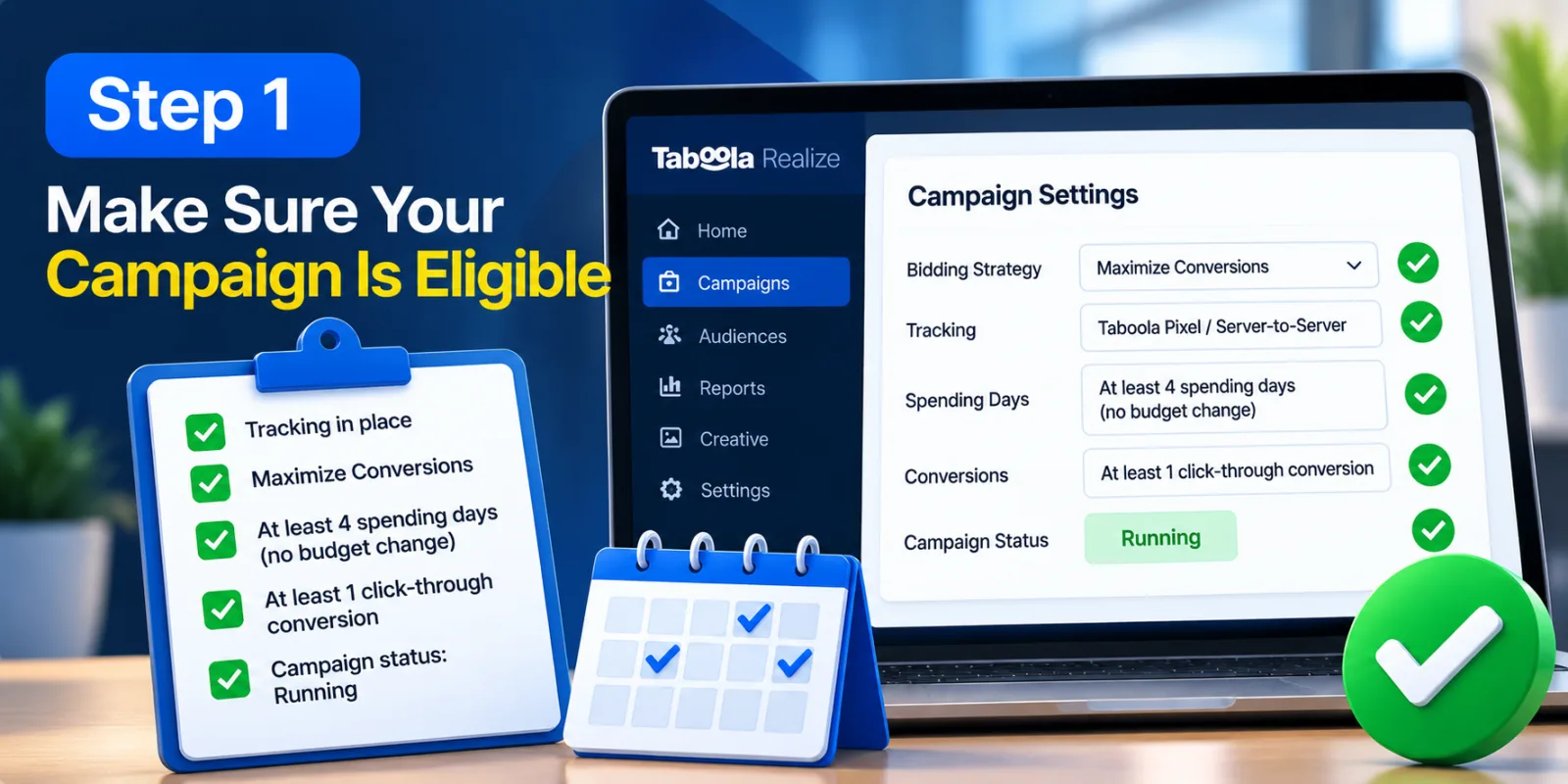
Step 1: Make Sure Your Campaign Is Eligible
Before looking for the simulator, first check whether your campaign can actually use it. The Performance Simulator is not available for every Realize campaign. Realize's current documentation says the campaign needs tracking in place and must use Maximize Conversions. For most eligible campaigns, Realize also requires at least four spending days using Maximize Conversions without a budget change during those days, at least one click-through conversion and a campaign status of Running.
This is an important first check because a campaign that has just launched may not have enough useful history for the tool. If you do not see the simulator, check the campaign's bidding strategy, tracking, spending history, conversion activity and status before assuming there is a technical problem.
Realize also notes that additional considerations can sometimes disable the simulator. So eligibility should be treated as the first part of the process rather than something to check after you have already planned a budget change.
Step 2: Check Your Tracking Before Using The Forecast
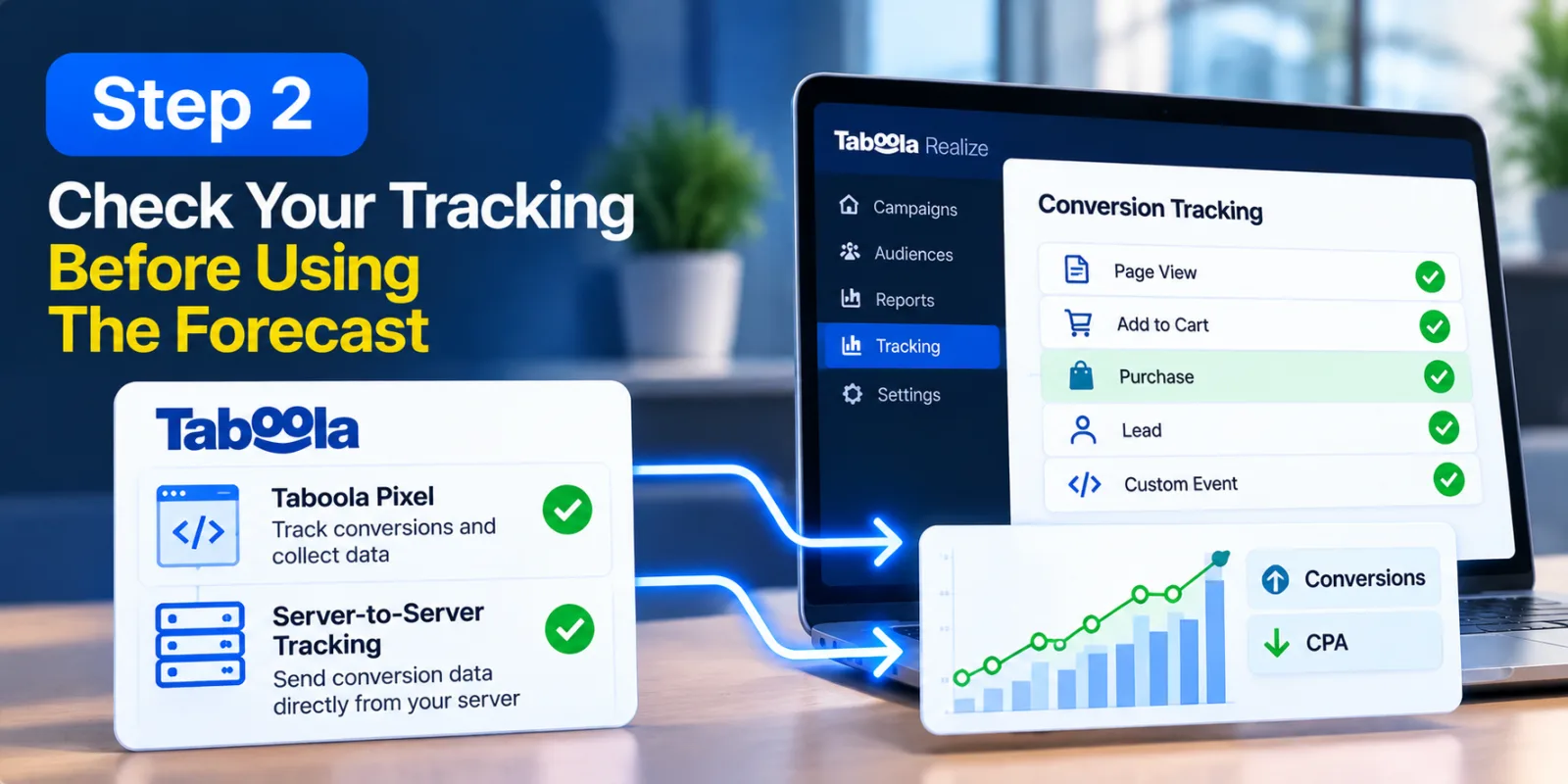
Good forecasting starts with good data. Realize's current platform guidance says the Taboola Pixel is an important part of tracking and data collection, and that tracking helps advertisers measure conversions and optimize campaigns. Realize also supports server-to-server tracking.
This matters when you are looking at conversions and CPA. If your conversion tracking is missing, delayed or measuring the wrong action, the numbers you use to judge a budget change may not tell you what is really happening. Accurate Taboola tracking parameters can also help when you are checking where campaign traffic and conversions are coming from.
Before relying on the simulator, check that the conversion events you care about are being recorded correctly. If you need a broader overview of how to advertise on the platform, see our guide to how to advertise on Taboola. Make sure the campaign is receiving conversion data and that the selected conversion matches your actual business goal. The simulator can model the information it receives, but it cannot repair inaccurate tracking.
Realize also says Maximize Conversions can use account and campaign data when the Taboola Pixel or server-to-server tracking is implemented. That makes tracking useful not only for reporting but also for campaign optimization.
Step 3: Open The Campaigns Report In Realize
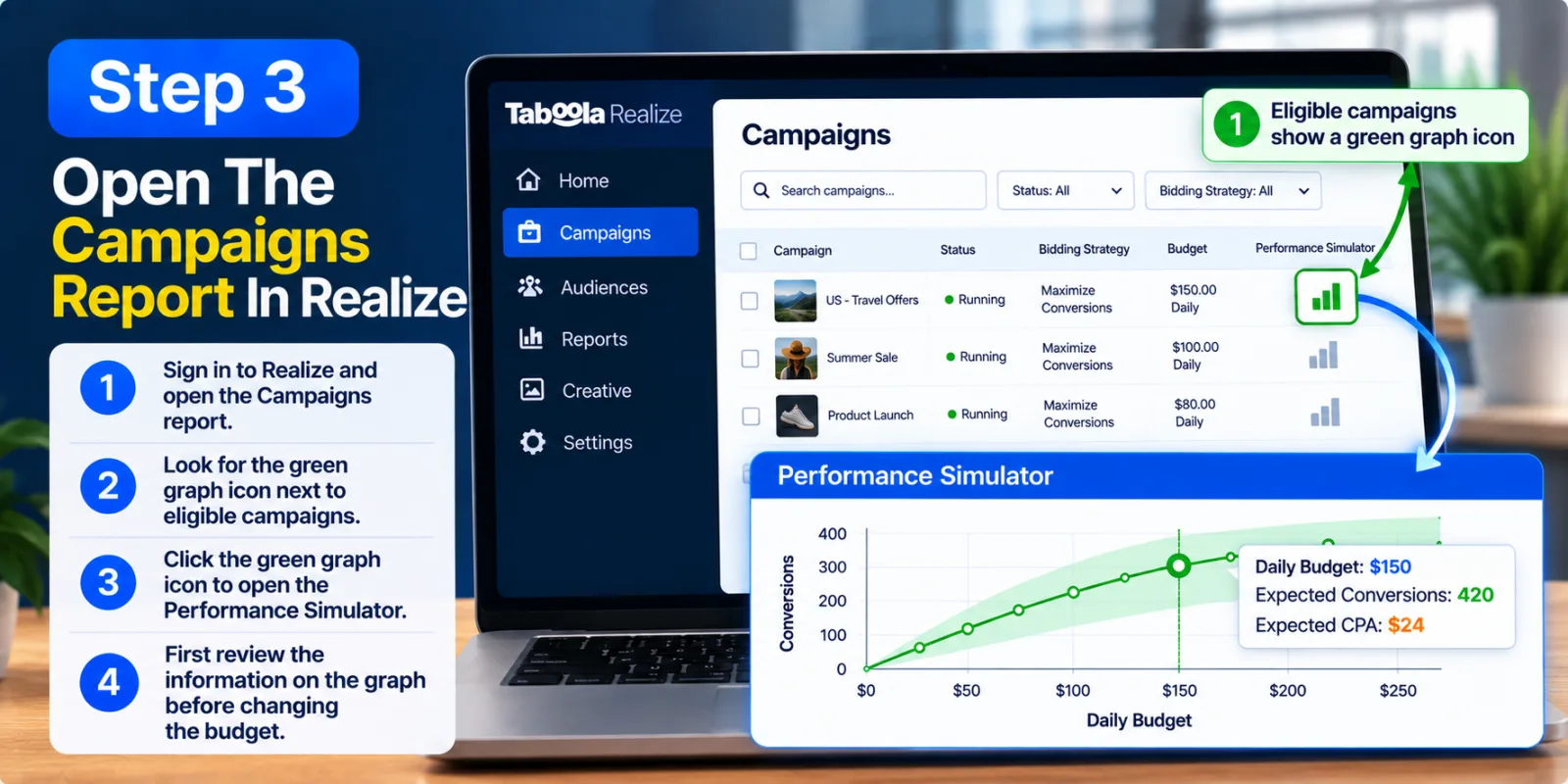
Once your campaign meets the requirements, sign in to Realize and open the Campaigns report. Realize says eligible campaigns have a green graph icon next to them, and the same icon can also appear at the account level when eligible campaigns are available.
Click the green graph icon beside the campaign you want to examine. The simulator will open for that campaign and show the available budget simulations.
At this stage, do not rush into changing the budget. First look at the information on the graph. Understanding the starting point makes the suggested budget levels much easier to judge.
Step 4: Understand What Data The Simulator Is Using
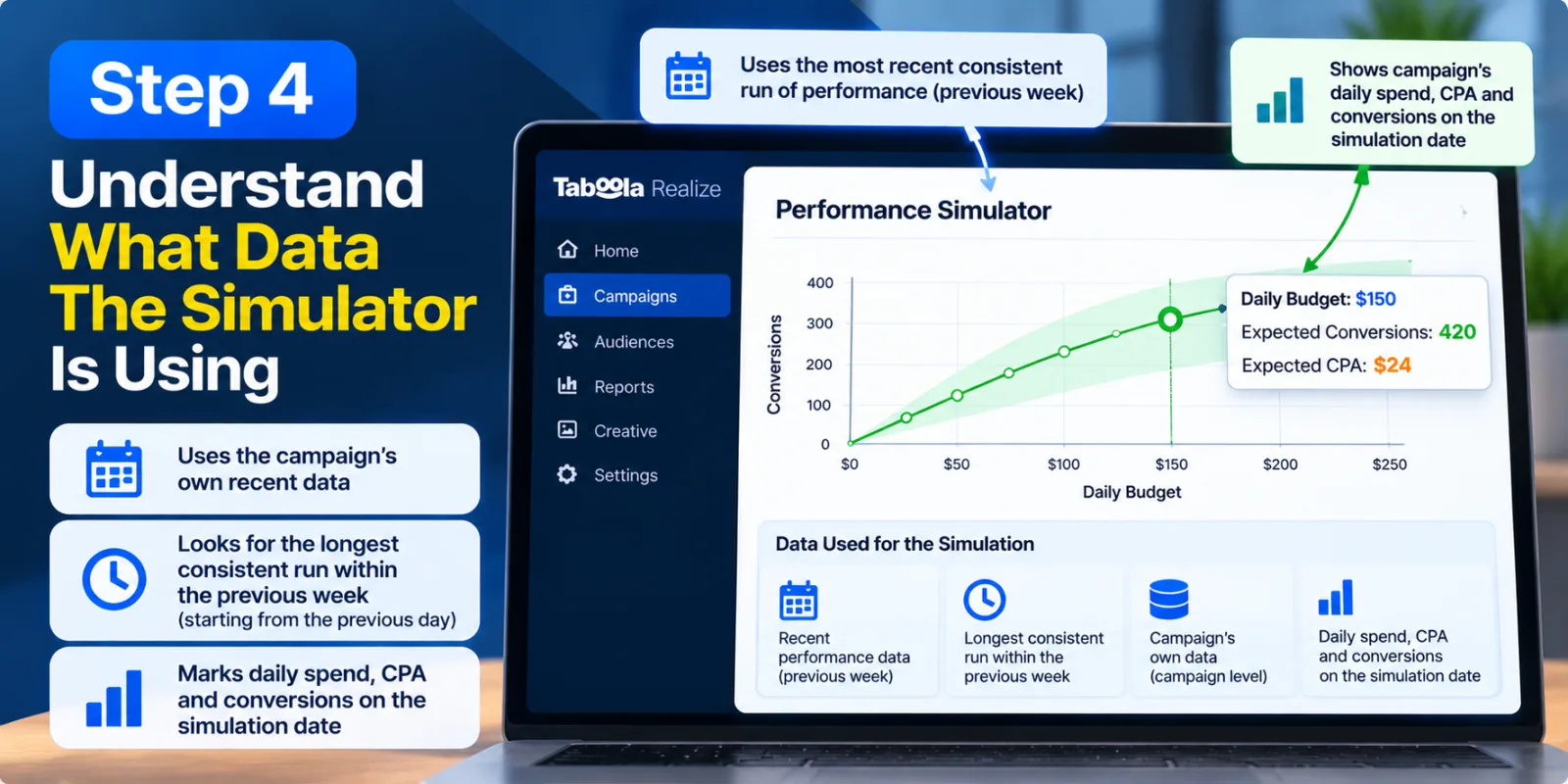
The Performance Simulator is built at the campaign level using that campaign's own recent data. Realize says it looks for the longest consistent run of performance within the previous week, starting from the previous day. The exact number of days can therefore be different from one campaign to another.
This is useful because a campaign may have looked very different a few weeks earlier. Maybe the creative was different, the audience was smaller, or the market was behaving differently. Using the most recent stable pattern can give the forecast a better connection to the campaign's current condition.
The simulator also marks the campaign's daily spend, CPA and number of conversions on the simulation date. These figures give you a starting point for understanding what the forecast is comparing against.
In simple terms, the tool is trying to answer a practical question: based on how this campaign has recently behaved, what could happen if its budget changes?
Step 5: Look At The Available Budget Simulations
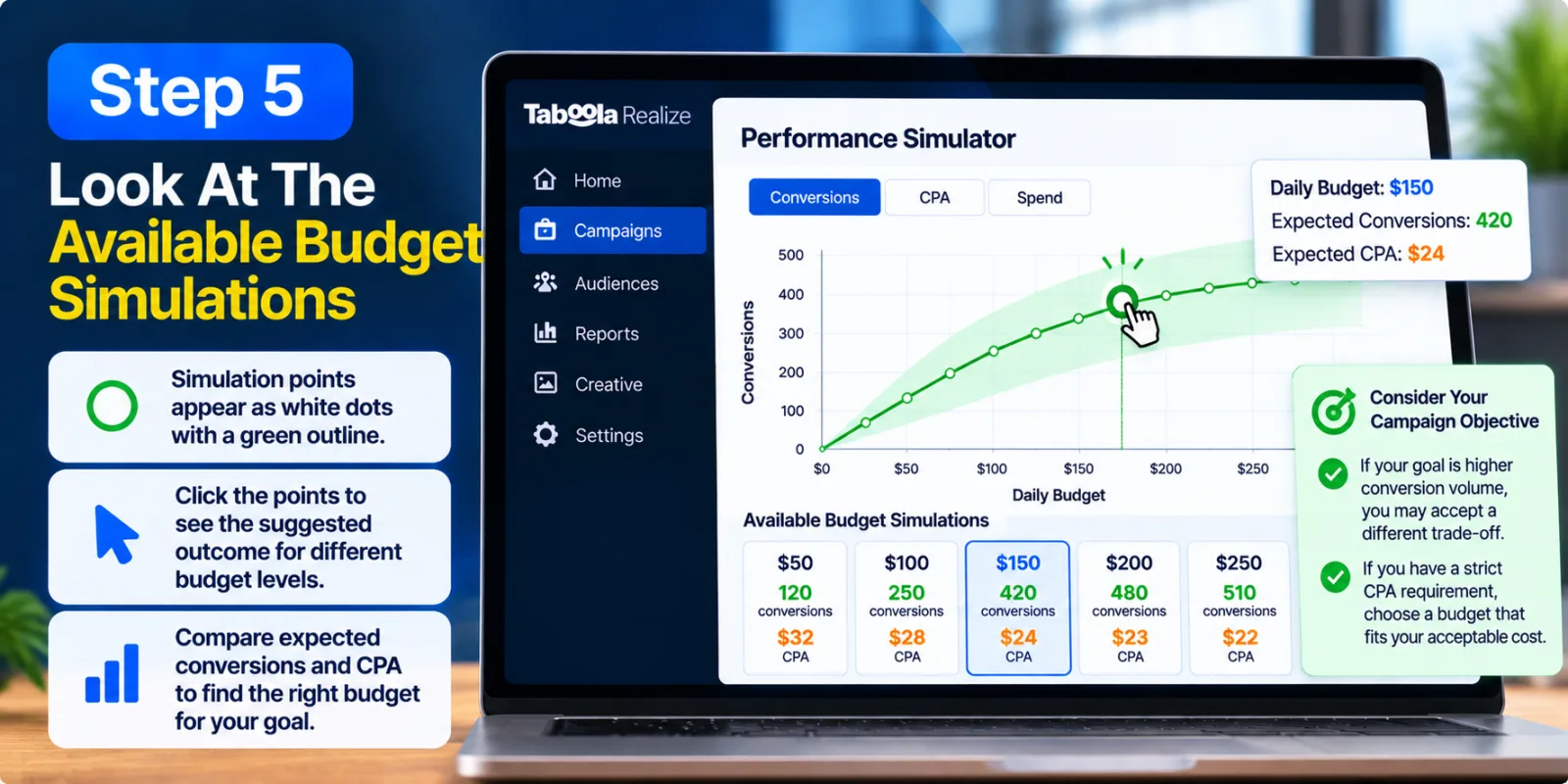
When the simulator opens, available simulation points appear on the graph. Realize describes these as white dots with a green outline. You can click the points to review the simulator's suggested outcome for different budget levels.
This is where budget planning becomes more useful than simple guesswork. Instead of asking only whether you can afford to spend more, you can compare what different budget levels may mean for conversions and CPA.
Look at the expected conversion level and the CPA around each suggested budget. A higher budget may offer more potential scale, but the most useful choice is not automatically the largest one. You want a budget that gives the campaign room to grow while still fitting your business's acceptable cost.
This is also a good time to think about your campaign objective. If your main goal is conversion volume, you may accept a different trade-off than an advertiser with a strict CPA requirement. The simulator gives you the forecast, but you still have to decide what outcome matters most to your business.
Step 6: Read The Forecast Line And The Grey Range
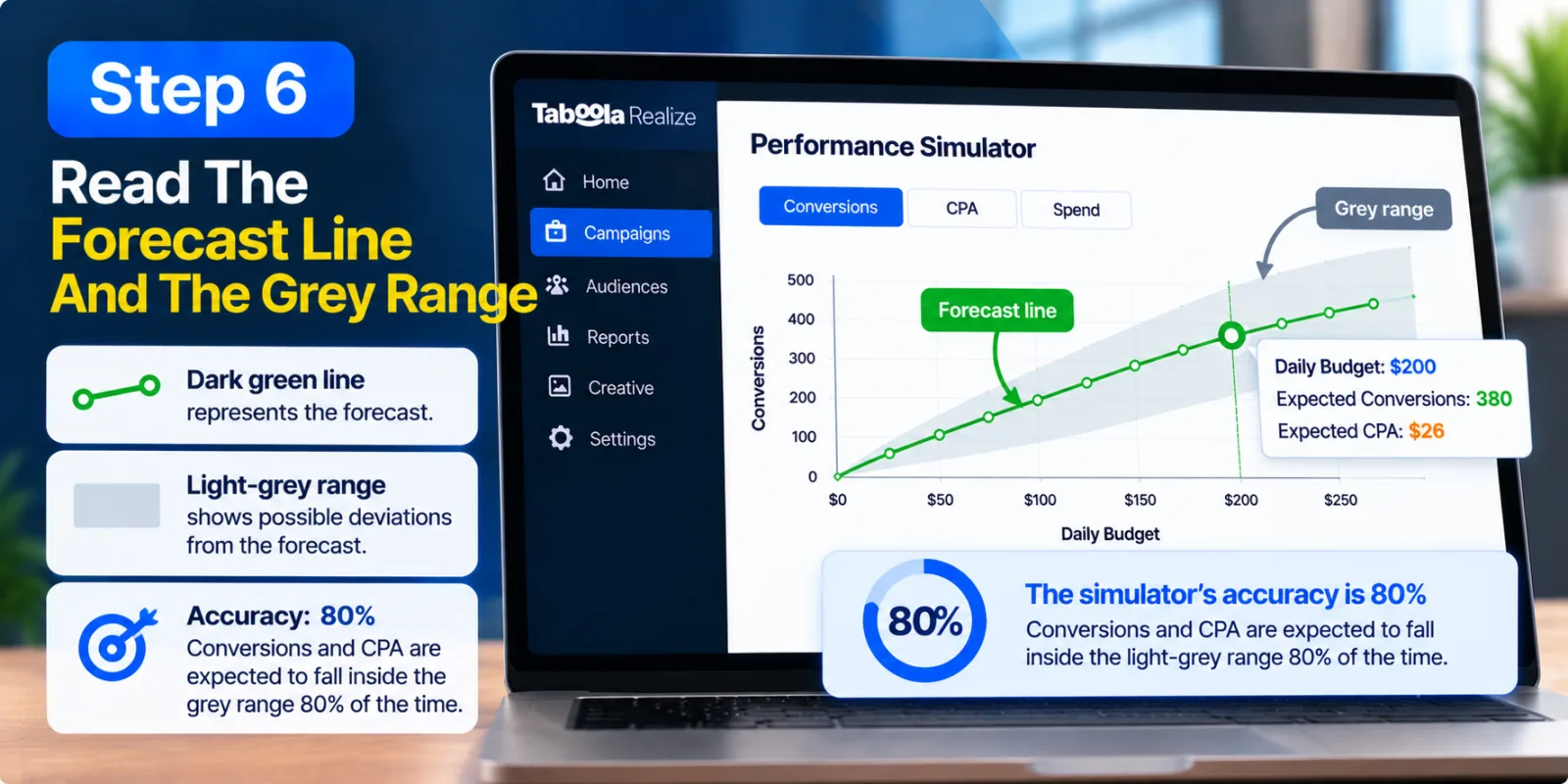
The graph has two parts that are easy to miss if you only look at the suggested budget. The dark green line represents the forecast, while the light-grey zones around it represent possible deviations from that forecast. Realize says the range becomes more useful when recent campaign data is stable.
Do not look only at the green line. Look at the grey area as well. If the forecast looks attractive but the possible range is wide, you should be more careful about treating that forecast as a precise number.
Realize currently states that the simulator's accuracy is 80%. In its explanation, this means conversions and CPA are expected to fall inside the light-grey range 80% of the time. There is therefore still a possibility that actual results will fall outside the forecast range.
That is not a reason to ignore the tool. It is simply a reason to use it correctly. A forecast can help you make a more informed decision without being a guarantee of what the campaign will do tomorrow.
Step 7: Compare The Suggested Budget With Your Real Goal
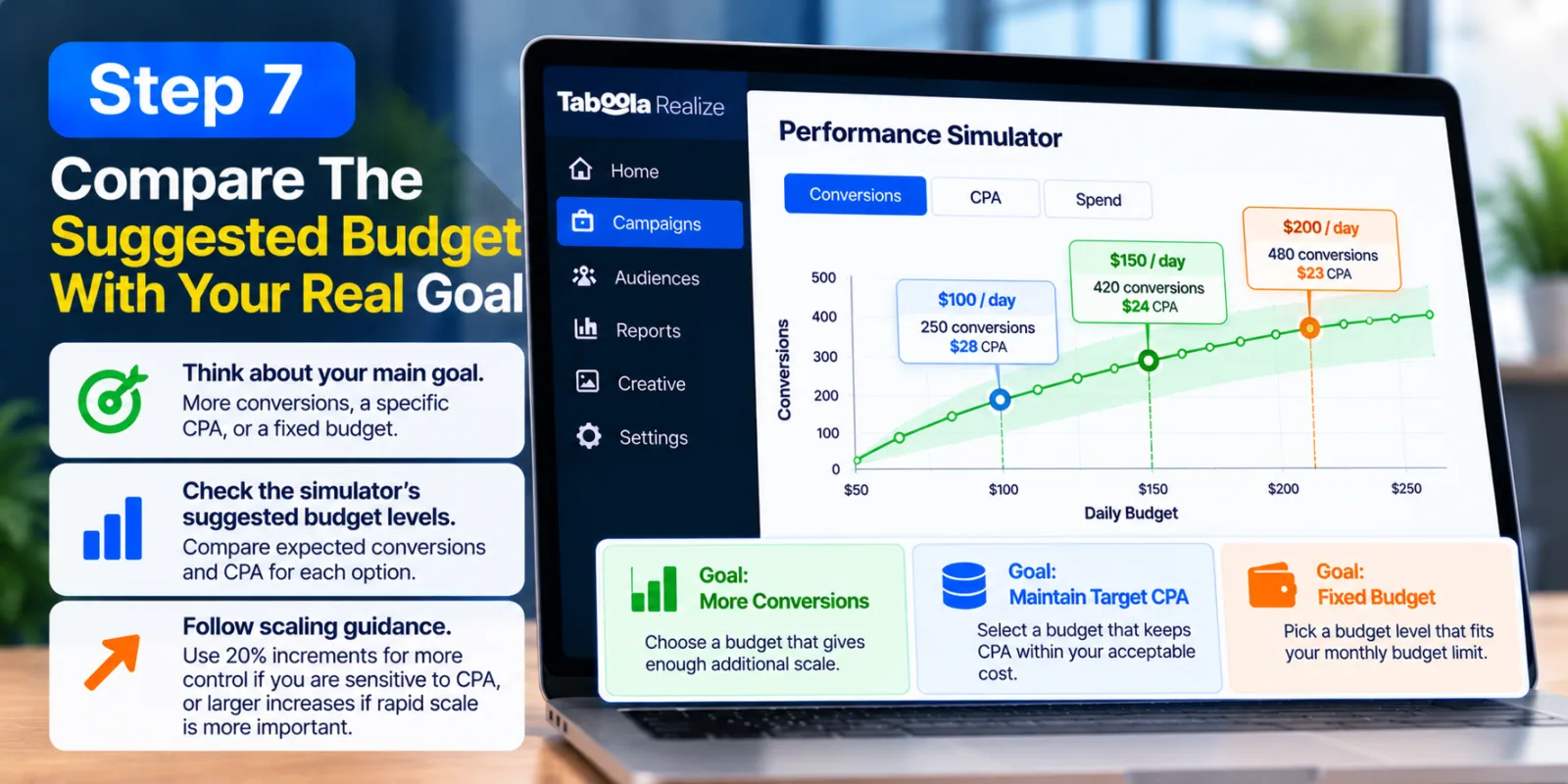
Now you need to connect the simulator's forecast with your actual campaign goal. The tool can show what different budget levels may look like, but it does not know your profit margin, internal budget limit or the maximum CPA your business can accept.
For some advertisers, the goal may be to get as many conversions as possible. For others, maintaining a particular cost per acquisition may matter more. There may also be a fixed monthly budget that cannot be exceeded. These business decisions sit outside the simulator.
Realize's current scaling guidance recommends gradual budget increases when advertisers are sensitive to CPA, with 20% increments giving more control. It also says larger increases can be used when rapid scale is more important, although CPA may change.
That makes the simulator useful as part of a bigger decision. Do not ask only which budget gives the most conversions. Ask which budget gives enough additional scale while still making sense for your campaign's economics.
Step 8: Apply The Budget Change Carefully
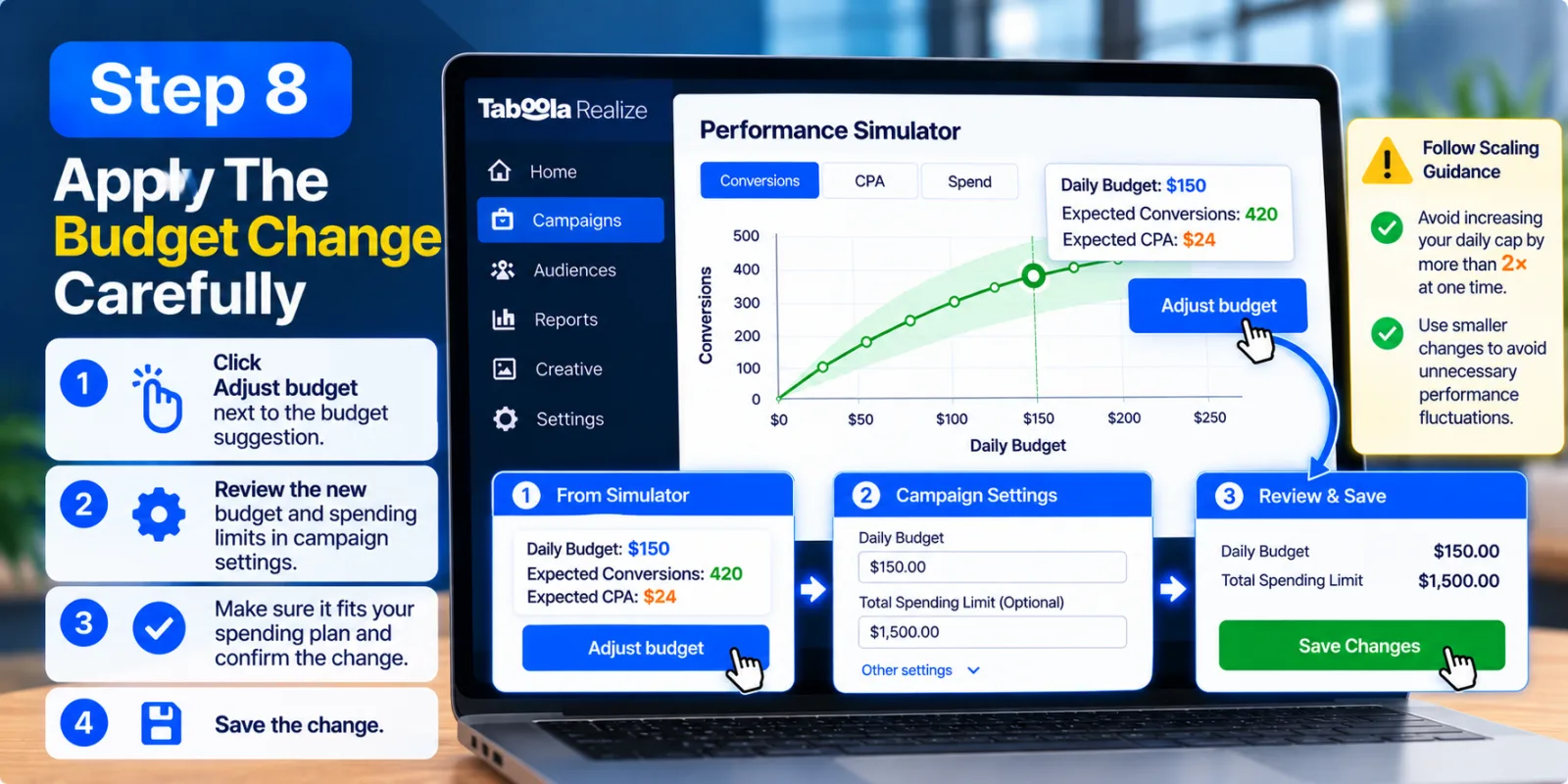
Once you have chosen a budget level, Realize lets you move from the simulation into the campaign settings. The Performance Simulator documentation says to click Adjust budget next to the budget suggestion. You are then taken to campaign settings where you can review the new budget and spending limits before confirming the change.
This review step is useful because the simulator does not force you to accept a recommendation without checking it. Look at the new budget, make sure it fits your spending plan and confirm that the campaign's other limits are still appropriate.
When everything looks correct, save the change. The important thing is to treat the simulator's suggestion as something to review, not as an automatic instruction.
Realize's broader Maximize Conversions guidance also recommends avoiding drastic budget changes. Its current documentation says advertisers should generally not increase a daily cap by more than double at one time, while smaller changes can help avoid unnecessary performance fluctuations.
Step 9: Give The Campaign Time After The Change
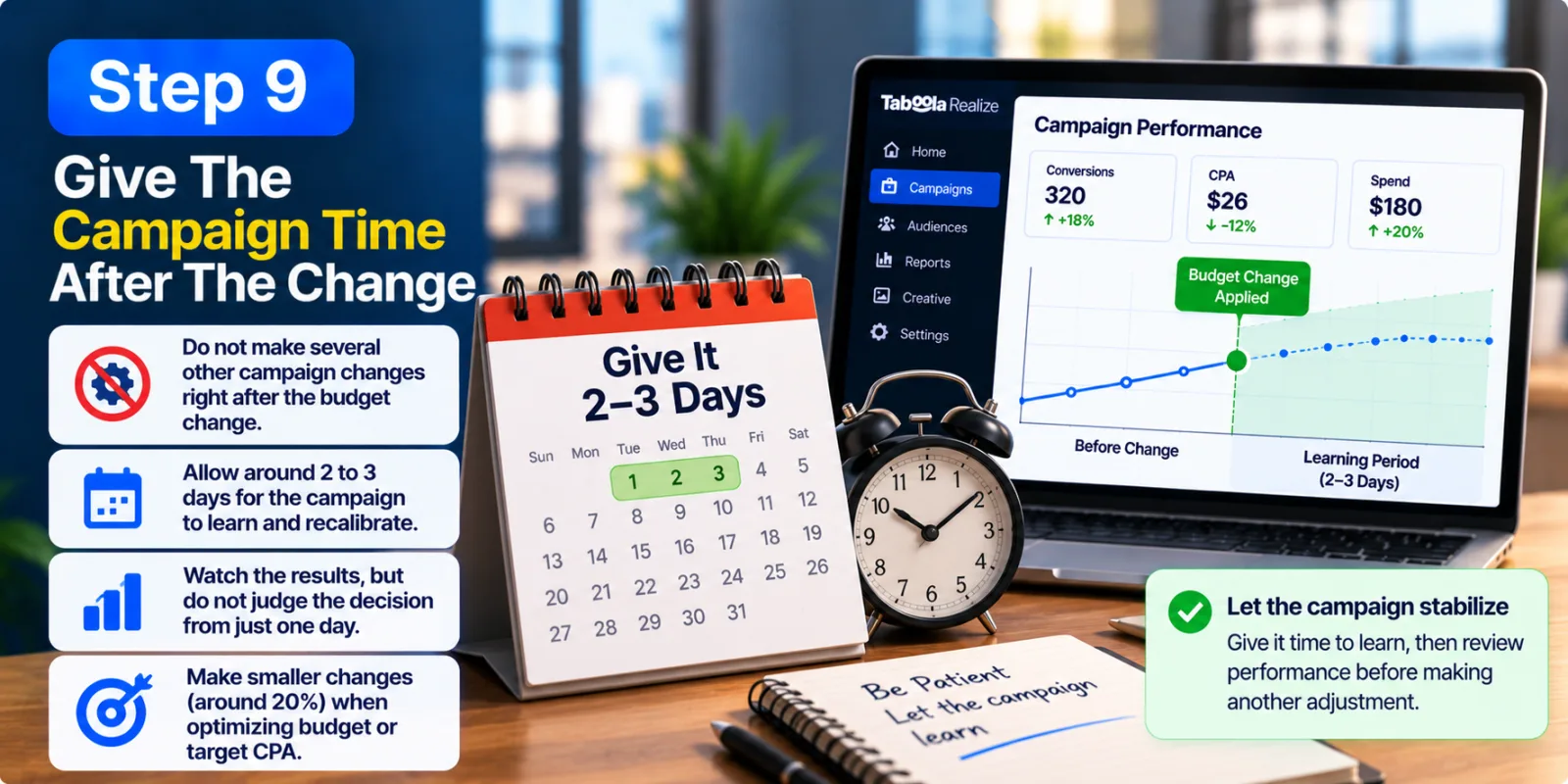
This is one of the easiest parts to skip. After changing the budget, do not immediately make several other campaign changes because the first day's numbers look different.
Realize specifically recommends avoiding campaign changes for a few days before and after applying a Performance Simulator budget change. The reason is that outside factors can affect the final results, and several changes made together can make it difficult to understand what caused the change in performance.
Realize's current Maximize Conversions guidance also says campaigns need time to learn after optimization changes. It recommends allowing around two to three days for the algorithm to recalibrate before making another adjustment and suggests changes of up to about 20% when optimizing budget or target CPA.
So after changing the budget, give the campaign some breathing room. Watch the results, but do not judge the entire decision from one unusual day. If you immediately change the budget again, you make it harder to tell whether the original adjustment actually worked.
Step 10: Compare The Actual Results With The Forecast
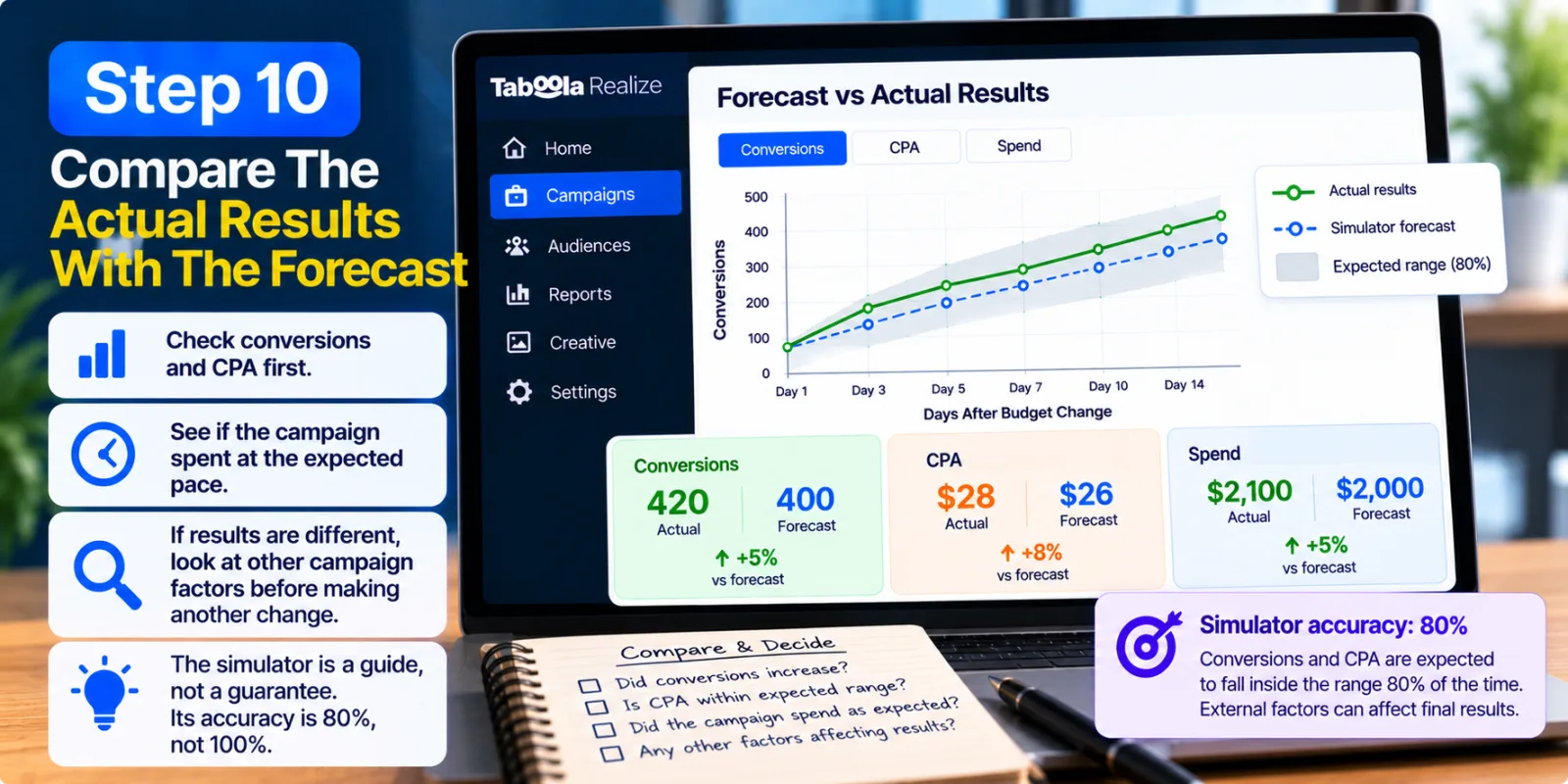
After the campaign has had enough time to run with the new budget, compare what actually happened with what the simulator predicted. Look at conversions and CPA first, then consider whether the campaign spent at the pace you expected.
If conversions increased but CPA also moved higher, you need to decide whether the additional volume is worth the added cost. If CPA stayed close to the expected range and conversions increased, the budget change may have provided the scale you were looking for. If performance moved in a very different direction, look at other campaign factors before making another budget change.
A difference between the forecast and actual results does not automatically mean the simulator was useless. Realize says external factors can affect final results, and the simulator's current accuracy is 80%, not 100%. Campaigns with more stable performance and more conversions are likely to have more predictive historical data.
The best way to use the simulator is therefore not to expect perfect predictions. Use it to make a better-informed budget decision than you would have made by simply guessing.
What You Should Not Do With The Taboola Performance Simulator
The first mistake is treating the forecast as a guarantee. A forecast is still a forecast, and even a stable campaign can change because competition, traffic quality, creative performance and audience behavior are not completely predictable.
Another mistake is trying to use the simulator before a campaign has enough useful data. If a campaign has barely spent, has not generated the required conversion activity or is not stable enough to qualify, forcing a budget decision does not make the forecast better. It is usually better to let the campaign collect useful data first.
It is also a mistake to change the budget and then immediately change targeting, creatives and bidding at the same time. If performance changes after that, you will have a hard time knowing which adjustment caused it. It is also worth checking your Taboola creative guide before increasing spend if creative quality is part of the problem. Realize's own simulator guidance recommends avoiding changes around the time of a simulator-based budget change for this reason.
Finally, do not assume that spending more automatically means better performance. A larger budget can create more opportunities, but the right level depends on the campaign's objective, conversion economics and available scale. Your native advertising budget should therefore be planned around the campaign's actual goals rather than a simple desire to spend more. Realize's own guidance also recommends gradual scaling rather than making unnecessarily large budget jumps.
How The Performance Simulator Fits Into Taboola Realize
The Performance Simulator is only one part of Realize's broader campaign optimization system. Realize currently presents it alongside tools such as Maximize Conversions, Custom Rules and advanced tracking. The platform describes the Performance Simulator as a way to forecast results before making changes and use that information to plan budgets and strategies.
Maximize Conversions handles the bidding side of the campaign. Realize says it uses AI, historical data and bid-performance information to adjust bids and find audiences that are more likely to take the desired action. Tracking helps provide campaign and conversion data, while the simulator gives the advertiser another view of what a budget change could mean.
That makes the simulator easier to understand. It is not replacing campaign optimization. It is adding another layer to the budget decision. You still need good tracking, a suitable bidding strategy and regular performance checks if you want the forecast to be useful.
When Should You Use The Taboola Performance Simulator?
The best time to use the simulator is when a campaign already has enough stable data and you are considering a meaningful budget change. If a campaign is performing steadily and you believe there is room to grow, the simulator can help you compare possible investment levels before making the change.
For example, imagine a campaign that is consistently generating conversions at a cost that works for your business. You want more volume, but you do not want to increase spending blindly. Instead of immediately doubling the budget, you can open the simulator, review the available scenarios and decide whether the expected additional scale is worth the possible change in CPA.
The simulator can also be useful when you are unsure whether a budget increase is likely to give you enough additional scale. However, if the campaign is new, unstable or poorly tracked, fixing those issues may be more important than increasing the budget. Realize's current campaign guidance also recommends checking tracking, targeting, budget and performance before making optimization decisions.
Final Thoughts
The Taboola Performance Simulator gives Realize advertisers a practical way to think about budget changes before making them. Its biggest value is that it uses the campaign's own recent performance instead of asking advertisers to make a budget decision based entirely on guesswork.
The tool looks for a stable recent performance pattern, creates a forecast, shows a range around that forecast and lets advertisers review a possible budget change before applying it. Realize currently describes the simulator as a beta tool and states an 80% accuracy level for its forecast range, so the result should be treated as useful guidance rather than a guarantee.
A good budget decision is not always about spending more. Sometimes the right decision is to keep the budget where it is. Sometimes it makes sense to increase it gradually. And sometimes the forecast shows that fixing tracking, creative or campaign stability should come before adding more money.
That is where the Taboola Performance Simulator becomes useful. It gives advertisers another piece of information before they make one of the most important decisions in a performance campaign: how much money to put behind it.
Agency ad accounts, without the wait.
Buy and top up Google, Meta, native, and more from one dashboard.
Get started

No comments yet. Be the first to comment.
Comments are open to registered AdScaleLab clients.
Sign in to comment