






How To Build A Native Ad Advertorial That Turns Clicks Into Conversions
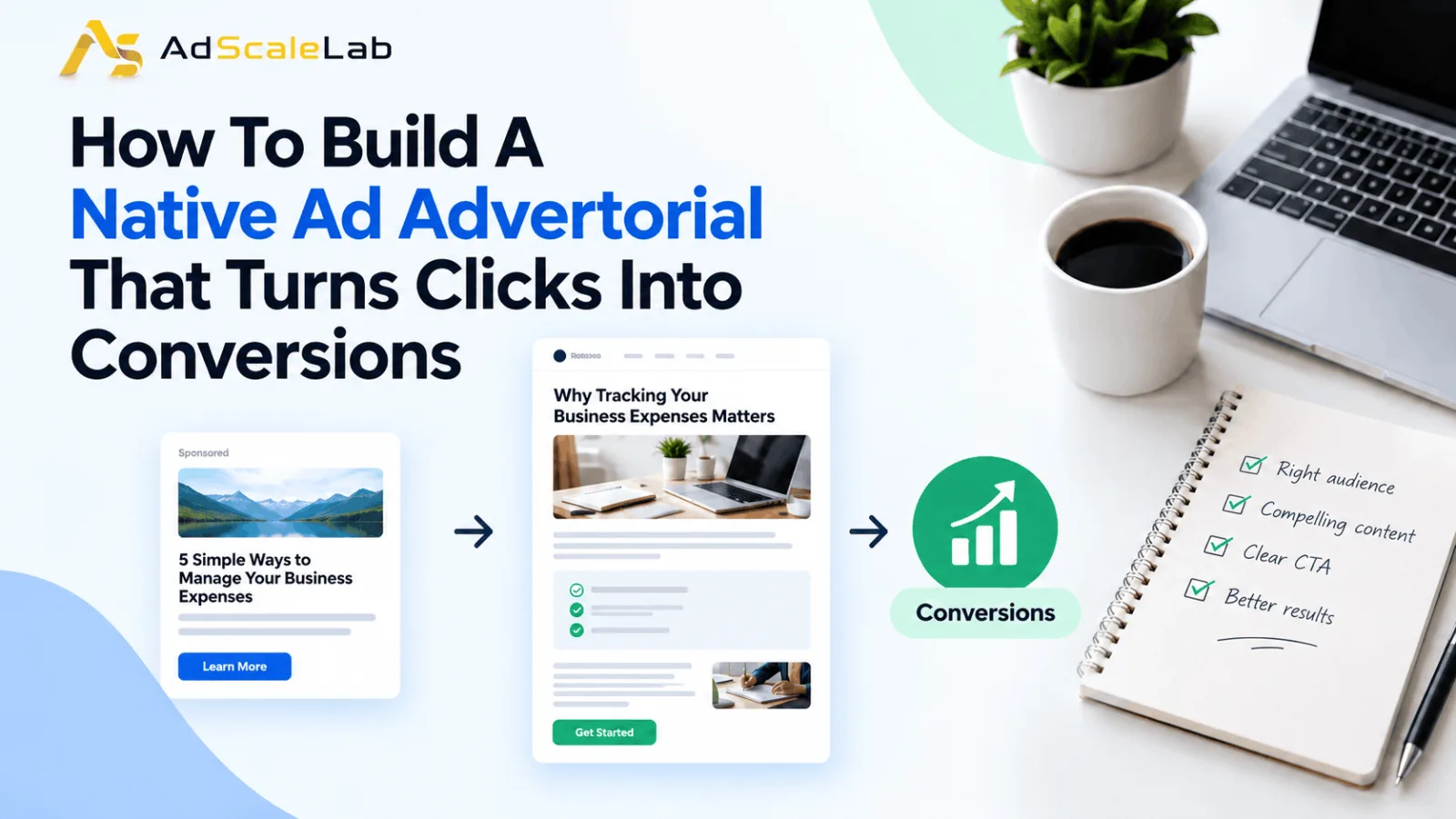
A native ad advertorial is an article-style page that provides useful information while introducing a product or service. Its goal is to help readers understand an issue and decide whether the advertised offer is worth considering. Unlike a typical product page, an advertorial does not always start with features, prices, or a purchase button. It usually begins with a problem the audience can relate to, explains why that problem matters, and explores possible ways to solve it. The product comes into the story when there is a clear reason to introduce it.
For example, imagine you're advertising expense management software for small businesses. You could send visitors directly to a page listing the software's features and pricing. That might work for people who are already looking for this type of tool, but others may need more information first.
An advertorial could explain why tracking expenses becomes harder as a business grows, discuss common mistakes in managing receipts, and show how better expense tracking can save time. The software could then be introduced as one possible solution. The important point is that an advertorial should offer something useful rather than simply stretching a sales pitch into an article. It should also be clear that the content is promotional. The Federal Trade Commission's Native Advertising Guide for Businesses explains that advertising disclosures need to be clear and noticeable. Readers should not have to search for a small disclaimer to understand that a page contains advertising.
Why Native Ad Advertorials Can Improve Conversions
Think about the mindset of someone who clicks a native ad while reading an article or browsing a content website. They may be curious about the topic, but that doesn't necessarily mean they're ready to buy anything.BSending that person directly to a product page can sometimes be too big a jump. They might not understand what the product does, whether it solves their problem, or why they should choose it over other options.
A native ad advertorial gives you an opportunity to answer those questions before asking for a conversion. You can explain the problem, share relevant information, address common concerns, and introduce the offer when it makes sense. This approach can be especially useful for products that require more explanation before someone feels comfortable making a decision.
However, an advertorial is not automatically better than a direct landing page. Some visitors already know what they want and may prefer to see the product immediately. Others might need a little more context before taking action. The best option depends on your audience, product, offer, and campaign results. Rather than assuming that a longer page will perform better, compare the different approaches and see which one generates valuable conversions at an acceptable cost.
How Can We Actually Build A Native Ad Advotorial
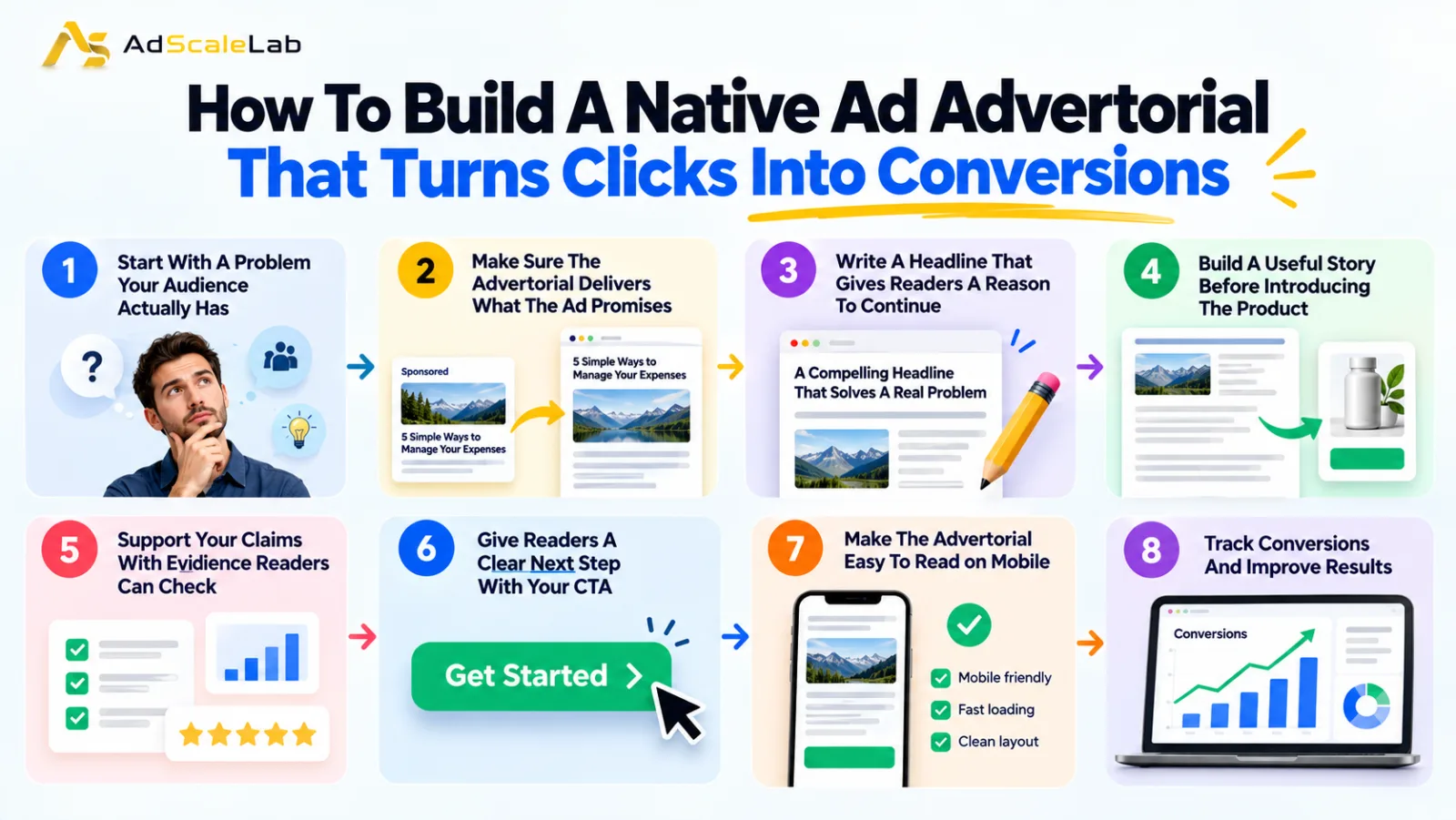
Step 1: Start With A Problem Your Audience Actually Has
Before writing your native ad advertorial, get clear about who you're trying to reach and what they want to solve. This sounds simple, but it's easy to create an article that talks about a broad topic without addressing the specific reason someone would be interested in your offer.
Start with the questions your audience is likely to ask. What is causing them trouble? What have they already tried? What might stop them from choosing a solution?
For a budgeting tool, the problem could be keeping track of business expenses across multiple accounts. For a skincare product, it might be finding a product suitable for a particular skin concern. Once you've identified the main problem, build the article around it. Explain the situation, discuss the options available, and help readers understand what they should consider before making a decision.
You don't need to cover every possible problem in one article. In fact, focusing on one main issue often makes the message easier to follow. This also helps you choose the right advertising angle. Someone looking to save time may respond to a different message than someone trying to reduce costs. When you understand what matters to your audience, both the ad and the advertorial become easier to write.
Step 2: Make Sure The Advertorial Delivers What The Ad Promises
Imagine clicking an ad that promises five practical ways to reduce business expenses. Instead of finding those tips, you land on a page that immediately asks you to buy accounting software. You would probably feel that the page wasn't what you expected. Other visitors may react the same way and leave before reading any further. Your advertorial should continue the conversation started by the native ad. If the ad promises a guide, provide a useful guide. If it offers a comparison, give readers a meaningful comparison. The product can still be part of the article, but it shouldn't replace the information that attracted the click.
Google's official guidance on optimizing ads and landing pages emphasizes making landing pages relevant to ads and helping visitors find the information they expect. Although the guidance is written for Google Ads, the same principle applies when planning a native advertising campaign.
You can also read AdScaleLab's guide, Never Send Traffic Straight to Native Ads Landing Page. It discusses the role of the page between the ad and the final offer. This article builds on that idea by focusing on what the advertorial itself should contain.
Step 3: Write A Headline That Gives Readers A Reason To Continue
Your headline is one of the first things visitors notice after clicking an ad. If it doesn't explain what the article is about, readers may not see a reason to keep going. A headline such as “Why Small Businesses Struggle to Track Monthly Expenses” gives readers a clear idea of the problem the article will discuss. By contrast, a headline such as “This Secret Changed Everything Overnight” leaves people guessing and may create expectations the content cannot meet.
Try to make the benefit or subject clear without giving away every detail. Use words your audience would naturally understand, and avoid exaggerated claims that the article cannot support. The headline should also match the message of the original native ad. You don't need to repeat the exact same wording, but visitors should recognize that they've reached the right page.
Keep mobile readers in mind, too. Someone browsing on a phone may only glance at the headline and opening paragraph before deciding whether to continue. Make those first few lines clear enough to explain why the topic matters.
Step 4: Build A Useful Story Before Introducing The Product
One of the easiest ways to make an advertorial feel like a sales pitch is to introduce the product before explaining why the reader might need it. Start with a situation your audience can recognize. Explain the problem and why common approaches may not always work. Then give readers something useful, such as practical advice, a comparison, a checklist, or an example. Once the problem is clear, introduce your product or service as a possible solution. Explain what it does, how it addresses the issue, and who might benefit from using it.
For example, an advertorial about expense management software could begin with the difficulties of collecting receipts, separating business and personal spending, and preparing monthly reports. It could then explain how software can help organize those tasks and reduce manual work.
Notice the difference: the article first helps readers understand their problem and then shows where the product fits. Don't force the product into every paragraph or add unnecessary sections just to make the advertorial longer. A focused article that answers the reader's questions is more useful than a lengthy page filled with repeated selling points. It's also worth being honest about limitations. No product is the right choice for everyone, and explaining who the offer suits best can help readers make a more informed decision.
Step 5: Support Your Claims With Evidence Readers Can Check
Readers are more likely to take an offer seriously when you give them a reason to believe what you're saying. Simply describing a product as the best option on the market doesn't explain why someone should trust it. Use evidence that supports the specific claims in your advertorial. Depending on the product, this might include verified specifications, a demonstration, genuine customer feedback, a transparent comparison, or reliable research.
Suppose you're advertising software that helps businesses automate routine tasks. Instead of claiming that it will transform the entire business, explain which tasks it can automate and show how those features work. Customer testimonials can also help, provided they're genuine and you have permission to publish them. Avoid inventing reviews, expert endorsements, customer stories, or research findings just to make the offer appear more convincing.
The same care applies to images and statistics. Product images should represent the actual offer, and numerical claims should have a reliable basis. Don't suggest that every customer will achieve the same results when outcomes can vary. Transparency matters here as well. Make the advertising disclosure easy to notice, provide accurate business information, and include relevant privacy details where required. The FTC's guidance on native advertising explains why consumers should be able to recognize promotional content. A trustworthy advertorial should make the offer clear without misleading people about the nature of the page.
Step 6: Give Readers A Clear Next Step With Your CTA
After explaining the problem and introducing the offer, don't leave readers wondering what to do next. A clear call to action (CTA) helps them move from reading the article to taking the next step. The wording should match what happens when someone clicks the button. For example, you could use “See Product Details,” “Compare Plans,” “Get a Quote,” or “Start Your Free Trial,” depending on the offer. A button that simply says “Continue” may be less helpful because visitors don't know what to expect.
Placement matters, too. You could include a CTA after explaining the product and another near the end of the article. That gives readers an opportunity to act when they have enough information, without forcing them to scroll back to find the offer. There's no need to fill every section with buttons. Too many CTAs can interrupt the reading experience and make the page feel overly promotional.
Most importantly, make sure the button delivers what it promises. If it says “View Pricing,” visitors should be able to find pricing information easily. If it offers a free trial, explain how to start and make any applicable conditions clear. The idea is to make the next step obvious, not to pressure people into taking action before they're ready.
Step 7: Make The Advertorial Easy To Read On Mobile
Even a well-written native ad advertorial can lose potential conversions if the page is slow or difficult to use. Visitors shouldn't have to wait too long for the content to load or struggle to read it on a small screen. Check the page on different mobile screen sizes. Use readable text, sensible spacing, and images that fit the screen properly. Avoid pop-ups that immediately cover the article or forms that request unnecessary information.
Page speed deserves attention as well. Large images, unnecessary scripts, and poorly optimized page elements can slow a page down. You can check your page using Google PageSpeed Insights and identify issues that may affect the user experience.
Google's landing page guidance recommends making pages useful, mobile-friendly, and easy to navigate. Unbounce also shares practical advice in its guide to landing page best practices, including message consistency, clear copy, and page speed. Don't stop at checking whether the page looks good. Test the entire journey yourself. Open the advertorial, click the CTA, submit the form if there is one, and make sure the next page works as expected. A small technical problem can become a costly one if it prevents interested visitors from completing the action.
Step 8: Track Conversions And Use The Results To Improve
Once your native ad advertorial is live, you'll need more than click data to understand whether it's working. Start by tracking how many people arrive on the page, how many click through to the offer, and how many complete the desired action. Depending on your campaign, you may also want to monitor engagement, CTA click-through rate, conversion rate, cost per lead, cost per acquisition, and revenue. Before spending heavily on a campaign, make sure your conversion tracking is set up correctly. Google Analytics campaign URL parameters can help you identify traffic from different campaigns and advertising sources. If your advertising platform uses its own conversion pixel or event tracking, check that the relevant events are firing correctly.
The next step is to work out where visitors are dropping off. If people arrive but leave quickly, the headline, introduction, page speed, or match between the ad and article may need attention. If they read the advertorial but rarely click the CTA, the offer might not be clear enough, or the article may not be giving them a convincing reason to continue.
If visitors click through to the offer but don't purchase, look beyond the advertorial. Pricing, the checkout process, the product page, and other parts of the customer journey could be responsible. Testing can help you narrow down the problem. Try comparing two headlines, different CTA wording, or two ways of explaining the product's main benefit. Where possible, change one major element at a time so you can better understand what influenced the result. Give each test enough data to produce a useful comparison. A small difference during the first few hours doesn't necessarily mean one version is better.
For more ideas, see AdScaleLab's guide on How to Scale Native Ad Campaigns Without Increasing CPA. Improving your advertorial can support campaign growth, but the conversions still need to generate enough value to justify the cost of acquiring them.
Common Mistakes To Avoid When Building A Native Ad Advertorial
Even a carefully planned advertorial can struggle if a few basic things go wrong.
Making the page too promotional: If the product appears in every paragraph and the article offers little useful information, readers may feel they're being sold to rather than helped. Explain the problem first and introduce the offer when it fits the discussion.
Using misleading headlines or hidden disclosures: A headline that promises something the article never delivers can damage trust. The same is true when promotional content is presented in a way that makes its commercial purpose difficult to recognize. Keep your claims accurate and make the advertising disclosure clear.
Sending different audiences to the same generic page: Someone interested in saving time may have different priorities from someone focused on reducing costs. If your campaign uses different advertising angles, make sure the advertorial reflects the message that brought each visitor to the page.
Focusing on clicks instead of business results: A high click-through rate might look encouraging, but clicks alone don't tell you whether the campaign is profitable. Track what happens after the click and look at the value of the conversions you generate.
Avoiding these mistakes won't guarantee a successful campaign, but it gives you a better starting point for building an advertorial that serves both the reader and the business.
Final Thoughts
A native ad advertorial works best when it feels like a useful next step after someone clicks an ad, rather than an unexpected sales pitch. Start by understanding the problem your audience wants to solve. Make sure the headline matches the ad, explain the topic in a way readers can follow, and introduce the product when its relevance becomes clear. Support your claims with evidence, make the CTA easy to understand, and ensure the page works properly on mobile devices.
Once the advertorial is running, pay attention to what visitors actually do. If they leave before reaching the offer, investigate the content and user experience. If they reach the offer but don't convert, look at the next stage of the journey before rewriting the entire article. There isn't one advertorial format that works for every product or audience. What matters is understanding your readers, giving them useful information, and making it easy for interested visitors to take the next step. When the content, ad message, offer, and landing page work together, your native advertising campaign has a stronger chance of turning clicks into meaningful conversions.
Agency ad accounts, without the wait.
Buy and top up Google, Meta, native, and more from one dashboard.
Get started

No comments yet. Be the first to comment.
Comments are open to registered AdScaleLab clients.
Sign in to comment