






How To Improve Bing Ads Quality And Get More Relevant Traffic
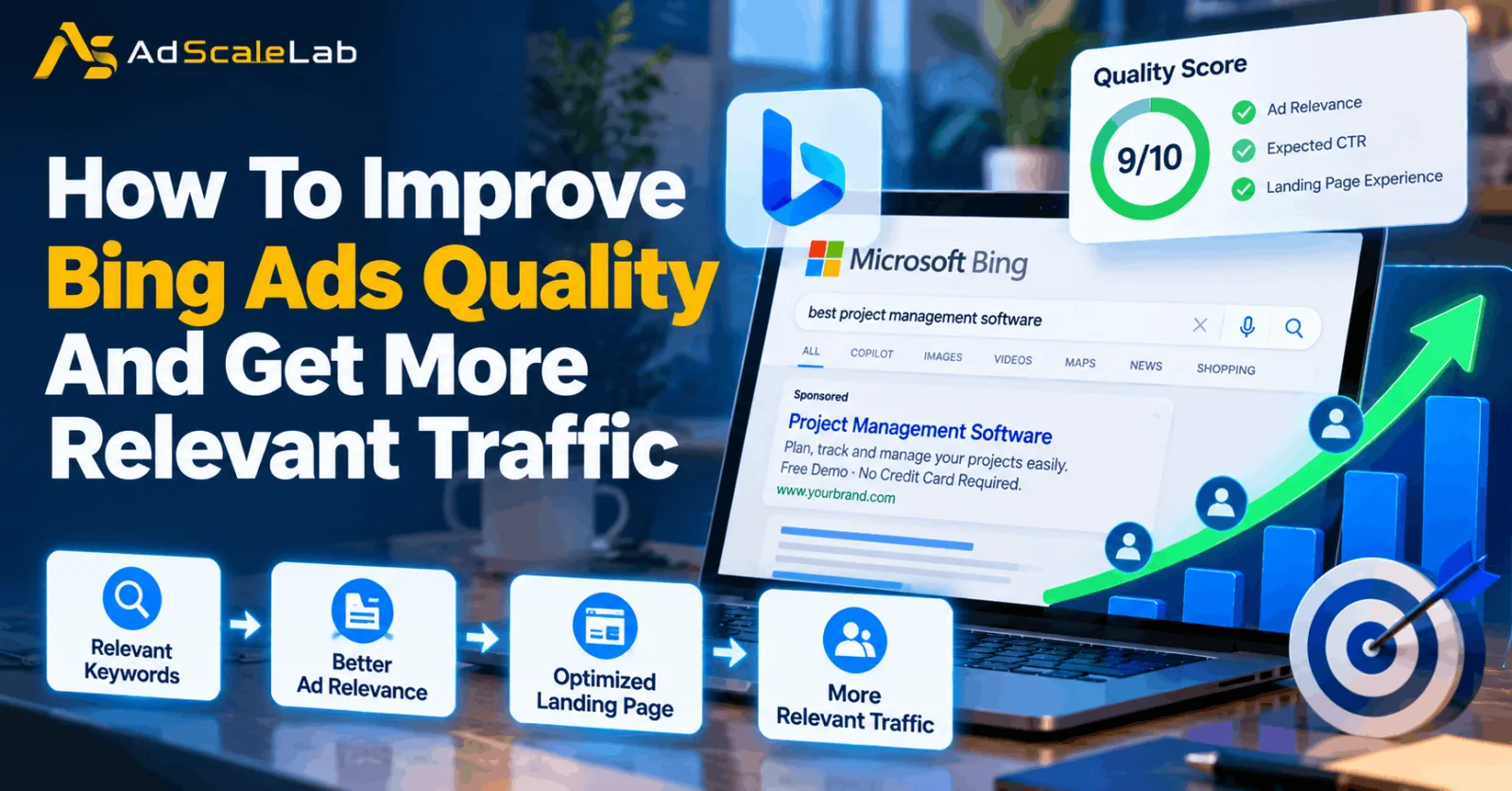
Getting traffic from Bing Ads is not the same as getting the right traffic. A campaign can receive plenty of impressions and clicks while still bringing visitors who are unlikely to buy, submit a form, call your business, or take another useful action. That is why improving Bing Ads quality should be about more than trying to increase clicks.
Bing Ads is now part of Microsoft Advertising, but many advertisers still use the older name when talking about Microsoft’s search advertising platform. In practice, the same basic goal remains important: the keyword, search query, ad, landing page, and conversion should all make sense together.
Microsoft’s Quality Score is one useful diagnostic for this. It looks at expected click-through rate, ad relevance, and landing page experience on a 1–10 scale when the score is available. But Quality Score should not be treated as the final business goal. The real goal is relevant traffic that can turn into profitable results.
The following steps explain how to improve Bing Ads quality while also making your traffic more relevant and useful.
Step 1: Start With Search Intent, Not Just Keyword Volume
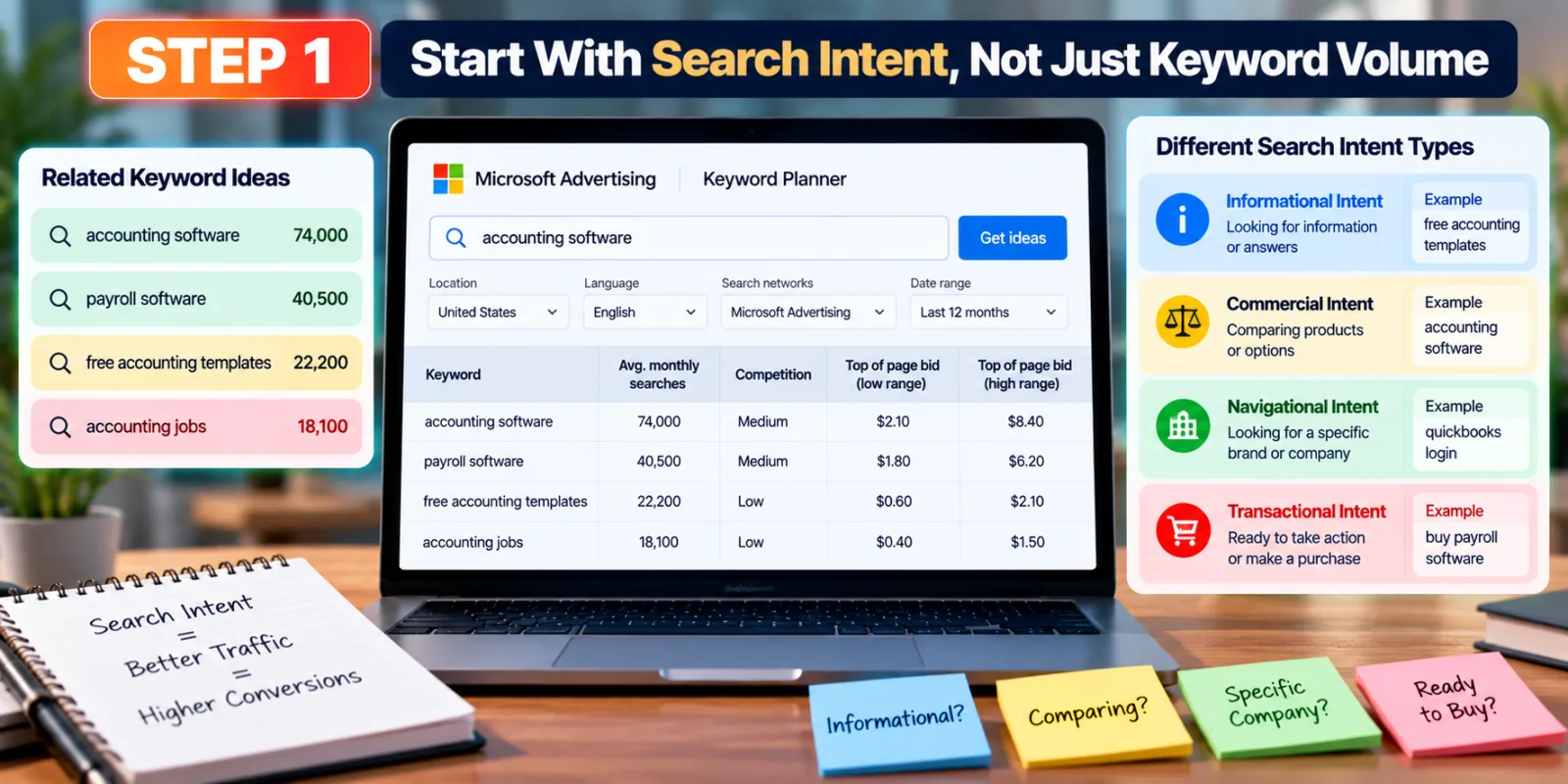
The first step is to understand what people actually want when they search. A keyword with a large search volume is not automatically a good keyword for your business. If the search intent does not match your product or service, the campaign can spend money on visitors who were never likely to convert.
Microsoft Advertising Keyword Planner can help you discover keyword ideas, search volume, trends, and estimated bid information. Use it as a research tool rather than simply choosing the biggest numbers. Think about whether a person searching each term is looking for information, comparing products, looking for a specific company, or ready to take action.
For example, a company selling accounting software may find searches around accounting software, payroll software, free accounting templates, and accounting jobs. These searches are related to the same broad topic, but they do not have the same commercial intent. Separating them helps the campaign attract people who are actually relevant to the offer.
Step 2: Build Tighter Ad Groups Around Similar Searches
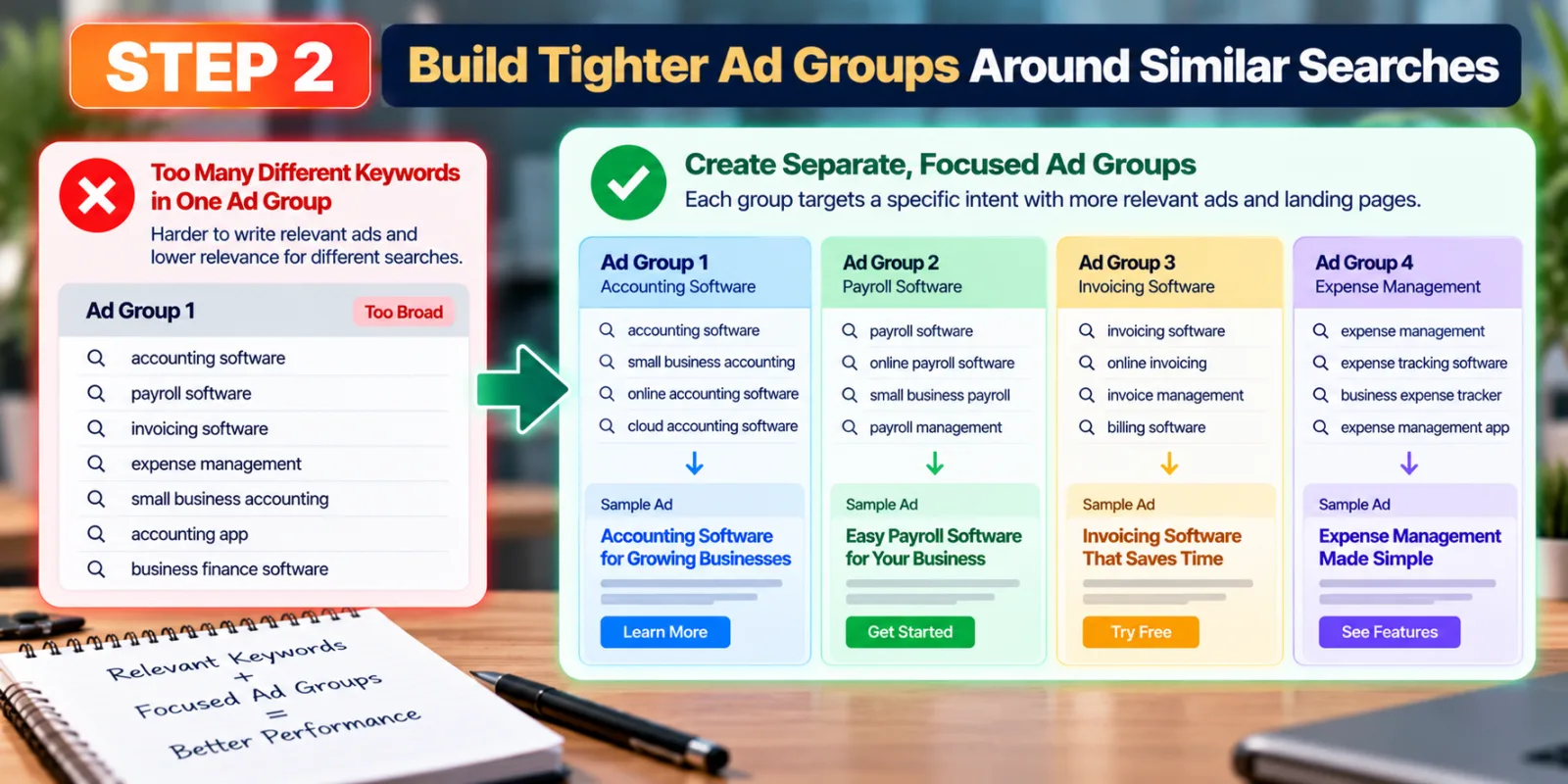
After researching keywords, organize them into smaller groups based on intent. Putting too many unrelated keywords into one ad group makes it harder to write an ad that feels directly connected to the search.
Imagine an advertiser offering business software. Instead of putting accounting software, payroll software, invoicing software, and expense management into one group, create separate groups when the search intent and landing page are different. Each group can then use ad language that matches what the person is looking for.
This structure also makes optimization easier. When an ad group has a clear theme, you can quickly see whether the problem is the keyword, the ad, the search query, or the landing page. For more detail on keyword control, see AdScaleLab’s guide on Bing Ads Match Types.
Step 3: Use Match Types For The Right Level Of Control
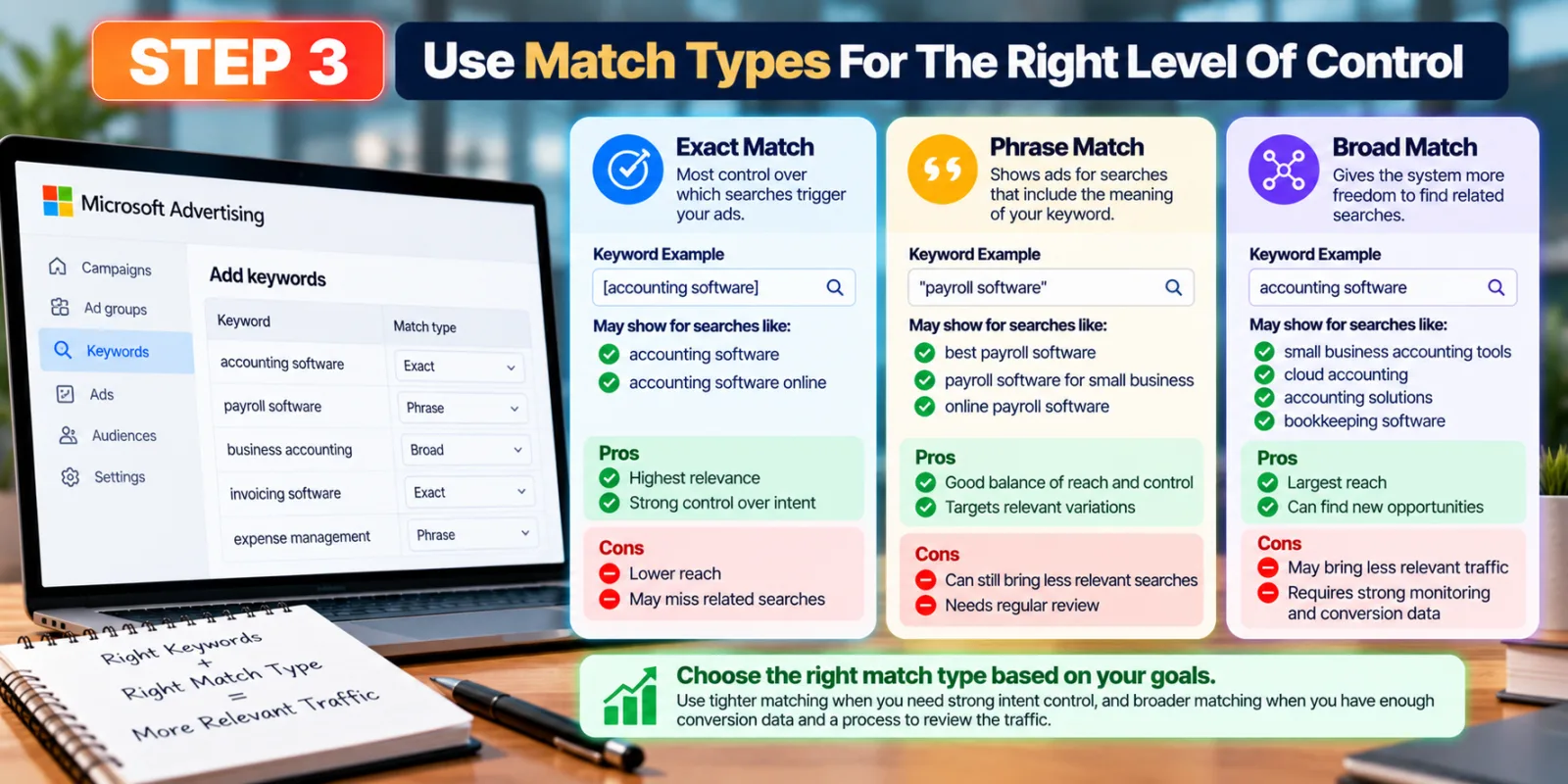
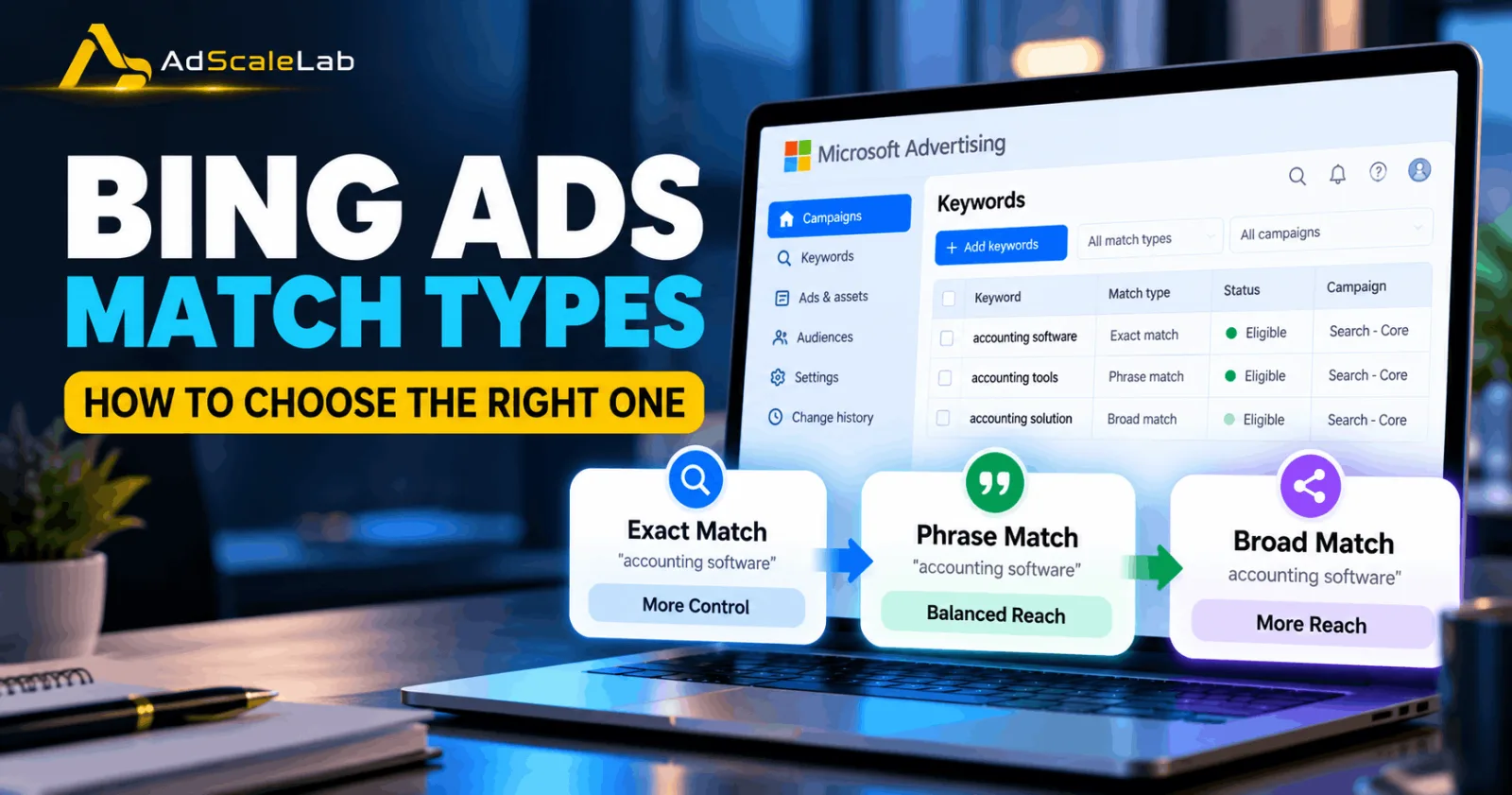
Microsoft Advertising supports Exact, Phrase, and Broad match types. Exact match gives the most control, while broad match gives the system more freedom to find searches related to the keyword. Broad matching can use semantic variations and related searches, which can help discover new opportunities, but it can also bring searches that are less relevant.
The right approach is not to assume that one match type is always best. Use tighter matching when you need strong control over search intent, and use broader matching when you have enough conversion data and a process for checking the traffic it produces.
Do not judge a match type only by the number of clicks it generates. Look at the searches behind those clicks and compare them with conversions, cost per conversion, revenue, or lead quality.
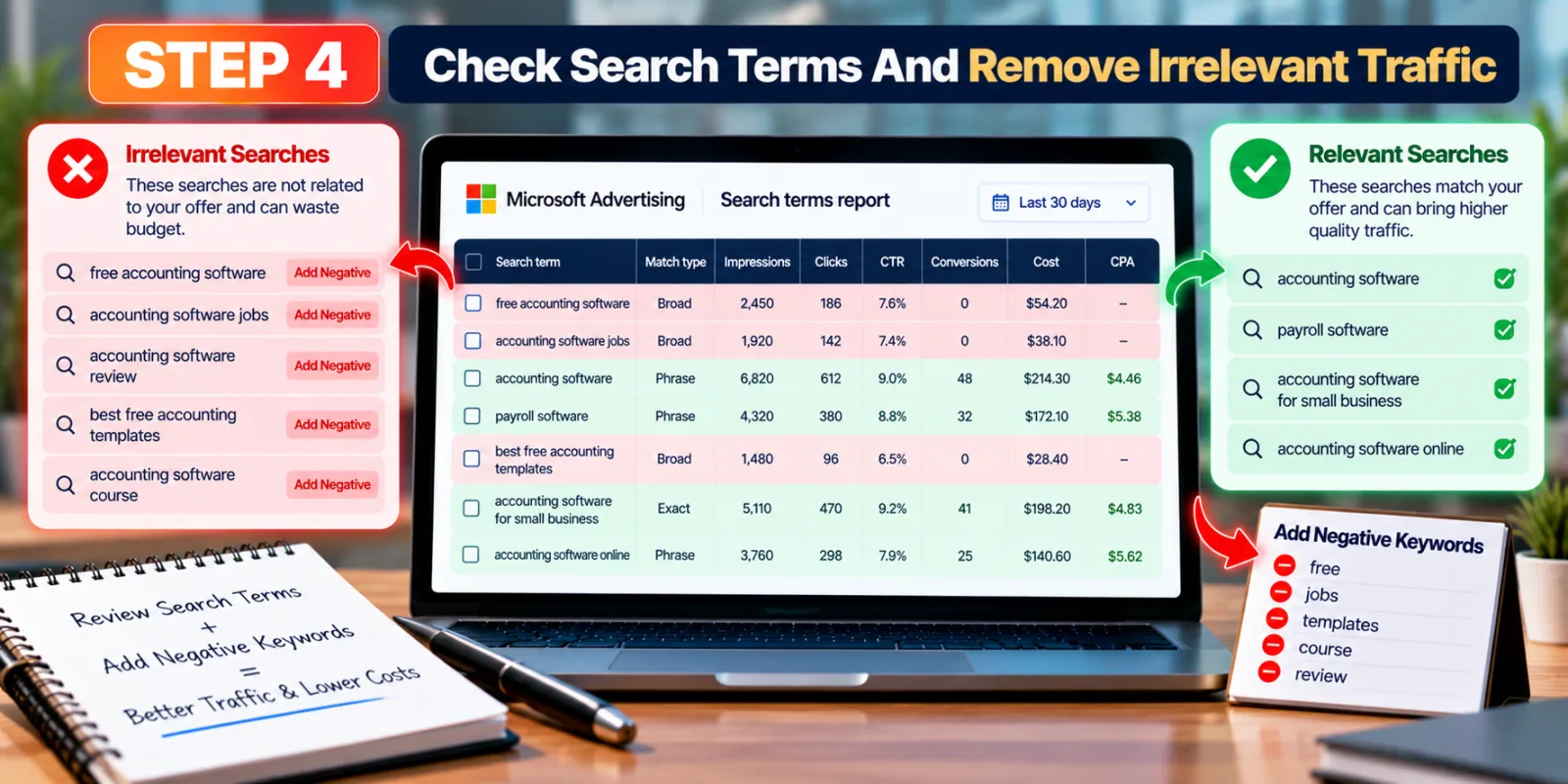
Step 4: Check Search Terms And Remove Irrelevant Traffic
One of the most practical ways to improve Bing Ads quality is to regularly review the search terms that triggered your ads. A keyword can look relevant in your campaign while the actual searches are much broader than you expected.
Microsoft provides reporting that can help advertisers analyze search-query performance, including impressions, clicks, click-through rate, and other performance information. When you find searches that do not fit your offer, add suitable negative keywords. A negative keyword prevents your ad from showing when the unwanted term matches the negative keyword rules.
This process should be ongoing. New searches can appear as campaigns collect more data, especially when broader matching is being used. A strong negative-keyword list can reduce wasted clicks and help the campaign spend more of its budget on people with better intent.
Step 5: Write Ads That Clearly Match The Search
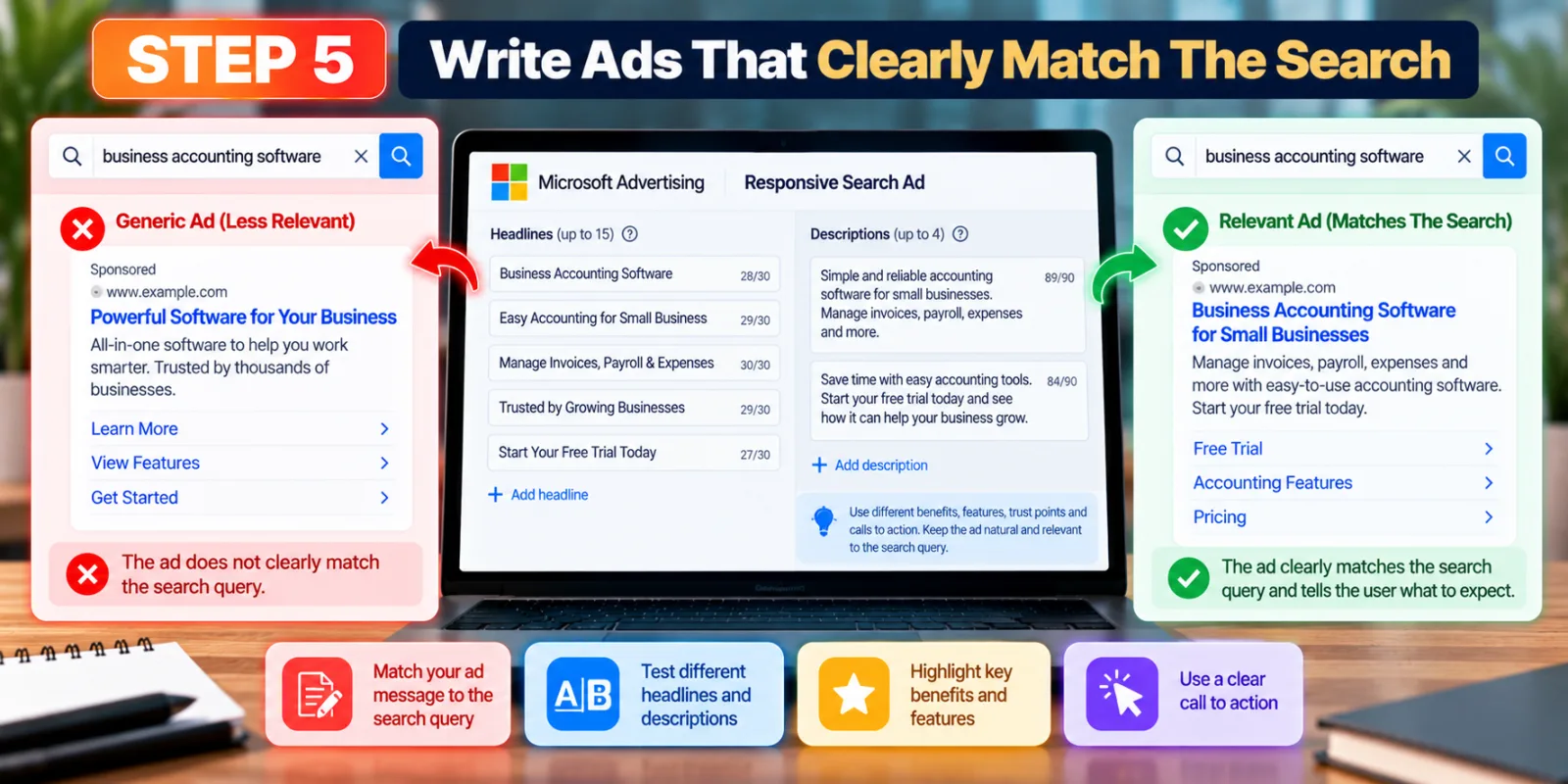
Your ad should continue the same conversation started by the search query. If someone searches for business accounting software, an ad that clearly talks about business accounting software is more useful than a generic ad about software.
Responsive Search Ads give advertisers room to provide multiple headlines and descriptions. Microsoft can combine these assets to serve different combinations based on the query and user context. Use this flexibility to test different benefits, features, trust points, calls to action, and relevant wording. Avoid filling every headline with keywords just because you can. The ad still needs to sound natural. A strong ad should tell the user what the product is, why it is useful, and what they should expect after clicking.
Step 6: Make The Landing Page Match The Ad
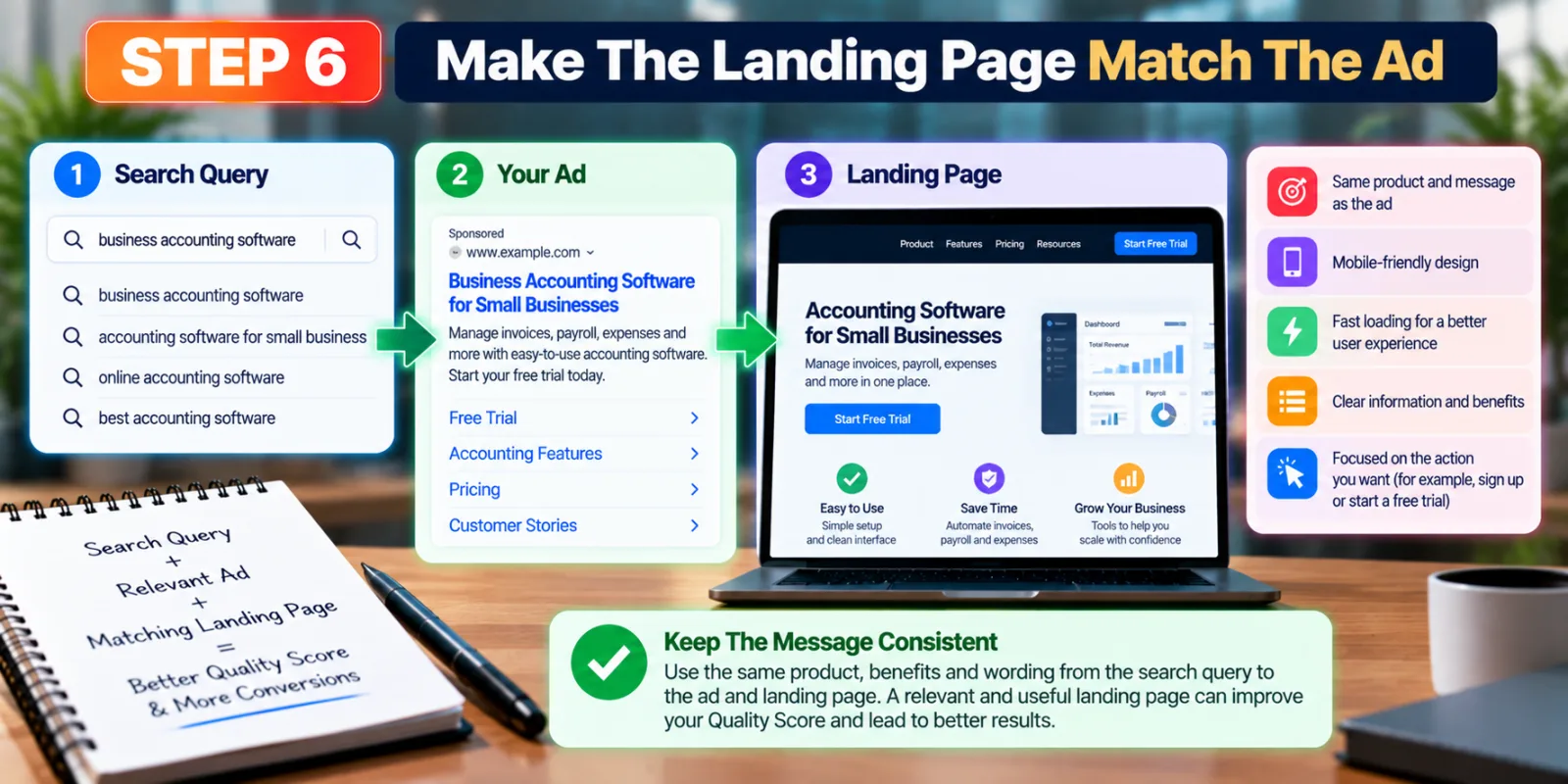
Getting the click is only one part of the job. If the landing page does not match the promise made in the ad, the visitor may leave quickly or fail to take the action you want. Microsoft includes LandingPageExperience as one of the components used in Quality Score. That makes the landing page an important part of the connection between the search, ad, and user experience.
Keep the main message consistent from the search query to the ad and then to the landing page. If the ad promotes a particular product, send the visitor to a page about that product instead of a generic homepage. Make the page easy to understand, mobile-friendly, fast enough for normal use, and focused on the action you want the visitor to take.
Step 7: Fix Conversion Tracking Before Judging Your Traffic
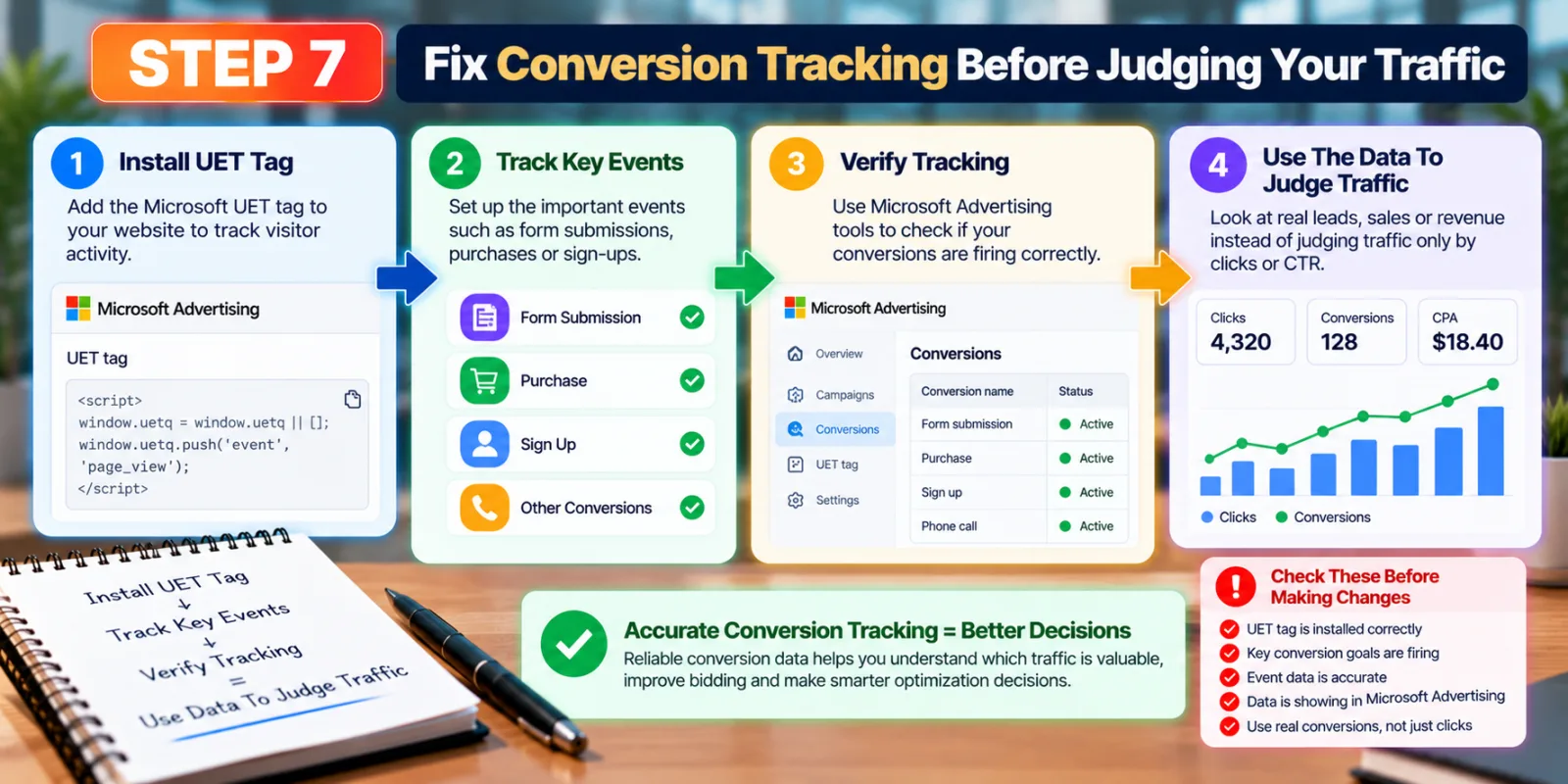
It is difficult to improve traffic when you cannot accurately see what happens after the click. A campaign may look successful because it receives clicks, while the actual leads or sales are poor. The opposite can also happen: a campaign may have a modest click-through rate but produce valuable customers.
Microsoft Universal Event Tracking, or UET, is used to collect website activity and support conversion tracking and remarketing. Microsoft also provides a Conversions API option for sending website, CRM, offline, and other event information from the server side. When possible, reliable first-party conversion data gives automated bidding and campaign analysis a much better foundation.
Before making major targeting changes, check whether your conversion goals are firing correctly. For a deeper troubleshooting guide, see AdScaleLab’s article on How To Fix Bing Ads Conversion Tracking Problems.
Step 8: Use Microsoft Advertising AI Max Carefully
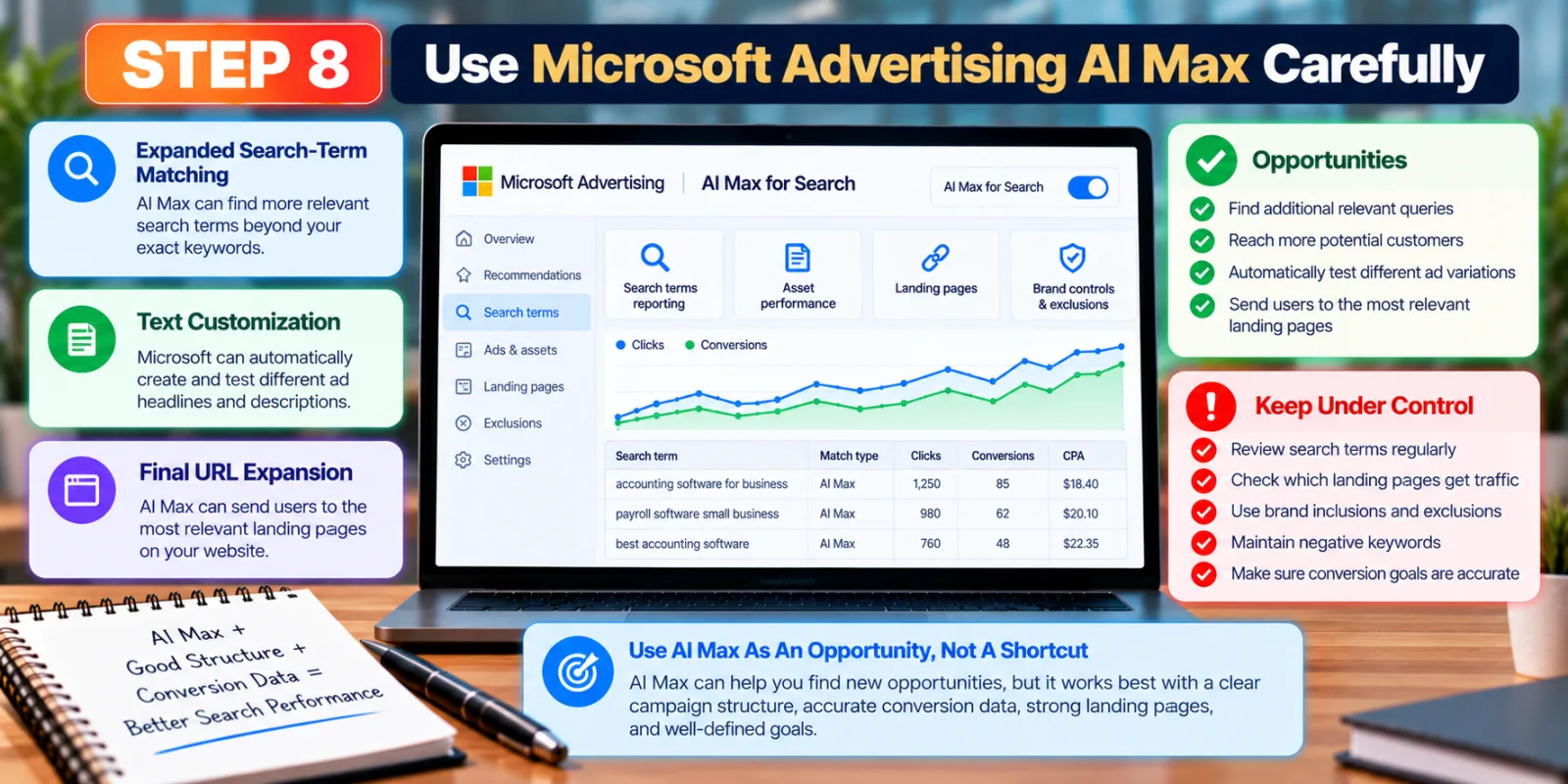
Microsoft Advertising’s AI Max for Search adds more automation to search campaigns. Microsoft describes it as combining expanded search-term matching, text customization, and final URL expansion. It also provides reporting and controls for areas such as search terms, landing pages, brand inclusions and exclusions, and negative keywords.
AI Max can help advertisers find additional opportunities, but more automation does not remove the need for good campaign structure. If the campaign has poor conversion data, weak landing pages, or unclear goals, simply turning on more automation will not automatically solve those problems.
Use the available reporting to understand which queries are being matched, which assets are being used, and which landing pages receive traffic. Keep exclusions and conversion goals under control. If you want a deeper explanation, read AdScaleLab’s guide on How to Optimize Bing Ads AI Max for Better Search Performance.
Step 9: Check Where Your Traffic Is Coming From
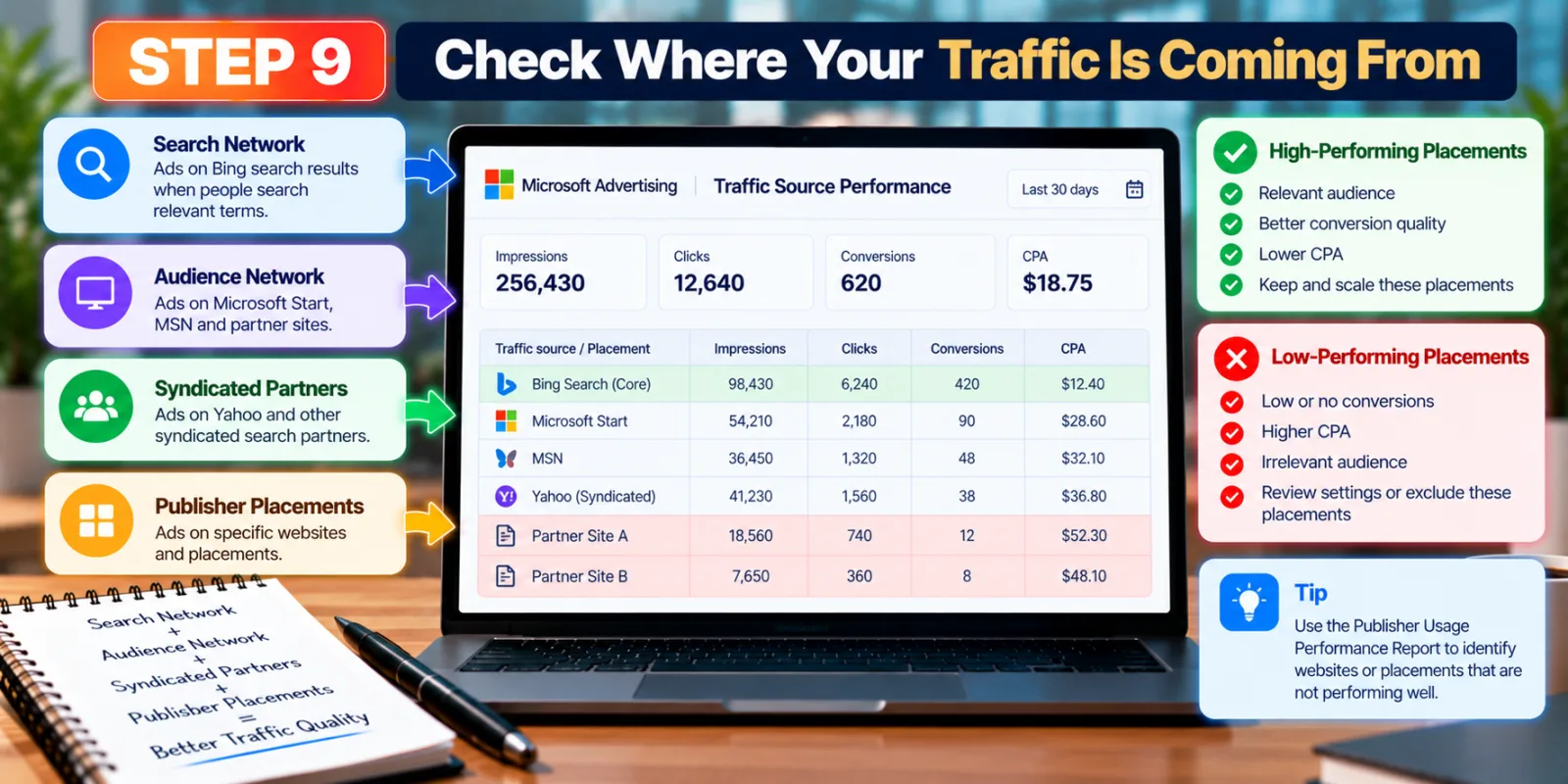
Relevant traffic is not only about the keyword. Microsoft Advertising campaigns can reach users and placements beyond the exact search environment you may have in mind, depending on your campaign settings and network choices. Review performance by traffic source and placement when the relevant report is available. Microsoft provides a Publisher Usage Performance Report that can help identify websites or placements that are not performing well. This can be especially useful when you notice clicks but poor conversion quality.
If a part of the network consistently produces weak traffic, investigate the campaign settings and placement data rather than assuming every click has the same value. The goal is to understand where your budget is actually going and whether those visitors are useful to the business.
Step 10: Improve Quality Score By Improving The Whole Chain
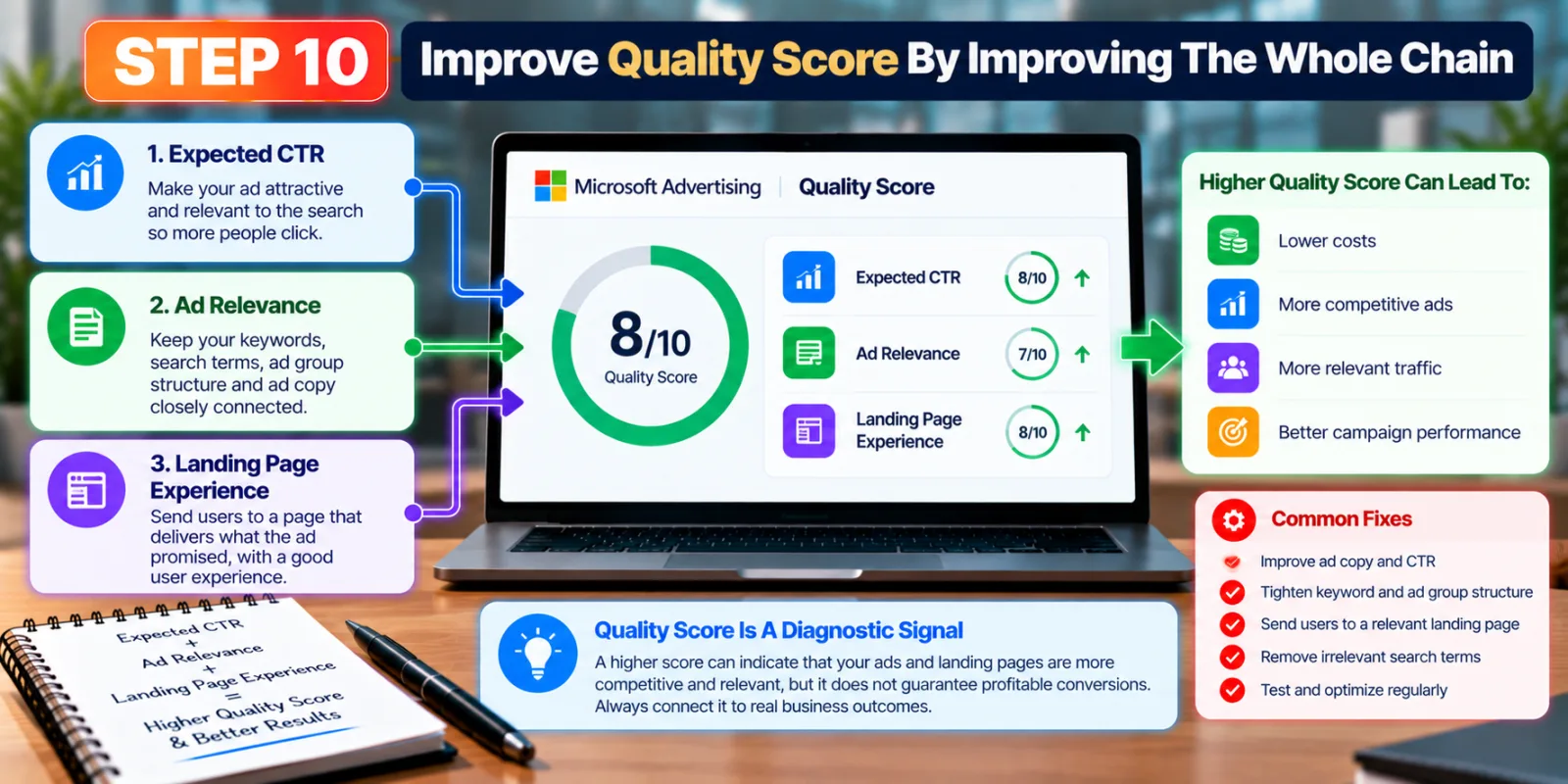
Microsoft Quality Score is built from three main areas: Expected CTR, Ad Relevance, and Landing Page Experience. That means improving one part while ignoring the other two may not solve the overall problem.
If Expected CTR is weak, look at whether the ad is attractive and relevant to the search. If Ad Relevance is weak, check whether your keywords, search terms, ad group structure, and ad copy are closely connected. If Landing Page Experience is weak, review the page itself and whether it delivers what the ad promised.
Quality Score is best used as a diagnostic signal. A higher score can indicate that your ads and landing pages are more competitive and relevant, but a high score by itself does not guarantee profitable conversions. Always connect the analysis to real business outcomes.
Step 11: Do Not Change Everything Every Day
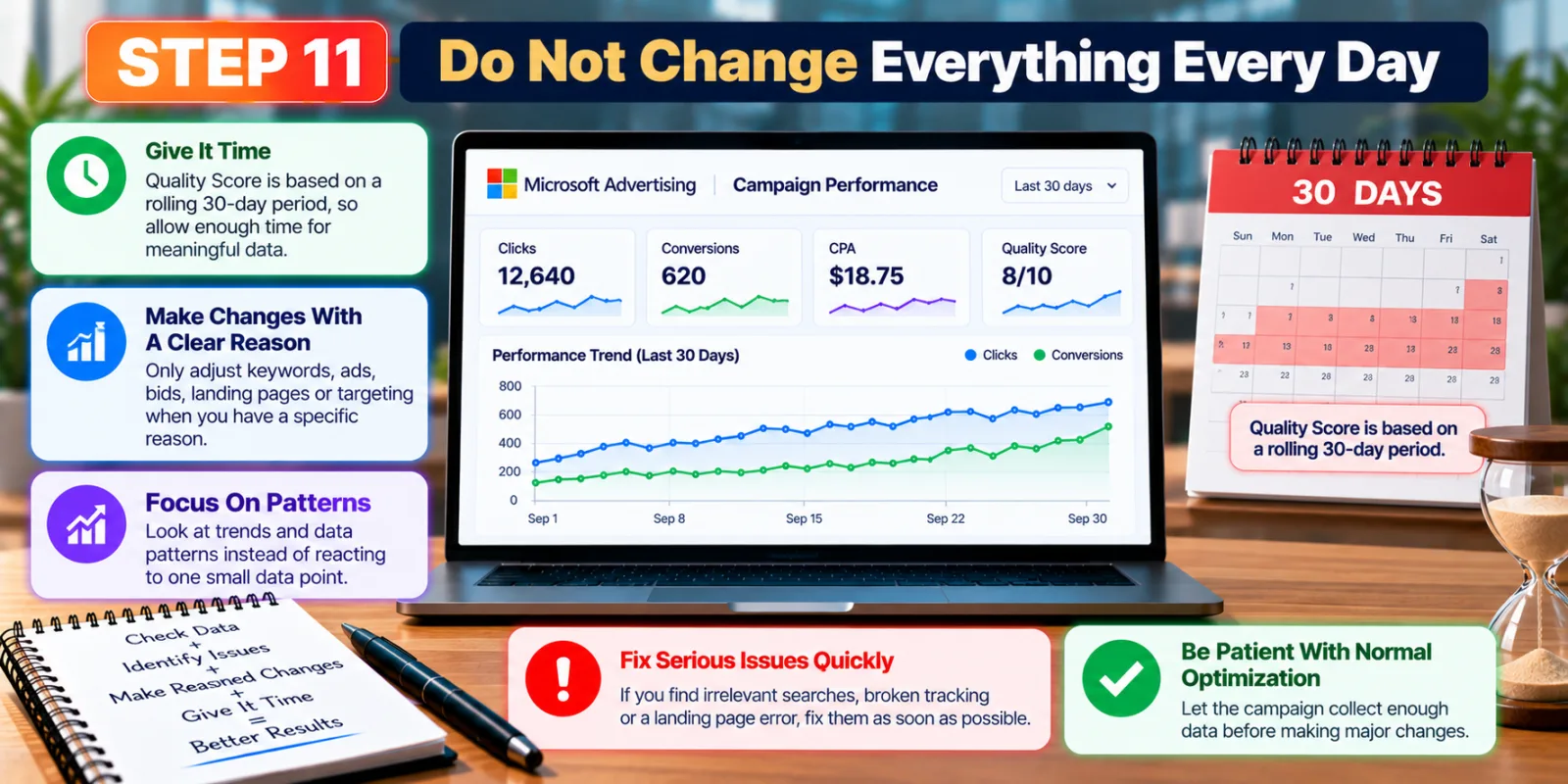
Campaign optimization needs enough time for useful data to appear. Microsoft says Quality Score is based on a rolling 30-day period for owned-and-operated search traffic, and the score is normally updated after a reporting delay. That means you should avoid changing keywords, ads, bids, landing pages, and targeting every few hours simply because one metric moved. Make changes for a clear reason, then give the campaign enough time to collect meaningful information.
This does not mean you should ignore serious problems. If you find obvious irrelevant searches, broken tracking, or a landing page error, fix those issues quickly. But normal optimization should be based on patterns rather than one small data point.
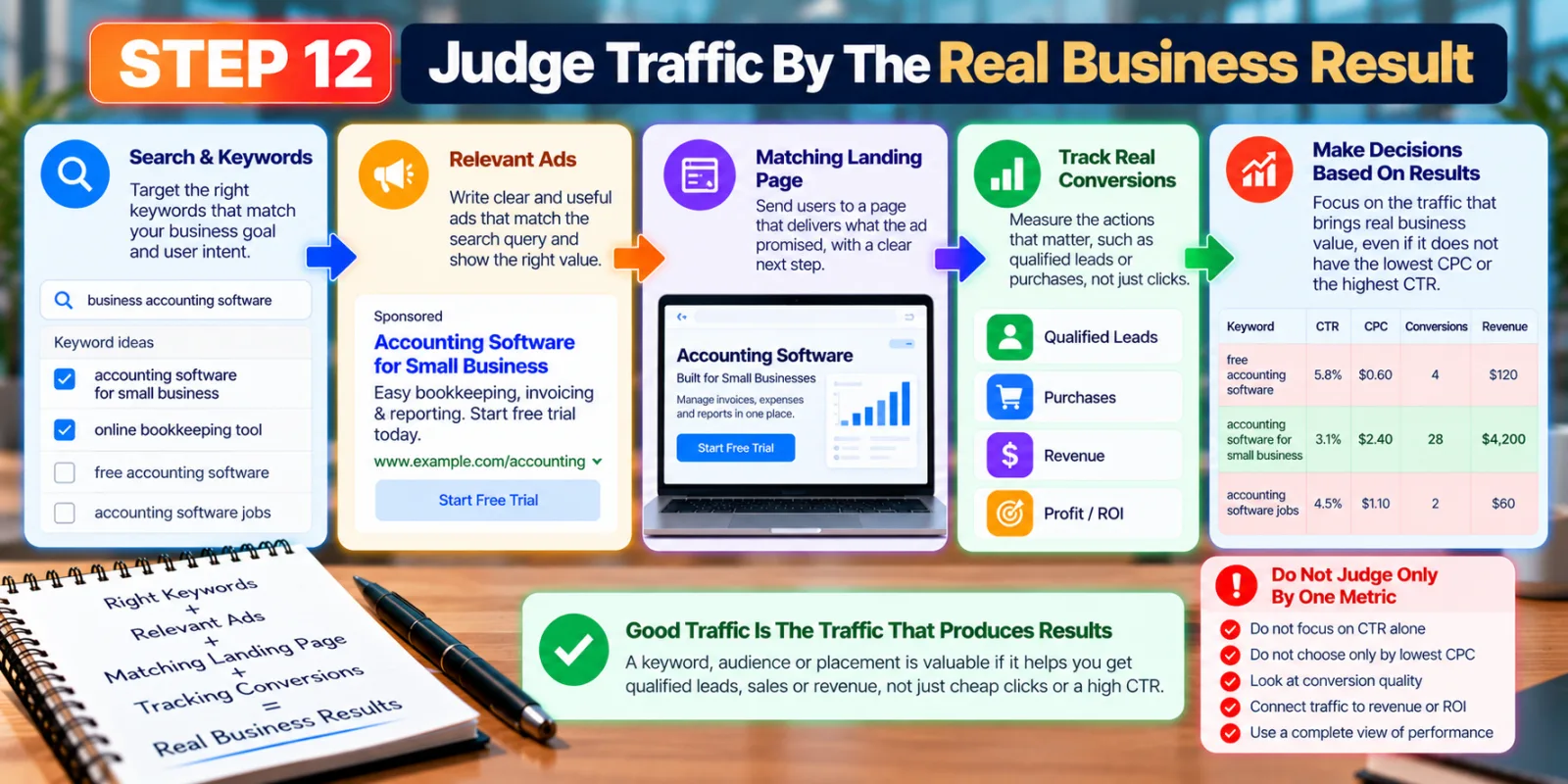
Step 12: Judge Traffic By The Real Business Result
The final decision should connect traffic to the result the advertiser actually wants. For a lead-generation campaign, that could be qualified leads rather than simple form starts. For ecommerce, it may be purchases and revenue. A publisher or keyword that looks average on CTR can still be valuable if it consistently produces profitable conversions.
Your traffic rules should follow the business goal. If a keyword brings many cheap clicks but almost no qualified leads, it may not be good traffic. Another keyword with a higher cost per click can be much better if the people it brings are more likely to become customers.
This is why Bing Ads quality should be viewed as a complete system. The strongest campaigns connect search intent, keyword targeting, ad relevance, landing page experience, conversion tracking, and business results instead of optimizing each metric separately.
Conclusion: Better Bing Ads Quality Starts With Better Relevance
Improving Bing Ads quality is not about chasing a perfect Quality Score or simply increasing traffic. It is about creating a stronger connection between what people search for, what your ad promises, where the click lands, and what happens after the visit.
Start with clear search intent, organize related keywords, choose match types carefully, remove irrelevant searches, write ads that match the query, and make sure the landing page delivers on the promise. Then make sure conversion tracking is reliable before using performance data to guide bigger changes. Microsoft Advertising is also adding more automation through tools such as AI Max for Search. These tools can create new opportunities, but they work best when advertisers provide good data, clear conversion goals, and sensible controls.
If you follow these steps consistently, the goal is not simply more Bing Ads traffic. The goal is more relevant traffic from people who have a real reason to become customers.
Agency ad accounts, without the wait.
Buy and top up Google, Meta, native, and more from one dashboard.
Get started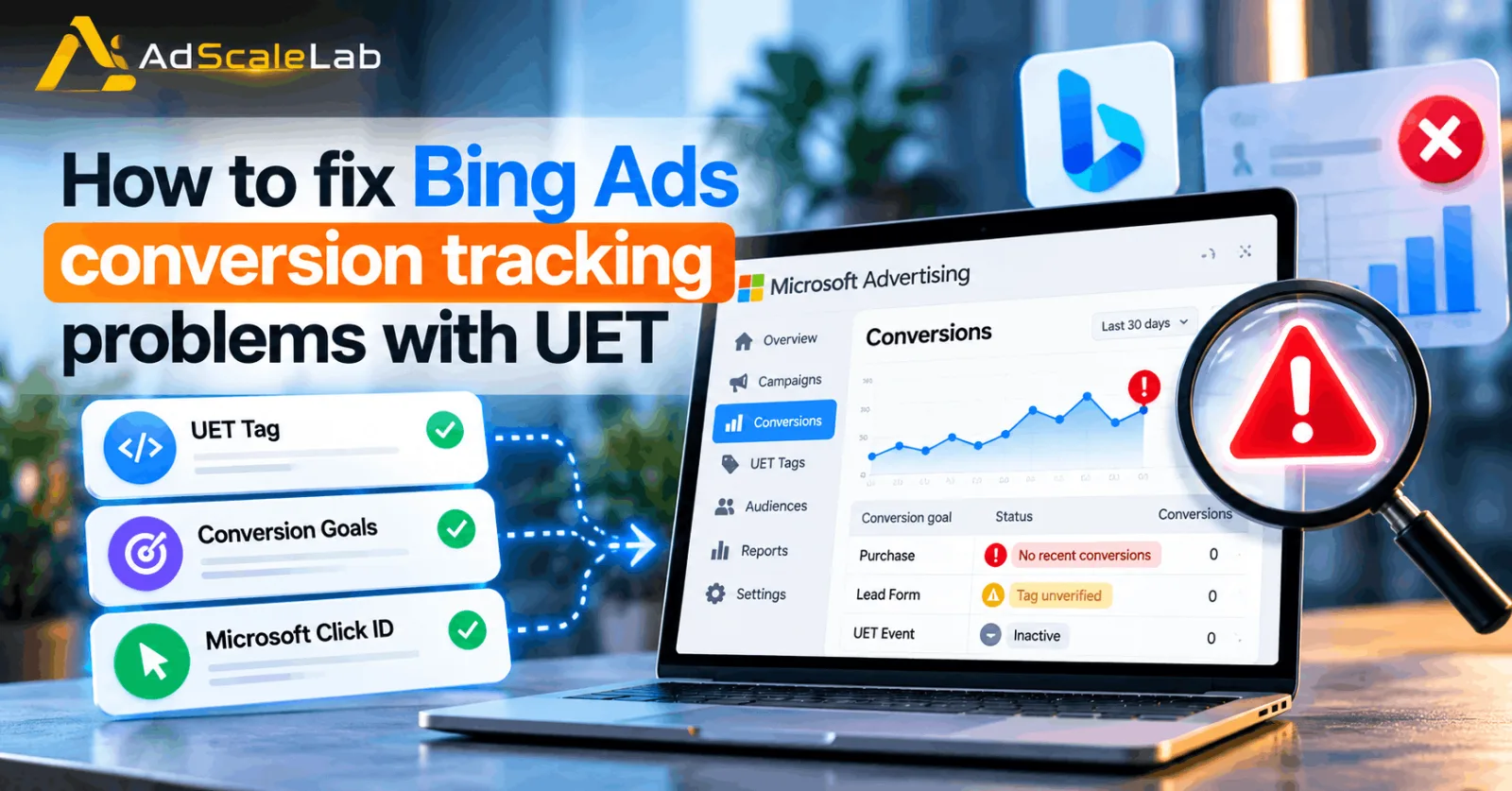
No comments yet. Be the first to comment.
Comments are open to registered AdScaleLab clients.
Sign in to comment