






How To Choose The Right Bing Ads Match Types For Your Campaign
Choosing keywords for a Bing Ads campaign is not only about finding words that describe your product or service. You also need to decide how closely a person's search should match those keywords before your ad can enter the auction.
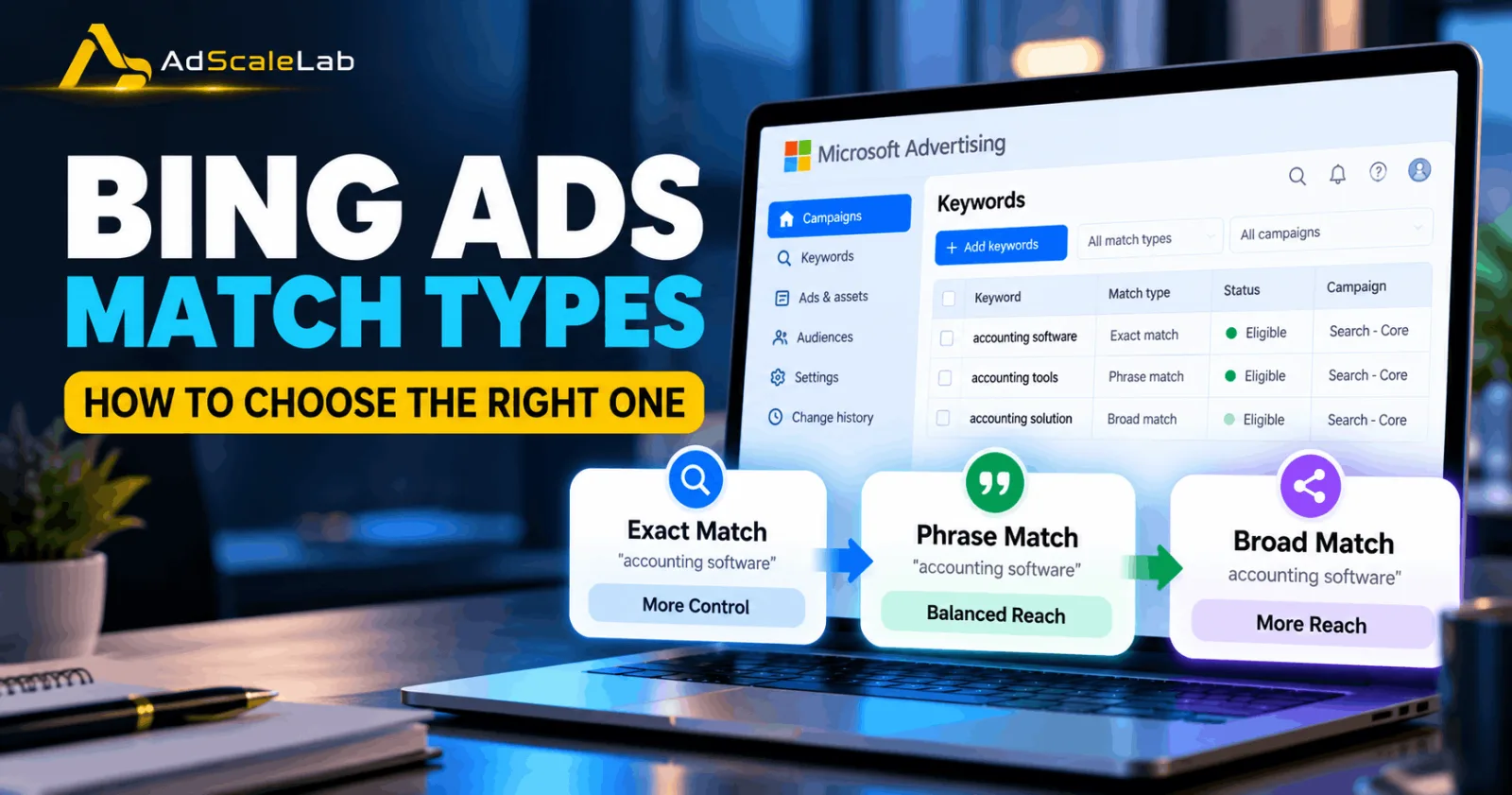
That is where Bing Ads match types come in. Microsoft Advhertising currently supports three main match types for Search campaigns: Broad match, Phrase match and Exact match. They give advertisers different levels of reach and control.
The difficult part is that there is no single match type that works perfectly for every campaign. A campaign that needs more search coverage may need a different setup from one selling a very specific service. Your budget, conversion data, search intent and tolerance for irrelevant searches all matter.
Here is a simple way to choose the right match type without making your campaign more complicated than it needs to be.
First, Understand How Bing Ads Match Types Work
Before choosing a match type, it helps to understand the three options.
Exact match gives you the most control. Microsoft describes it as the most restrictive match type. The user's search needs to have the same words and meaning as the keyword, although Microsoft's matching system can still account for certain close variants such as plurals.
Phrase match sits between Exact and Broad. The words in the keyword need to appear in the search in the same order, while additional words can appear around the phrase. For example, a phrase keyword around “red flower” can match a search such as “buy red flower,” according to Microsoft's documentation.
Broad match gives you the widest reach. Microsoft says Broad match can consider variations, synonyms and other semantic relationships, meaning the user's search does not always have to contain the exact words in your keyword. That can help find additional demand, but it can also produce searches that are less relevant.
So, in simple terms:
Exact = more control
Phrase = balance
Broad = more reach
But don't stop there. The right choice depends on what you are trying to achieve.
Step 1: Start With Your Campaign Goal
The first question should not be, “Which match type is best?”
Instead, ask:
What do I want this campaign to do?
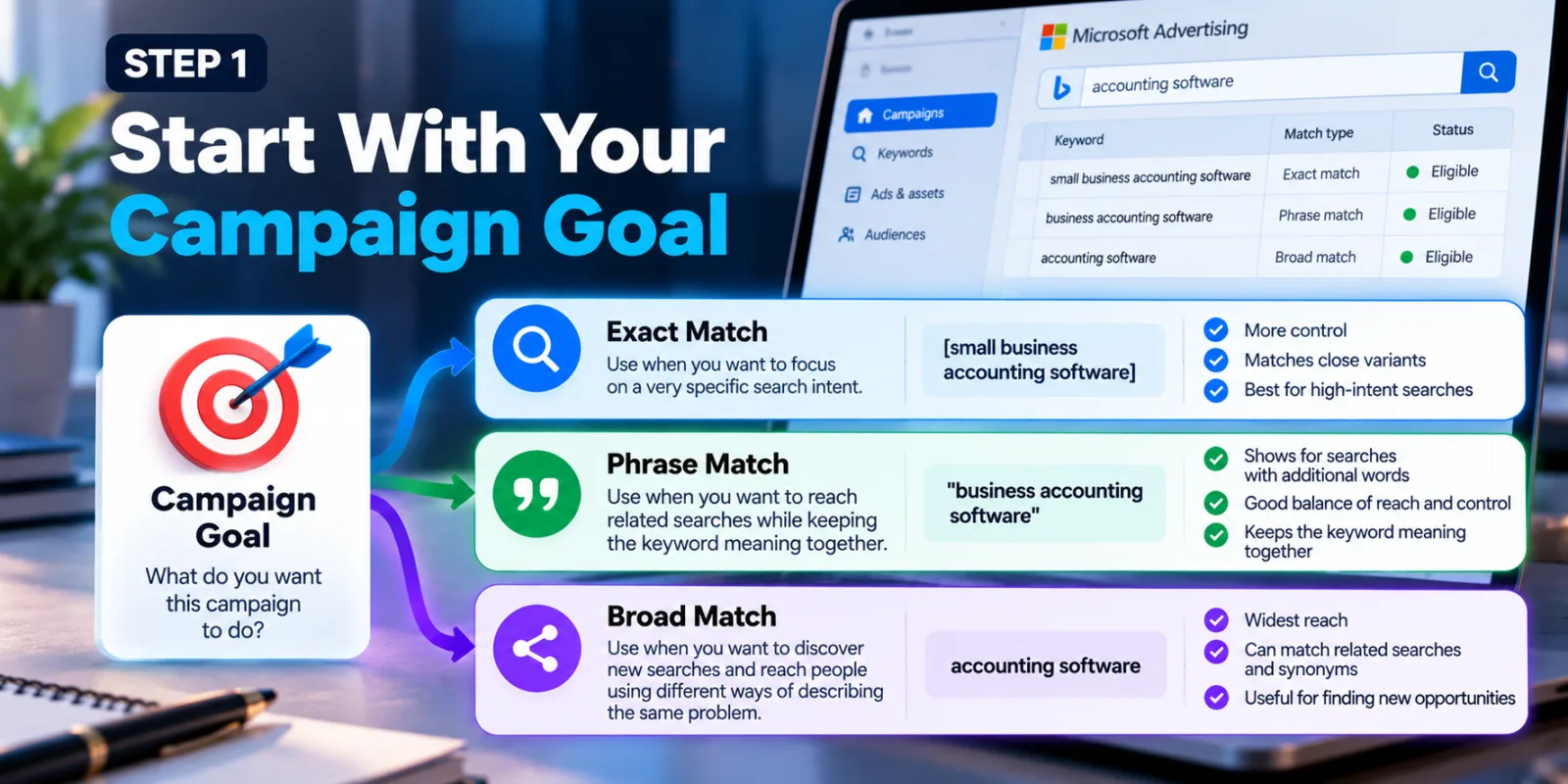
If you are trying to generate leads for a very specific service, you may care more about controlling which searches can trigger your ads. In that situation, Exact and Phrase can give you a tighter starting point.
For example, imagine that you run a company selling accounting software and your main service is for small businesses. A keyword such as: [small business accounting software] could be useful as an Exact match keyword when you want to focus on a very specific search intent.
On the other hand, if your goal is to discover new searches and reach people using different ways of describing the same problem, Broad match may give you more room to explore. Microsoft itself says more precise matching generally gives advertisers tighter control, while broader matching can provide more impressions. Microsoft also recommends looking at keyword performance over time and refining the keyword list based on the results.
The important thing is to connect the match type to the campaign goal instead of choosing it simply because someone says one option is “better.”
Step 2: Look At How Specific Your Keyword Is
Not every keyword has the same level of intent.
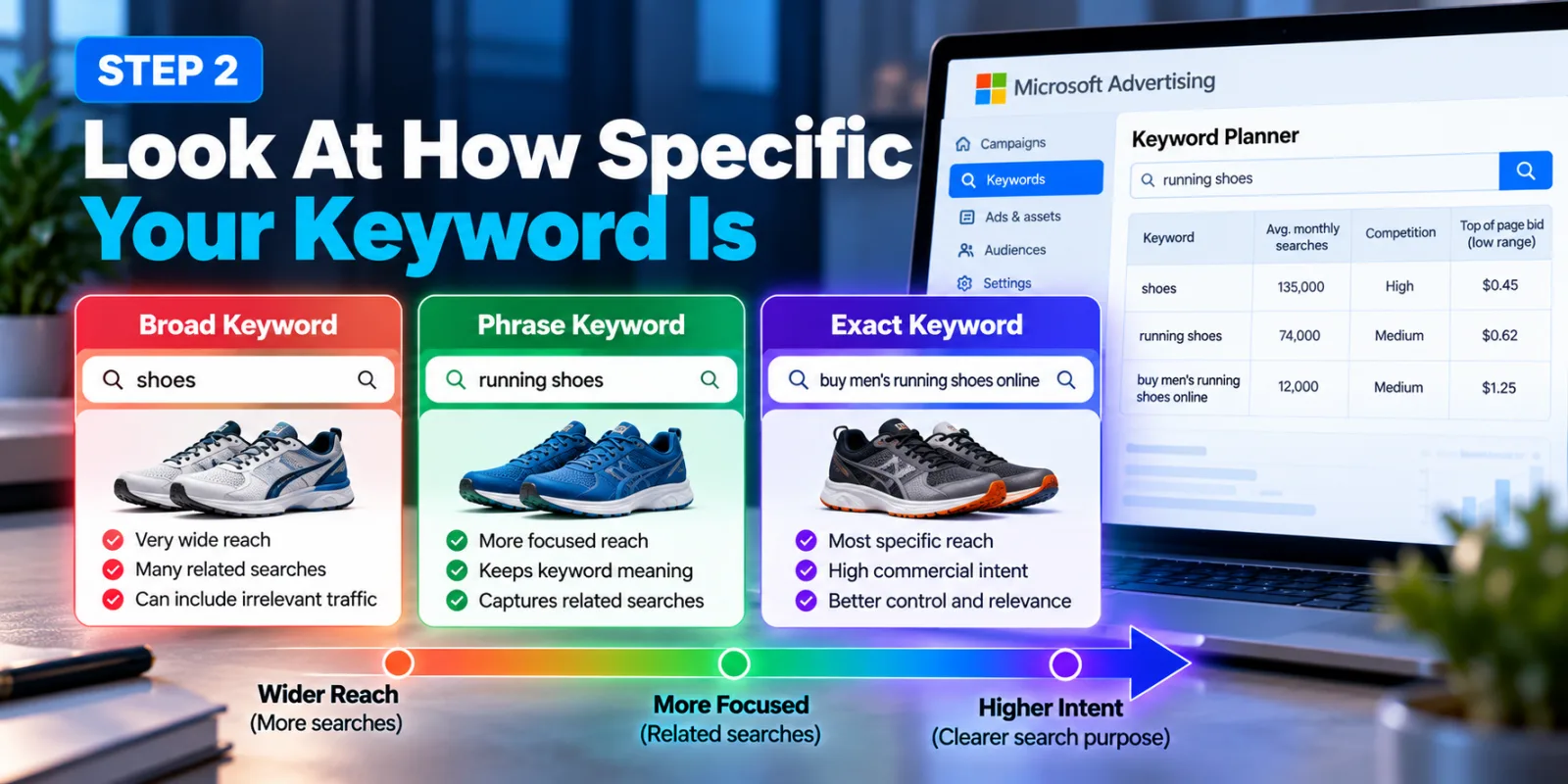
Consider these three searches: “shoes” “running shoes” “buy men's running shoes online”
They are all related, but the person's intention is very different.
A broad keyword such as “shoes” can potentially reach a much wider group of searches. But that wider audience may include people looking for products you do not sell. A more specific keyword such as “buy men's running shoes online” gives you a clearer idea of what the person wants.
This is where Phrase and Exact match can become useful. If the keyword itself already carries strong commercial intent, tighter matching can help keep the campaign focused. Microsoft's current Keyword Planner also lets advertisers examine search volume, trends, competition and estimated performance before deciding which keywords to use.
So before choosing the match type, ask yourself:
Is this keyword broad because my market is broad, or is it broad because I have not researched the search intent enough? That small question can save a lot of wasted spend.
Step 3: Use Exact Match For Searches You Already Trust
Exact match is especially useful when you already know that a particular search is valuable to your business.
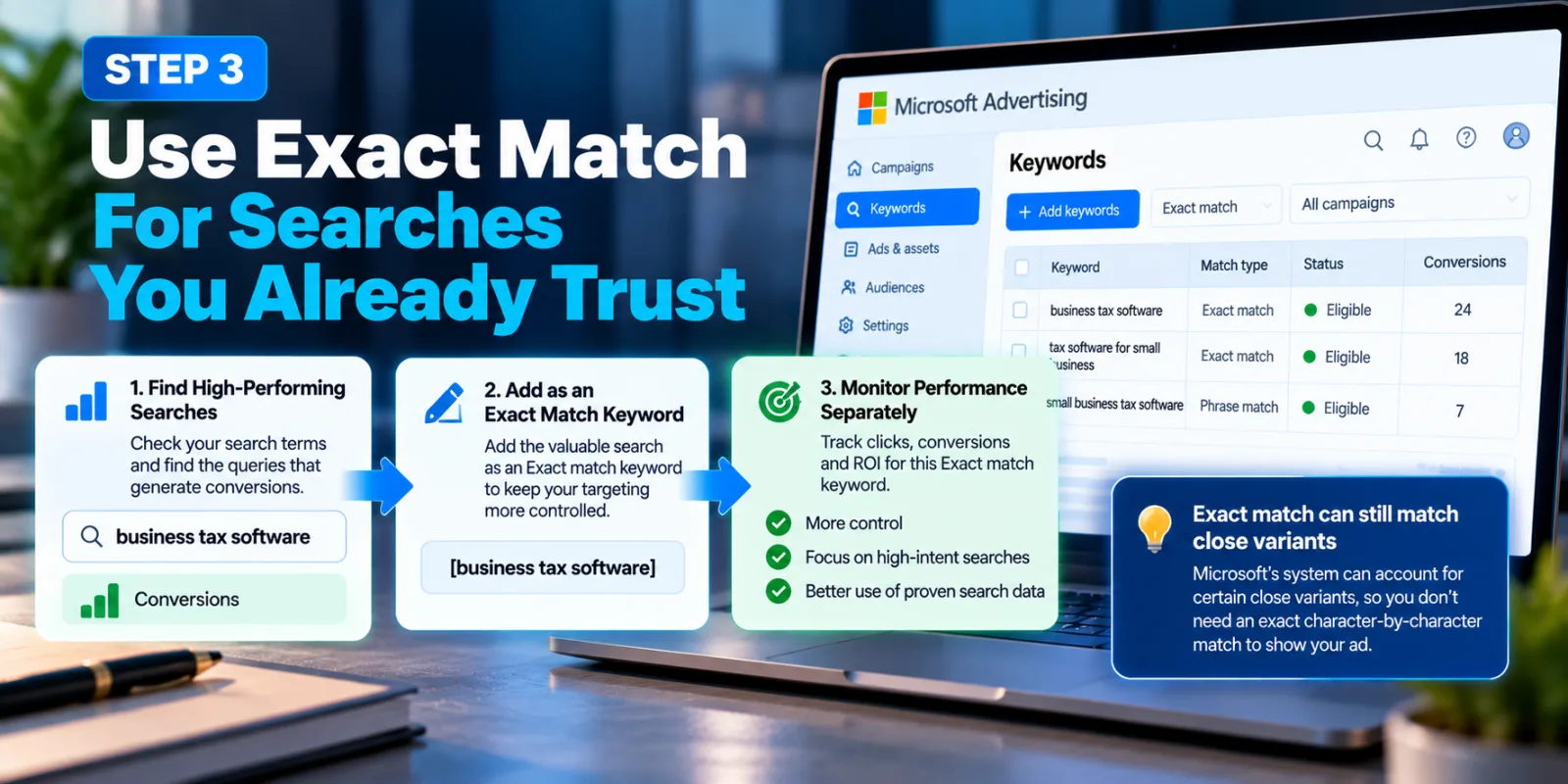
Suppose your campaign has generated conversions from: business tax software
Instead of leaving that search only inside a broader keyword strategy, you can add it as an Exact match keyword and monitor its performance separately.
Microsoft says advertisers can add searches that continue to generate valuable clicks to their keyword list with a more specific match type such as Phrase or Exact. This gives you a way to turn useful search data into a more controlled keyword strategy.
But remember that Exact match does not mean the user must type every character exactly the same way. Microsoft's current system can account for certain close variants, so advertisers should judge the match through actual search data rather than assuming Exact means literal character-for-character matching.
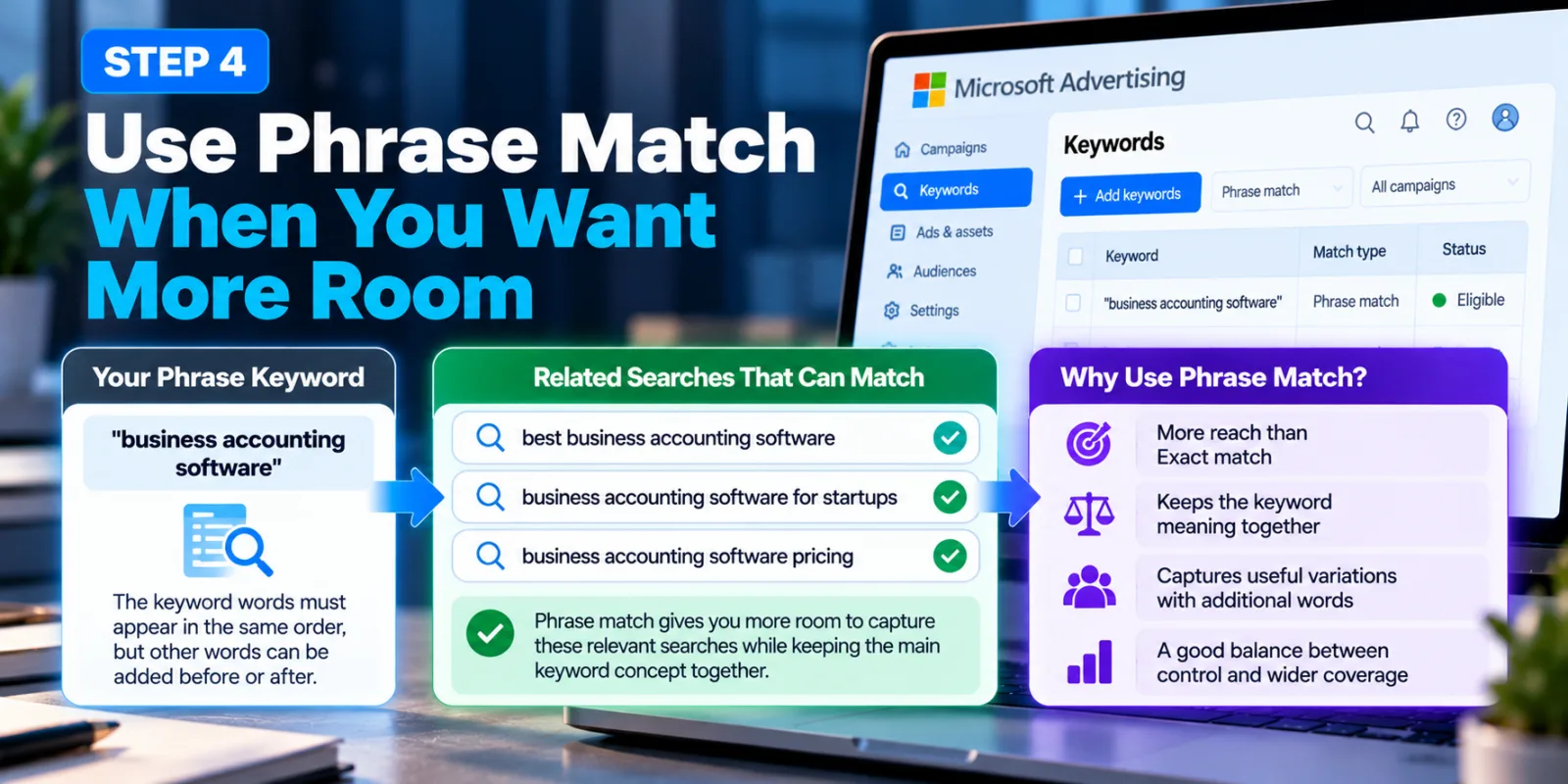
Step 4: Use Phrase Match When You Want More Room
Phrase match can be useful when Exact match feels too restrictive but Broad match feels too open.
Imagine your keyword is: "business accounting software"
You may want to appear for searches where the person adds useful words before or after that phrase.
For example:
best business accounting software
business accounting software for startups
business accounting software pricing
Phrase match can give the campaign more room to capture these types of searches while still keeping the main keyword concept together. Microsoft's documentation describes Phrase match as requiring the keyword words to appear in the same order, while allowing other words to appear in the search term. For many advertisers, this makes Phrase match a practical middle ground between strict control and wider coverage.
Step 5: Use Broad Match When You Need More Search Coverage
Broad match is where advertisers need to think carefully.
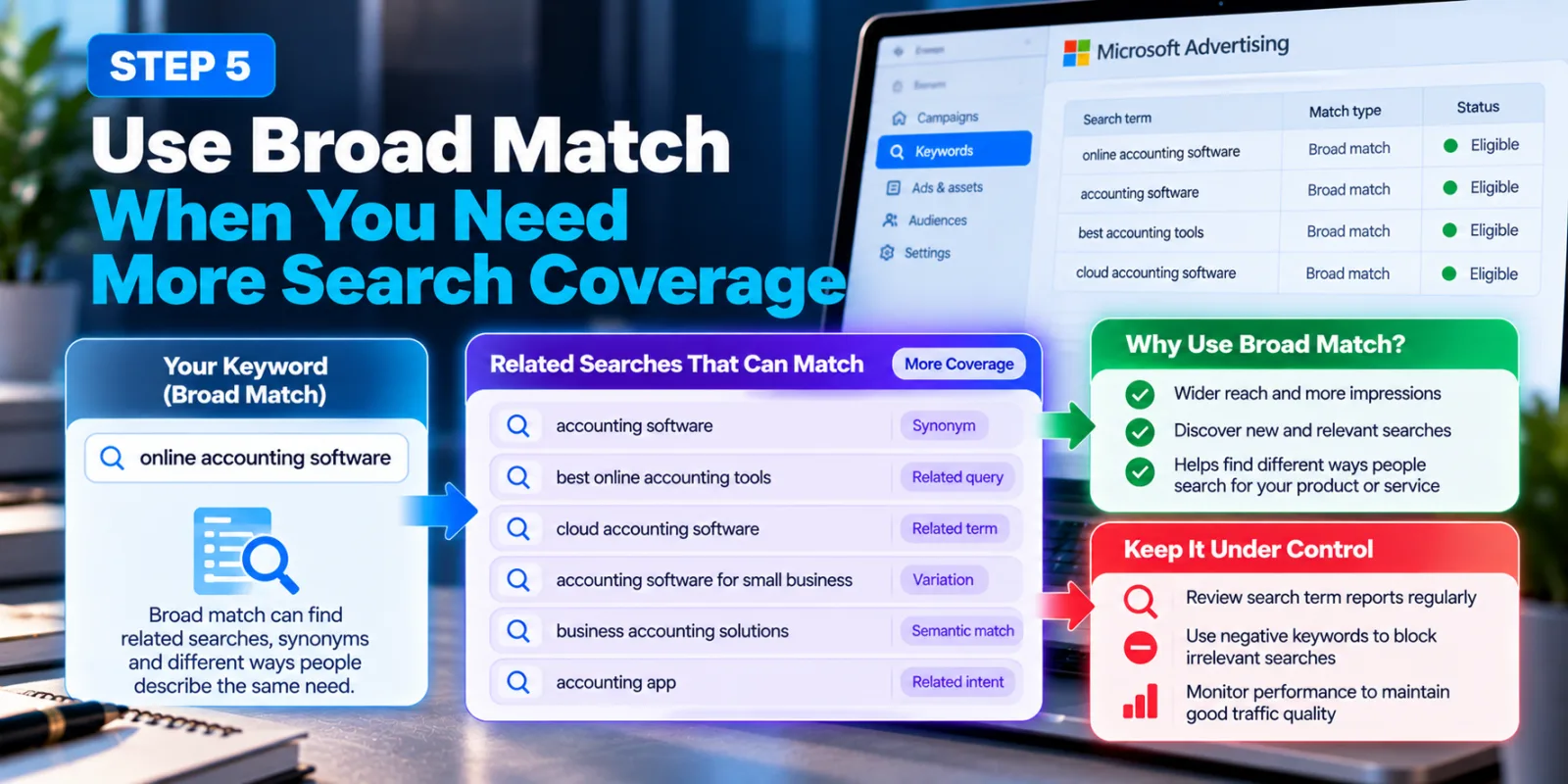
Broad match can find searches that are related to your keyword even when the search does not closely resemble the exact wording of the keyword. Microsoft says Broad match can use synonyms and semantic variations when determining whether a search is relevant. That can be useful if you are trying to discover new demand.
For example, a business advertising “online accounting software” may want to discover other ways potential customers describe the same need. Broad match can help with that discovery.
But more reach also means you need to watch the quality of the searches you receive. Microsoft specifically recommends reviewing performance data and using negative keywords when irrelevant searches appear.
So Broad match should not mean “put everything on Broad and forget about it.” It means giving the system more room while keeping an eye on what it finds.
Step 6: Check Your Budget Before Going Broad
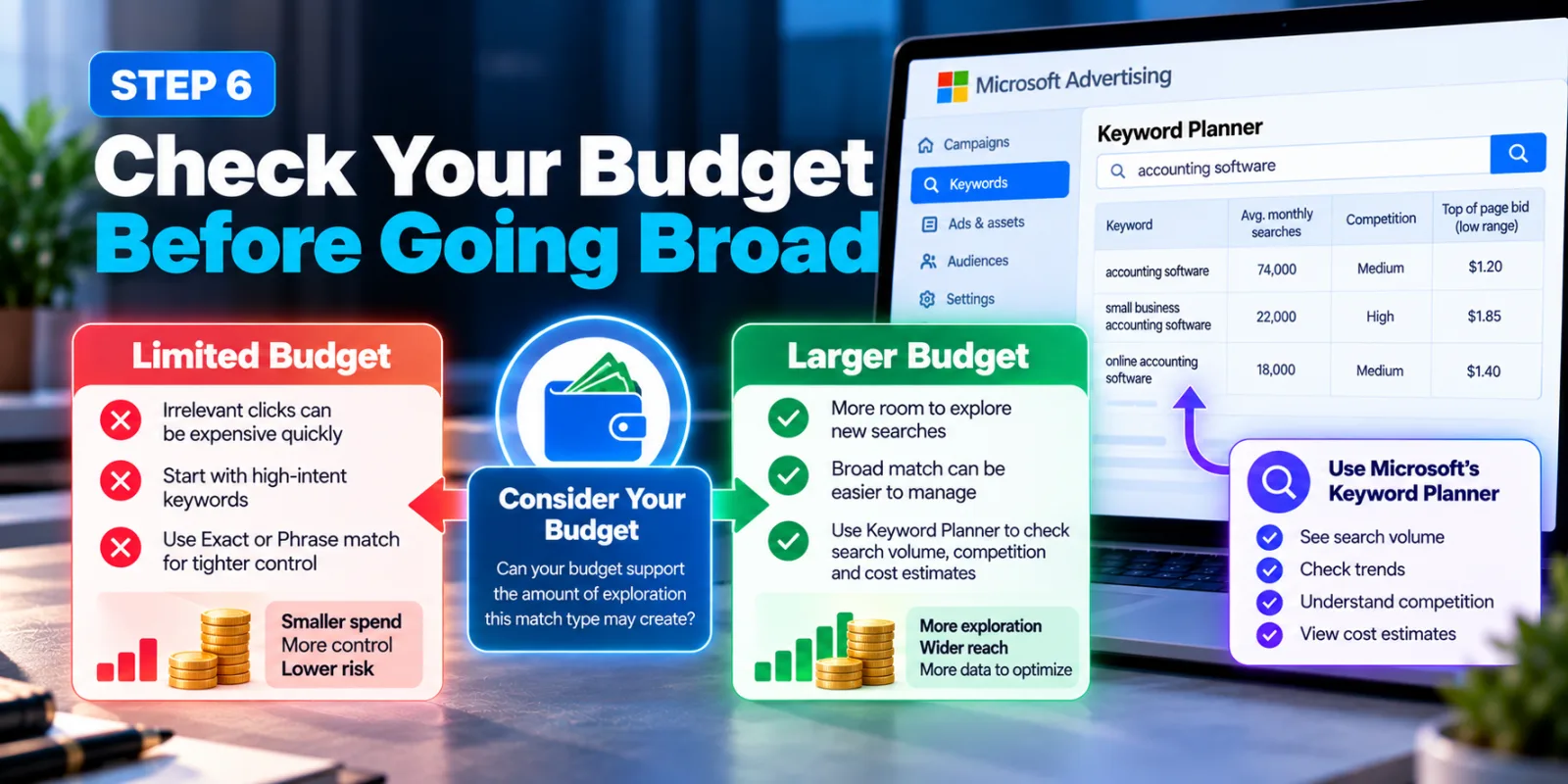
Your budget should influence your match-type decision.
If you have a large enough budget to explore different searches and enough conversion data to understand what is working, broader matching may be easier to manage. But if your budget is very limited, irrelevant clicks can become expensive quickly.
This does not mean that small advertisers should automatically avoid Broad match. It means they should understand what they are buying. Microsoft's Keyword Planner provides search volume, trends, competition and cost estimates that can help advertisers plan keyword and budget decisions before launching or expanding a campaign.
A simple approach is to ask: Can my budget support the amount of exploration this match type may create? If the answer is no, start with a tighter group of high-intent keywords and expand after you have useful data.
Step 7: Watch Search Terms And Turn Good Searches Into Keywords
This is one of the most important parts of choosing match types.
You should not choose a match type once and then never look at it again.
Your actual search data tells you what people are searching for.
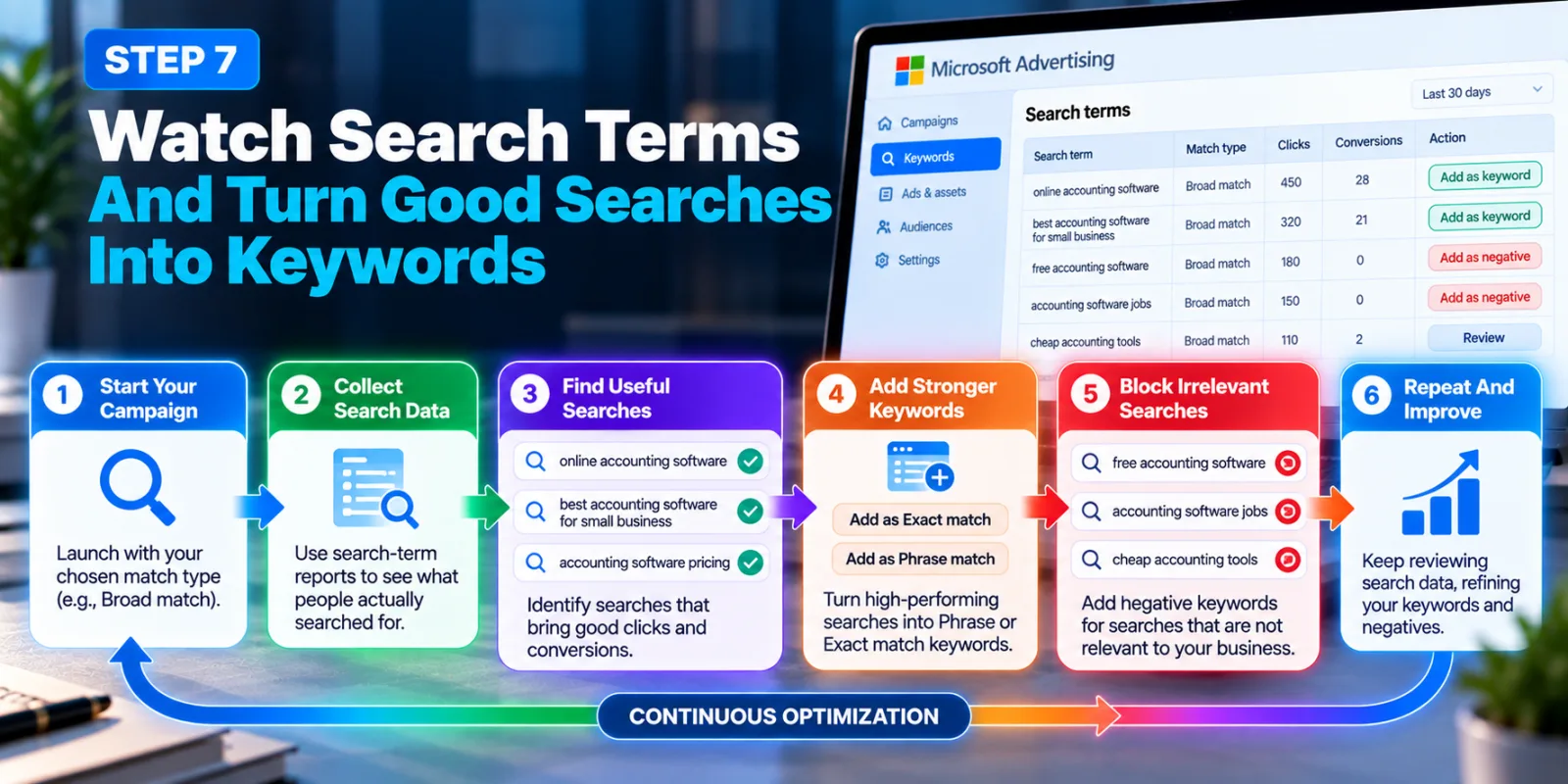
Microsoft says search-term reporting can be used to understand the searches that triggered ads and refine both keyword and negative keyword lists. Suppose you start with a Broad match keyword and discover that several searches are producing good conversions.
Those searches may deserve their own Phrase or Exact match keywords. At the same time, you may discover searches that have nothing to do with your business. Those can be reviewed for negative keyword additions.
This creates a simple cycle:
Start → collect search data → find useful searches → add stronger keywords → block irrelevant searches → repeat.
That is much more useful than trying to predict every possible search before launching the campaign.
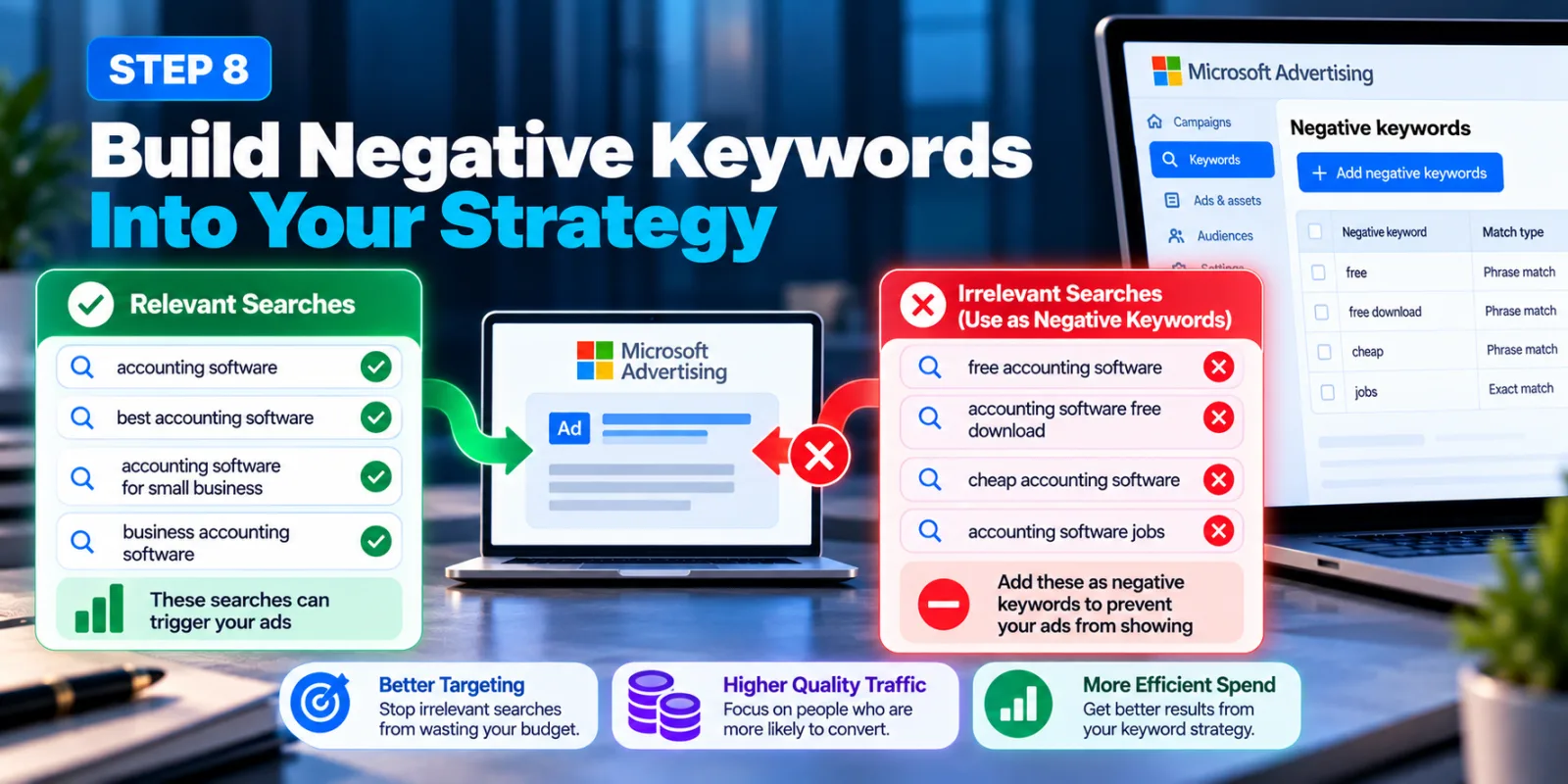
Step 8: Build Negative Keywords Into Your Strategy
Match types control which searches can trigger your ads. Negative keywords help control which searches you do not want.
For example, imagine you sell premium accounting software but do not offer a free version.
If searches containing “free” keep appearing and are not useful to your business, a negative keyword can prevent those searches from triggering your ads. Microsoft supports Phrase and Exact negative keyword matching. Its documentation explains that negative keywords are specifically used to prevent ads from being shown to people whose searches are unlikely to be useful. This is particularly important when using broader keyword matching.
The goal is not to add hundreds of negative keywords just because you can. Review the actual searches first and block terms that clearly do not fit your offer.
Step 9: Consider AI Max Before Expanding Your Keyword List Too Far
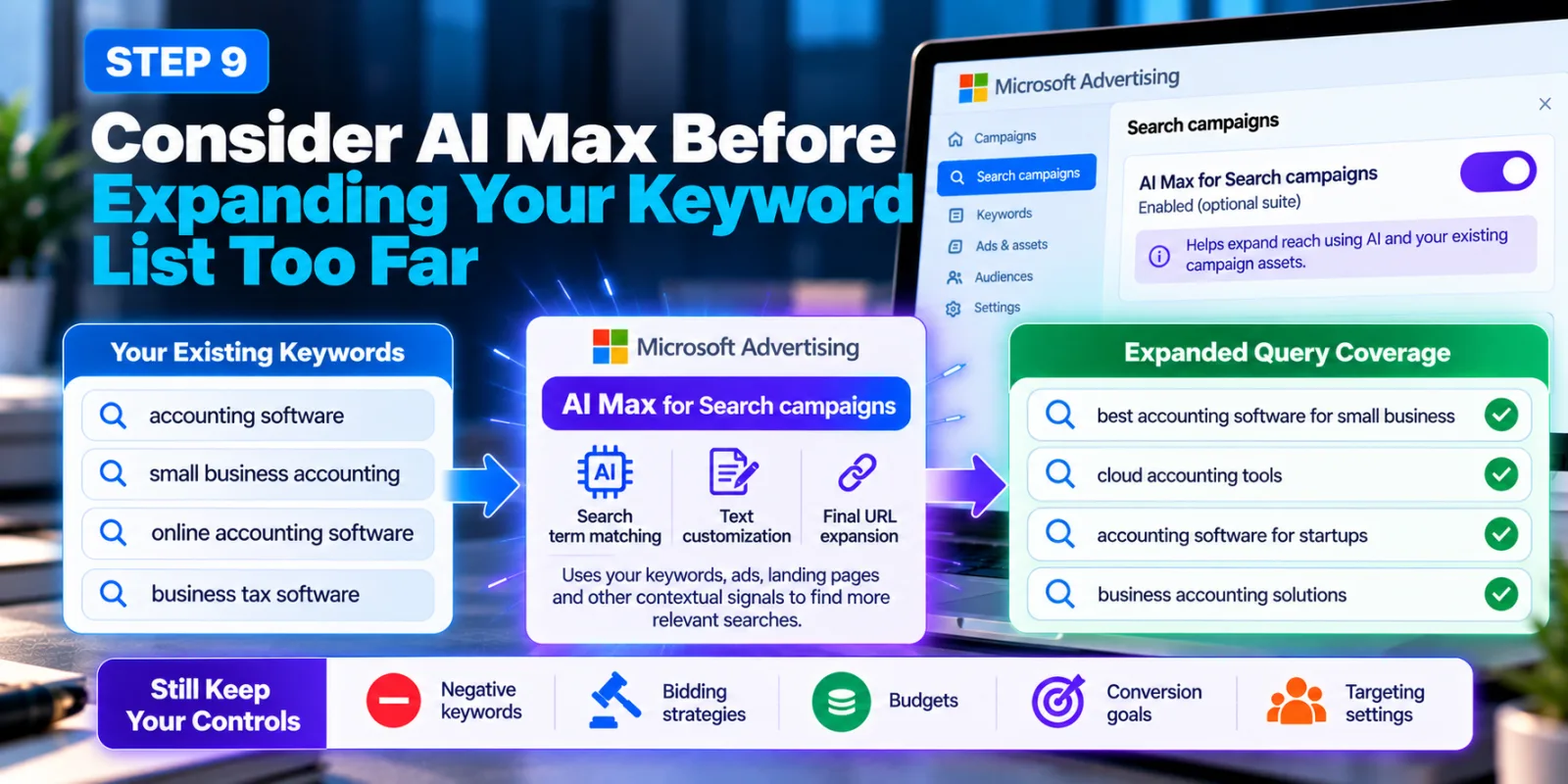
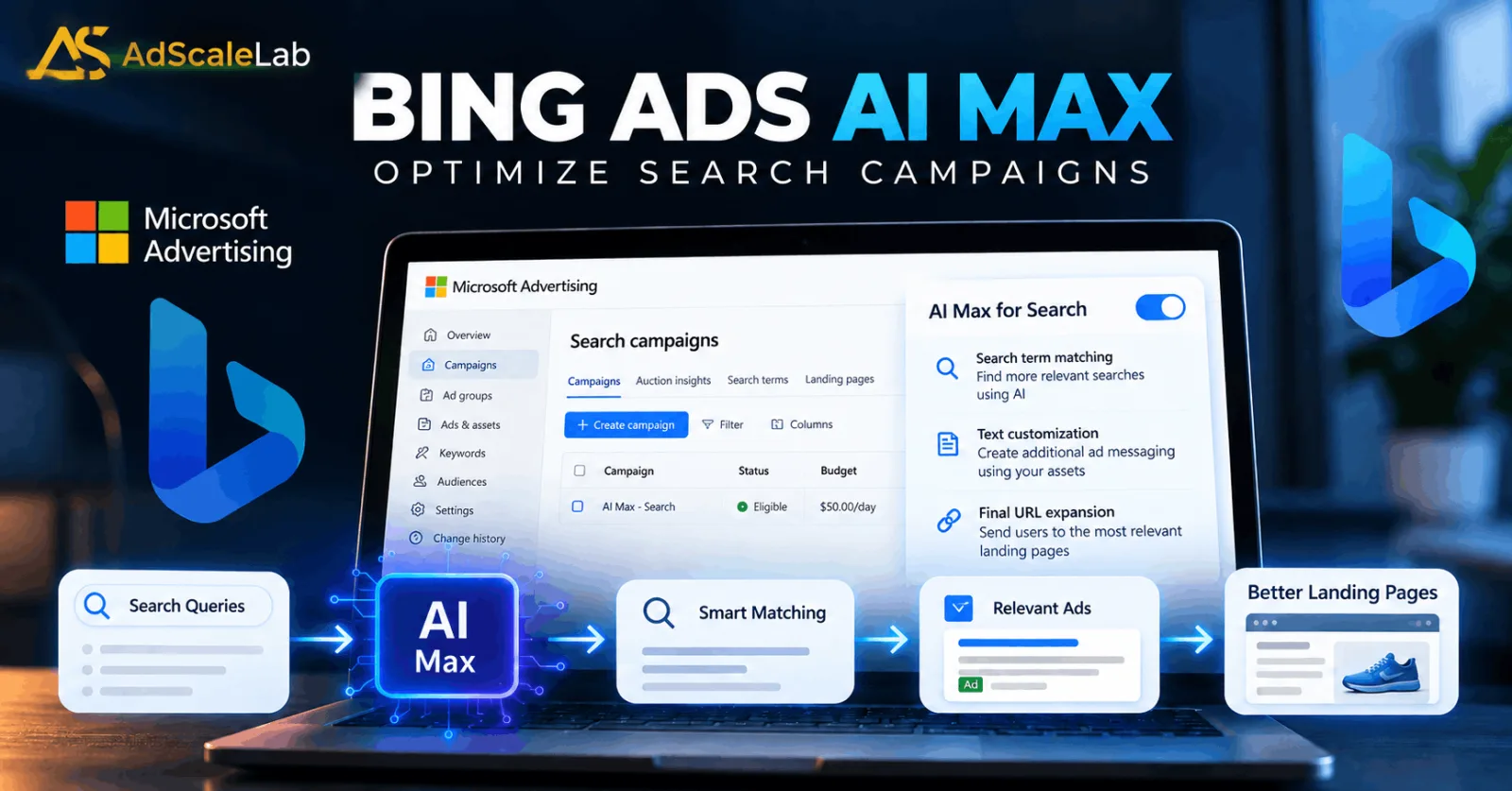
Microsoft Advertising has changed the search environment in 2026 with the wider rollout of AI Max for Search campaigns.
Microsoft announced in August that AI Max was generally available as an optional suite for Search campaigns. One of its features, Search term matching, can expand reach beyond an advertiser's existing keyword list by using keywords, ads, landing pages and other contextual signals.
This matters when choosing match types because advertisers now have another way to expand query coverage.
AI Max also includes text customization and final URL expansion. Microsoft says the system continues to respect existing campaign controls such as negative keywords, bidding strategies, budgets, conversion goals and targeting settings. That does not mean you should ignore match types.
Instead, think of AI Max as another tool that can help a Search campaign understand and reach relevant searches. Your keyword strategy still needs a clear business goal and proper controls. Microsoft also says AI Max is enabled by default for new Search campaigns but can be turned off during campaign creation or afterward.
Step 10: Do Not Judge Match Types Only By Impressions
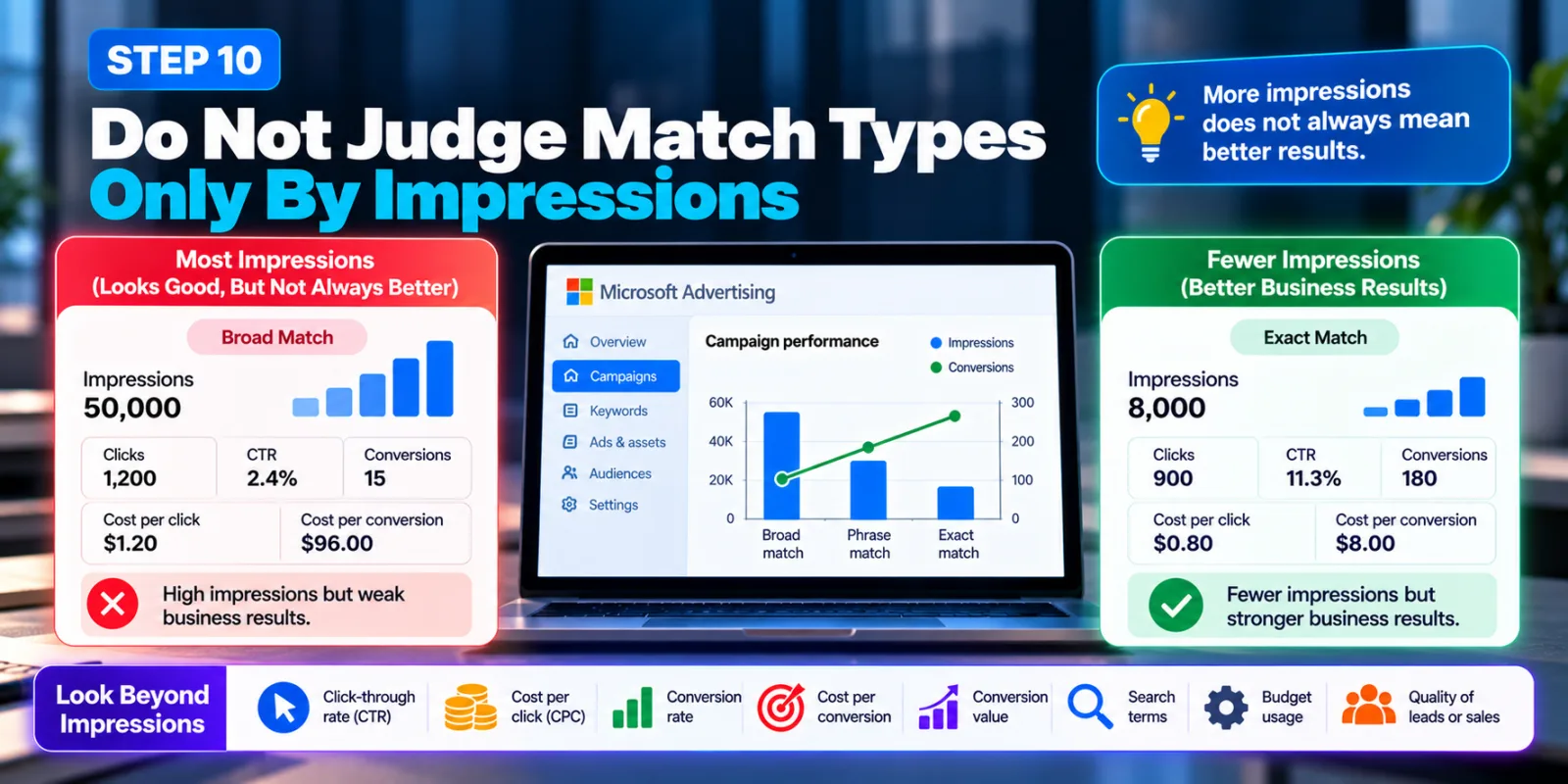
A common mistake is thinking that the match type generating the most impressions must be the best one. That is not necessarily true.
A campaign can receive thousands of impressions and still produce poor business results. Another campaign can have fewer impressions but generate better leads or sales. Microsoft's own documentation describes the basic tradeoff: more precise matching can mean fewer impressions, while broader matching can increase reach. The advertiser's job is to find the balance that makes sense for the campaign.
So look beyond impressions.
Check:
- Click-through rate
- Cost per click
- Conversion rate
- Cost per conversion
- Conversion value
- Search terms
- Budget usage
- Quality of leads or sales
The right match type is the one that helps your campaign reach the right searches, not simply the largest number of searches.
A Simple Bing Ads Match Type Strategy
If you are still unsure where to begin, keep the setup simple.
For high-intent searches you already trust, consider Exact match.
For important keyword themes where you want additional reach, consider Phrase match.
For keyword discovery and wider coverage, consider Broad match while monitoring search terms and negative keywords.
Microsoft's current advertiser guidance also says beginners may start with a combination of Phrase and Broad match and add Exact match for high-performing terms as they gather data. That gives you a practical starting point without forcing every keyword into one match type.
Common Mistakes To Avoid
One mistake is putting every keyword into Exact match. This can make the campaign too restrictive and leave useful searches uncovered.
Another mistake is putting everything into Broad match without checking search-term quality. Wider reach is only useful when the additional searches have a reasonable connection to your business.
A third mistake is ignoring negative keywords. Broad and Phrase matching can bring useful discoveries, but irrelevant searches need to be filtered when they appear.
Another mistake is changing match types, bids, budgets and targeting at the same time. If performance changes afterward, it becomes difficult to understand what actually caused the difference.
Finally, do not copy old Bing Ads tutorials without checking whether their advice still applies. Microsoft has changed keyword matching over time, and Broad Match Modifier keywords no longer operate as a separate current match type. Microsoft's documentation notes that new broad-match-modifier keywords are treated as Broad match rather than as a separate type.
Final Thoughts
Choosing the right Bing Ads match types is really about finding the right balance between control and reach.
Exact match can help when you already know which searches matter. Phrase match can give you more room while keeping an important keyword concept together. Broad match can help uncover additional searches and expand coverage, but it needs proper monitoring. The best strategy is usually not to pick one match type and use it everywhere.
Start with your campaign goal. Research your keywords. Choose a match type based on the level of control you need. Then use real search data to improve the campaign over time. And because Microsoft Advertising is now adding more AI-powered query matching through AI Max, keyword management is becoming less about trying to predict every possible search and more about giving the system useful signals while keeping the right controls in place.
Agency ad accounts, without the wait.
Buy and top up Google, Meta, native, and more from one dashboard.
Get started
No comments yet. Be the first to comment.
Comments are open to registered AdScaleLab clients.
Sign in to comment