






Microsoft Advertising HubSpot Integration Ads to Revenue
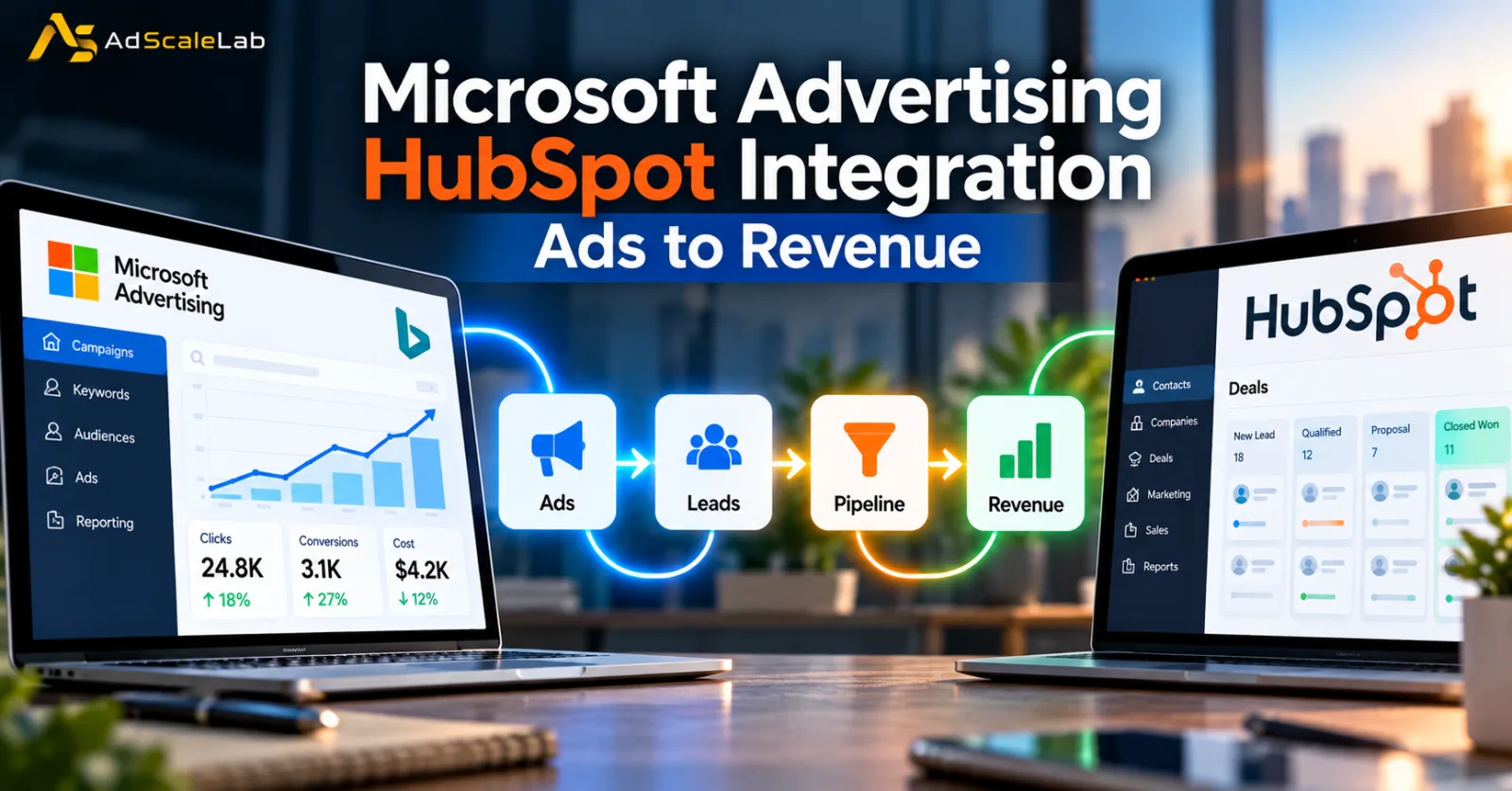
The Microsoft Advertising HubSpot Integration is now becoming a useful option for B2B marketers that want to see what happens after someone clicks an ad. Microsoft highlighted the integration in its September 30, 2026 product update, saying Microsoft Advertising is now live in HubSpot and can connect campaign activity with contacts, pipeline and revenue. Search Engine Land then reported the update on October 1, followed by MediaPost coverage on October 2.
At first, this may sound like another advertising integration. It is actually more interesting for B2B advertisers because the focus is not only on getting clicks. The connection is designed to help marketers understand whether those clicks become leads, deals and revenue inside the CRM. That is a big difference for businesses with longer sales cycles.
A consumer may click an ad and buy something a few minutes later. A B2B customer can take days or months. They may visit a website, fill out a form, speak with a sales representative, download a report and have several meetings before a deal is closed. Looking only at the first ad click does not tell the whole story.
The Microsoft Advertising HubSpot Integration is intended to bring more of that journey into one place.
Microsoft Advertising HubSpot Integration Brings Ads And CRM Data Together
Microsoft's September 30 announcement explains the main idea clearly. Advertisers can connect Microsoft Advertising with HubSpot and use CRM data to reach high-value audiences, automate lead follow-up and understand how Microsoft Advertising campaigns contribute to pipeline and revenue. Microsoft says those audiences can be reached across Bing, Copilot, Outlook, Xbox and other Microsoft experiences.
HubSpot's own company announcement describes the same development as part of its wider effort to give marketers more channels inside the CRM. HubSpot says advertisers can see which Microsoft Advertising ads are driving pipeline and revenue and compare channel performance without leaving HubSpot.
This is important because the CRM is where many B2B businesses already keep information about contacts and deals. Instead of keeping ad data in Microsoft Advertising, lead information in HubSpot and sales information somewhere else, marketers can connect more of those pieces together.
The goal is simple: follow the customer journey further than the click.
Why This Matters More For B2B Advertisers
B2B advertising has always had a measurement problem.
A search campaign might produce 500 clicks, but those clicks are not equally valuable. One person may be looking for a quick answer. Another may be actively comparing vendors and preparing to buy. A third may work for a company that fits the advertiser's ideal customer profile but may not be ready to purchase yet. That is why B2B marketers often care about qualified leads, opportunities, pipeline and closed revenue rather than traffic alone.
The new Microsoft Advertising HubSpot Integration fits that model. Microsoft says that once campaign activity is connected to contacts and deals in HubSpot, advertisers can see which campaigns contribute to pipeline and revenue. That gives marketers a way to compare advertising performance with later business outcomes instead of stopping the analysis at clicks or form fills.
For example, a B2B software company could run Microsoft Search campaigns for several services. Campaign A might generate more clicks, while Campaign B generates fewer clicks but brings in more qualified opportunities. Without CRM data, Campaign A could appear stronger. With pipeline information, the picture could be very different. That is one of the main reasons this integration matters.
Microsoft Advertising Can Use HubSpot Data For Audience Building
The integration is not only about reporting.
Microsoft says advertisers can use their CRM data to build audiences and reach relevant prospects across Microsoft's advertising ecosystem. The company also highlighted access to LinkedIn professional audiences in the same update. That can be especially useful for B2B campaigns.
A company may already know which businesses are existing customers, which leads are currently being nurtured and which contacts have previously shown interest. Instead of creating every audience from scratch, marketers can work with information already stored in the CRM.
HubSpot's documentation confirms that advertisers can connect Microsoft Advertising accounts to HubSpot and manage their Microsoft ad campaigns through the HubSpot Ads tool. HubSpot also says the connection can display and report on existing Microsoft campaigns. This does not mean every CRM audience automatically becomes a perfect advertising audience. Data still needs to be accurate, permissions need to be configured correctly and marketers need to understand the audience rules of the advertising platform.
The real advantage is reducing the amount of manual work between the CRM and advertising system.
New Leads Can Trigger Follow-Up Automatically
One of the most practical parts of the Microsoft Advertising HubSpot Integration is the connection between lead generation and follow-up.
Microsoft says that when a campaign captures a new lead, HubSpot can automatically trigger a next action that the company has already configured. Examples include assigning a sales representative or starting a nurture email sequence. This matters because B2B lead generation does not end when a form is submitted.
A lead may be valuable, but if nobody follows up, the opportunity can disappear. That can happen especially often in teams that receive leads from several advertising channels. Automation can help close that gap.
Imagine a person searches for a software solution, clicks a Microsoft ad and fills out a form. Instead of leaving that lead in an advertising dashboard for someone to check later, the CRM can receive the contact and start a predefined workflow. The sales team can then see the person, the company and the next step in the same system where the rest of the customer record already exists.
That does not guarantee a sale, but it reduces one common source of lost leads: slow or inconsistent follow-up.
Tracking Needs to Be Set Up Correctly
This is where advertisers need to be careful. An integration can only produce useful reporting when tracking works correctly.
HubSpot's Microsoft Advertising documentation says auto-tracking can be enabled when the account is connected. HubSpot applies tracking parameters to supported Microsoft advertising formats, including campaign and ad identifiers. It also uses Microsoft click ID auto-tagging.
HubSpot specifically warns advertisers not to overwrite the account-level Final URL Suffix because it is used to add the required tracking parameters. It also says that advertisers using URL shorteners or third-party tracking templates need to make sure query parameters survive redirects.
This part may sound technical, but it has a direct business impact. A campaign can bring in real leads and still look weak in a CRM if the tracking parameters are lost. In that situation, the advertising platform is generating demand, but the reporting system cannot connect that demand to the right contact or campaign. That is why good measurement starts before a campaign spends serious money.
Advertisers already dealing with Bing Ads conversion tracking problems should pay particular attention to this part of the setup. The same general lesson applies: tracking needs to be checked before performance conclusions are made.
Which Microsoft Campaign Types Can Be Tracked?
HubSpot's documentation gives a useful picture of how the integration works across different Microsoft campaign types.
Search and Shopping campaigns are supported for both tracking and reporting. Hotel, App and Performance Max campaigns also have tracking and reporting support, while Audience campaigns are available for reporting but have different tracking support in HubSpot because of API limitations. HubSpot also notes that Performance Max reporting is available at the campaign and asset-group levels rather than at the individual-asset level.
That means advertisers should not assume every campaign type behaves in exactly the same way after the connection is made. For a B2B advertiser, Search campaigns may be the easiest starting point because the intent signal is often clear. However, companies using broader Microsoft inventory need to understand how reporting changes across campaign types.
The best setup depends on the business model, conversion cycle and the amount of useful data available.
LinkedIn Targeting Makes The Integration More Interesting
One of the most interesting parts of Microsoft's September update is the connection between Microsoft Advertising and LinkedIn-quality professional audiences.
Microsoft says advertisers can work with LinkedIn company lists containing up to 10,000 companies, compared with the previous 1,000-company limit. Those lists can be combined with LinkedIn profile targeting in Search and Audience campaigns. For a B2B marketer, that can be useful when the campaign is built around a defined account list.
Think about a business selling enterprise software. Instead of advertising broadly to everyone searching for software, the marketing team may have a list of target companies it wants to reach. The larger company-list capability gives marketers more room to work with a bigger account-based marketing strategy. The Microsoft Advertising HubSpot Integration then adds another layer by bringing CRM data into the workflow.
So the broader structure becomes:
CRM data → audience building → Microsoft advertising → lead capture → HubSpot follow-up → pipeline measurement. That is a much more complete B2B advertising journey than simply looking at impressions and clicks.
How the Integration Changes Campaign Reporting
Traditional PPC reporting often focuses on metrics such as impressions, clicks, click-through rate, cost per click and conversions. Those numbers still matter. But for a B2B company, the real business question is often further down the funnel.
Did those leads become marketing-qualified leads? Did the sales team accept them? Did they create opportunities? Did those opportunities become customers? The Microsoft Advertising HubSpot Integration can make that connection easier because campaign data and CRM information can be reviewed together.
HubSpot says Microsoft Advertising campaign information can be viewed in the HubSpot Ads tool, while its documentation also explains that campaign settings and performance information can be brought into HubSpot for connected accounts. This can help marketing teams move away from the question, “Which campaign got the cheapest lead?” and toward a more useful question, “Which campaign is helping create valuable customers?”
That does not mean a low-cost lead is bad or that every expensive lead is valuable. It simply gives the marketing team more information before deciding how to allocate budget.
What Advertisers Should Check Before Connecting The Accounts
The setup is not difficult in principle, but there are some permissions and account requirements to understand.
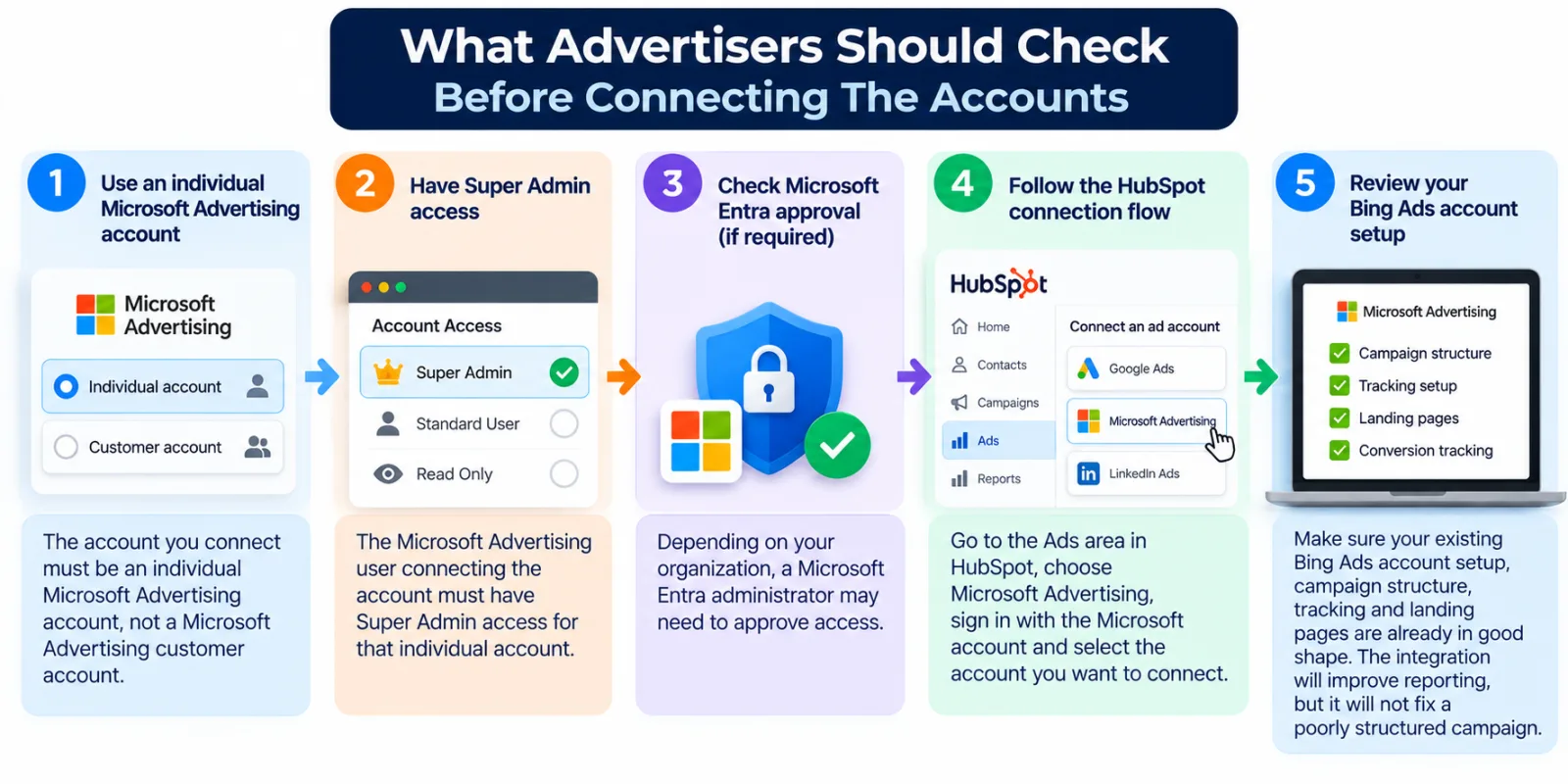
HubSpot says the connected Microsoft Advertising account must be an individual Microsoft Advertising account rather than a Microsoft Advertising customer account. It also requires the Microsoft Advertising user connecting the account to have Super Admin access for that individual account. Depending on the organization, a Microsoft Entra administrator may also need to approve access.
HubSpot's documentation also shows the basic connection flow. Marketers go to the Ads area in HubSpot, choose Microsoft Advertising, sign in with the Microsoft account associated with the advertising account and select the account they want to connect.
Before spending, it is also worth checking your existing Bing Ads account setup so that campaign structure, tracking and landing pages are already in good shape. The integration will make reporting more connected, but it will not repair a badly structured campaign.
The Integration Fits Microsoft's Larger Advertising Direction
The HubSpot announcement is part of a wider Microsoft Advertising strategy.
Microsoft has been putting more emphasis on automation, AI and business outcomes. Its September product update included the HubSpot integration, larger LinkedIn company lists and generally available optimization experiments. That matters because advertising platforms are increasingly trying to move beyond the basic ad-buying function.
Advertisers want tools that can help with audience selection, campaign optimization, measurement and customer management. At the same time, CRM platforms want to become more central to the marketing process. This is why the Microsoft Advertising HubSpot Integration is worth watching. It brings two systems closer together that traditionally lived in different parts of the marketing stack. Microsoft controls the advertising environment and its audience inventory. HubSpot controls a large part of the customer's CRM and marketing workflow. Connecting those systems can give B2B advertisers a clearer view of what happens between the first ad interaction and the eventual sales outcome.
What This Could Mean For B2B Advertising
The broader trend is easy to see. B2B advertising is moving toward closed-loop measurement.
A marketer does not want to know only that an ad received 200 clicks. They want to know whether those clicks turned into useful conversations, sales opportunities and revenue. The Microsoft Advertising HubSpot Integration does not solve every attribution problem, but it can reduce some of the distance between advertising data and CRM data. That matters even more as advertising platforms become more automated.
When algorithms are making more decisions about bidding, targeting and delivery, advertisers need better business signals to judge whether the automation is actually helping. A CRM can provide context that an advertising dashboard cannot. An ad platform may know that somebody clicked. A CRM can know who the person is, which company they work for, what stage they are in, whether a sales representative has contacted them and whether an opportunity exists.
Putting those pieces together can make campaign analysis more useful.
What Happens Next?
The next important question is how marketers actually use the connection at scale.
The technology can connect campaign activity to CRM data, but businesses still need clear conversion definitions, clean CRM records and a reliable sales process. For one company, the most important event might be a demo request. For another, it might be a qualified opportunity. For a high-value enterprise business, the final measure could be closed-won revenue. The advertising platform cannot decide that business goal for the company.
The advertiser still needs to define what success means and make sure the CRM records that outcome correctly. That is also why it is worth continuing to test Microsoft campaigns instead of treating the integration as a reason to increase budgets automatically. Microsoft's own broader September update points toward more experimentation and measurement alongside the HubSpot connection.
Final Takeaway
The Microsoft Advertising HubSpot Integration is important because it tries to connect two parts of B2B marketing that are often separated: advertising activity and revenue outcomes.
Microsoft Advertising can bring in search demand and reach audiences across Microsoft's ecosystem. HubSpot can store contacts, track deals and manage follow-up. Bringing those systems together can help marketers see more of what happens after a person clicks an ad. The integration is not a magic solution for attribution, and it does not guarantee better campaign performance. Tracking still needs to work, CRM data needs to be accurate and sales teams need to follow up properly. But the direction is significant.
B2B marketers are being asked to prove more than traffic and leads. They increasingly need to connect advertising spend with the business results that happen later. That is where this Microsoft Advertising and HubSpot connection becomes useful.
The real story is not simply that Microsoft Advertising can now appear inside HubSpot. The bigger change is that B2B advertisers can move closer to measuring the entire journey from ad click to contact, pipeline and revenue.
As advertising platforms become more automated and customer journeys become harder to measure, that connection could become increasingly important.
Agency ad accounts, without the wait.
Buy and top up Google, Meta, native, and more from one dashboard.
Get started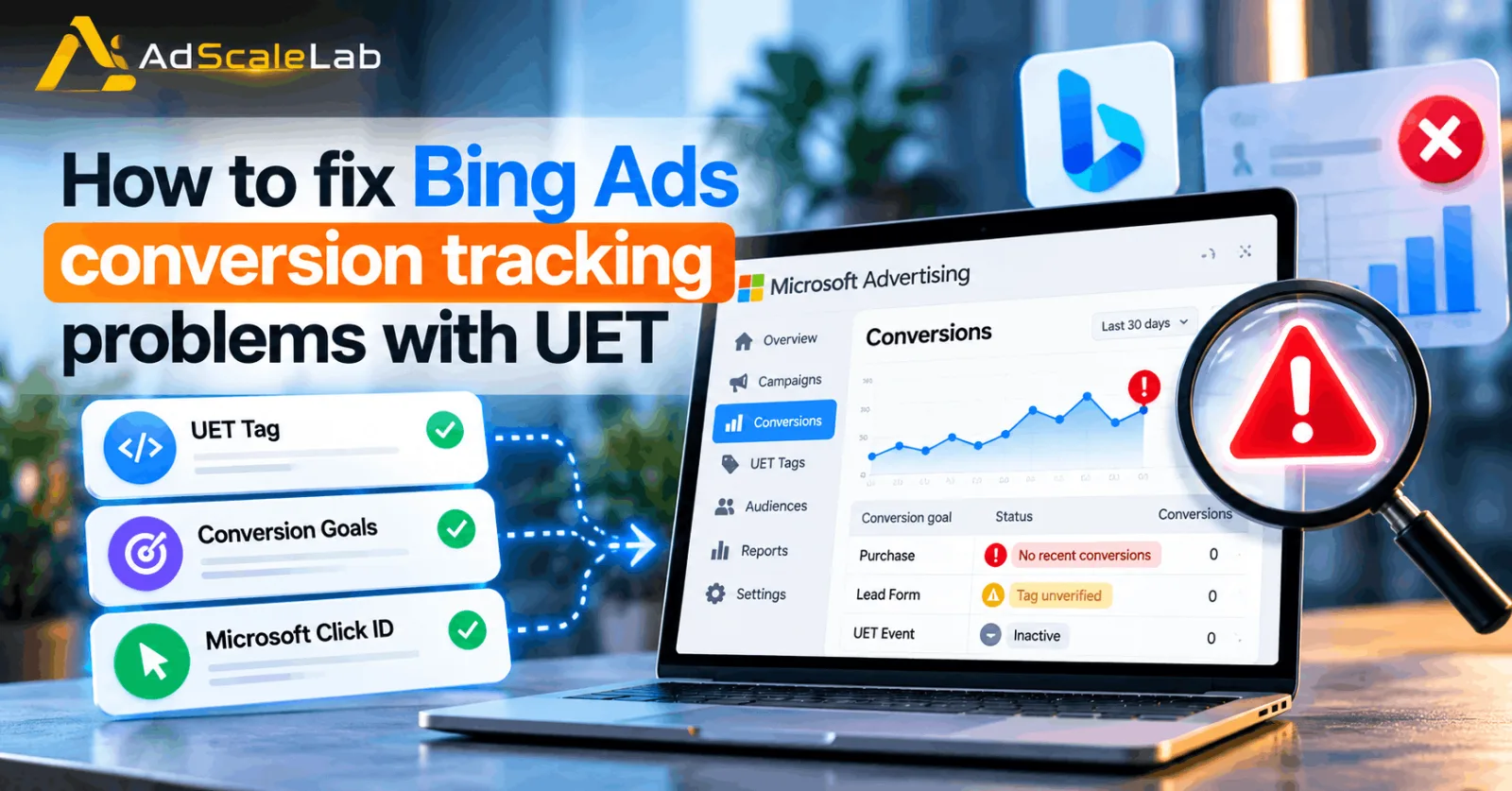
No comments yet. Be the first to comment.
Comments are open to registered AdScaleLab clients.
Sign in to comment