






How To Manage Multiple Native Ad Campaigns Under One Agency Account
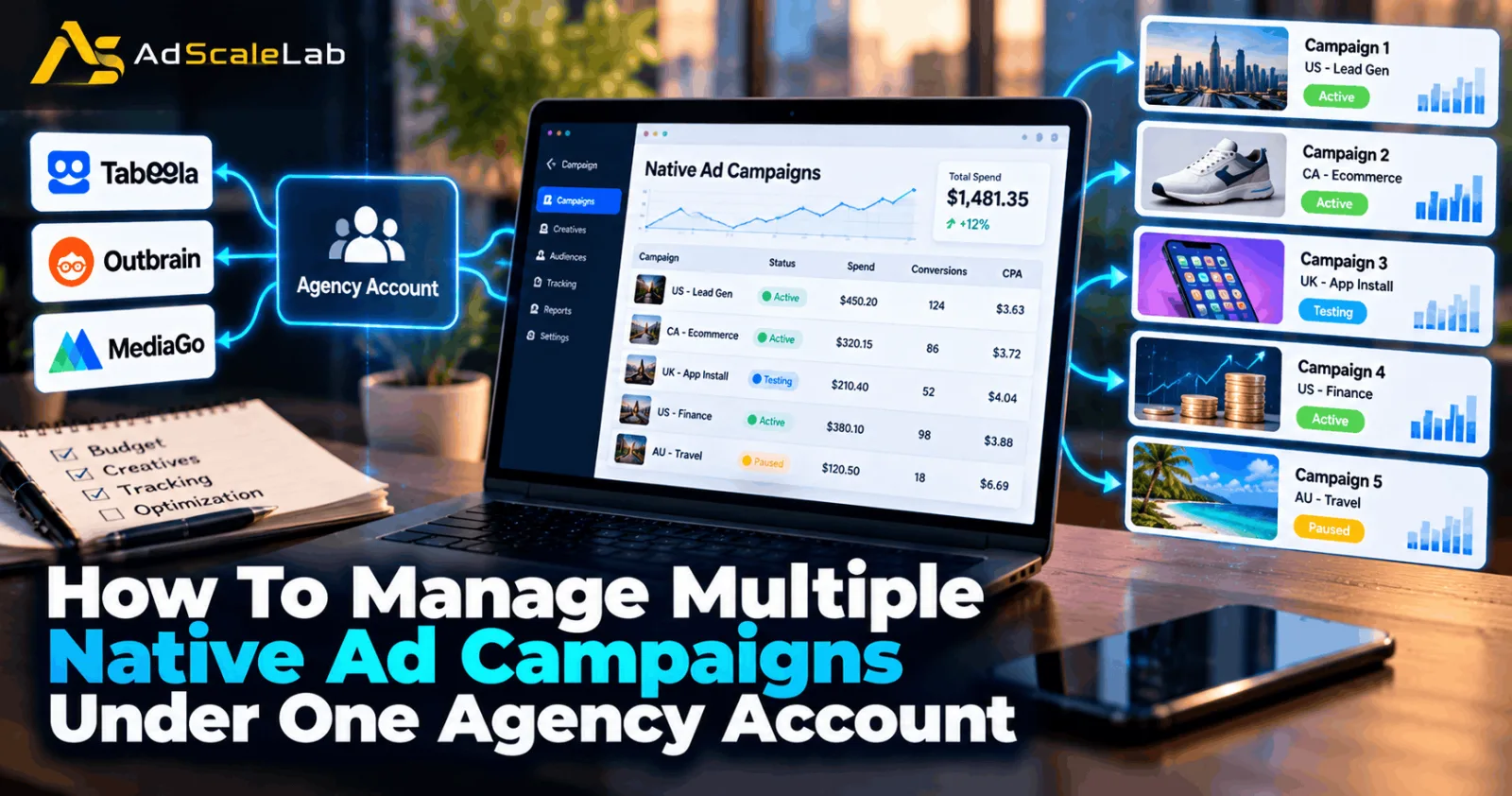
Running one native advertising campaign is manageable when you know your budget, audience, and advertising goals. But things become more complicated when you start running several campaigns at the same time. One campaign may be bringing regular conversions, another may be spending without producing results, and a third may still be in the testing stage. If you do not have a clear system, it becomes difficult to understand which campaign needs attention and where your money is going.
Learning how to manage multiple native ad campaigns under one agency account can help you avoid these problems. You need to organize your campaigns, set clear budgets, track performance, and make changes based on useful data instead of guesswork. Platforms such as Taboola, Outbrain, and MediaGo offer campaign management tools, but their settings and account structures are not exactly the same. The good news is that you can follow a common management process and adjust it to the platform you are using.
This guide explains how to manage several native advertising campaigns in a practical way, from planning your first campaign group to reviewing results and scaling the campaigns that perform well.
What Does Managing Multiple Native Ad Campaigns Mean?
Managing multiple native ad campaigns means running different advertising campaigns while keeping their budgets, goals, creatives, targeting, and results organized. These campaigns may promote different products, target different audiences, or test different landing pages. For example, a lead generation advertiser might run one campaign for a software offer, another for a financial service, and a third to test a new landing page. An ecommerce advertiser might use separate campaigns for different product categories or markets.
An agency account can provide access to advertising tools through an agency relationship, depending on the platform and provider. However, having an agency account does not automatically mean every campaign shares one budget or that all account types have the same features. You should confirm how your particular account is structured before planning your spending. If you are new to native advertising, start with AdScaleLab's guides on how to advertise on Taboola and how to advertise on MediaGo. They cover the basics of launching campaigns on these platforms.
How To Manage Multiple Native Ad Campaigns
Step 1: Decide The Goal Of Every Campaign
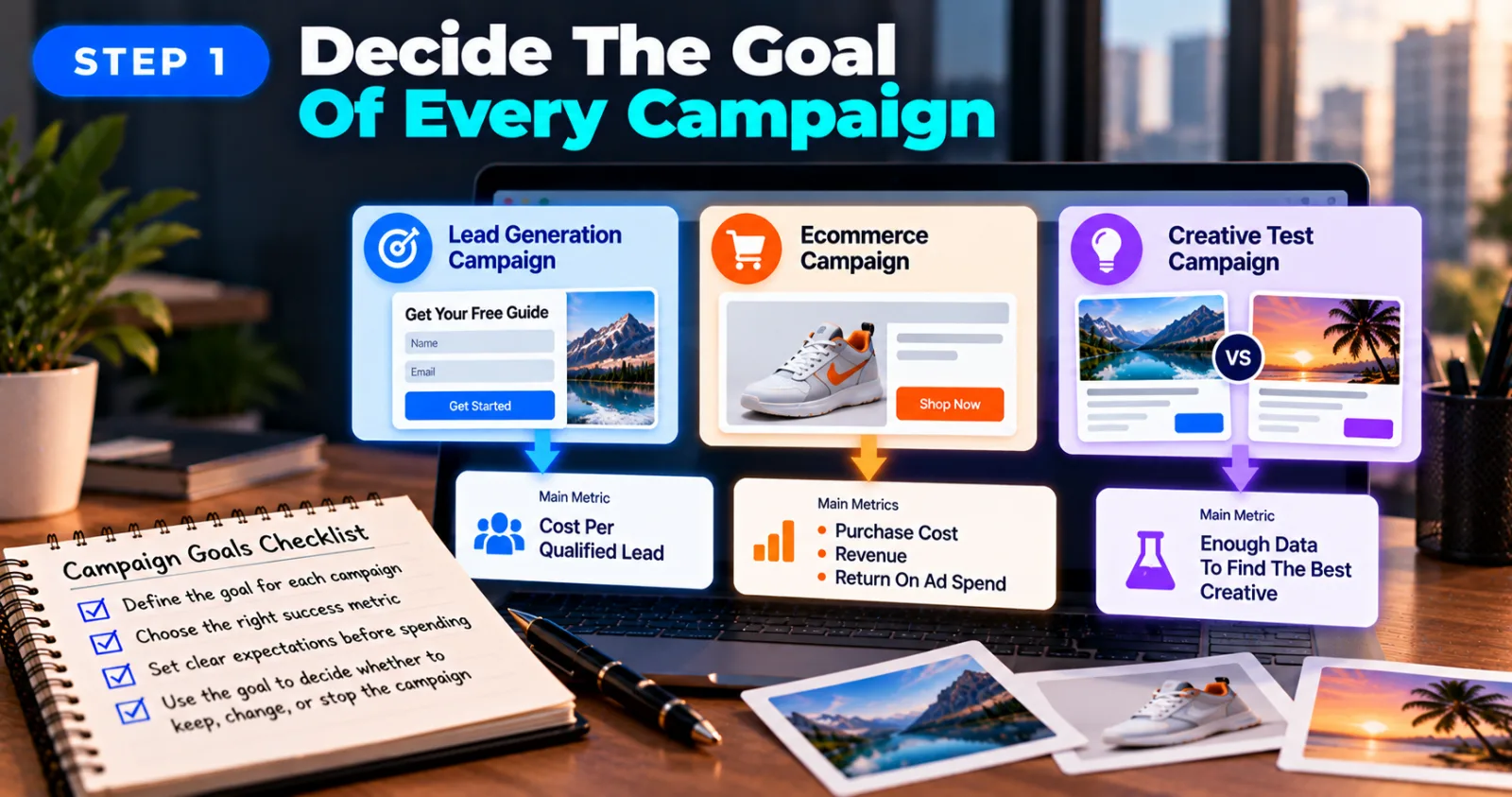
Before launching several campaigns, decide what each one should achieve. This may sound simple, but it makes a big difference when you start comparing results. One campaign might focus on generating leads, while another aims to sell products. A third might test different headlines or images to find out which creative attracts more interested visitors. Since the goals are different, the results should not all be judged by the same metric.
For a lead generation campaign, you might focus on cost per qualified lead. For an ecommerce campaign, you may look at purchase cost, revenue, and return on ad spend. A campaign designed to test a new creative may need enough data before you can decide whether it is worth keeping. Write down the goal and the main success metric for each campaign before spending money. This gives you a clear reason for keeping, changing, or stopping a campaign later.
Step 2: Create A Clear Campaign Naming System
When you have many campaigns running, confusing names can waste time and lead to mistakes. You might accidentally change the budget of the wrong campaign or compare results from campaigns that target different markets.
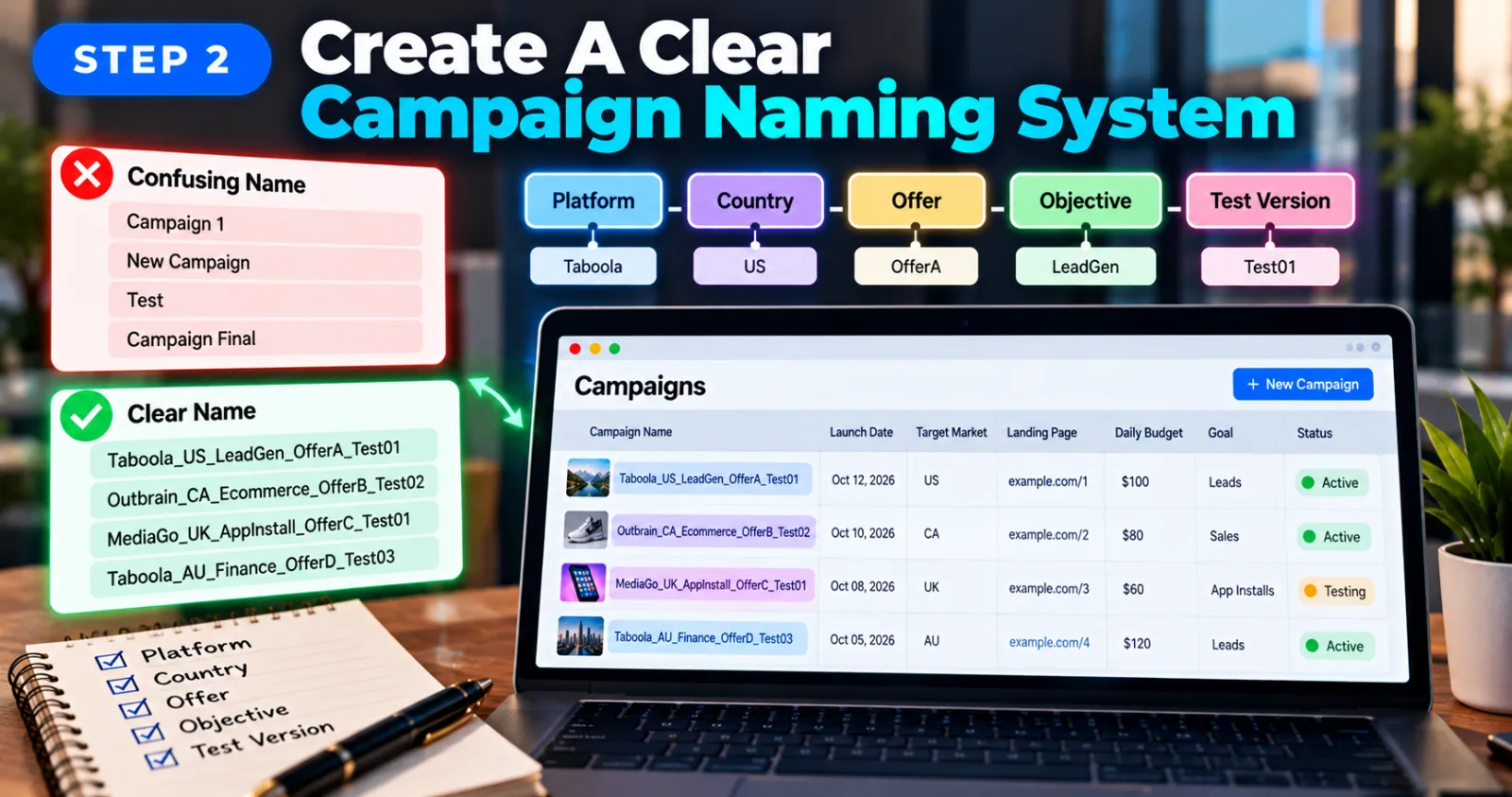
A simple naming system can solve much of this problem. Include the platform, target country, offer, objective, and test version in the name. For example, Taboola_US_LeadGen_OfferA_Test01 tells you more than a name such as Campaign 1.
Use the same format for all campaigns wherever practical. You can also maintain a spreadsheet containing the campaign name, launch date, target market, landing page, daily budget, conversion goal, and current status. This is especially useful when more than one person manages the account. Everyone should be able to understand what a campaign is testing without opening every setting.
Step 3: Set A Separate Budget For Each Campaign
Budget management is one of the biggest challenges when you manage multiple native ad campaigns. A campaign that receives more traffic may spend its allocated budget quickly, while another campaign may need more time to collect useful data.
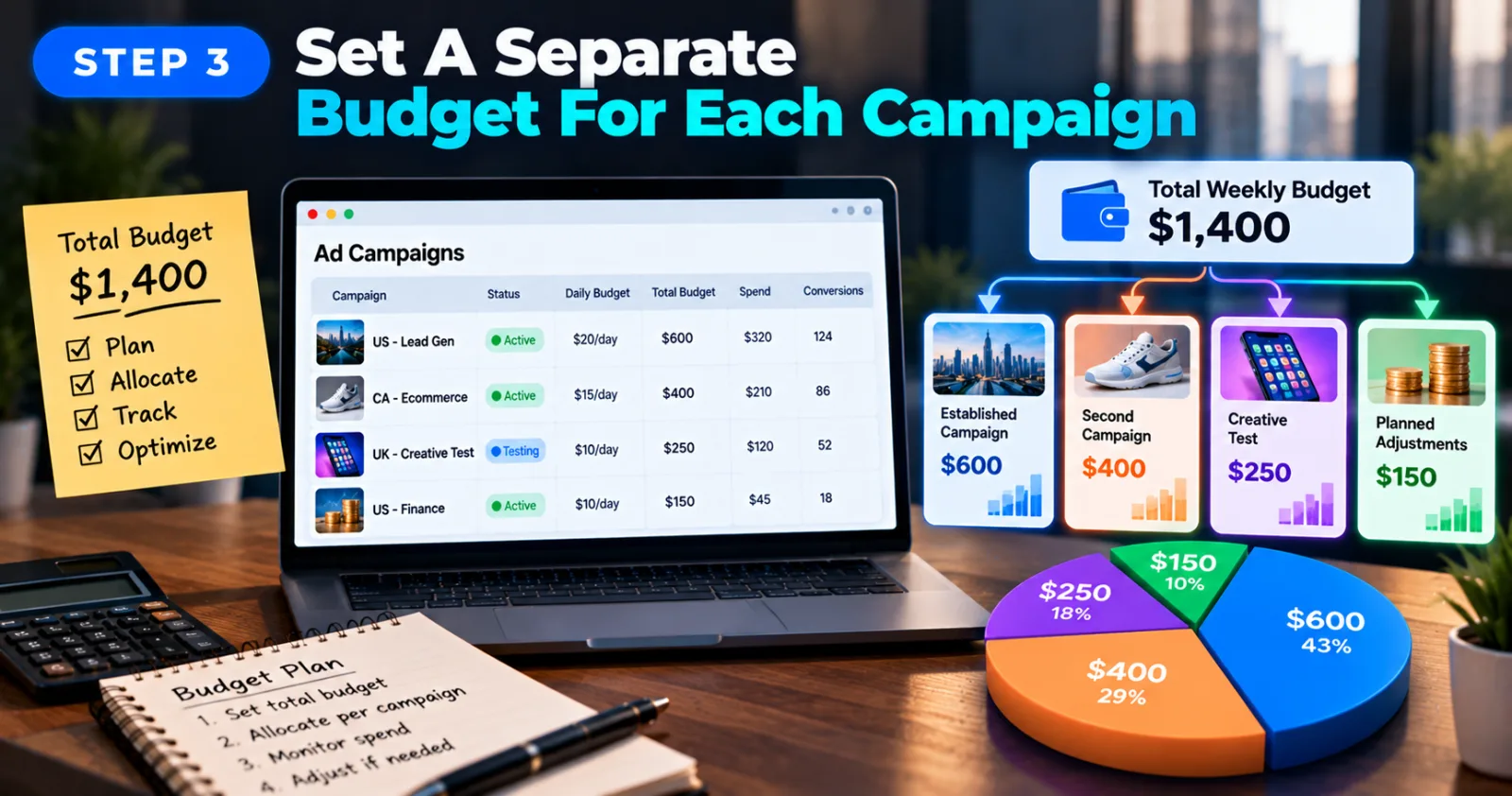
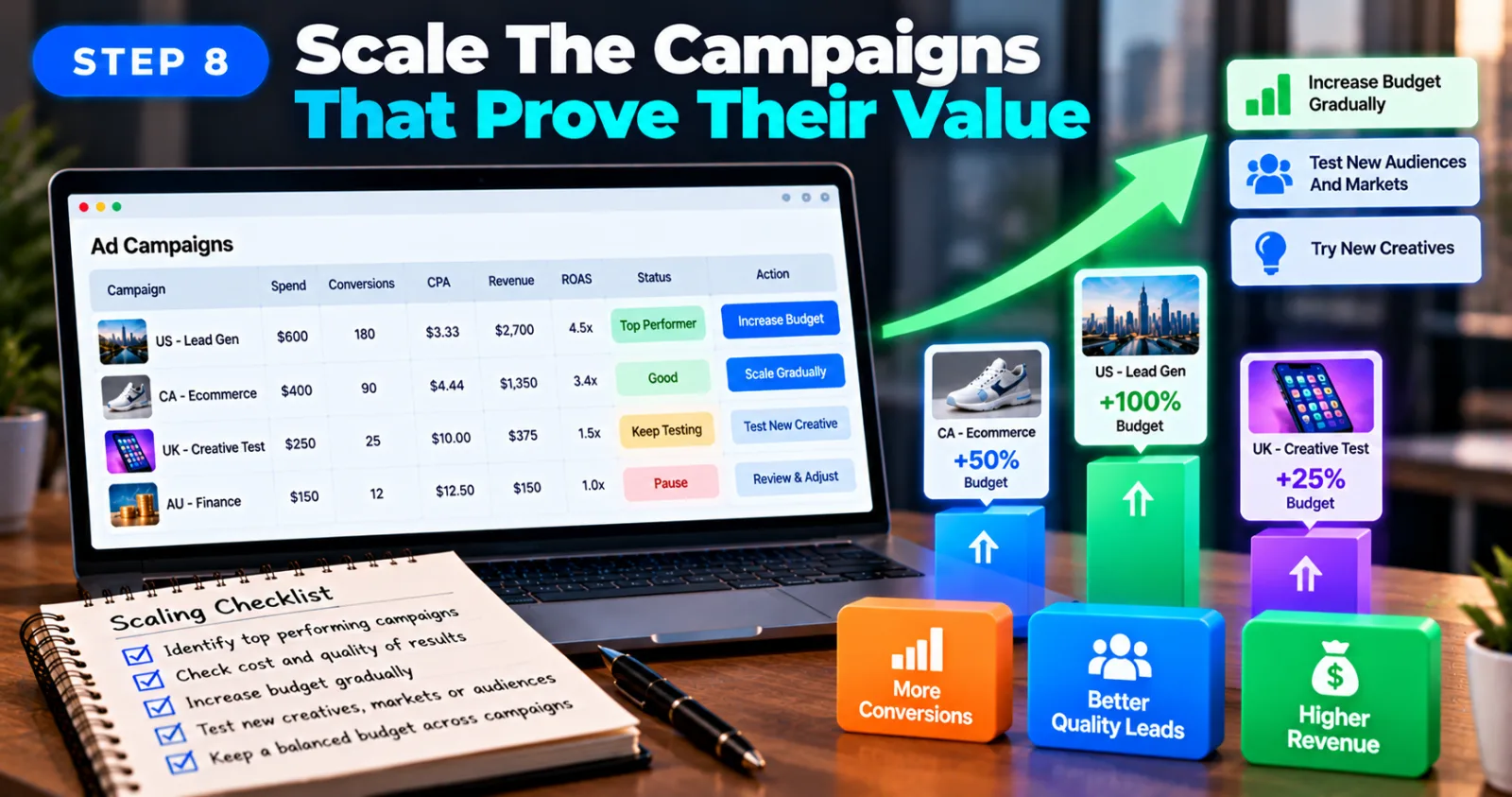
Start by deciding how much you can afford to spend across all campaigns during the testing period. Then divide that amount according to campaign priorities, expected costs, and the results you need to measure. For example, imagine that your weekly advertising budget is $1,400. You could allocate $600 to an established campaign, $400 to another campaign, $250 to a new creative test, and reserve $150 for planned adjustments. These numbers are only an example; the right allocation depends on your business and campaign performance.
Keep track of the total planned spending as well as each campaign's individual budget. Also check the available account balance and any provider-specific funding requirements. A campaign budget is not necessarily the same as the total amount available in your agency account. Outbrain's official campaign settings guide explains that advertisers can adjust campaign budgets and CPC settings and choose from different budget types. Check the documentation for your own platform before applying the same approach elsewhere.
Step 4: Check Tracking Before You Spend More
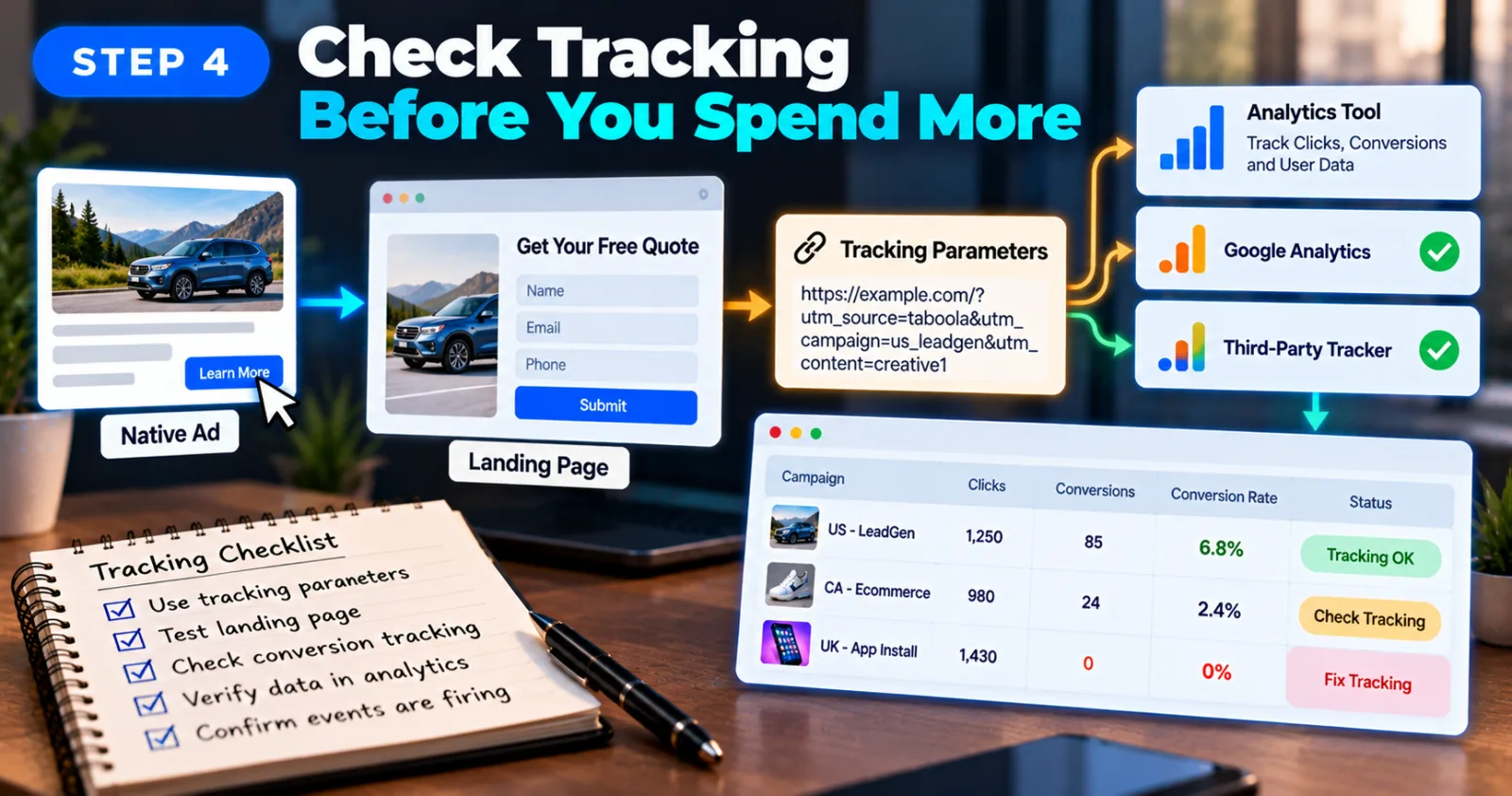
Clicks do not always mean that a campaign is producing useful results. You need to know what happens after someone clicks your native ad. Make sure your tracking setup can identify which campaign brought the visitor. Use consistent tracking parameters and check that your analytics tool or third-party tracker records the correct campaign information. Depending on your setup, you may also want to identify the creative, country, device, or traffic source.
Before launching a large group of campaigns, test the landing page and conversion tracking. Confirm that the page loads properly and that important actions, such as form submissions or purchases, are recorded as expected. If the ad platform shows clicks but your tracker reports no conversions, do not immediately increase bids or change the audience. First check the conversion setup, landing page, and reporting differences. Otherwise, you may make decisions using incomplete information. For more detail, read AdScaleLab's guide to Taboola tracking parameters.
Step 5: Organize Creatives And Landing Pages
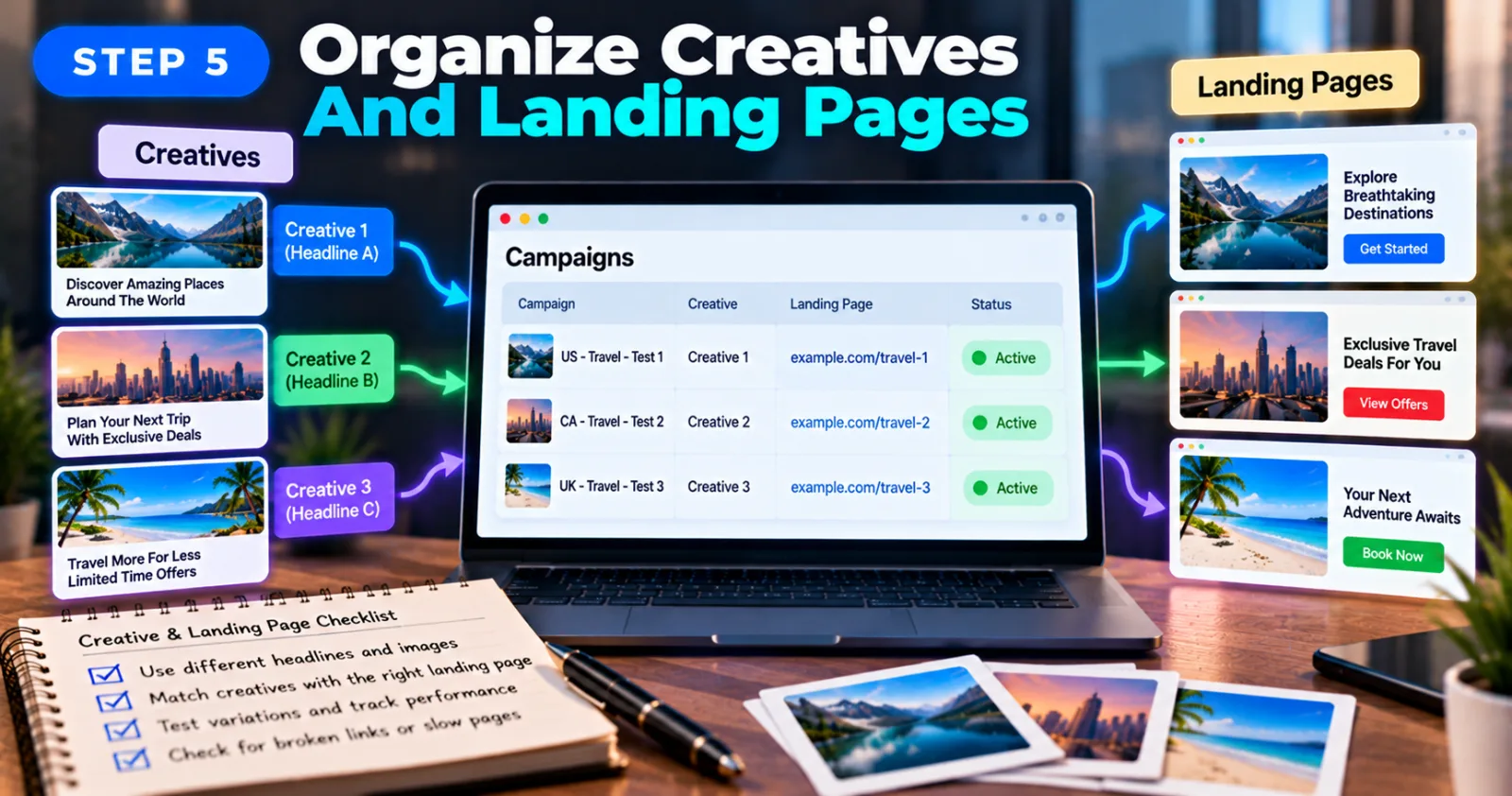
Different campaigns may need different headlines, images, and landing pages. Even when two campaigns promote the same offer, the audience or market may respond differently to each creative. Keep a record of which headline and image belong to each campaign. If you test several creative variations, change one major element at a time when practical. This makes it easier to understand which change may have affected performance.
You should also check that every campaign sends visitors to the correct landing page. A broken link, mismatched offer, or slow page can reduce results even when the ad attracts attention. Do not assume that a page approved for one campaign is automatically approved for every other campaign or platform. Follow the relevant review process and advertising policies, especially when you change the offer, claims, or destination page.
Step 6: Review Campaign Performance In One Report
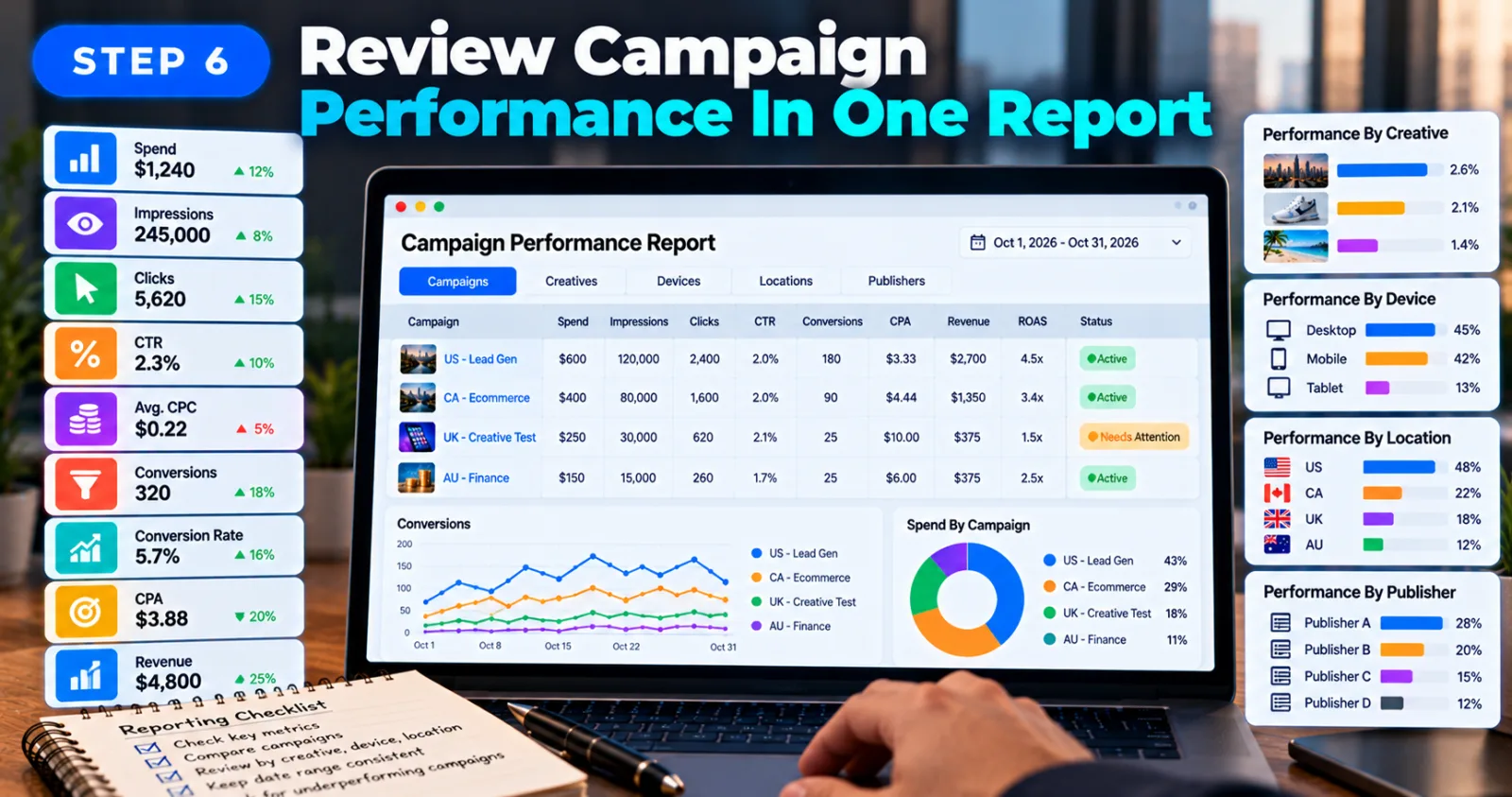
Checking each campaign separately can become difficult as your account grows. A central report can help you compare campaigns and identify which ones need attention first.
Start with the metrics that matter to your objectives, such as spend, impressions, clicks, click-through rate, average CPC, conversions, conversion rate, and CPA. For sales campaigns, include revenue and return on ad spend where the data is available. Look at the campaign level first. If a campaign is underperforming, investigate its creatives, devices, locations, or publisher placements if the platform provides those breakdowns. This can help you identify whether the problem affects the entire campaign or only one part of it.
Outbrain's official performance reporting guide explains how advertisers can view performance by campaign and content, compare date ranges, customize reporting columns, and schedule reports. Keep the date range consistent when comparing results. Also remember that some platforms have reporting delays, so today's numbers may not include every conversion yet. Avoid making major decisions based on incomplete data.
Step 7: Make Controlled Changes Instead Of Changing Everything
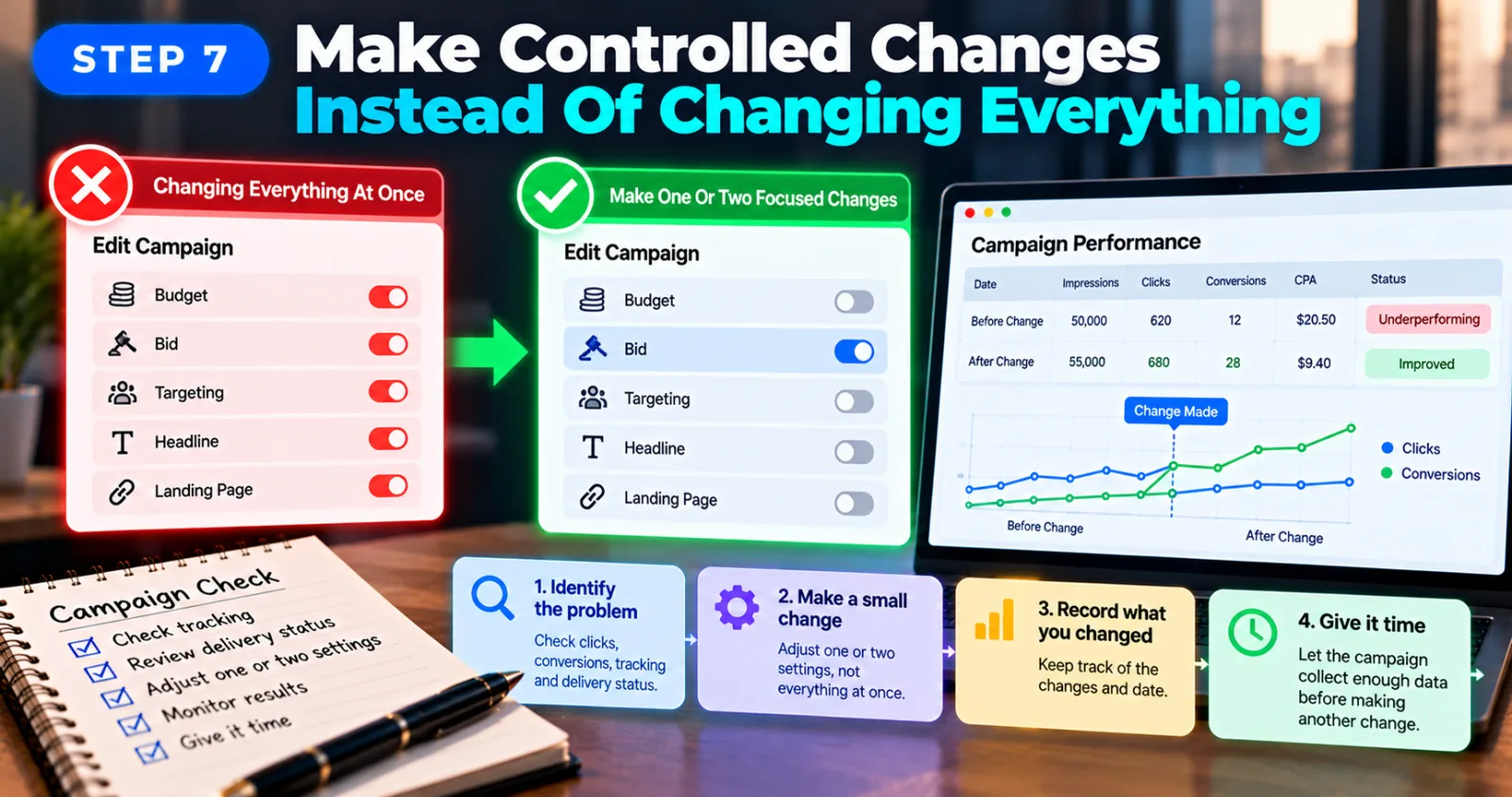
When a campaign is not performing well, it can be tempting to change the budget, bid, targeting, headline, and landing page at once. But if the results improve or get worse, you will not know which change made the difference.
First, identify the likely problem. If a campaign is receiving clicks but no conversions, check tracking and the landing page. If it is not spending, review its delivery status, budget, bid settings, targeting, and approval status. Make one or two focused changes and record what you changed. Then allow enough time for the campaign to produce meaningful data before making another major adjustment. The right period depends on traffic volume, conversion frequency, and the platform's own recommendations.
Outbrain's campaign troubleshooting guide recommends checking budgets, bids, targeting, reporting, and creative approval when a campaign is not delivering as expected. Although that guide covers programmatic campaigns, its troubleshooting approach is useful as a starting point; the exact controls may differ for other native advertising products.
Step 8: Scale The Campaigns That Prove Their Value
Once you have enough reliable data, identify which campaigns are meeting their goals. Do not choose winners based only on the number of clicks or a single good day. Look at the cost and quality of the results. A campaign that generates many cheap clicks may be less valuable than one that produces fewer but more qualified leads. For ecommerce, check whether the revenue justifies the advertising cost.
When a campaign performs well, consider increasing its budget gradually or testing additional creatives, markets, or audience segments. Make sure the change fits your overall spending plan, and monitor the results afterward.
Keep testing new ideas, but do not let new campaigns consume money needed by campaigns that already deliver consistent results. The aim is to build a balanced group of campaigns, with enough room for testing and enough control to protect your budget.
Common Mistakes To Avoid When Managing Multiple Native Ad Campaigns
One common mistake is giving every campaign the same budget without considering its purpose or performance. Another is judging success by clicks alone instead of checking whether those clicks lead to useful actions. Poor naming and missing tracking information can also make it difficult to identify which campaign is responsible for a result. These problems become more serious when several people are working on the same account.
Finally, do not assume that an agency account guarantees campaign approval, uninterrupted delivery, or identical features across native ad networks. Follow the platform's rules, understand your provider's terms, and keep a clear record of spending and campaign changes.
Final Thoughts
Managing multiple native ad campaigns under one agency account does not have to be complicated. The key is to give each campaign a clear goal, use consistent names, control budgets, verify tracking, and review performance regularly. Start with a manageable number of campaigns and build a process that your team can follow. As you gain more data, make controlled changes and increase spending on campaigns that deliver results you can measure.
Most importantly, remember that Taboola, Outbrain, and MediaGo do not have identical campaign settings or account structures. Use the same basic management principles, but check each platform's official documentation before applying specific settings.
Agency ad accounts, without the wait.
Buy and top up Google, Meta, native, and more from one dashboard.
Get started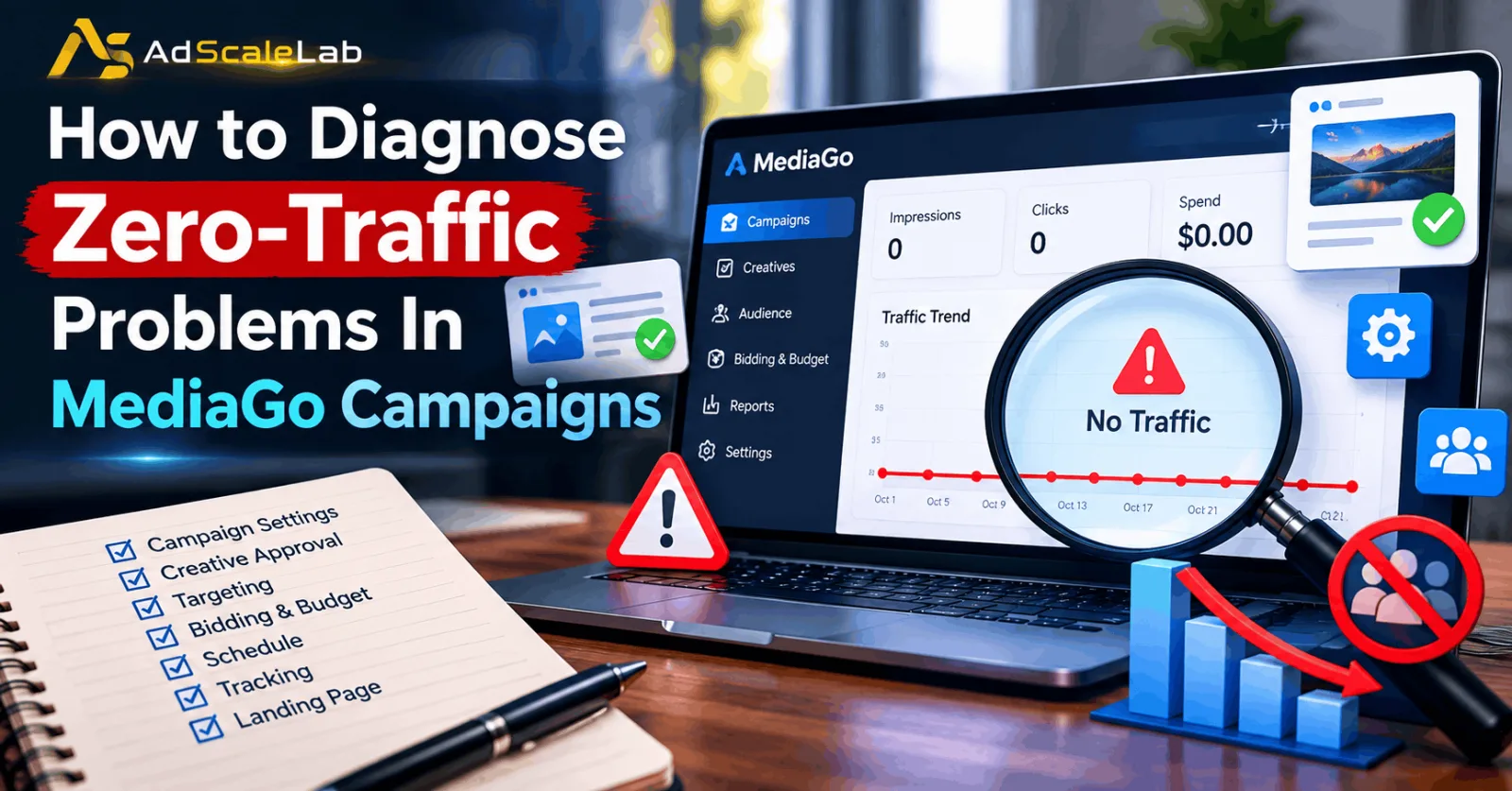

No comments yet. Be the first to comment.
Comments are open to registered AdScaleLab clients.
Sign in to comment