






How to Use Outbrain Dynamic Titles And Creative Variations Together
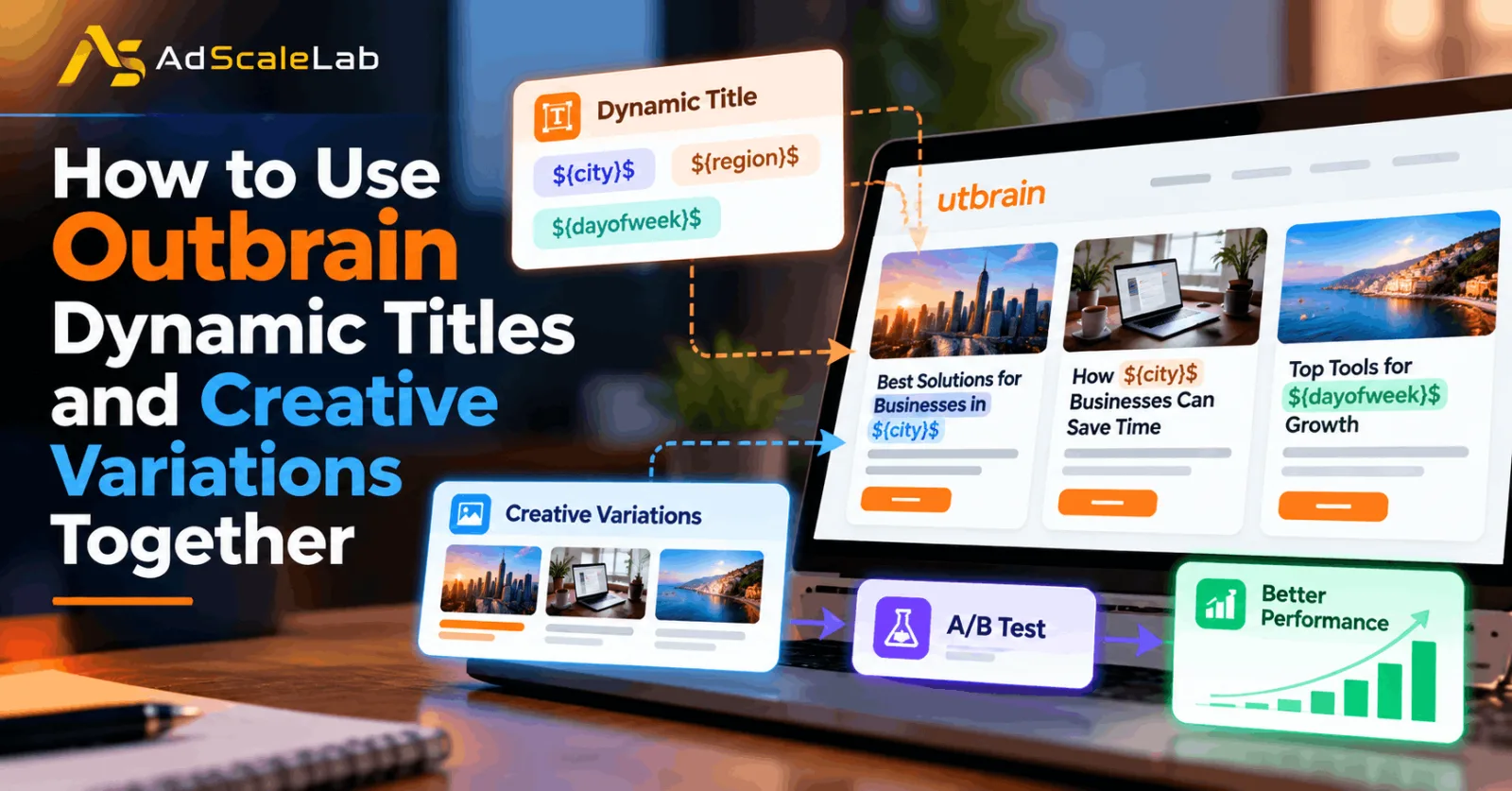
Outbrain Dynamic Titles can make a native ad headline feel more relevant to the person seeing it. Creative variations give advertisers another way to test what message, headline and image work best. When these two features are used together, advertisers can create several versions of the same ad without having to build every variation completely from scratch.
The important part is not simply creating as many headlines as possible. The real goal is to create useful variations that test a clear idea. For example, one headline might use a city name, another might focus on a benefit, and another might use a different image or message. This gives the campaign more creative options while still keeping the landing page and offer consistent.
Outbrain's current content-creation documentation allows advertisers to add multiple headlines and images as variations. It also supports Dynamic Titles inside headlines using parameters such as ${city}$, ${region}$, ${country}$ and ${dayofweek}$. This guide explains how to combine these features in a practical way.
What Are Outbrain Dynamic Titles?
Outbrain Dynamic Titles allow advertisers to insert certain information into a headline automatically when the ad is displayed. The currently documented parameters include country, region, city and day of the week. For example, a headline can contain ${city}$ so the displayed version can reference the user's city. Outbrain also documents day-of-week offsets, which can be useful when the message needs to refer to a future day.
The idea is fairly simple. Instead of creating completely separate headlines such as "Best Deals in Chicago," "Best Deals in Dallas" and "Best Deals in Miami," an advertiser can use a dynamic parameter when the offer and landing page genuinely support that type of personalization.
For example:
Generic:Find Better Insurance Options Near You
Dynamic:Find Insurance Options For ${city}$
The second version can be more relevant to a local audience, but that does not automatically mean it will perform better. The headline still needs to make sense, match the landing page and follow Outbrain's advertising requirements. That is where creative variations become useful.
Why Combine Dynamic Titles With Creative Variations?
A Dynamic Title changes one part of the headline based on available information. A creative variation changes the broader creative idea. These are two different types of testing.
Imagine an advertiser is promoting an accounting software guide. Instead of creating only one headline, the advertiser could create several variations:
Accounting Software Tips For ${city}$ Businesses
How ${city}$ Businesses Can Simplify Accounting
Better Accounting Starts With The Right Software
Now the advertiser is not testing only location personalization. The advertiser is also testing different messages.
The first headline focuses on location and audience. The second combines location with a benefit. The third removes location completely and focuses on the main value proposition. That gives the campaign a much more useful creative test.
Outbrain's documentation recommends using multiple headlines and images as creative variations, and its campaign-creation guidance recommends adding multiple title and image variations per URL.
How To Use Outbrain Dynamic Titles And Creative Variations Together
Step 1: Start With One Clear Landing Page
Before creating several creative variations, decide what page all of them are going to promote.
This is important because creative testing becomes difficult when every headline leads to a completely different offer. If one variation promotes an accounting guide while another promotes a free consultation, you are no longer testing only the creative. You are testing two different offers. For a cleaner test, start with one relevant URL and create several headline and image combinations around that same page.
Outbrain's current content creation documentation also recommends using one URL per campaign when creating content variations.
If you are still setting up your Outbrain campaign, you can also review AdScaleLab's guide on how to get an Outbrain agency account and run compliant native campaigns before launching. The landing page should support the promise made in the headline. This becomes especially important when using location-based Dynamic Titles.

Step 2: Choose What You Want To Personalize
Do not use a Dynamic Title just because the option is available. First ask what information would actually make the headline more useful.
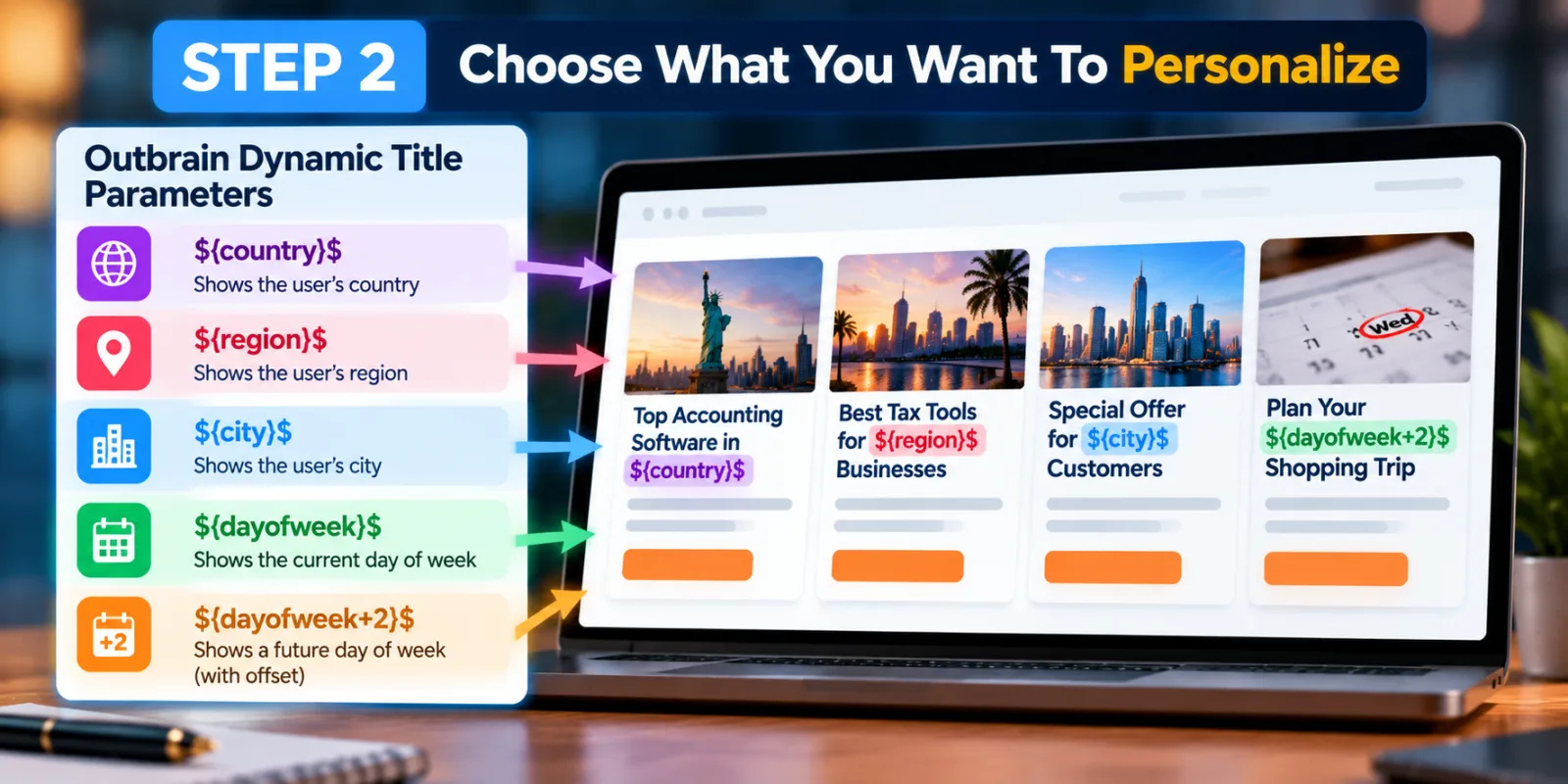
If the business is local, ${city}$ may make sense. If the offer changes depending on region, ${region}$ could be useful. If the campaign has a time-sensitive message, ${dayofweek}$ may be worth testing.
Outbrain currently documents these Dynamic Title parameters:
${country}$
${region}$
${city}$
${dayofweek}$
It also supports a day-of-week offset, allowing advertisers to add a number such as +2 to the day-of-week parameter. For example:
Special Offer For ${city}$ Customers
or:
Plan Your ${dayofweek+2}$ Shopping Trip
The key is to use the parameter where it naturally belongs in the sentence.
Step 3: Create Different Headline Ideas Before Adding Dynamic Text
This is one of the easiest ways to avoid making every variation look almost identical.
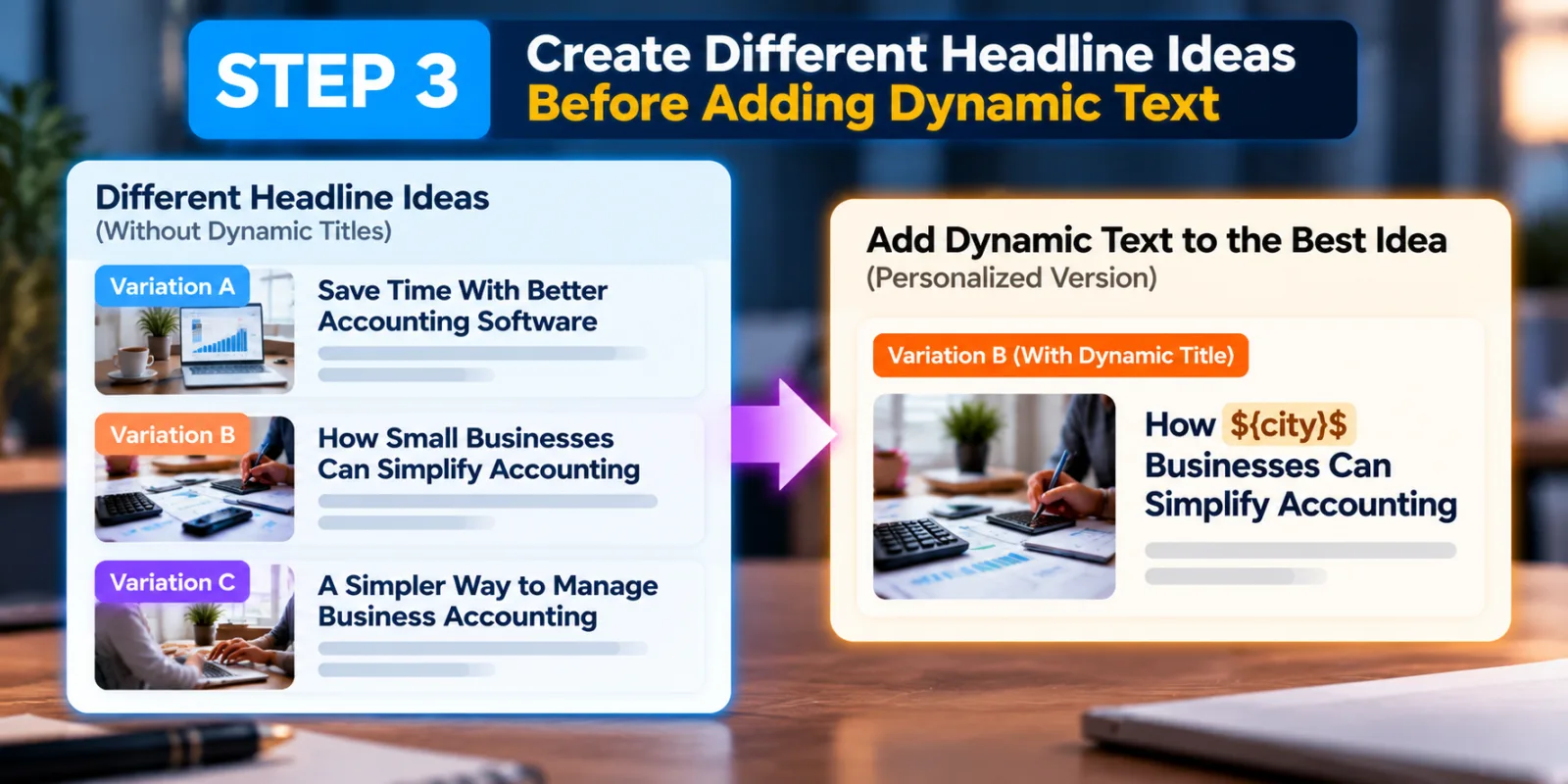
Start by writing different headline ideas without Dynamic Titles. For example:
Variation A:Save Time With Better Accounting Software
Variation B:How Small Businesses Can Simplify Accounting
Variation C:A Simpler Way To Manage Business Accounting
Once you have different concepts, decide whether personalization improves any of them.
You might turn Variation B into:
How ${city}$ Businesses Can Simplify Accounting
Now the Dynamic Title is supporting a real creative idea rather than becoming the creative idea itself. This distinction matters. If every headline simply says the same thing with a different city name, you may have personalization but not much creative testing.
Step 4: Add Dynamic Titles To Selected Variations
You do not have to make every headline dynamic. In fact, keeping some standard headlines can make your test more useful.
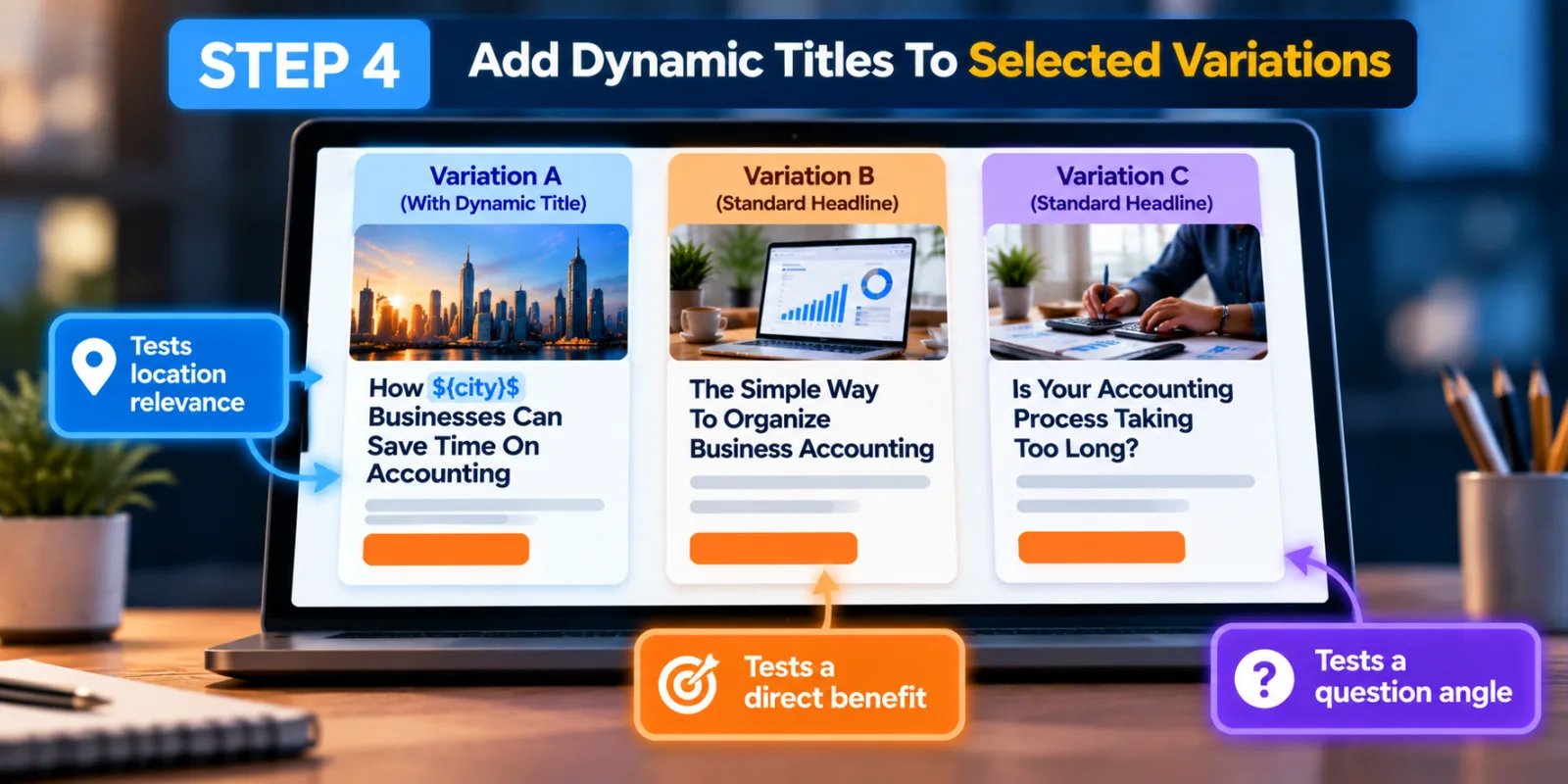
For example, you could have:
Headline A:How ${city}$ Businesses Can Save Time On Accounting
Headline B:The Simple Way To Organize Business Accounting
Headline C:Is Your Accounting Process Taking Too Long?
This creates three different approaches. The first tests location relevance. The second tests a direct benefit. The third uses a question.
Outbrain's content guidance specifically recommends testing different title variations, while its Dynamic Title documentation explains how location and day-of-week parameters can be inserted into those titles.
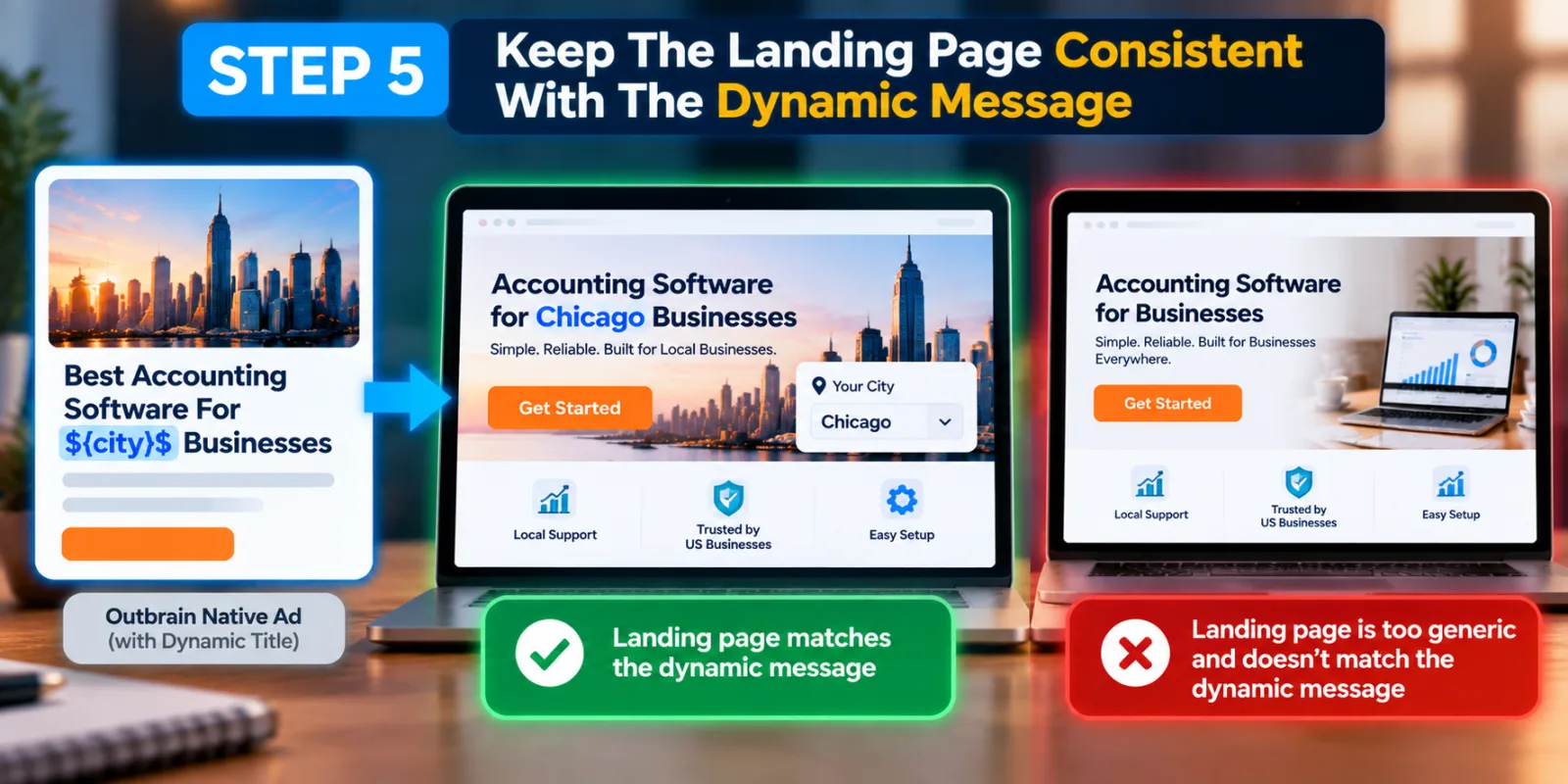
Step 5: Keep The Landing Page Consistent With The Dynamic Message
This is especially important when using ${city}$ or another location parameter.
Suppose your ad says:
Best Accounting Software For ${city}$ Businesses
The landing page should not immediately look like a completely generic page with no connection to the location message.
Outbrain specifically notes that location Dynamic Titles require the landing page to provide a way for the user to select their location or otherwise dynamically populate or mention the user's location. That does not mean every landing page needs to be completely rebuilt for every city. It means the personalization should make sense across the user's experience.
A useful rule is simple: if the headline changes because of the user's location, make sure the landing page does not make that personalization feel fake.
Step 6: Add Image Variations Too
Creative testing should not stop with the headline.
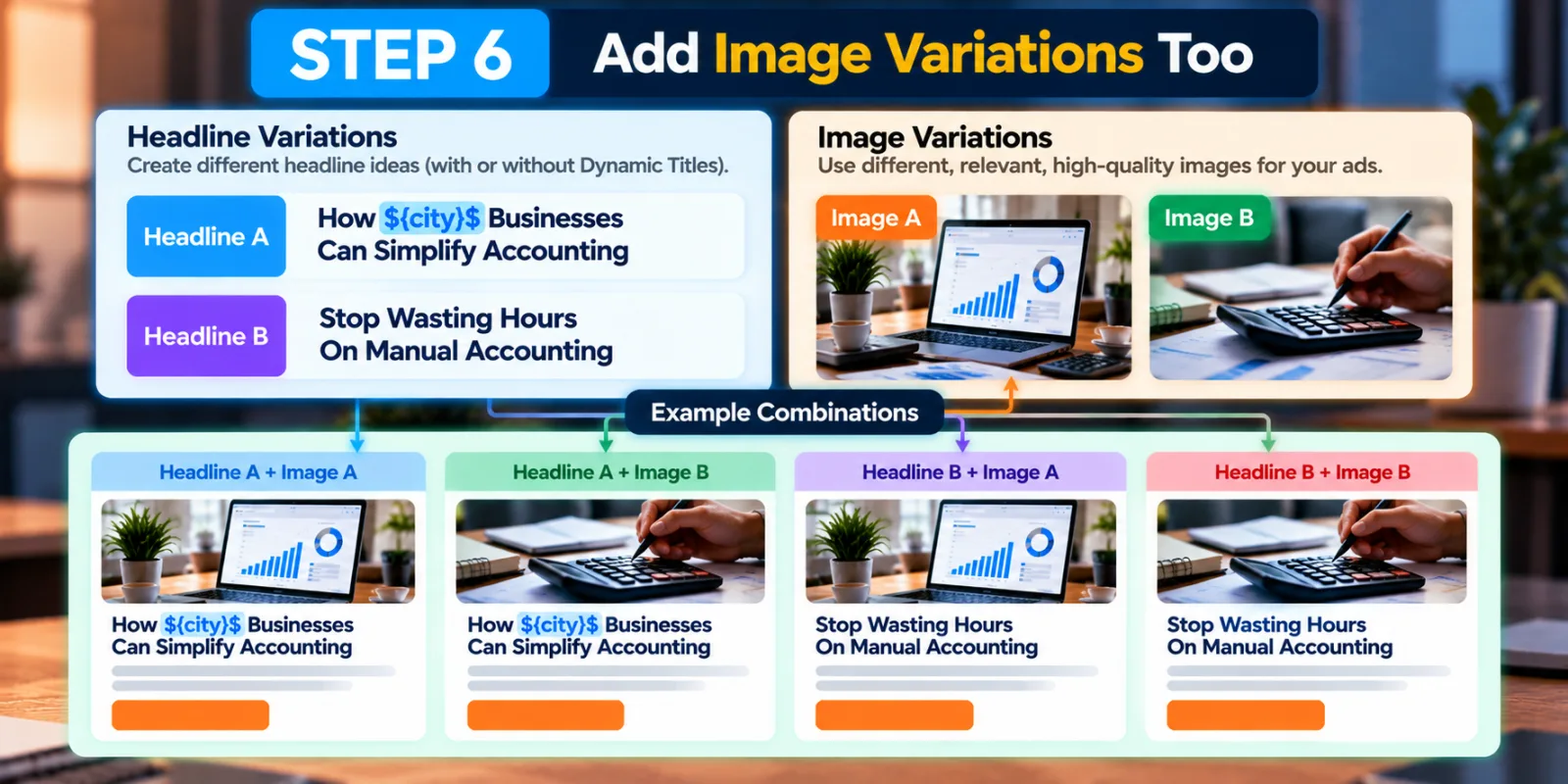
Outbrain allows advertisers to create variations for both titles and images. Its current content documentation provides separate variation options for titles and images. This gives you another useful testing structure.
For example:
Headline A + Image A
Headline A + Image B
Headline B + Image A
Headline B + Image B
The exact combinations available can depend on how you upload and structure the content, but the important idea is that you should think about the whole ad, not only the headline. An excellent Dynamic Title paired with an unrelated image can still create a weak ad.
Outbrain's creative guidance also recommends using relevant, high-quality images and testing multiple image variations.
Step 7: Keep Your Variations Different Enough To Learn Something
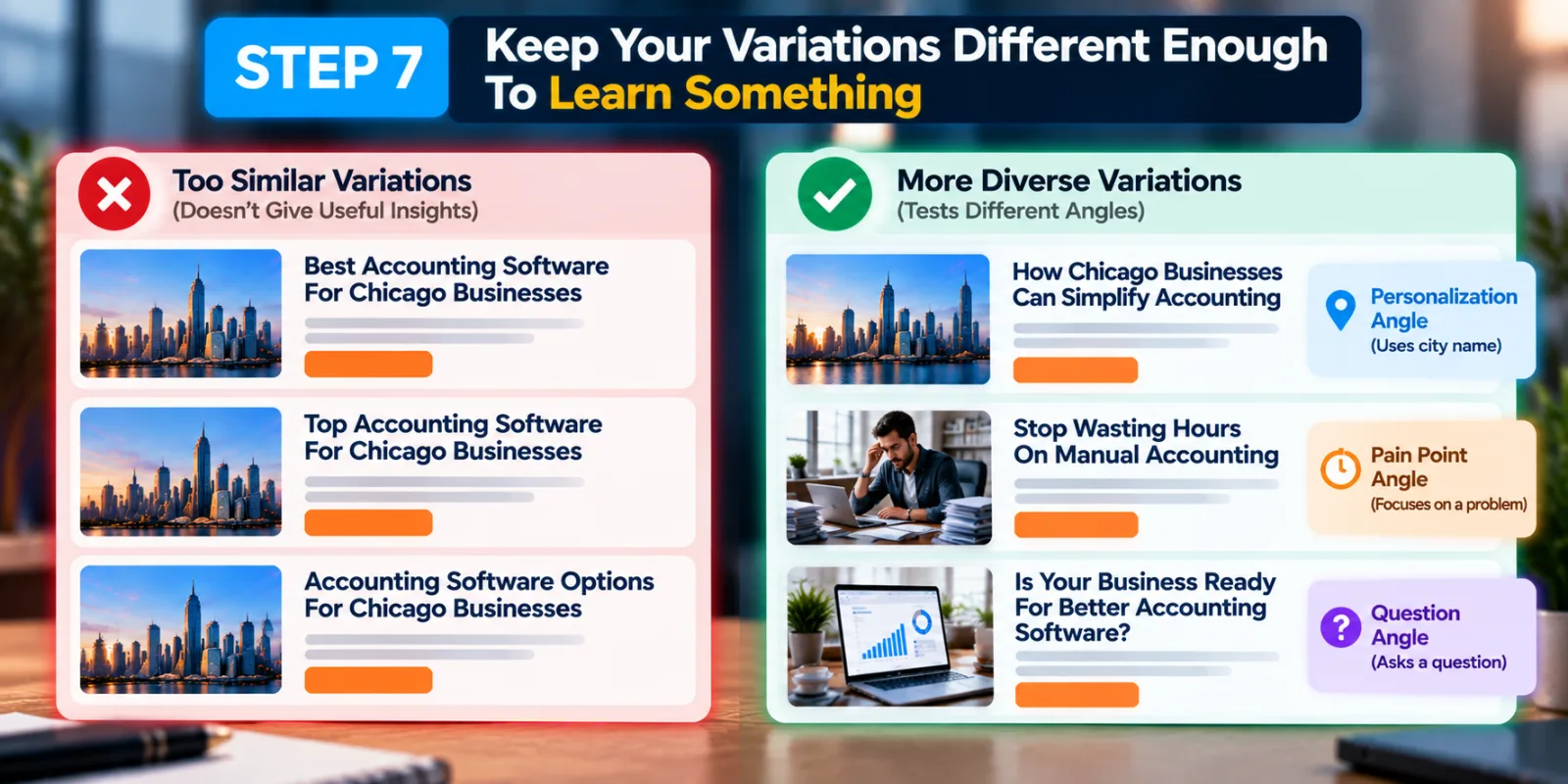
One common mistake is creating ten variations that are almost the same.
For example:
Best Accounting Software For Chicago Businesses
Top Accounting Software For Chicago Businesses
Accounting Software Options For Chicago Businesses
These are technically different, but the underlying idea is almost identical.
A stronger test might compare:
How Chicago Businesses Can Simplify Accounting
against:
Stop Wasting Hours On Manual Accounting
against:
Is Your Business Ready For Better Accounting Software?
Now each version uses a different angle. The first uses personalization. The second focuses on a pain point. The third uses a question. That gives you more useful information about what attracts the audience.
Outbrain itself recommends testing multiple title variations rather than relying on one headline. Its older content guidance recommends three to four title variations, while current campaign-creation guidance recommends multiple title and image variations per URL.
Step 8: Keep Headlines Short Enough To Display Properly
Dynamic text adds another reason to avoid overly long headlines.
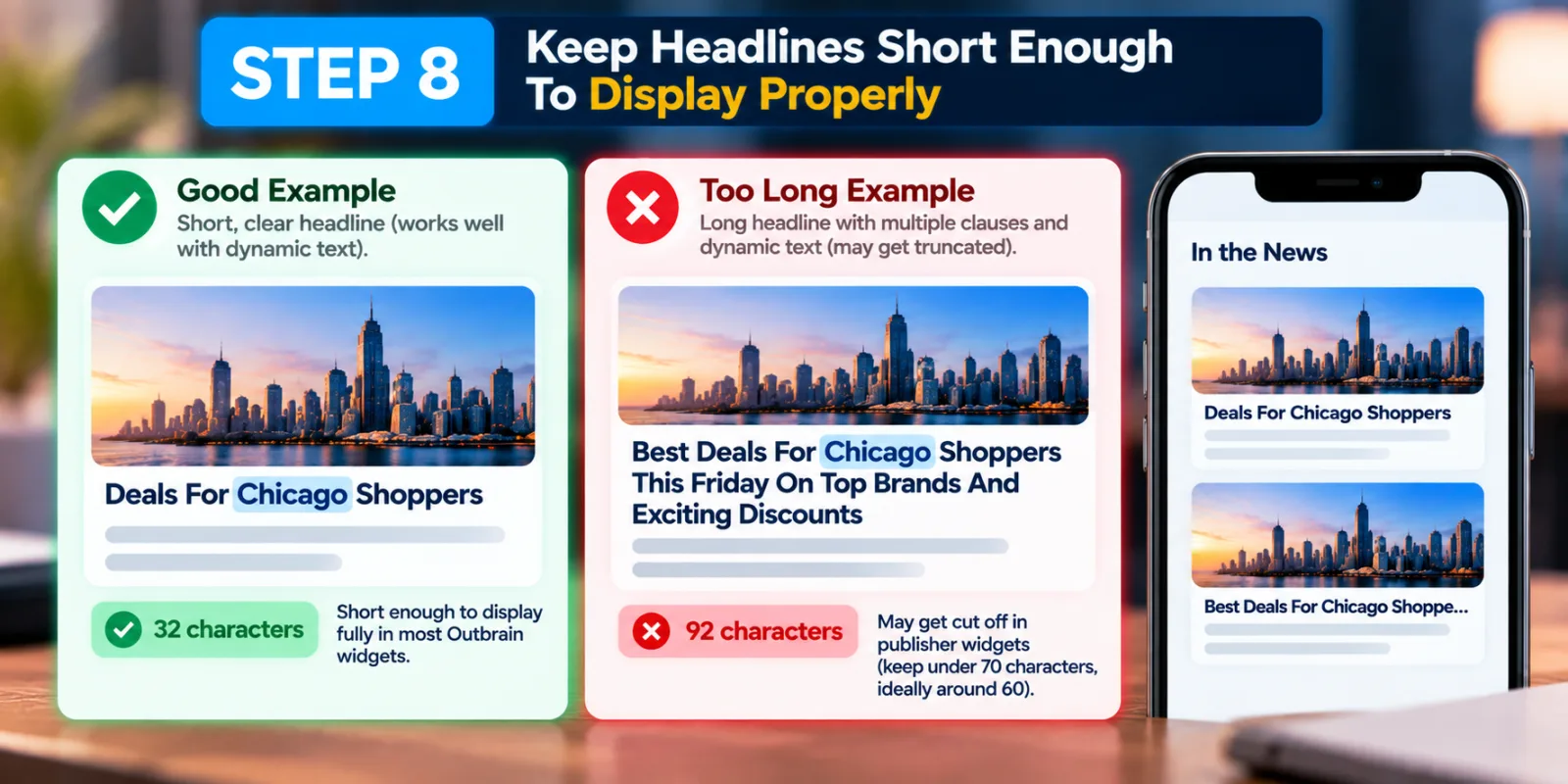
Outbrain's current content documentation says titles cannot exceed 100 characters and recommends keeping them under 70 characters because longer headlines can be cut off in publisher widgets. Another Outbrain content-best-practices page recommends keeping titles around 60 characters or less. This matters because a dynamic value can change the final length of the headline.
A short headline such as:
Deals For ${city}$ Shoppers
has plenty of room for personalization.
A long headline with several clauses, a location and a day-of-week parameter has a much higher chance of becoming awkward or getting truncated. Write the headline first for a real person. Then check how it looks with the dynamic value.
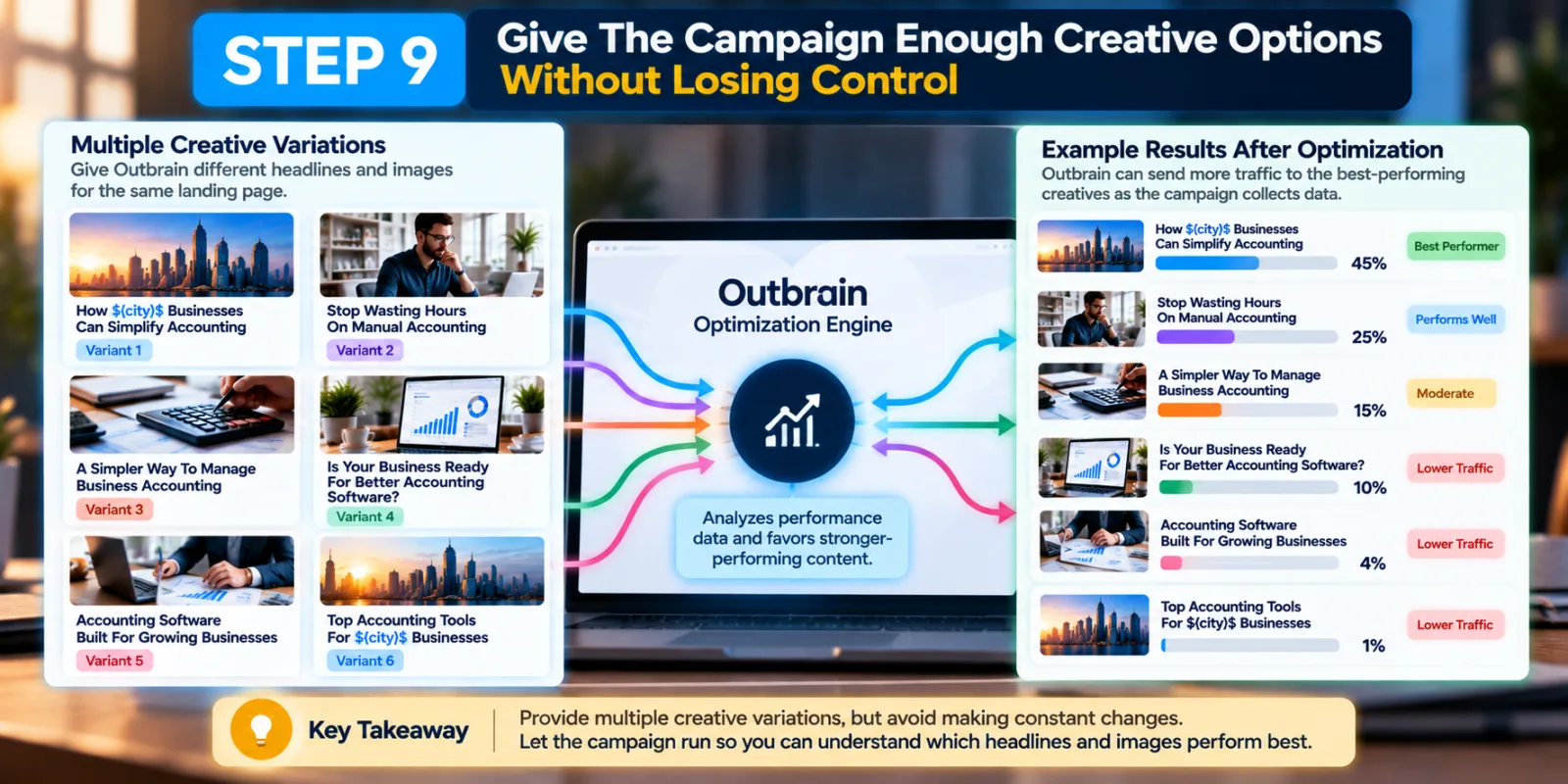
Step 9: Give The Campaign Enough Creative Options Without Losing Control
There is a balance between giving Outbrain enough options and creating a campaign that becomes difficult to understand.
Outbrain's campaign guidance recommends using multiple creative variations so the system can identify stronger-performing content. Its documentation also explains that the platform can favor stronger-performing content as a campaign collects data. This means you should not expect every variation to receive exactly the same amount of traffic forever.
One headline may start receiving more impressions because it performs better. Another may receive less. That is not necessarily a problem. It is part of the optimization process. The important thing is to avoid constantly changing everything before you have enough information to understand what is happening.
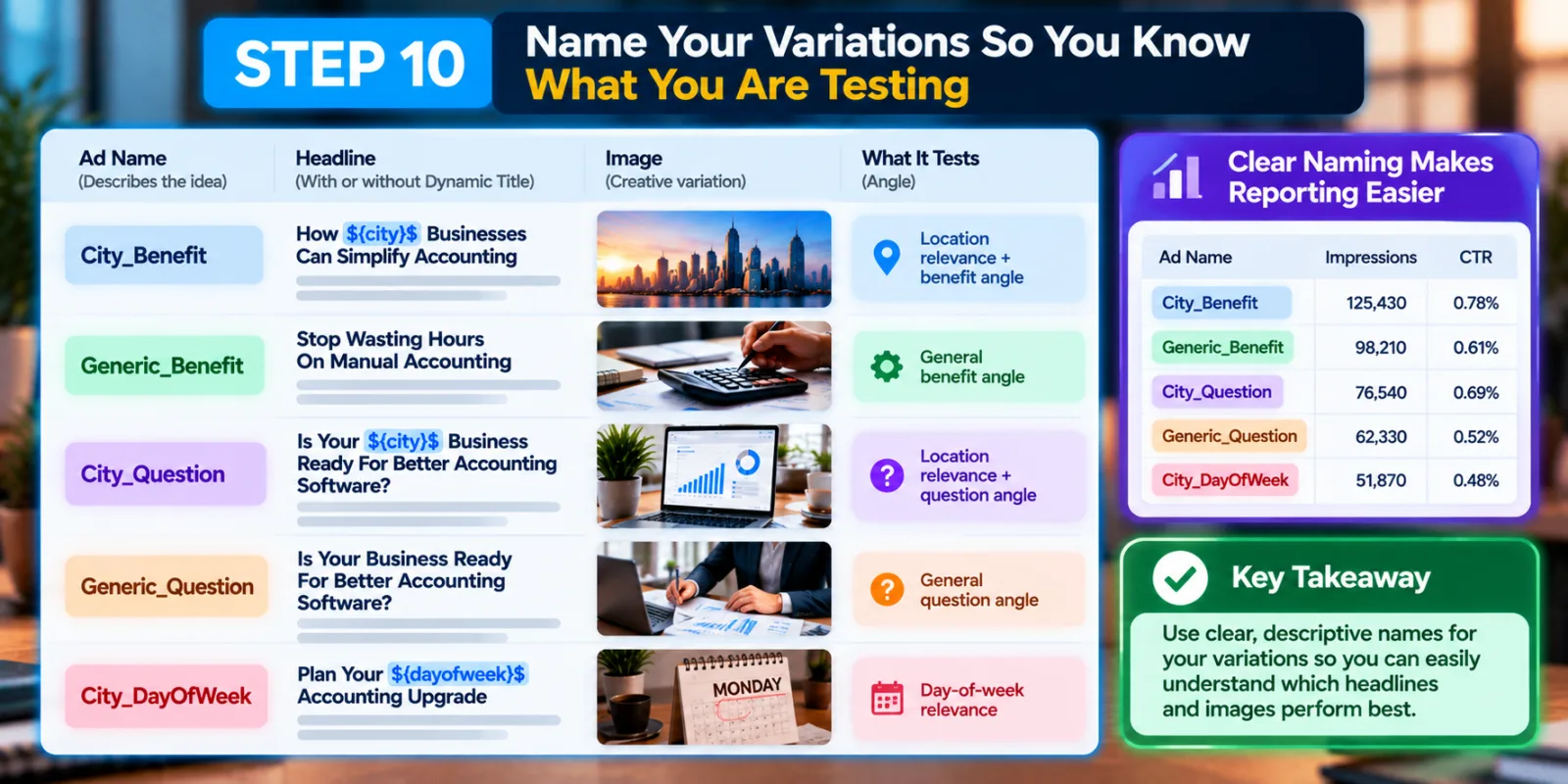
Step 10: Name Your Variations So You Know What You Are Testing
This is a small step, but it can save a lot of time later. Instead of naming ads randomly, use names that explain the creative idea. For example:
City_Benefit
Generic_Benefit
City_Question
Generic_Question
City_DayOfWeek
This makes reporting easier to understand.
Outbrain has an Ad Name feature specifically designed to help advertisers compare and group ads and variations. Its documentation says advertisers can use names to describe the image, title or both, and those names can appear in reporting at the content level. This becomes particularly useful when a campaign contains many combinations.
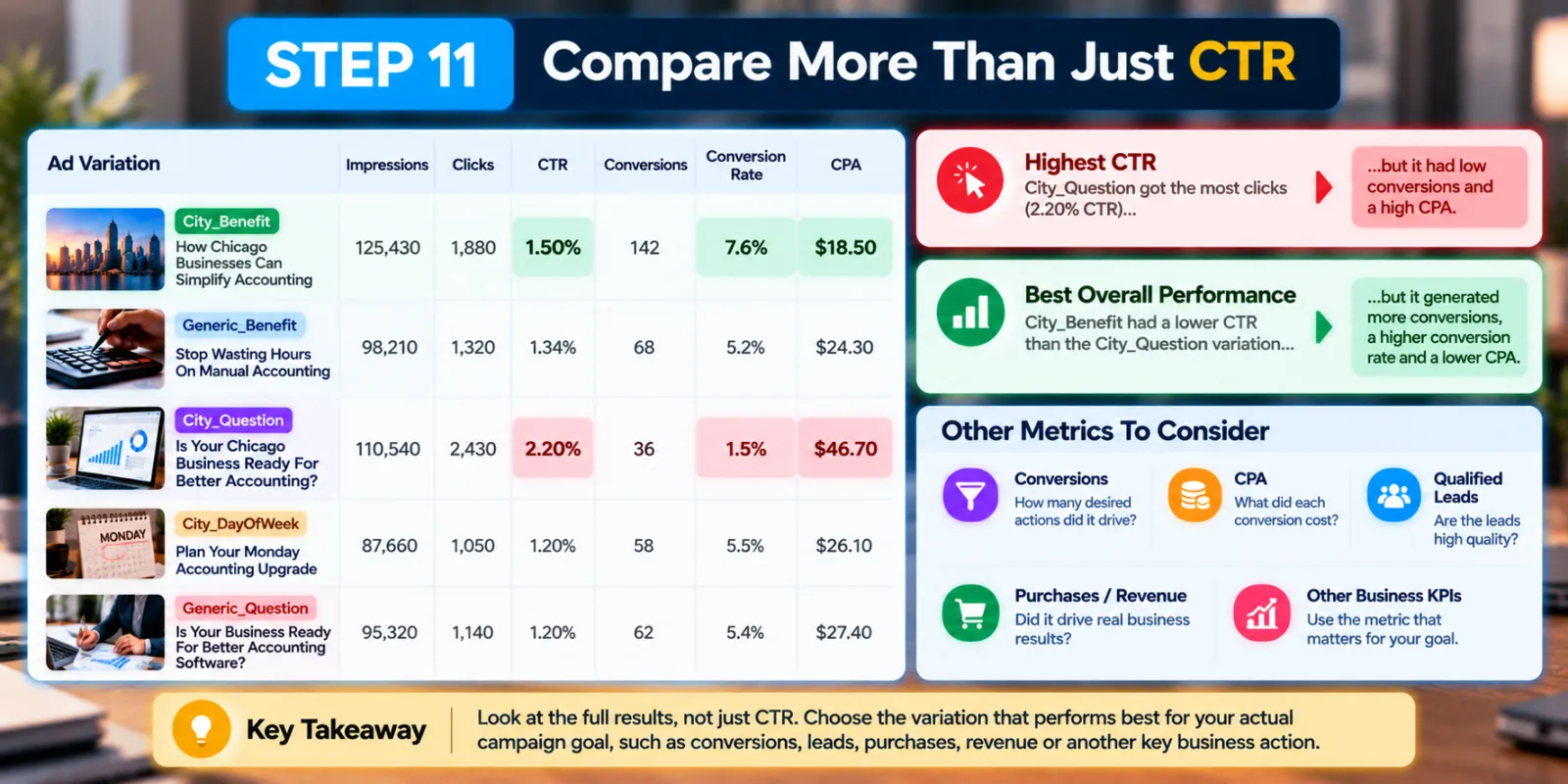
Step 11: Compare More Than Just CTR
A Dynamic Title may generate more clicks, but that does not automatically make it the better creative.
Imagine one variation gets a higher click-through rate but produces visitors who rarely convert. Another variation gets fewer clicks but generates better leads. If you stop at CTR, you could choose the wrong winner. For conversion-focused campaigns, look at the downstream result. Depending on the campaign, that might mean conversions, CPA, qualified leads, purchases, revenue or another meaningful business action.
Outbrain's broader campaign guidance recommends monitoring campaign and content performance and making decisions based on the campaign's KPI rather than simply assuming the most-clicked creative is always the best one.
This is also where your previous Outbrain Dynamic Titles article fits nicely. That article explains the Dynamic Titles feature itself; this guide takes the next step by showing how to use personalization inside a wider creative-testing strategy.
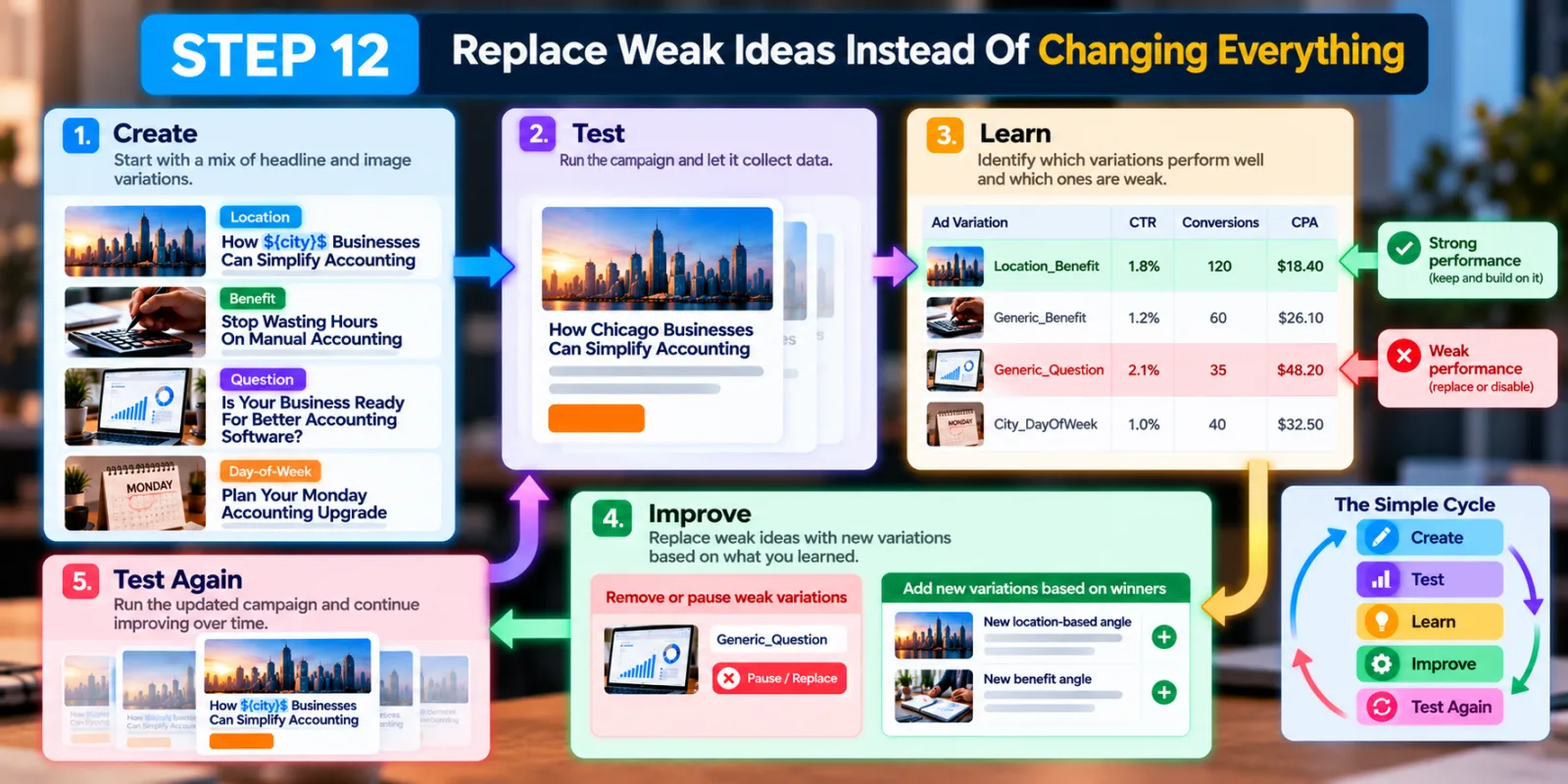
Step 12: Replace Weak Ideas Instead Of Changing Everything
Once you have enough data, look for patterns.
Maybe location-based headlines are consistently getting stronger engagement. Maybe question-based headlines are working better. Maybe a particular image works regardless of which title is used. Instead of rebuilding the entire campaign, make smaller creative decisions based on what you learned.
Outbrain's documentation on title variation performance recommends creating new variations around stronger-performing pieces and replacing or disabling weaker content when appropriate. This creates a simple cycle:
Create → Test → Learn → Improve → Test Again
That is much more useful than creating a large number of random headlines and hoping one works.
A Simple Example Of Using Dynamic Titles With Variations
Imagine an advertiser is promoting a travel insurance product in the United States. The advertiser could create four headline ideas:
Variation 1:Travel Insurance For ${city}$ Travelers
Variation 2:Leaving ${city}$? Check Your Travel Insurance
Variation 3:What Does Travel Insurance Really Cover?
Variation 4:5 Things To Check Before Buying Travel Insurance
The first two use location personalization. The last two are standard headlines. Now the advertiser can learn two things at once. First, does personalization help? Second, which creative angle works best?
The advertiser could also test different images while keeping the headline idea similar. That helps separate the effect of the headline from the effect of the visual. The important thing is not to assume that the dynamic versions will automatically win. They need to earn that conclusion through campaign data.
What You Should Avoid When Using Outbrain Dynamic Titles
The first mistake is using personalization that has no real value. Adding a city name to every headline does not automatically make an ad more relevant.
The second mistake is creating a headline that does not work when the dynamic value is inserted. Always read the final sentence as a real person would see it.
The third mistake is making the landing page completely disconnected from the personalized message. Outbrain specifically calls out landing-page support for location-based Dynamic Titles.
Another mistake is making every variation almost identical. If five headlines communicate exactly the same idea, you may not learn much from the test.
You should also avoid misleading personalization. Outbrain's advertising guidelines prohibit inaccurate, misleading and overly sensational headlines. The headline must accurately represent what the landing page offers. Finally, do not judge a creative immediately just because it has fewer clicks. Outbrain's system can naturally favor stronger-performing content as it gathers data, so the distribution between variations may change over time.
How Outbrain Dynamic Titles Fit Into A Bigger Creative Strategy
Outbrain Dynamic Titles are best treated as one layer of creative testing, not the entire strategy. You can start with the core message, create several headline angles, add Dynamic Titles to the versions where personalization makes sense, and then test different images around those ideas.
Outbrain has also introduced AI-powered creative tools that can generate additional title options and incorporate personalization parameters. Its current Title Enhancer documentation says advertisers can generate titles based on campaign inputs and optionally use Dynamic Titles as part of the personalization.
Outbrain has separately described creative automation tools that can generate multiple title variations and help advertisers refresh creative assets. That means advertisers have more ways to produce creative options, but the basic rule remains the same: more variations are useful only when they help you learn something.
Final Thoughts
Using Outbrain Dynamic Titles and creative variations together can make native advertising tests more useful because you are not limited to one headline or one generic message.
Dynamic Titles can add personalization such as location or day of the week. Creative variations let you test different headlines, images and messages around the same landing page. When these features are combined carefully, you can learn whether your audience responds better to personalization, a specific benefit, a question, a pain point or another creative angle. But personalization should not become the goal by itself.
The better goal is to find the combination of message + headline + image + audience + landing page that produces the result your campaign actually needs.
Start with a small number of meaningful variations. Keep the landing page consistent. Use Dynamic Titles only where they make sense. Name your creatives clearly. Then give the campaign enough time to show which ideas are actually working. That turns Outbrain creative testing from simple headline swapping into a much more useful learning process.
Agency ad accounts, without the wait.
Buy and top up Google, Meta, native, and more from one dashboard.
Get started
No comments yet. Be the first to comment.
Comments are open to registered AdScaleLab clients.
Sign in to comment