






How To Use Outbrain Conversion Data To Decide Which Traffic To Keep
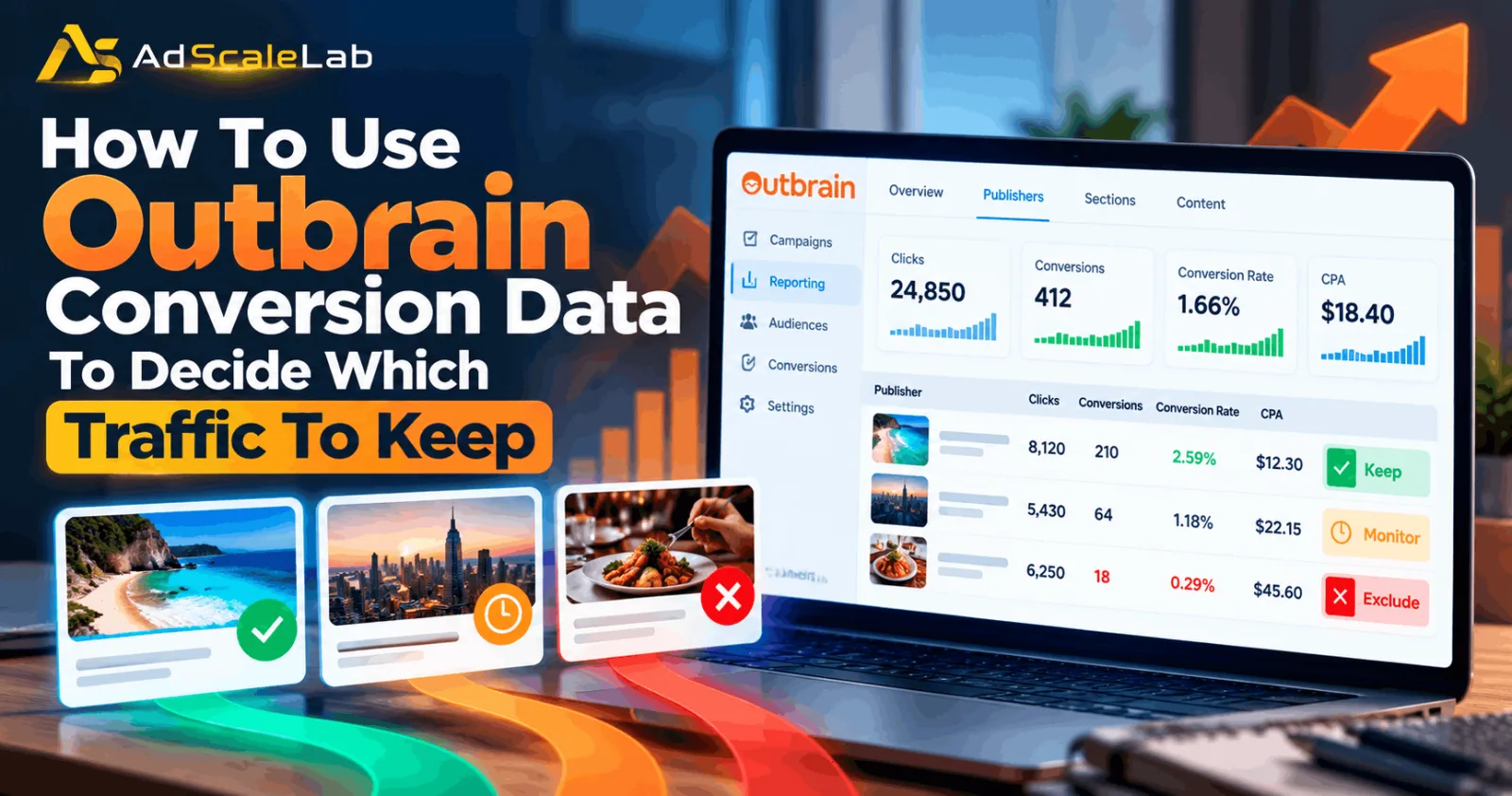
Outbrain Conversion Data can tell you much more than how many people completed a form or bought something. It can help you understand where those conversions came from, which publishers and sections are useful, which traffic is expensive, and where you may be paying for clicks that are not producing enough business value. The important part is knowing how to read that data before you start blocking traffic. If you remove too much inventory too quickly, a campaign can lose reach and give the platform less room to find new converting users.
The goal is not to keep every publisher or section forever. The goal is to make decisions based on conversion rate, CPA, conversion volume and patterns in the data. Outbrain provides reporting at publisher, publisher-section and content levels, so advertisers can move from a broad view of traffic to a more detailed view when something needs attention.
What Is Outbrain Conversion Data?
Outbrain conversion tracking connects actions on your website with the traffic that came from your Outbrain campaigns. Once conversion data is available, advertisers can analyze results using metrics such as conversions, conversion rate and CPA. Outbrain also supports breaking conversion results down by publisher, publisher section and content, which makes it possible to compare the quality of different traffic sources rather than judging the campaign only from total numbers.
Why Cheap Traffic Is Not Always Good Traffic
A cheap click is not automatically a valuable click. One publisher may generate a low CPC and a high number of visits but very few conversions. Another publisher may have a higher CPC but produce a much stronger conversion rate and a lower CPA. If you only look at CPC or CTR, you can end up removing traffic that is actually helping the business. This is why traffic decisions should be connected to the final conversion goal.
Step 1: Make Sure Your Conversion Tracking Is Working
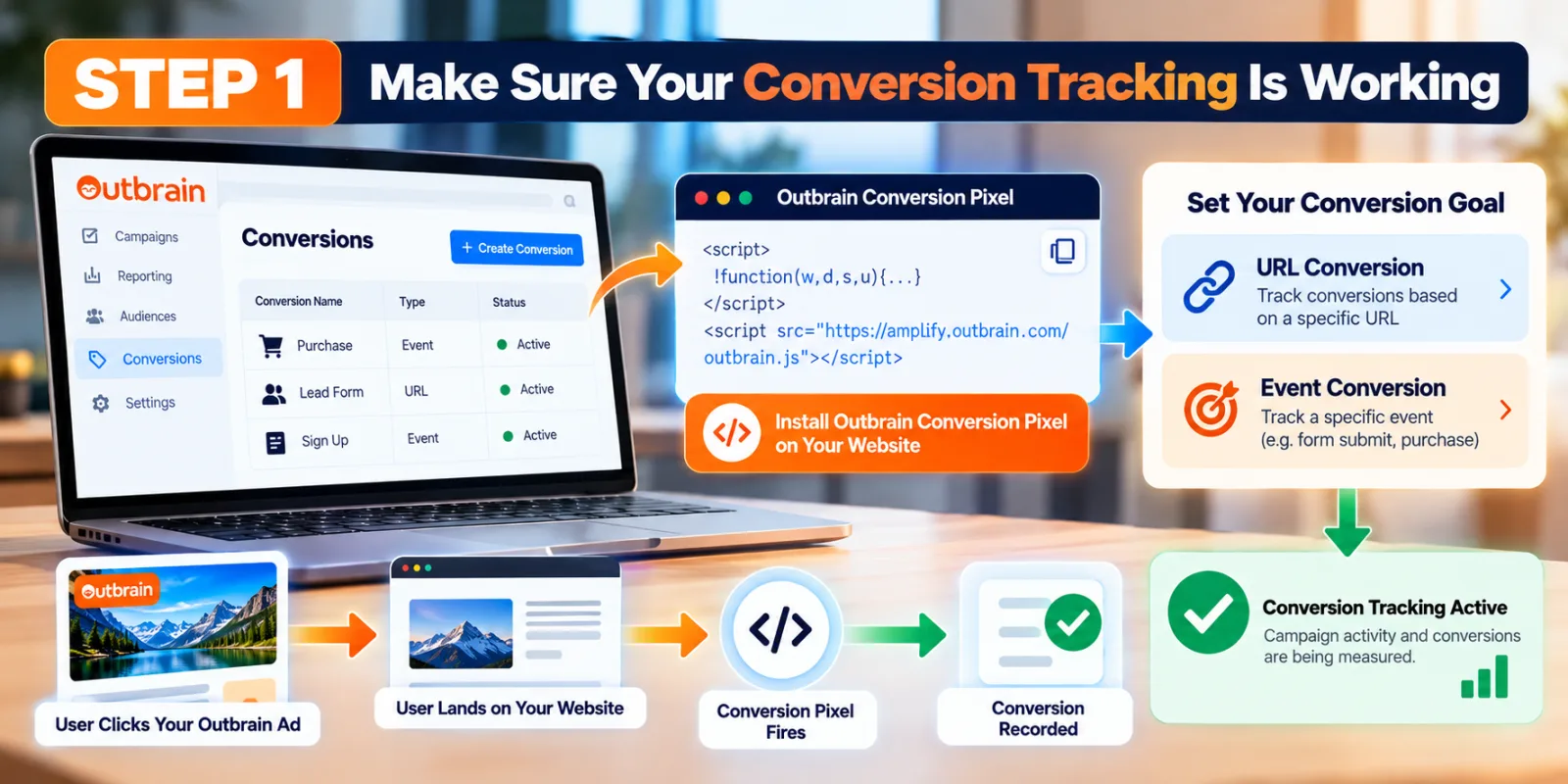
Before deciding which traffic to keep, make sure the conversion data itself is reliable. Outbrain recommends implementing its conversion pixel so that campaign activity and conversions can be measured. Conversion goals can be based on a URL or on a specific event. If the conversion signal is missing or incorrect, publisher-level decisions can be misleading.
Step 2: Open The Publisher And Section Reports
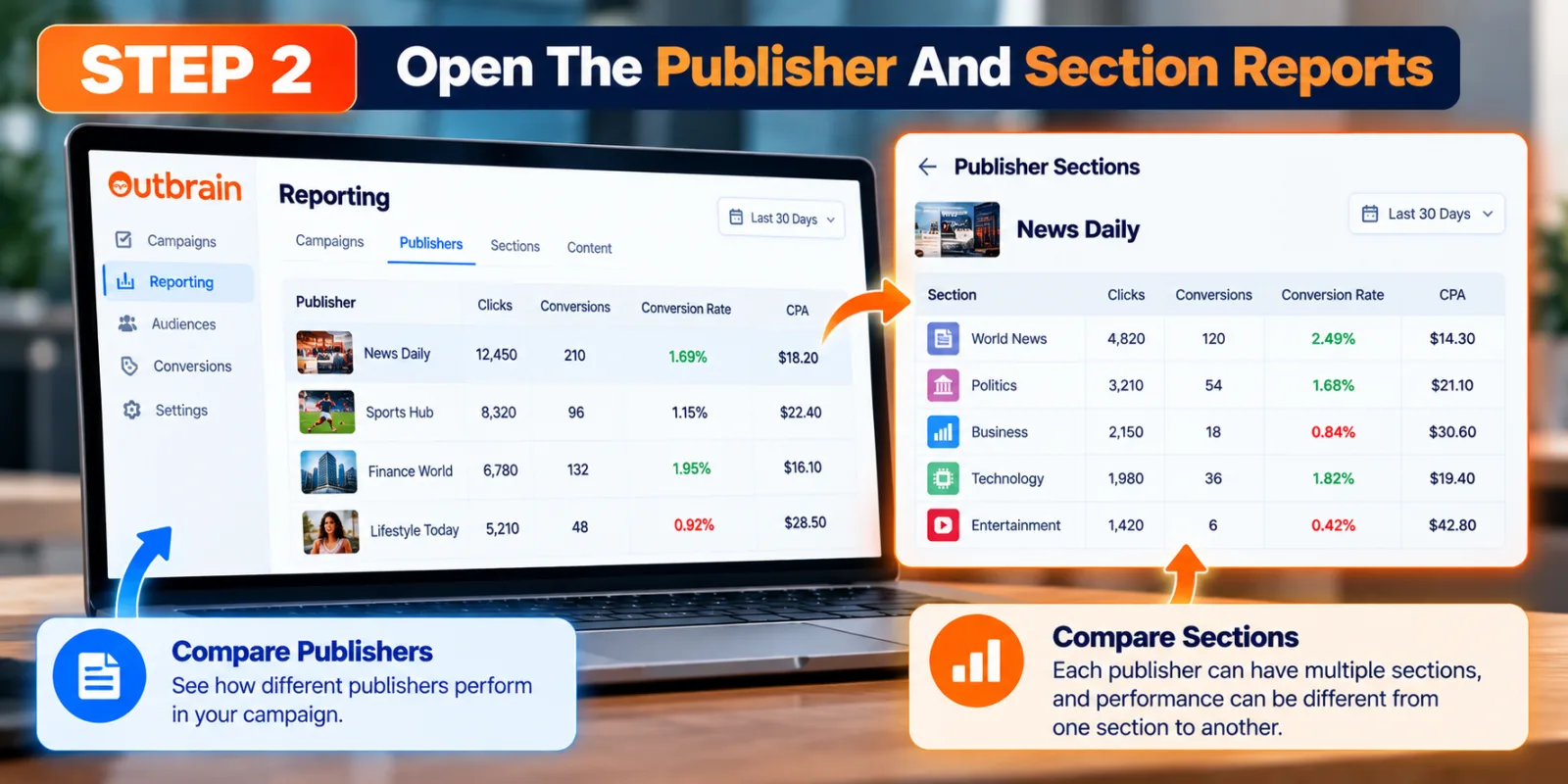
Start with the reporting view that lets you compare publishers and publisher sections. A publisher can contain several sections, and performance can be very different from one section to another. Looking only at the publisher name can hide this difference. Outbrain’s placement guidance describes optimization at both publisher and section level.
Step 3: Compare Conversion Rate With Traffic Volume
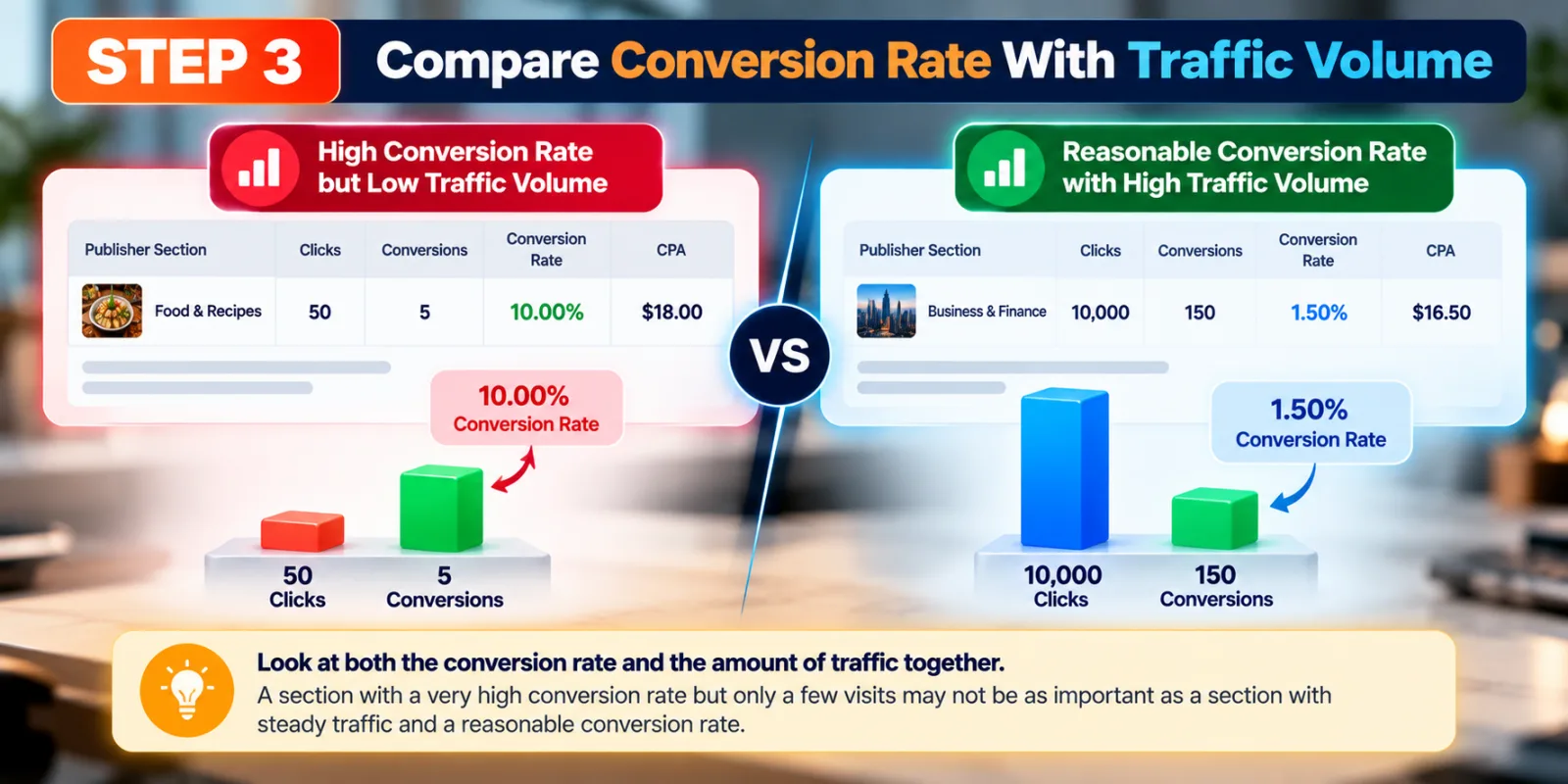
Do not judge a source only because it has a high or low conversion rate. A section with a very high conversion rate but only a handful of visits may not have enough evidence to become a major budget priority. At the same time, a source with a reasonable conversion rate and meaningful volume may be much more important to the campaign. Look at the rate and the amount of traffic together.
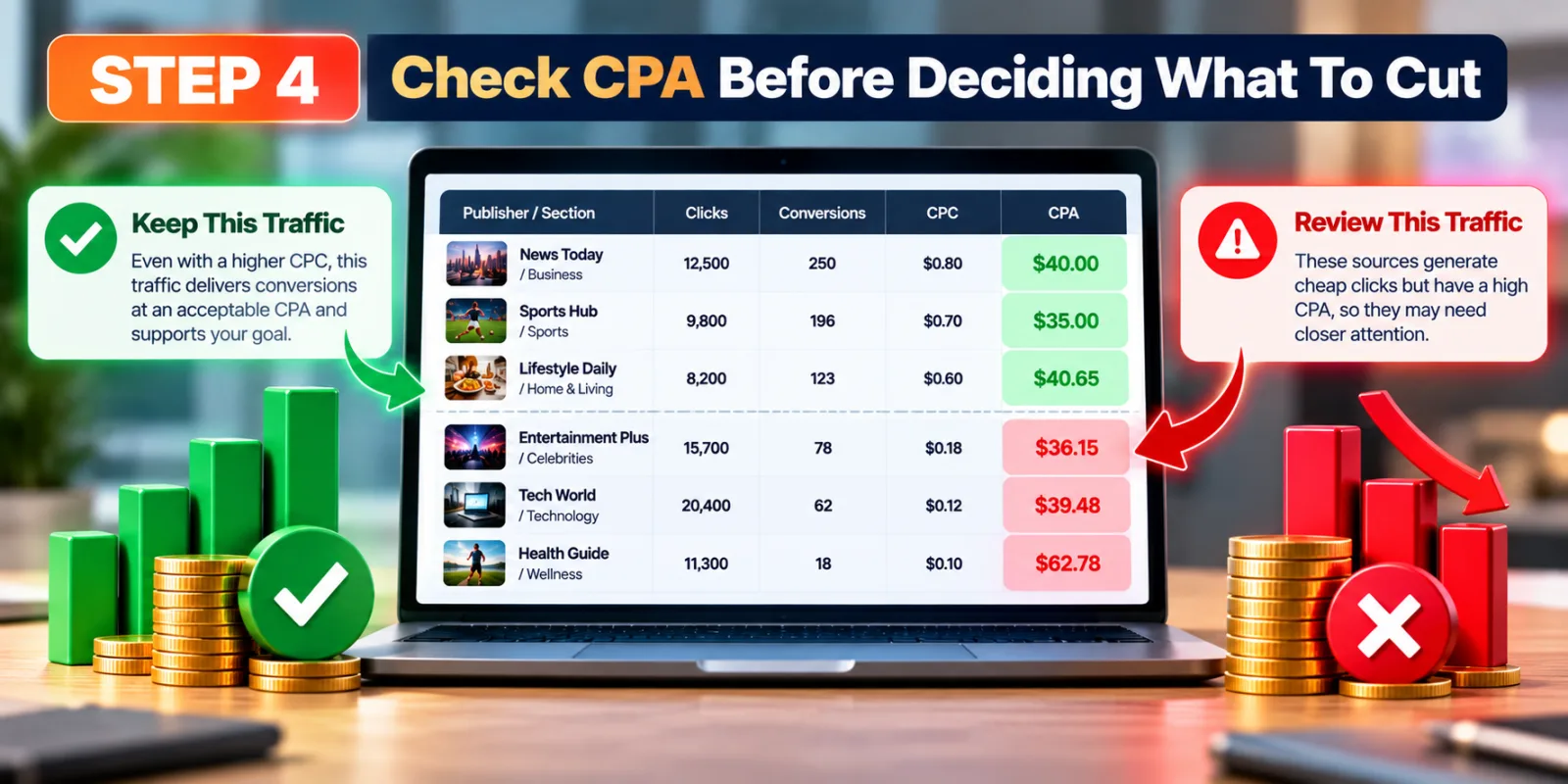
Step 4: Check CPA Before Deciding What To Cut
CPA is useful because it connects the cost of traffic with the business result. If a source has a high CPC but consistently produces conversions at an acceptable CPA, it may deserve to stay. If another source generates many cheap clicks but pushes CPA far above your target, it deserves closer attention. The point is to compare traffic against the campaign’s actual objective, not simply against the cheapest click.
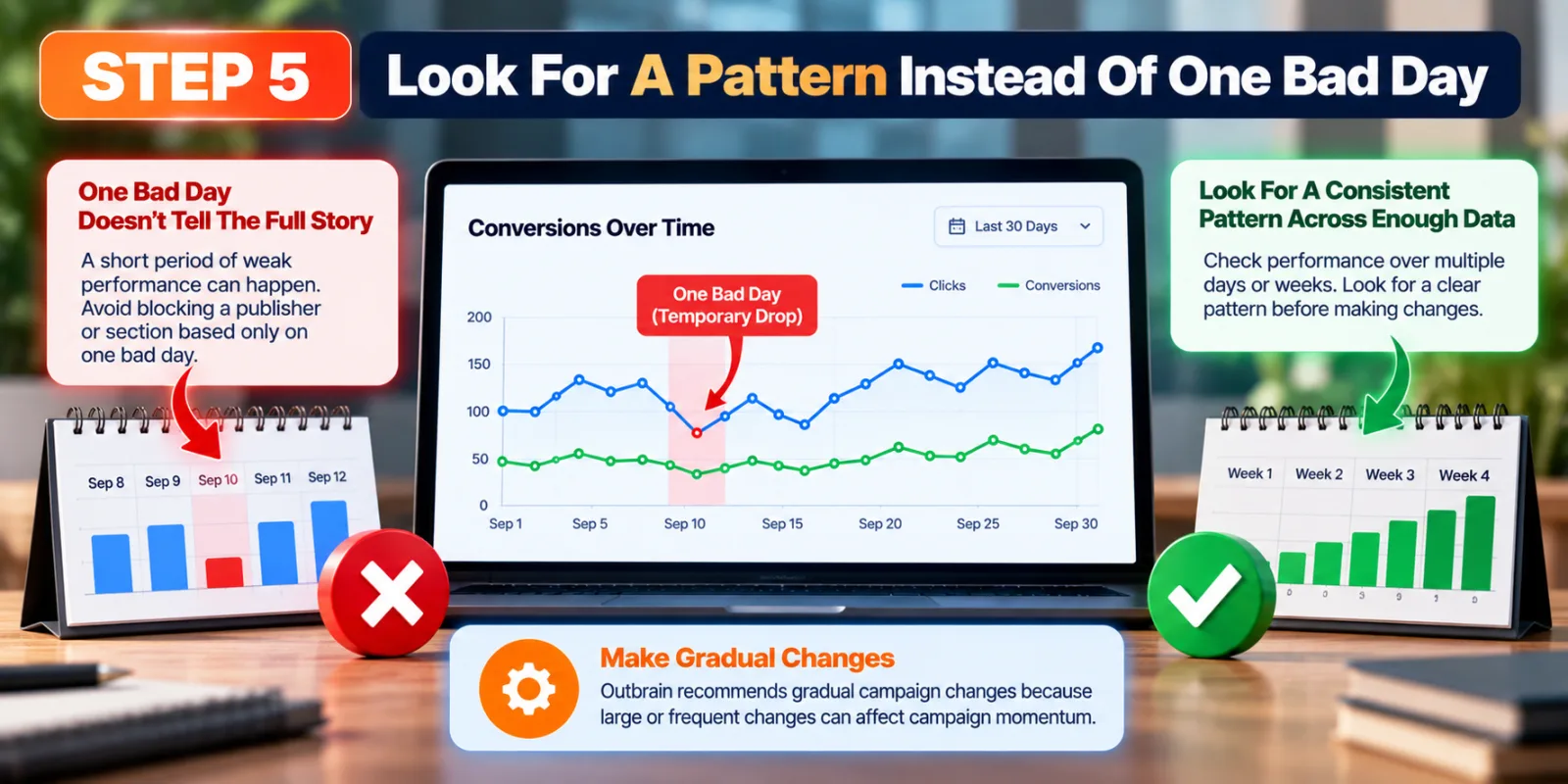
Step 5: Look For A Pattern Instead Of One Bad Day
Traffic performance can move from day to day. Avoid blocking a publisher or section simply because one short period looks weak. Look for a pattern across enough data to make the decision meaningful. Outbrain also recommends gradual campaign changes because large or frequent changes can affect campaign momentum.
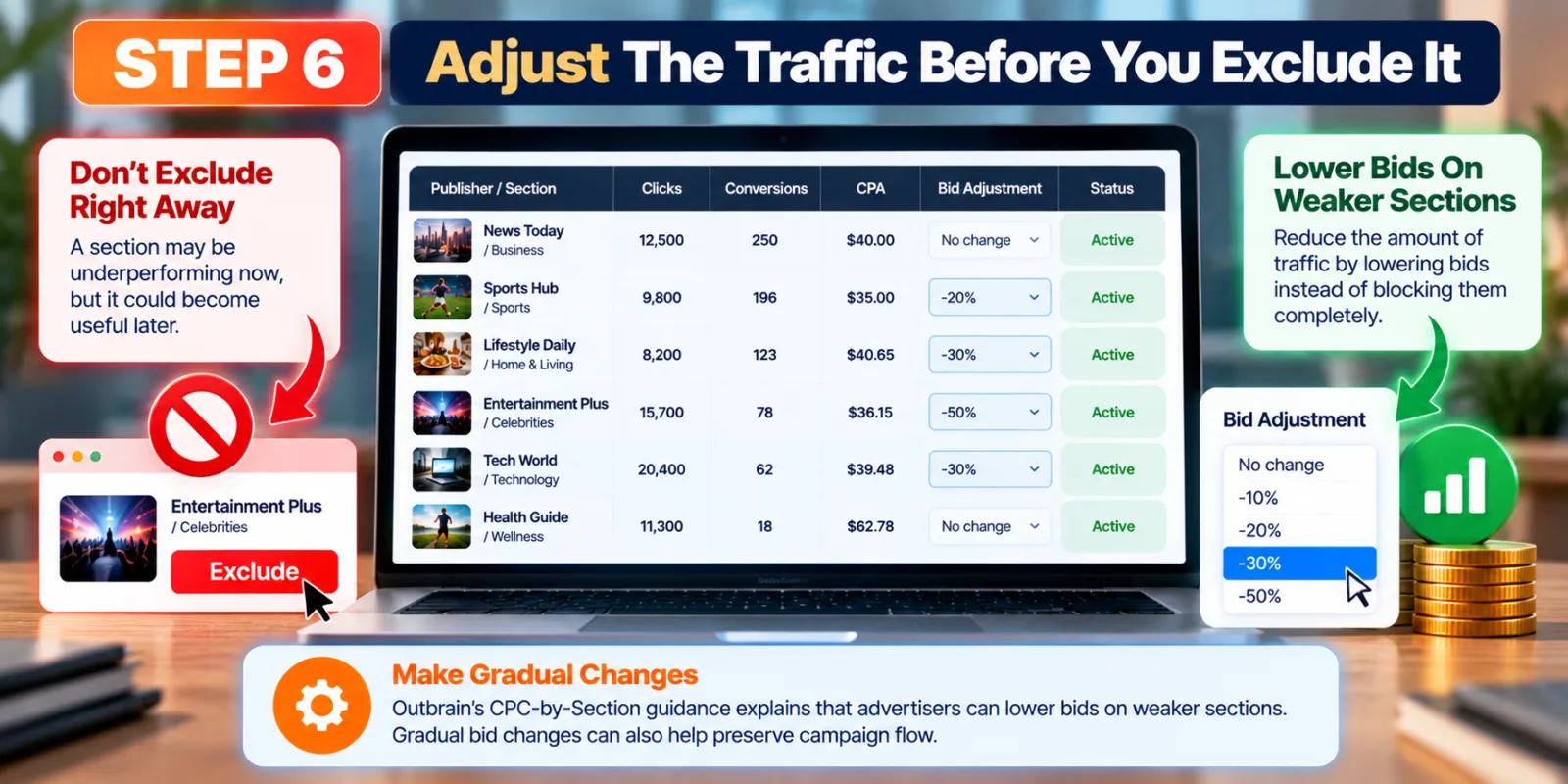
Step 6: Adjust The Traffic Before You Exclude It
If a section is not meeting your target, an exclusion is not always the first answer. Outbrain’s CPC-by-Section guidance explains that advertisers can lower bids on weaker sections instead of blocking them completely. This can reduce the amount of traffic while keeping the source available if it becomes useful later. Gradual bid changes can also help preserve campaign flow.
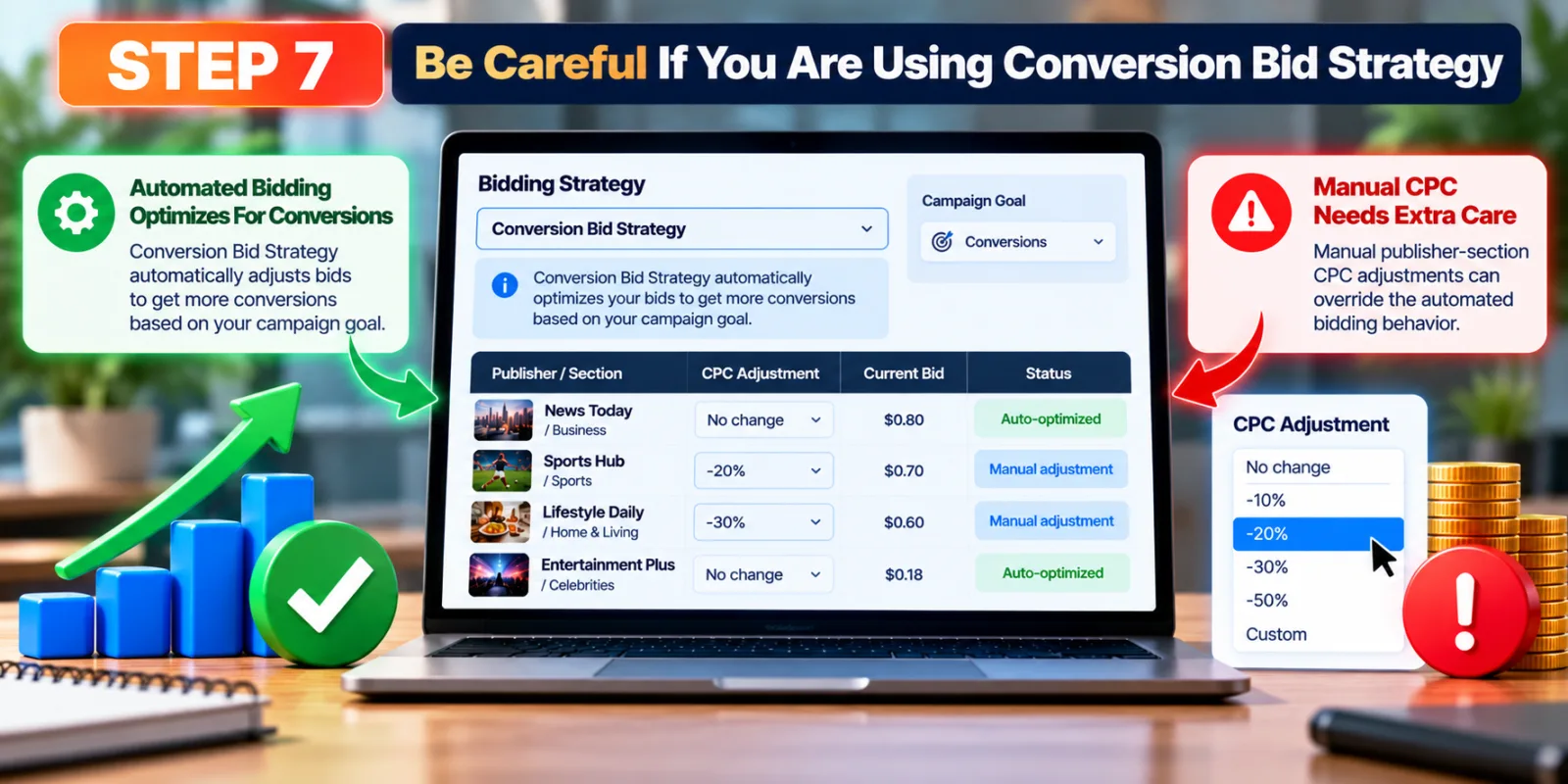
Step 7: Be Careful If You Are Using Conversion Bid Strategy
Manual CPC adjustments need extra care when Conversion Bid Strategy is active. Outbrain documentation explains that manual publisher-section CPC adjustments can override automated bidding behavior. Before changing bids manually, understand which bidding mode your campaign uses and whether the manual change will replace the system’s optimization.
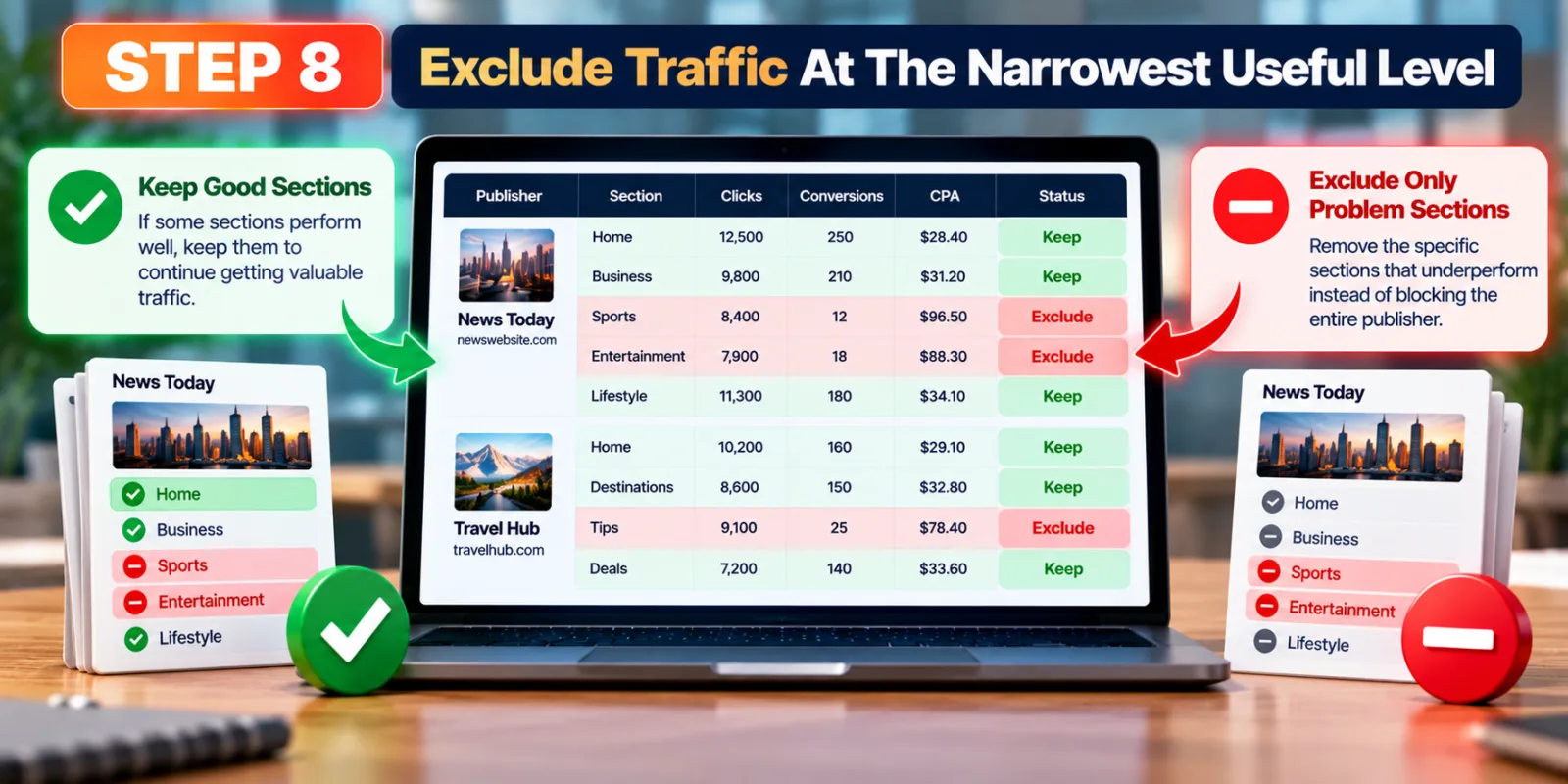
Step 8: Exclude Traffic At The Narrowest Useful Level
When a source clearly needs to be removed, use the narrowest level that solves the problem. If one section of a publisher is consistently poor while another section performs well, removing the whole publisher can throw away useful inventory. Section-level control gives you a more precise way to manage the campaign.
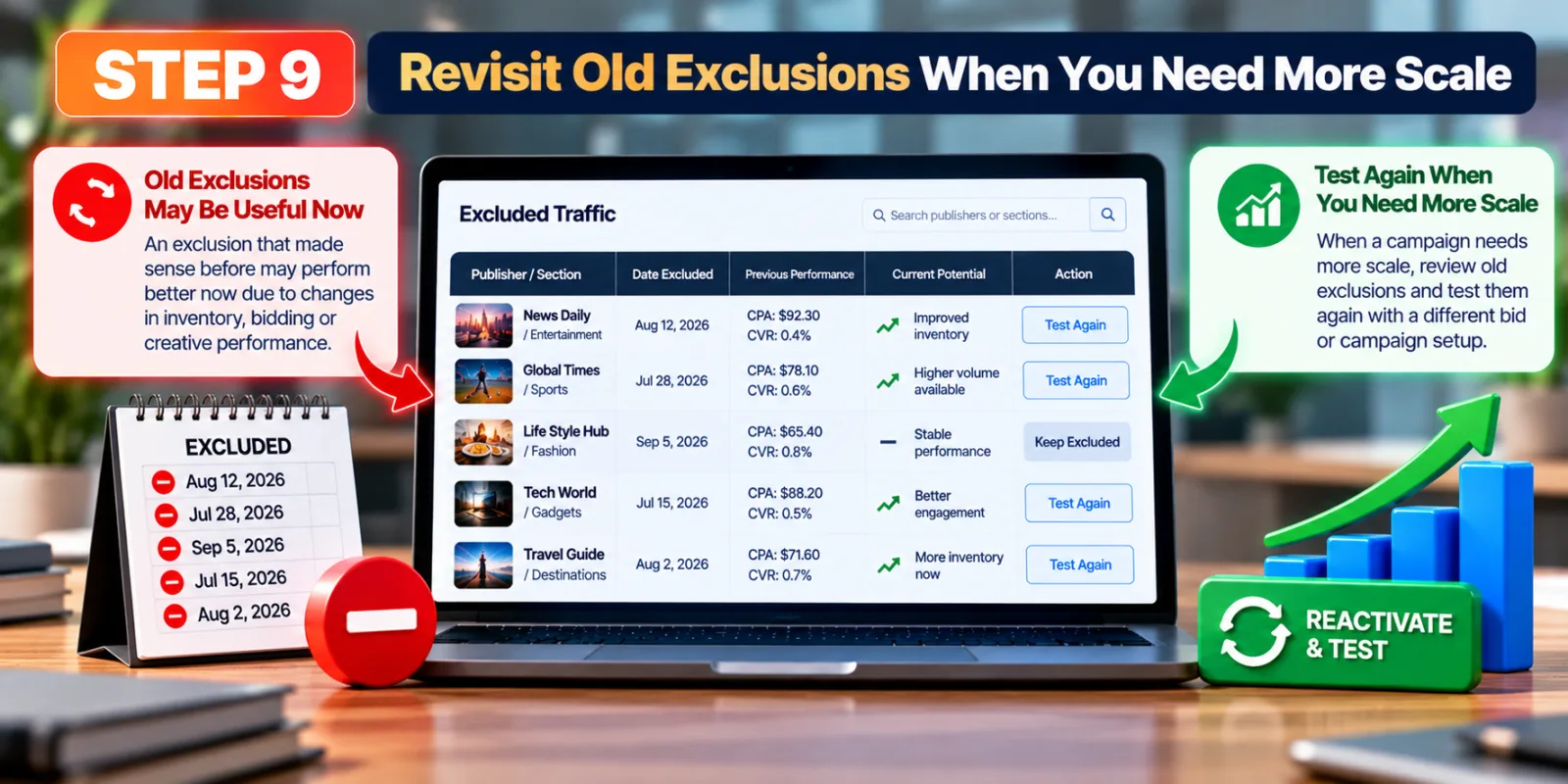
Step 9: Revisit Old Exclusions When You Need More Scale
An exclusion that made sense several weeks ago may not always be the right decision later. Campaign conditions, creative performance, bidding and available inventory can change. When a campaign needs more scale, review old exclusions and ask whether some traffic could be tested again with a different bid or campaign setup. Outbrain’s placement guidance also recommends using bid adjustments as an alternative to outright blocking when appropriate.
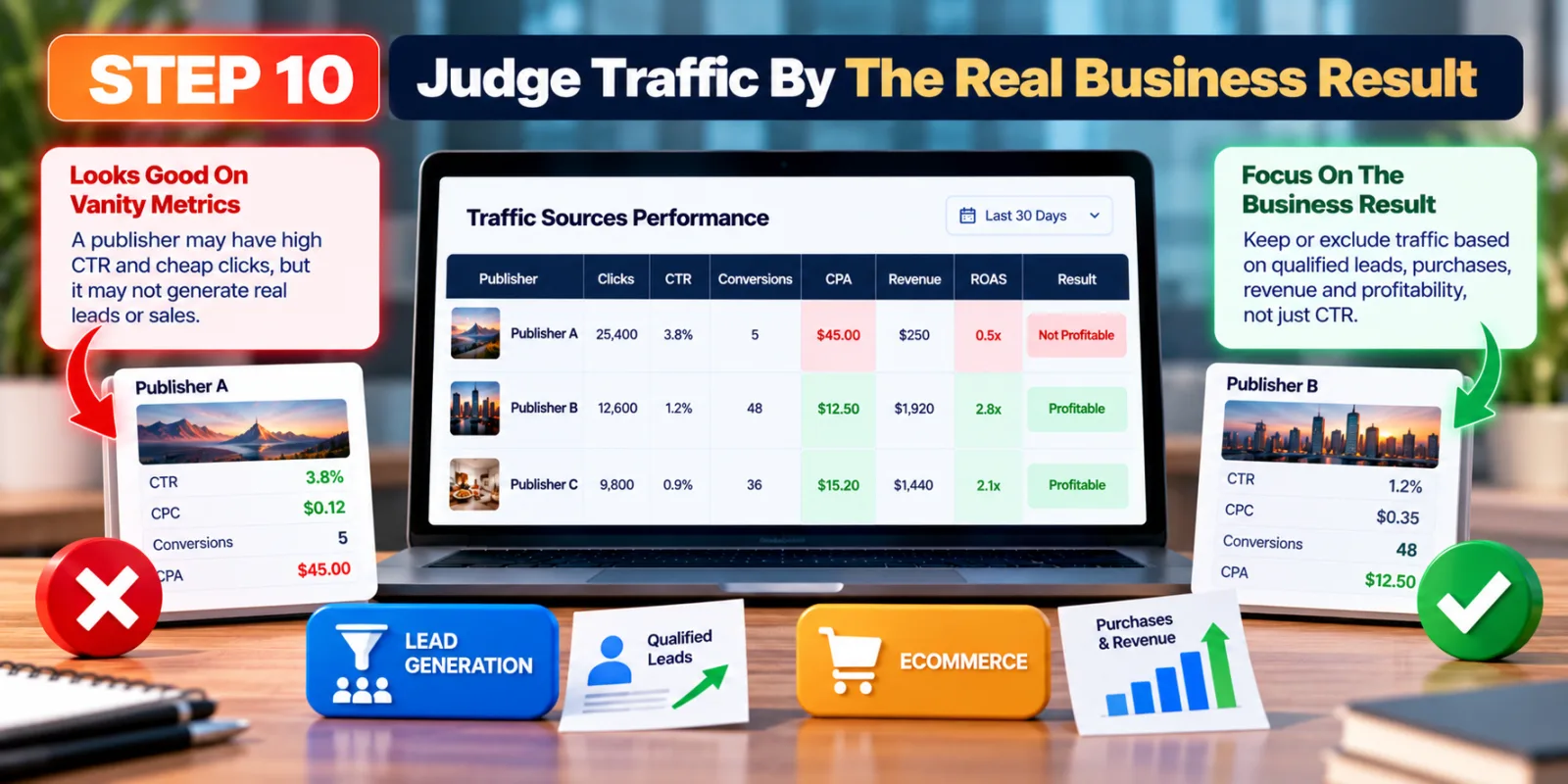
Step 10: Judge Traffic By The Real Business Result
The final decision should connect traffic to the result the advertiser actually wants. For a lead-generation campaign, that could be qualified leads rather than simple form starts. For ecommerce, it may be purchases and revenue. A publisher that looks average on CTR can still be valuable if it consistently produces profitable conversions. Your traffic rules should follow the business goal.
A Simple Example Of Deciding Which Traffic To Keep
Imagine a campaign has three publisher sections. Section A produces many clicks at a low CPC but has a weak conversion rate. Section B costs more per click but generates conversions at a CPA close to the campaign target. Section C has a very high conversion rate, but the traffic volume is still too small to make a confident decision. The best response is not automatically to keep B and remove A and C. A better approach is to keep watching C, consider reducing the bid on A, and protect B while checking whether its conversion volume remains stable.
This example shows why several metrics should be read together. The traffic source with the cheapest click is not necessarily the source that deserves the most budget.
What If A Source Has A Great Conversion Rate But Very Little Data?
Treat it as a promising signal, not a guaranteed winner. A small number of conversions can produce a very high conversion rate by chance. Keep collecting data and compare the source with other traffic that has a more meaningful volume. This is especially important when deciding whether to increase bids or shift a large part of the budget.
What If A Publisher Gives Cheap Clicks But Poor Conversions?
First check whether the problem is consistent and whether your tracking is working. If the pattern is real, consider lowering the CPC rather than immediately blocking the source. Outbrain’s own placement guidance recommends using section-level bid adjustments to reduce traffic from weaker placements while keeping the option to receive some traffic.
How Outbrain Conversion Data Fits With Creative Optimization
Publisher performance is only one part of the picture. A weak conversion rate may also come from the ad creative, the promise made in the headline, the image, or the landing page. That means you should avoid assuming that every poor publisher result is caused by the publisher itself. Compare creative and landing-page performance before making a permanent traffic decision.
For example, if you are already testing personalization, see our guide on Outbrain Dynamic Titles to understand how headline variations can be used without confusing the traffic-quality analysis.
What If Your Campaign Has Very Few Conversions?
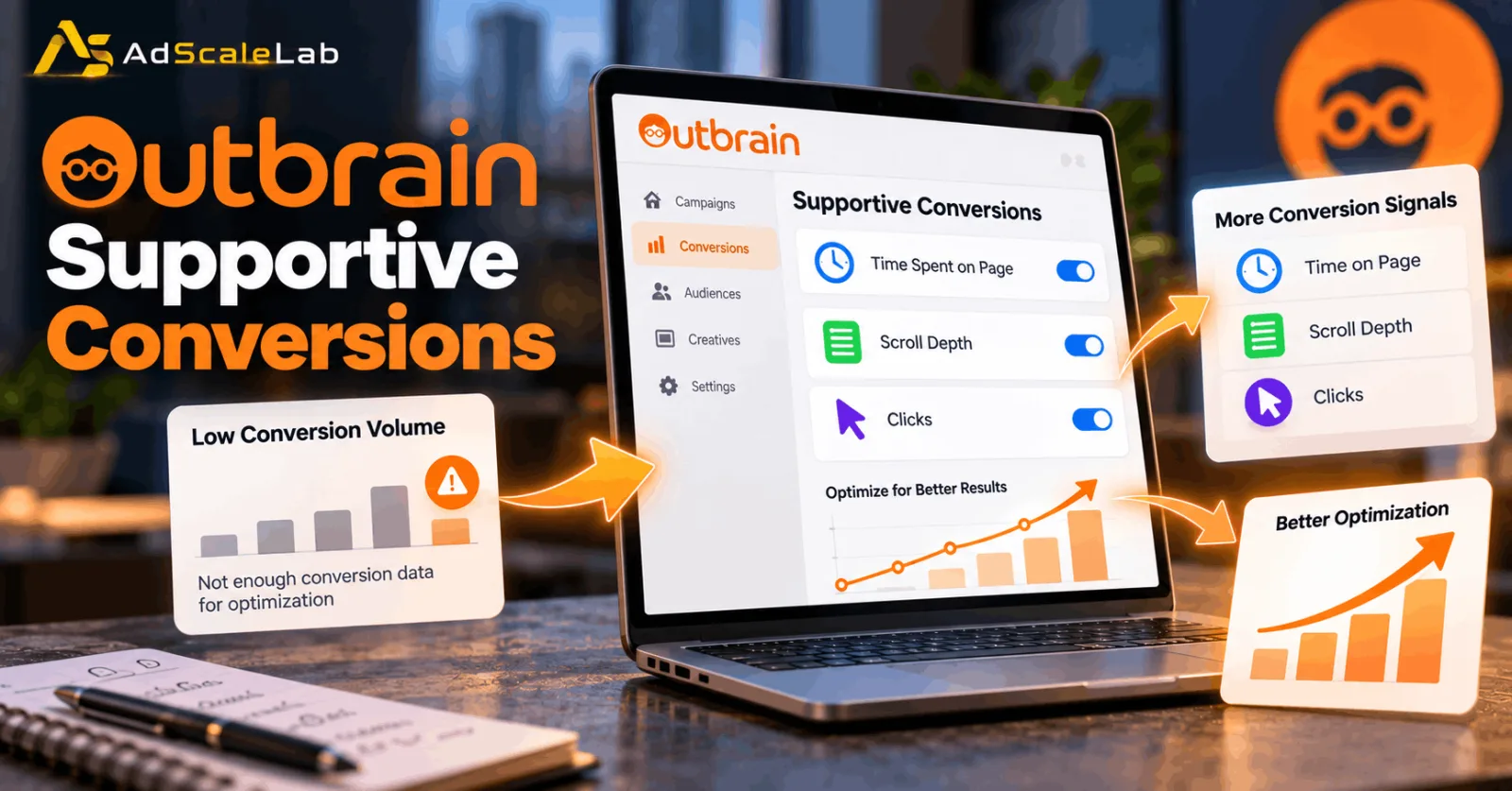
Low conversion volume makes publisher decisions harder because there is less evidence to compare. In that situation, make sure tracking is correct and consider whether the campaign has useful secondary signals that can help optimization. Outbrain’s Supportive Conversions feature is designed for campaigns where primary conversion data is limited, giving the system an additional optimization signal while the advertiser continues to care about the real business conversion.
You can read our full guide to Outbrain Supportive Conversions if your campaign is struggling with low conversion volume.
What You Should Avoid When Using Outbrain Conversion Data
Do not block a publisher because of one bad day. Do not judge traffic only by CPC. Do not treat CTR as a substitute for conversions. Do not remove an entire publisher when the real problem may be one section. Do not make large bid changes repeatedly without giving the campaign time to respond. And do not ignore the effect of your bidding strategy when making manual CPC adjustments. Outbrain recommends gradual optimization and provides publisher- and section-level controls for more precise changes.
One Important Note About Outbrain And Teads
Outbrain and Teads combined their businesses in 2025, and the combined company operates under Teads. Outbrain Direct Response is now presented by Teads, while many advertiser help resources and feature names still use the Outbrain terminology. For this article, the feature and reporting terminology is kept as Outbrain because that is how the advertiser documentation describes the workflow.
How Publisher And Section Data Fits Into A Bigger Outbrain Strategy
Traffic-quality analysis works best as part of a larger optimization process. Start with reliable conversion tracking, review publisher and section data, compare CPA and conversion rate, make controlled bid changes, and only then consider exclusions. At the same time, keep testing creatives and landing pages so that you do not mistake a creative problem for a traffic-source problem.
If you are still building your account and campaign structure, our Outbrain agency account guide can help you understand the account side before you focus on detailed optimization.
Final Thoughts
Outbrain Conversion Data is most useful when you use it to make controlled decisions instead of quick cuts. Look at conversion rate, CPA, conversion volume and traffic volume together. If a source is weak, try a narrower adjustment before removing it completely. If a source is promising but has little data, give it time to prove itself. And if a source consistently produces the business result you want, do not remove it simply because its CPC or CTR looks less attractive.
The main idea is simple: keep the traffic that contributes to the goal, reduce traffic that is consistently inefficient, and protect enough reach for the campaign to keep learning.
Agency ad accounts, without the wait.
Buy and top up Google, Meta, native, and more from one dashboard.
Get started
No comments yet. Be the first to comment.
Comments are open to registered AdScaleLab clients.
Sign in to comment