





How To Use Dayparting In Native Advertising To Improve Performance

Have you ever noticed that a native advertising campaign gets plenty of clicks during certain hours but barely produces any useful results at other times? This is something advertisers often come across when managing campaigns. The problem is not always the ad creative, the audience or the landing page. Sometimes, the timing of the campaign also plays a part. This is where dayparting in native advertising can help. It allows advertisers to choose the days and hours when their campaigns should run instead of showing ads throughout the entire day.
Think about a business that sells software to other companies. Its potential customers may spend more time researching products during working hours. Now compare that with an online shopping business. Its customers might browse products after work or during the weekend. Running both campaigns on exactly the same schedule would not necessarily make sense. The idea behind dayparting is quite simple: understand when your audience is active and when that activity turns into actual results. You can then use that information to make better decisions about your advertising schedule.
In this guide, we will look at how dayparting works, how to find useful advertising hours and how to apply a scheduling strategy to native advertising campaigns on platforms such as Taboola and Outbrain.
What Is Dayparting In Native Advertising?
Dayparting simply means choosing the days and hours when your advertisements are allowed to run. Instead of keeping a campaign active all the time, you can create a schedule based on the behaviour of your audience.
For example, imagine that you are running a campaign for a company that offers professional services. After reviewing your reports, you notice that most enquiries come between 9 AM and 5 PM. During late-night hours, the campaign still receives clicks, but very few people complete the enquiry form. You could use this information to test a schedule that gives more attention to the hours producing useful leads.
However, dayparting does not mean that you should automatically stop advertising at night or during weekends. Some businesses get excellent results during those periods. The right schedule depends on the people you are trying to reach and what you want them to do. Get Native ads agency account here

It is also worth remembering that dayparting does not change your audience targeting by itself. It changes when your campaign can deliver ads. You are simply giving your advertising campaign a schedule that better matches the activity of your potential customers.
Why Should Native Advertisers Pay Attention To Dayparting?
Getting clicks is not particularly difficult if you have a reasonable budget and a good advertisement. Getting clicks from people who are actually interested in your offer is a different matter. A campaign may receive traffic throughout the day, but the quality of that traffic can change from one time period to another. For example, a person browsing a website during a lunch break may click an advertisement out of curiosity. Someone researching the same product later in the evening may be more interested in buying it.
This is only an example, of course. You cannot assume that evening visitors will always convert better. You need to check what is happening in your own campaign. Dayparting gives you another way to understand these differences. It can help you identify hours that bring useful conversions, reduce delivery during consistently poor periods and make better use of your available budget.
It can also be helpful when you are promoting a time-sensitive offer or targeting people in a particular country. If your customers are mainly based in the United States, for instance, you should understand their local activity rather than setting your schedule according to the time on your own computer. The important thing is not to find the busiest hour. It is to find the hours that make sense for your campaign.
How To Use Dayparting To Improve Native Advertising Performance
You do not need to change your entire campaign schedule in one go. It is better to understand your existing results first and then make smaller changes. Here are seven steps that can help you get started.
Step 1: Be Clear About What You Want From The Campaign
Before looking at advertising hours, take a moment to think about what success actually means for your campaign. Are you trying to generate leads? Sell products? Get people to sign up for a service? Or are you mainly interested in bringing readers to a website? This matters because a campaign can look successful when you only consider clicks, even when it is not producing the results you need.
For example, a lead generation campaign might receive plenty of visitors in the evening but very few completed forms. During the afternoon, it might receive fewer visitors but generate more qualified enquiries. If you only compare traffic, you could easily miss the difference.
Start by deciding which numbers matter most. For lead generation, look at the cost per lead and the quality of the enquiries. For an online store, check purchases, revenue and return on ad spend. If you are promoting content, pay attention to engaged visits rather than clicks alone. You should also make sure that conversion tracking is working properly. Without reliable tracking, it becomes difficult to know whether a particular time period is actually helping your business. AdScaleLab has a useful guide on tracking conversions across native ads agency accounts that explains why accurate conversion data matters when managing campaigns across different advertising platforms.

Step 2: Look At Your Campaign Reports By Hour
Once you know what you want to measure, open your campaign reports and start looking at performance throughout the day. Most advertisers are already familiar with checking daily spending, clicks and conversions. But looking at the overall daily numbers may hide some important details. A campaign that spends its budget evenly across the day can still have very different results during individual hours.
Check which reporting options are available in your advertising platform. Depending on the platform, you may be able to review impressions, clicks, CTR, spending and conversions by hour or day. For example, you might discover that your campaign receives a lot of clicks between 10 AM and 2 PM. You might also notice that traffic after 10 PM is lower and produces fewer conversions.
Do not make a decision just because one hour looks good in a single report. Give yourself enough data to see whether the same pattern appears over several days. Google Ads offers reporting by day and hour, which lets advertisers examine metrics such as clicks, impressions, CTR, average CPC and cost. Even if you are running native campaigns, this is a useful way to think about analysing time-based performance.

Step 3: Find The Hours That Actually Bring Conversions
After reviewing your reports, the next job is to compare the results from different time periods. Let's say you are running a native advertising campaign and have divided the day into five sections. Your report looks something like this:
| Time period | Clicks | Conversions |
|---|---|---|
| 6 AM–10 AM | 420 | 18 |
| 10 AM–2 PM | 680 | 42 |
| 2 PM–6 PM | 590 | 35 |
| 6 PM–10 PM | 510 | 16 |
| 10 PM–2 AM | 300 | 5 |
These are made-up figures to explain how the comparison works, not industry averages or recommended targets. In this example, the 10 AM–2 PM period brings the highest number of conversions. The afternoon period also performs reasonably well. Late-night traffic, on the other hand, produces fewer conversions.
At this point, you might be tempted to stop running ads late at night. But wait before making that decision. Check how much money you spent during each period and how much each conversion cost. Five conversions at a very low cost may be more valuable than 20 conversions that cost too much. You should also consider whether the leads or purchases are genuinely useful. The aim is to understand which hours are helping your campaign, not simply which hours are bringing the most activity.

Step 4: Compare Weekdays With Weekends
Do not assume that your audience behaves the same way every day. Some people spend more time researching business products during the working week. Others may have more time to browse shopping websites on Saturday or Sunday. The difference can be quite noticeable depending on the product and audience.
Open your campaign reports and compare individual days. Look at Monday through Friday separately, then check Saturday and Sunday. You may find that certain days bring more conversions, while others produce clicks without much activity afterwards.
For example, a business software advertiser might discover that weekday traffic generates more enquiries. An online retailer might find that weekend visitors are more likely to purchase. Neither result is unusual, but neither should be assumed without checking the data.
If weekends are performing poorly, you can test reducing delivery during certain periods. If they are producing good results, there is no reason to remove them simply because they fall outside normal working hours. One more thing: if you are running several campaigns for different products, check them separately. Their audiences may have completely different habits.

Step 5: Make Sure Your Time Zone Is Correct
This is one detail that can easily cause problems, especially when you manage campaigns from a different country than the audience you are targeting. Imagine that you are sitting in India and running a campaign for customers in the United States. You want your advertisements to appear between 9 AM and 5 PM in the target market. If you create the schedule without checking the platform's time-zone settings, your ads might run at completely different hours. That is why you should always check which time zone the advertising platform uses before saving a schedule.
Taboola's campaign scheduling documentation explains how advertisers can select particular days and hours. Its Backstage API also includes time-zone information for campaign activity schedules. Outbrain has its own scheduling rules. According to its advertiser help documentation, the scheduling dashboard uses Eastern Standard Time (UTC-05:00). This means advertisers targeting other time zones need to convert their preferred hours before setting the schedule. Outbrain also explains that its daily budget resets according to the Eastern Time calendar day.
These differences are worth checking before you make any changes. A schedule can look perfectly correct on your screen but still run at the wrong time for your target audience. If you manage campaigns targeting several countries, pay particular attention to daylight-saving changes as well. The time difference between locations can change during the year.

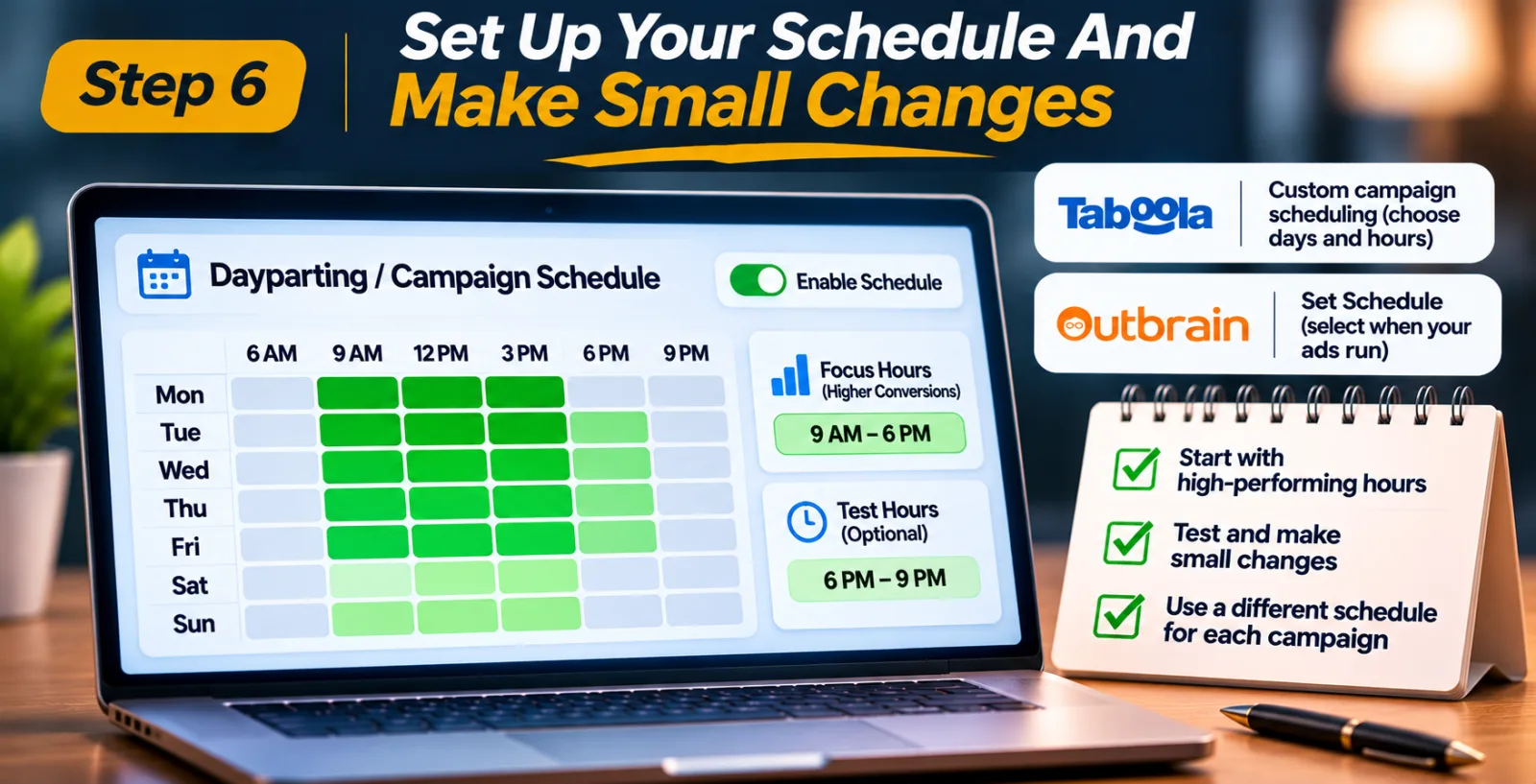
Step 6: Set Up Your Schedule And Make Small Changes
Now that you have reviewed the campaign data, you can start preparing a dayparting schedule. You do not need to create a complicated schedule immediately. Start with the hours that have shown consistent results and decide whether there are any periods that clearly need further testing.
For example, if your reports show that morning and afternoon traffic regularly produces valuable conversions, you could test a schedule that focuses more on those periods. You might keep some evening hours active as well, especially if you are not completely sure how they perform.
Taboola provides campaign scheduling options that let advertisers choose specific days and hours. Its official documentation describes custom schedules, allowing advertisers to control when campaigns are eligible to run. Outbrain also offers a scheduling option through its campaign settings. Advertisers can use its Set Schedule feature to select the days and hours when their campaigns should be active.
The exact settings may change, so check the platform's latest instructions before making adjustments. One thing I would recommend is avoiding the temptation to apply the same schedule to every campaign. A campaign promoting financial services may have a very different audience from one promoting consumer products. Let the data from each campaign guide its schedule.
Step 7: Keep Checking The Results After Scheduling
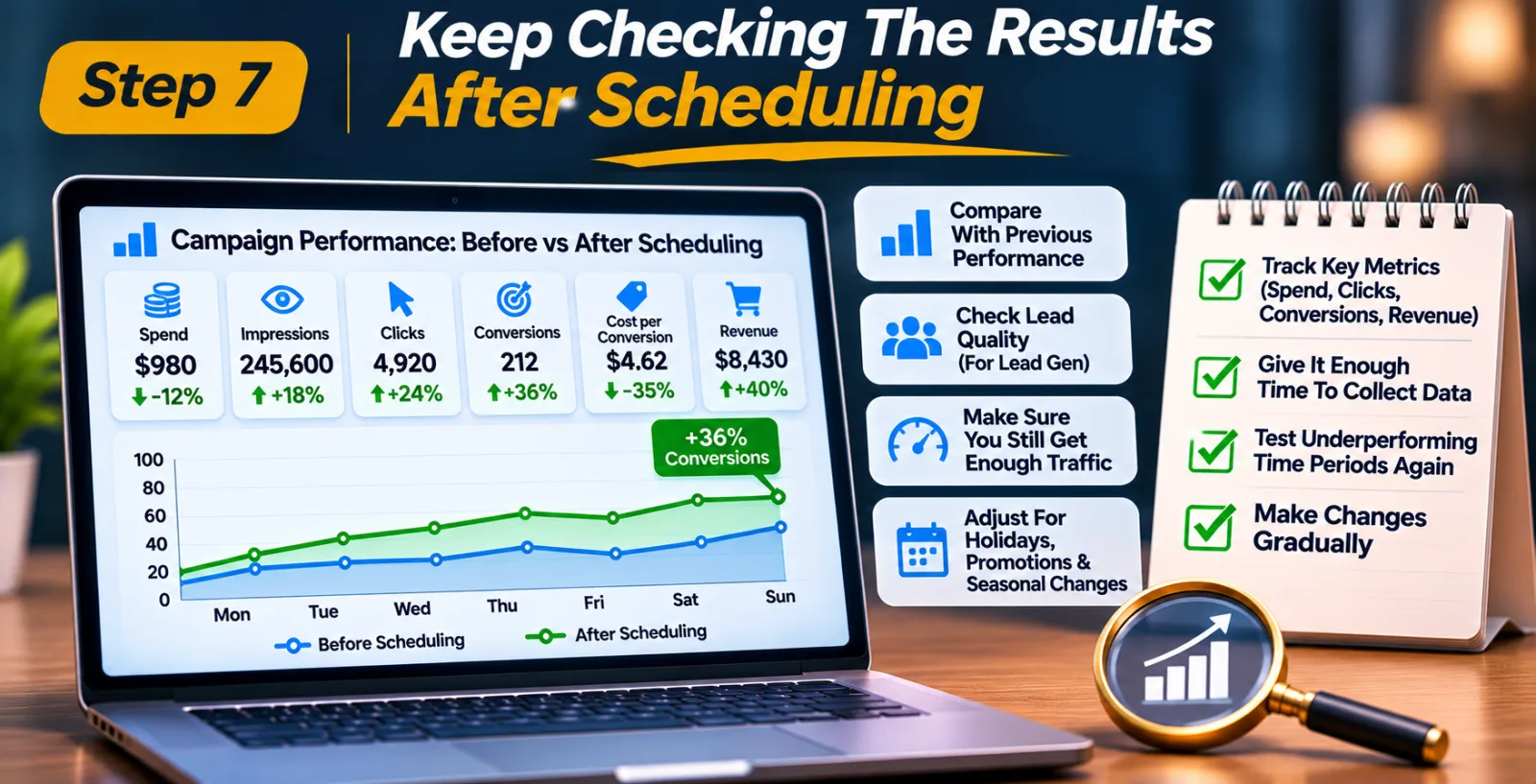
Saving your schedule is not the end of the process. In fact, this is where the real work begins. Once the new schedule is active, give it enough time to collect meaningful results. Then compare the campaign's performance with the period before the change.
Look at spending, impressions, clicks, conversions and cost per conversion. If you are running an e-commerce campaign, check revenue as well. For lead generation, do not forget to review the quality of the leads. You should also make sure that the campaign is still getting enough traffic. If you remove too many hours, you might limit delivery so much that the campaign struggles to spend its budget or collect useful data. And remember, audience behaviour is not fixed. A schedule that works during one month may need to be adjusted during a holiday period, a major promotion or a seasonal change.
If a time period that previously performed poorly starts bringing better results, test it again. There is no need to keep a time slot switched off forever just because it did not work well in the past. Make changes carefully and avoid changing several things at the same time. That way, you have a better chance of understanding what actually improved or reduced performance.
A Real-World Example Of Dayparting In Native Advertising
Dayparting is not just something advertisers discuss in theory. It has also been used as part of real native advertising campaign strategies. PPCmate published a case study about a telehealth service that promoted online consultations across Thailand, Malaysia and Indonesia. According to the company's report, the advertiser ran 50 native advertising campaigns, with dayparting used in 29 of them.
The campaign also involved other optimization methods, including frequency capping, placement exclusions and source-level bid adjustments. The report described improvements in monthly impressions and CTR over the campaign period.
There is an important detail here: the results cannot be credited to dayparting alone because several changes were made as part of the wider campaign strategy. Still, the example shows how advertisers can use scheduling alongside other optimization methods. You can read the original PPCmate telehealth native advertising case study for more information about the campaign.
Mistakes To Avoid When Using Dayparting
One of the easiest mistakes is choosing advertising hours based on personal opinions instead of campaign data. You might believe that people are more likely to buy products in the evening, but your own reports could show that morning traffic converts better.
Another problem is looking only at CTR. A high click-through rate does not automatically mean that a campaign is profitable. If those clicks do not lead to useful actions, changing your schedule based on CTR alone could make things worse. It is also risky to make changes after looking at only a few days of results. A short reporting period may not give you a fair picture, particularly if the campaign receives limited traffic. Time-zone mistakes are another issue. If your campaign targets people in another country, always check the time zone used by the advertising platform. Otherwise, you may end up running your ads during hours you never intended to target.
Finally, do not make your schedule too restrictive. Removing too many hours can reduce your reach and leave the campaign with fewer opportunities to find potential customers. Keep some room for testing, especially when you are still learning about your audience.
Final Thoughts
Dayparting can make a real difference to the way you manage native advertising campaigns, but it works best when you have enough data to support your decisions. Instead of running advertisements at every possible hour without checking the results, take some time to understand when your audience is active and when that activity turns into conversions. Compare weekdays with weekends, check your time-zone settings and pay attention to the cost and quality of the results.
You do not need to find one perfect schedule and use it forever. Start with a reasonable test, review what happens and make adjustments when the data gives you a good reason. At the end of the day, the goal is not simply to run fewer ads. It is to make sure your advertising budget is being used during periods that give your campaign a better chance of reaching the right people.
Agency ad accounts, without the wait.
Buy and top up Google, Meta, native, and more from one dashboard.
Get started


No comments yet. Be the first to comment.
Comments are open to registered AdScaleLab clients.
Sign in to comment