






Outbrain Supportive Conversions How to Use Them
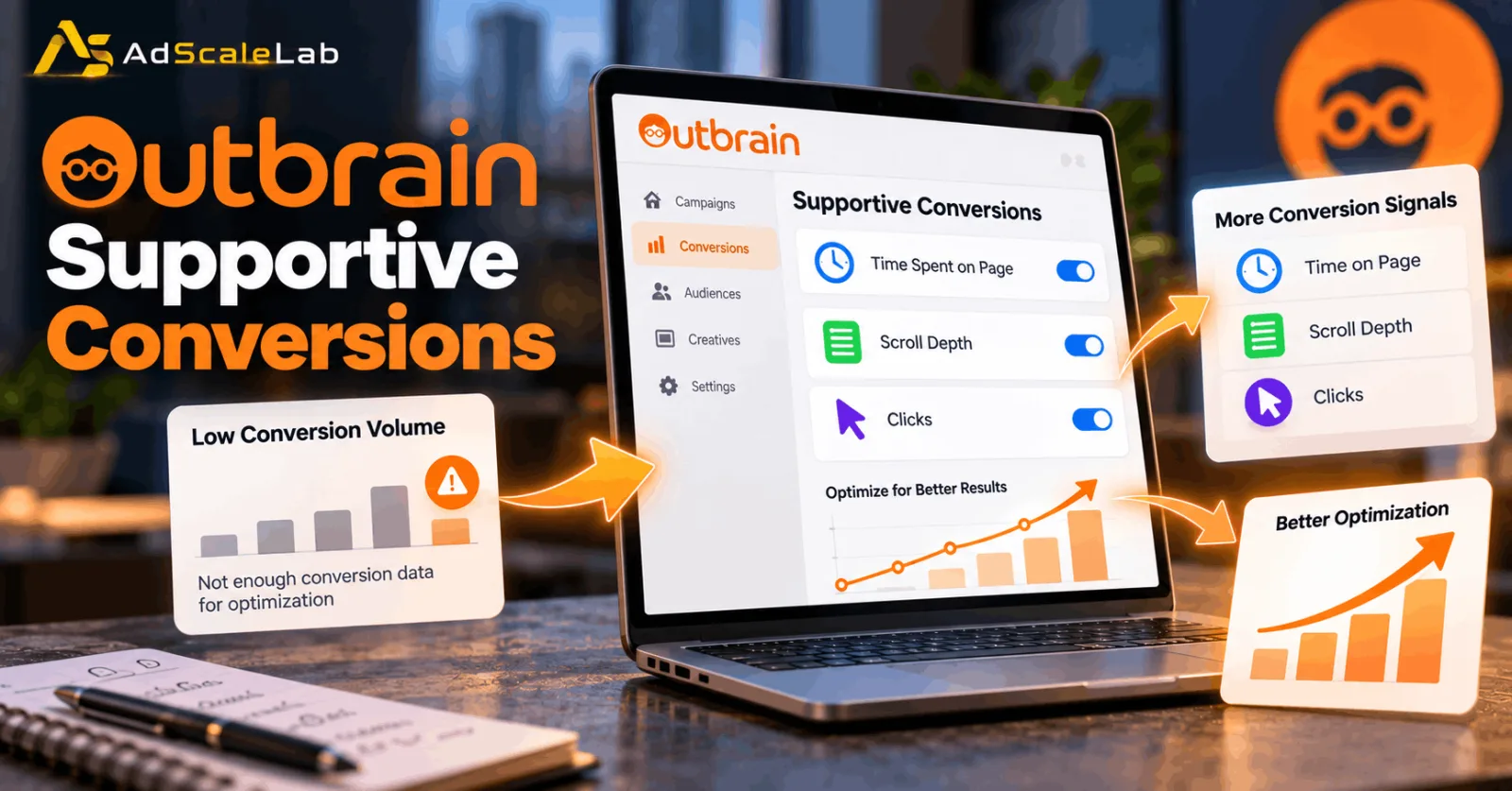
Outbrain Supportive Conversions are designed to help with this type of situation. They give the platform additional conversion signals that can provide more information when the main conversion event does not happen frequently enough. Outbrain introduced Supportive Conversions for Target CPA and Target ROAS campaigns as a way to give its optimization system more information when targeted conversion data is limited.
This does not mean an advertiser should simply add every available event and expect the campaign to improve. The useful approach is to choose an additional event that happens more often and has a sensible relationship with the final conversion.
In this guide, we will look at what Supportive Conversions are, when they make sense, how to choose the right event, and how to use them without losing sight of the real business goal.
Why Low Conversion Volume Can Be A Problem
Conversion-based advertising systems need conversion data to learn. Imagine you are running a campaign for a product that gets hundreds of clicks but only a few purchases each week. The purchase is the result you actually care about, but the system has very few purchase events to learn from.
Outbrain's own guidance says that higher conversion volume generally leads to more consistent performance. Its troubleshooting documentation specifically recommends adding another conversion event with a higher conversion rate when the primary conversion rate is below 2%. Outbrain suggests an additional event with a conversion rate in the 10%–20% range as a way to provide more information to the algorithm.
This is where the idea of supportive or soft conversions becomes useful. A visitor may not purchase immediately, but they may spend significant time reading the page, scroll through an advertorial, click through to another page or take another meaningful action. Those actions do not replace the purchase. They simply give the system more information about what happened before the purchase.
What Are Outbrain Supportive Conversions?
Outbrain describes Supportive Conversions as an additional optimization signal for Target CPA and Target ROAS campaigns. The idea is simple: when the campaign does not have enough targeted conversion data, supportive soft conversions can provide the algorithm with extra information to help it optimize.
There is an important difference between a final conversion and a supportive conversion. A final conversion could be a completed purchase, submitted lead form or another action that represents the actual business objective. A supportive conversion can happen earlier in the customer journey.
For example, suppose your campaign's main goal is a completed insurance lead. A visitor may first spend 60 seconds reading the landing page, scroll through the offer and then open the application form. Those actions are not the final lead, but they can tell you that the visitor is showing more engagement than someone who clicks and leaves immediately.
Outbrain's Engagement Conversions feature provides three default types of soft conversion events: Time Spent on Page, Scroll Depth and Clicks. These can be configured according to the campaign's needs and can then be selected as target or supportive conversions in Conversion Bid Strategy campaigns.
How Supportive Conversions Fit Into Conversion Bid Strategy
Before setting up Supportive Conversions, it helps to understand Conversion Bid Strategy, or CBS. Outbrain says CBS uses machine learning and AI to automatically adjust bidding toward a campaign's predefined objective. Its documented strategies include Target CPA, Target ROAS, Max Conversions and Semi Manual.
Target CPA is designed around acquiring conversions while aiming for a specified acquisition cost. Target ROAS is designed around conversion value and return on ad spend.
The problem with a low-volume campaign is that the system may not receive enough of the primary conversion event to build a strong feedback loop. Outbrain's best-practice guidance therefore recommends implementing a lower-funnel conversion as well as another conversion higher in the funnel.
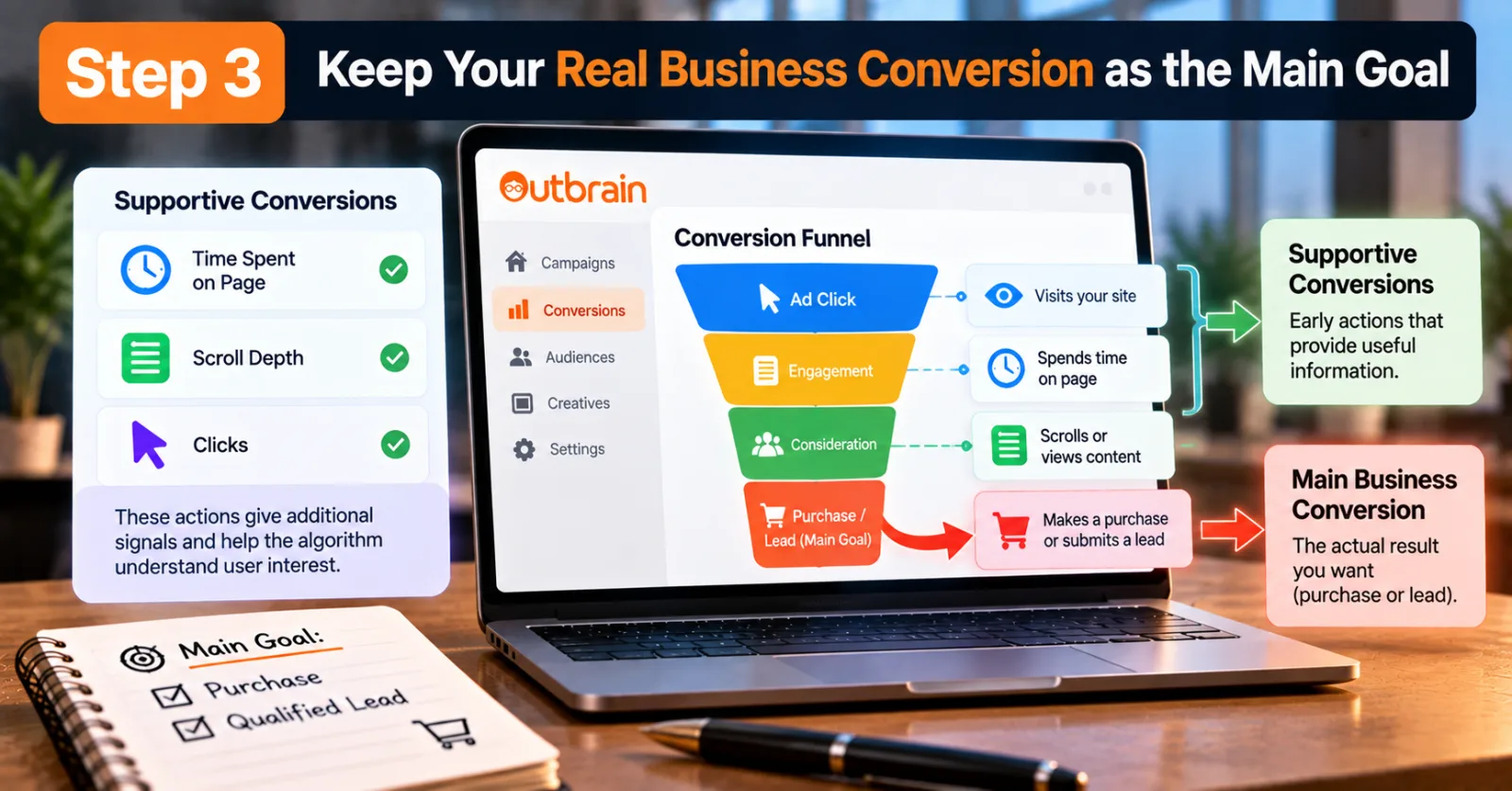
That gives advertisers a useful way to think about the funnel: Click → Engagement → Consideration → Lead/Purchase. The supportive conversion sits somewhere before the final result.
How To Use Outbrain Supportive Conversions Step By Step
Step 1: Check Whether Your Campaign Actually Has A Conversion-Volume Problem
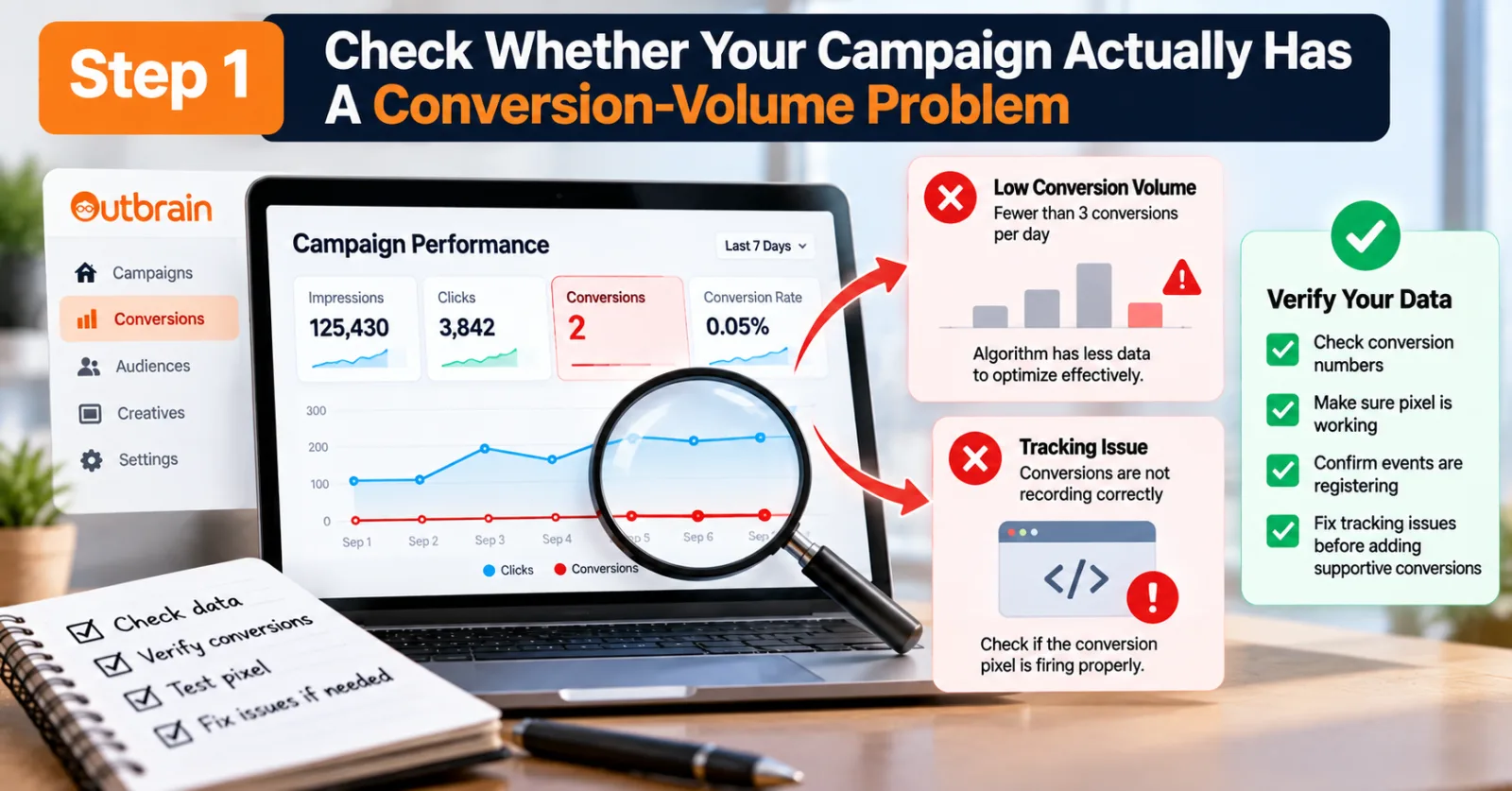
Do not add Supportive Conversions simply because the feature exists. First, look at your campaign's actual data. Check how many primary conversions the campaign is receiving, how frequently those conversions occur and whether the conversion pixel is recording them correctly.
Outbrain's troubleshooting guidance notes that campaigns generating fewer than three conversions per day can experience more performance changes because the algorithm has less data to work with. It also recommends checking that selected conversions are actively registering.
This is an important first step because low conversion volume and broken tracking can look very similar. If you have 500 clicks and zero purchases because nobody wants the product, Supportive Conversions are not going to magically fix the offer. If you have 500 clicks and zero purchases because the purchase event is not firing correctly, adding another event before fixing tracking is also the wrong move. So first make sure the data is real.
Step 2: Check Your Outbrain Conversion Tracking
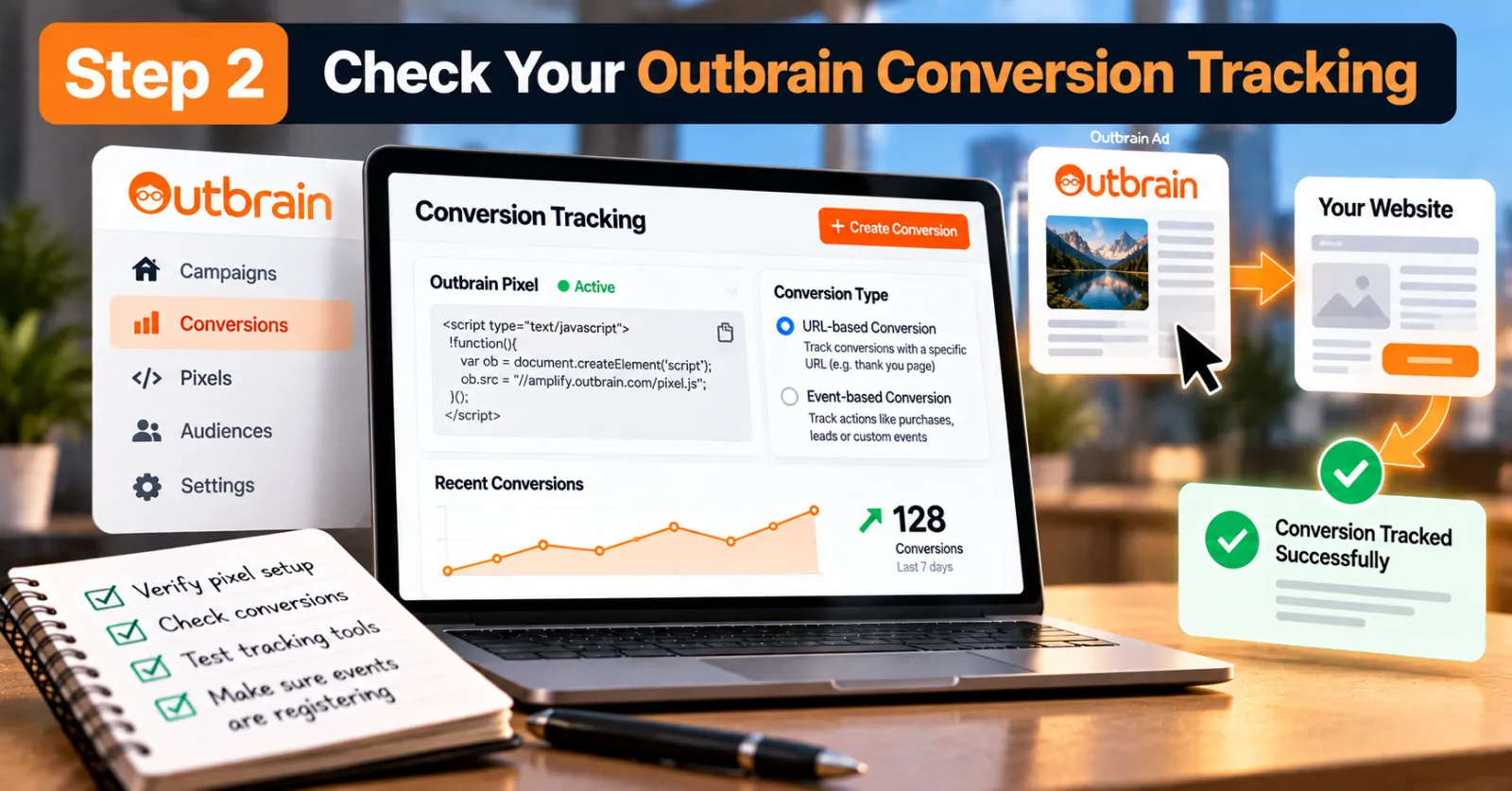
Once you know the campaign has low conversion volume, check the tracking setup. Outbrain says conversion tracking is one of the most important parts of Conversion Bid Strategy campaigns. Its documentation recommends verifying that selected conversions are actively registering and using its tracking tools to test the implementation.
Outbrain's conversion documentation also explains that advertisers can use its pixel to track conversion activity and create URL-based or event-based conversions. This matters because an optimization system can only work with the information it receives.
If the campaign produces conversions but Outbrain cannot see them, the system may behave as though those conversions never happened. For advertisers running native campaigns, this is one of the areas worth checking before making major bidding or budget changes.
AdScaleLab also has a practical Outbrain agency account and campaign guide that covers the wider setup and compliance side of running Outbrain campaigns.
Step 3: Keep Your Real Business Conversion as the Main Goal
Do not confuse a soft conversion with the result you actually want. If your campaign exists to generate purchases, the purchase remains the business outcome. If it exists to generate qualified leads, the qualified lead remains the important result.
A visitor spending 60 seconds on your website is useful information, but it is not the same thing as buying your product. Outbrain's own material describes Engagement Conversions as actions that may not be the ultimate campaign goal but can help move the consumer through the funnel. They are there to provide additional information, not to redefine what success means.
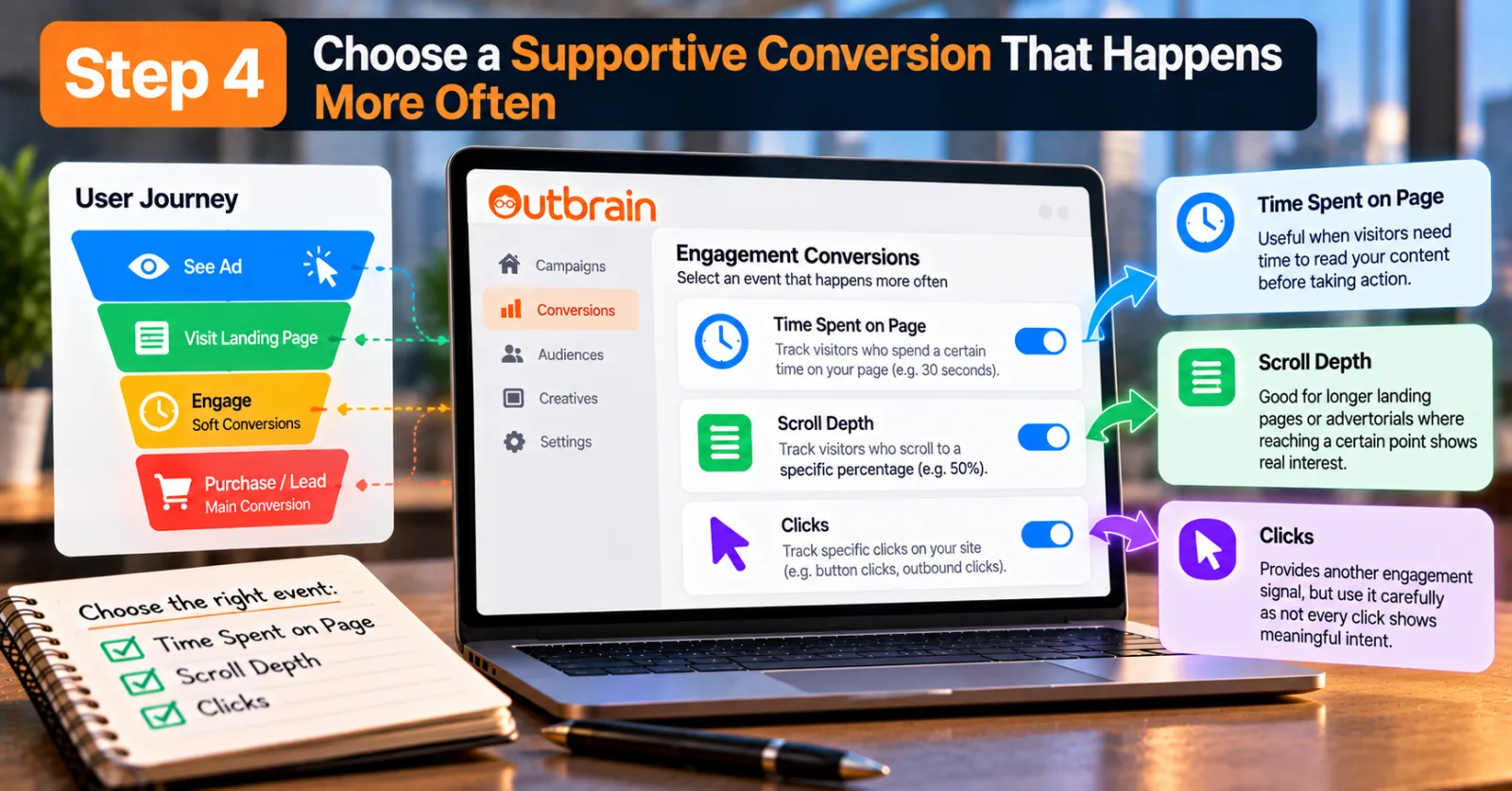
Step 4: Choose a Supportive Conversion That Happens More Often
Now look for an event that happens earlier in the funnel and occurs often enough to provide useful data. Outbrain's default Engagement Conversions include Time Spent on Page, Scroll Depth and Clicks.
Time Spent on Page can be useful when your landing page contains information that visitors need time to read before taking the final action. Scroll Depth can make sense for longer landing pages or advertorials where reaching a certain point suggests that the visitor actually consumed part of the content. Clicks can provide another engagement signal, although they should be used carefully because not every click represents meaningful intent.
Outbrain says these engagement events can be configured based on the campaign's needs. For example, an advertiser can define a particular time-spent threshold or scroll-depth percentage. The best event depends on the funnel. A 30-second visit might be meaningful for one landing page but almost useless for another.
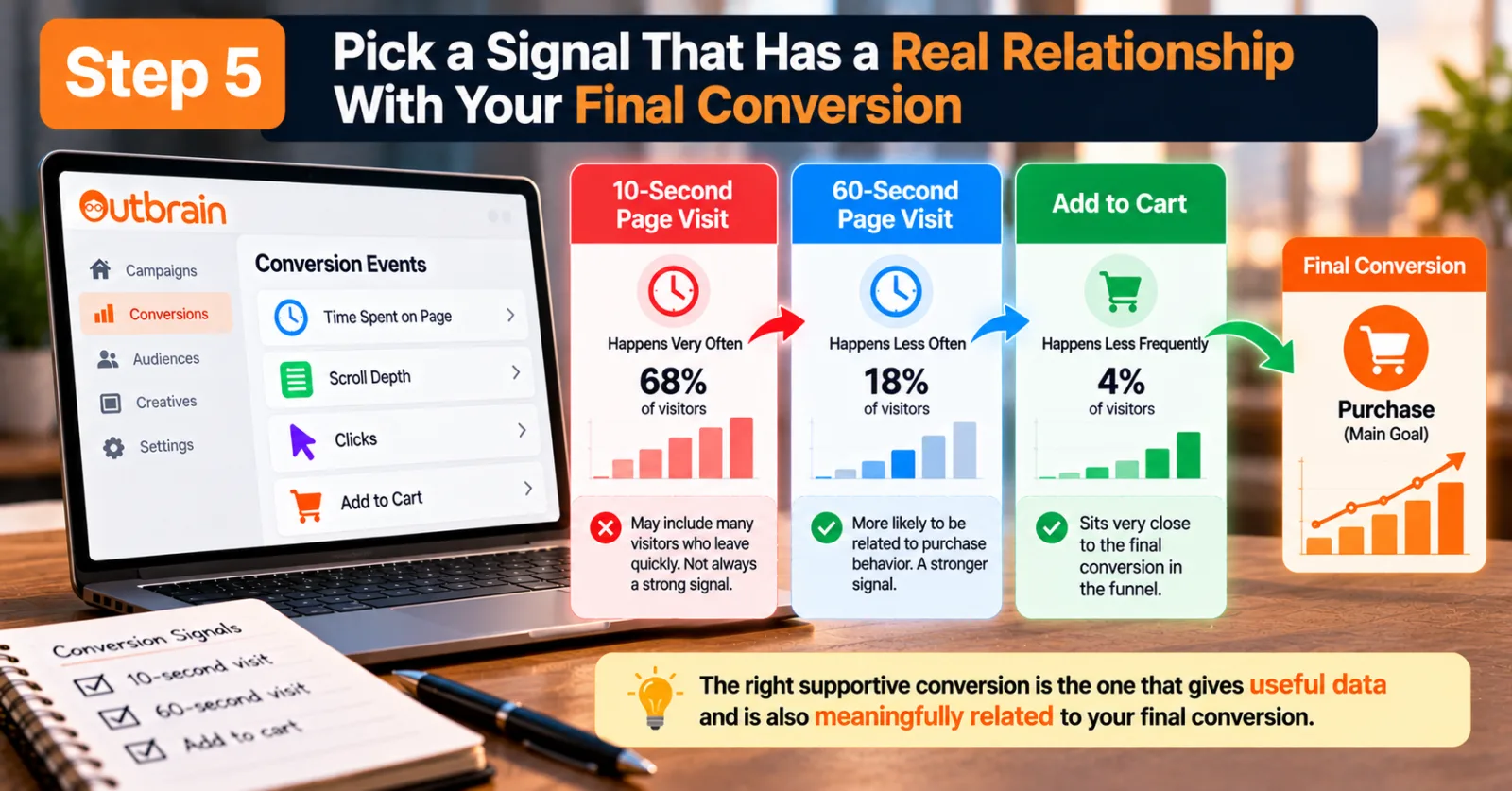
Step 5: Pick A Signal That Has A Real Relationship With Your Final Conversion
Suppose you have three possible events: a 10-second page visit, a 60-second page visit and an add-to-cart event. The 10-second event may happen very frequently, but it could include many visitors who leave almost immediately. The 60-second event may happen less often but could be more closely related to purchase behavior. The add-to-cart event might happen even less frequently, but it may sit very close to the purchase in the funnel.
There is no universal answer. The goal is to find an event that is frequent enough to give the algorithm useful information while still being meaningful enough to indicate potential conversion intent. This is also why simply selecting the event with the highest volume is not always the best approach. More data is useful only when the data actually says something useful.
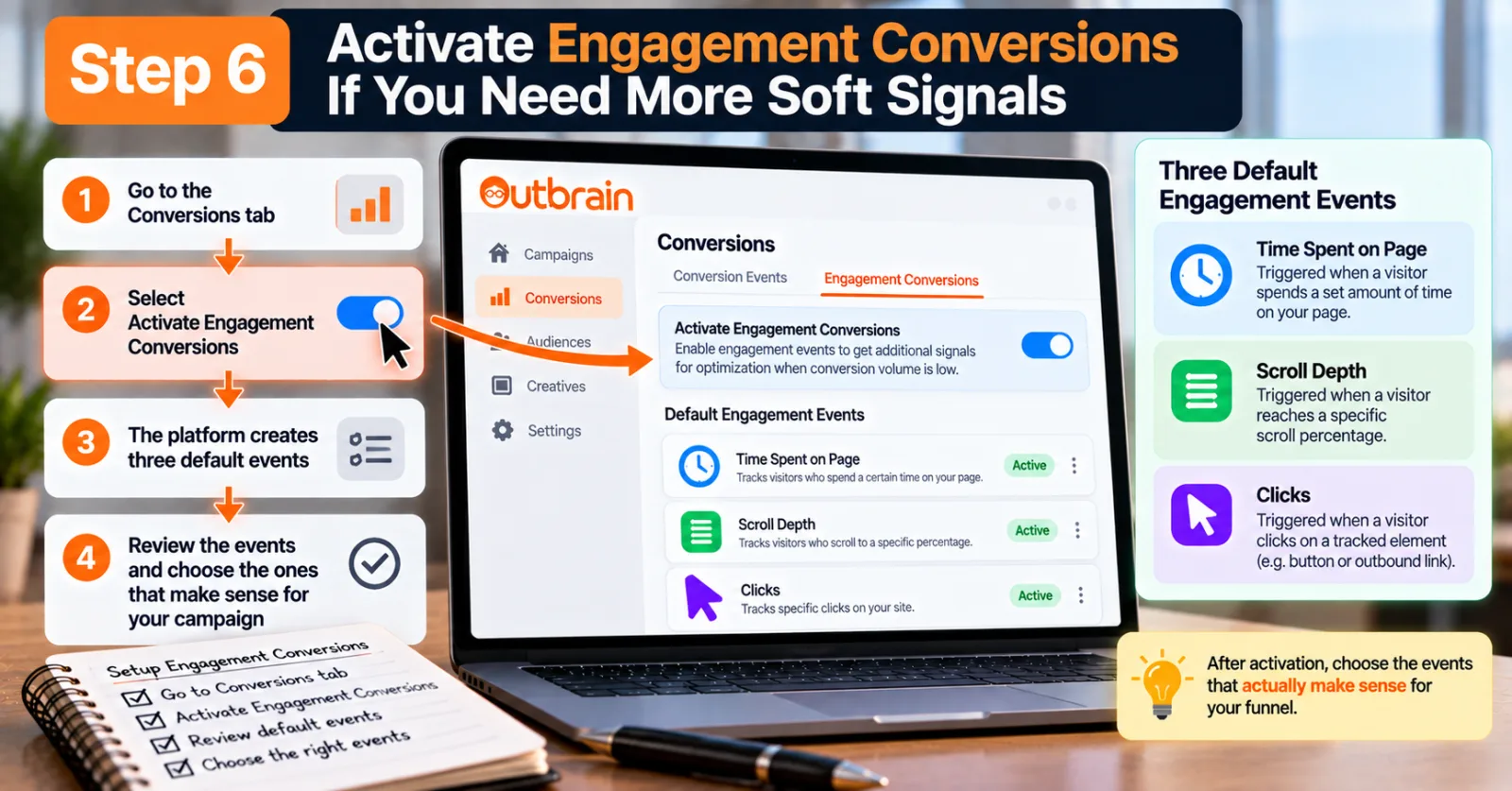
Step 6: Activate Engagement Conversions If You Need More Soft Signals
According to Outbrain's documentation, advertisers can go to the Conversions tab and select “Activate Engagement Conversions.” The platform then creates the three default events: Time Spent on Page, Scroll Depth and Clicks.
Once the Outbrain Pixel is properly implemented, those events can begin triggering. You can then review the available events and decide which ones make sense for your campaign. The important part comes after activation: choosing the events that actually make sense for your funnel.
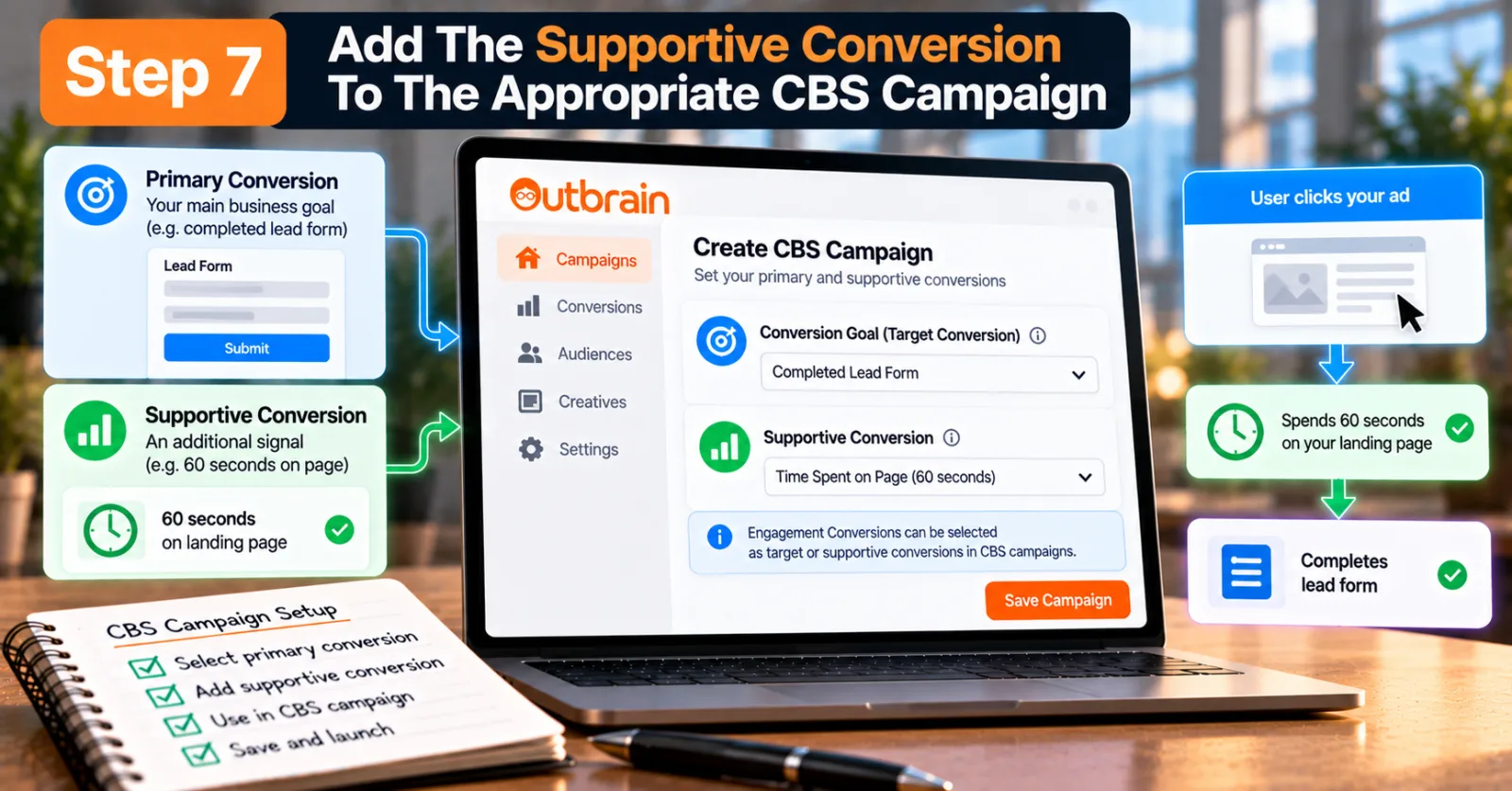
Step 7: Add The Supportive Conversion To The Appropriate CBS Campaign
Once the conversion event is available and producing data, you can use it within your Conversion Bid Strategy campaign as a supportive conversion. Outbrain specifically says its Engagement Conversions can be selected as either target conversions or supportive conversions in CBS campaigns.
For a campaign that is already optimized toward a lower-funnel event but does not receive enough of those events, the supportive conversion can provide an additional signal.
For example: Primary conversion: Completed lead form. Supportive conversion: 60 seconds on landing page. The system can then receive more information from users who show meaningful engagement even when they do not complete the form. The exact event should depend on your own funnel and data rather than copying another advertiser's setup.
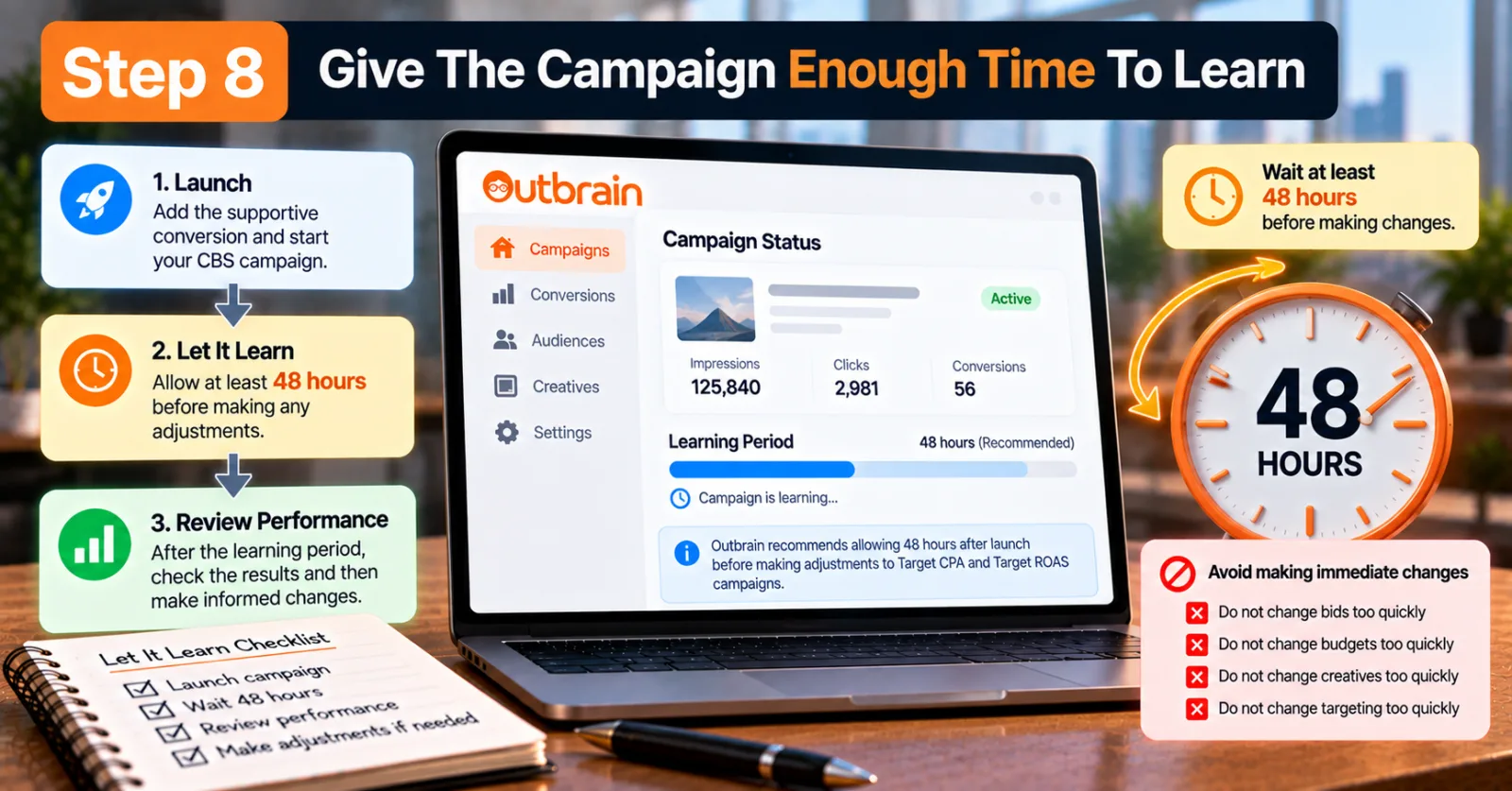
Step 8: Give The Campaign Enough Time To Learn
One of the easiest mistakes is making changes too quickly. If you add a supportive conversion today and start changing bids, budgets, creatives and targeting tomorrow, you may never know what actually affected the campaign.
Outbrain recommends allowing time before making adjustments to Target CPA and Target ROAS campaigns. Its current CBS guidance says advertisers should allow 48 hours after launch before making adjustments and should use reachable CPA or ROAS goals.
The exact amount of time needed can vary by campaign volume, but the broader lesson is simple: do not judge a new optimization setup after only a handful of impressions or conversions. Let the campaign collect enough information to make the comparison meaningful.
Step 9: Watch The Final Conversion, Not Just The Supportive Event
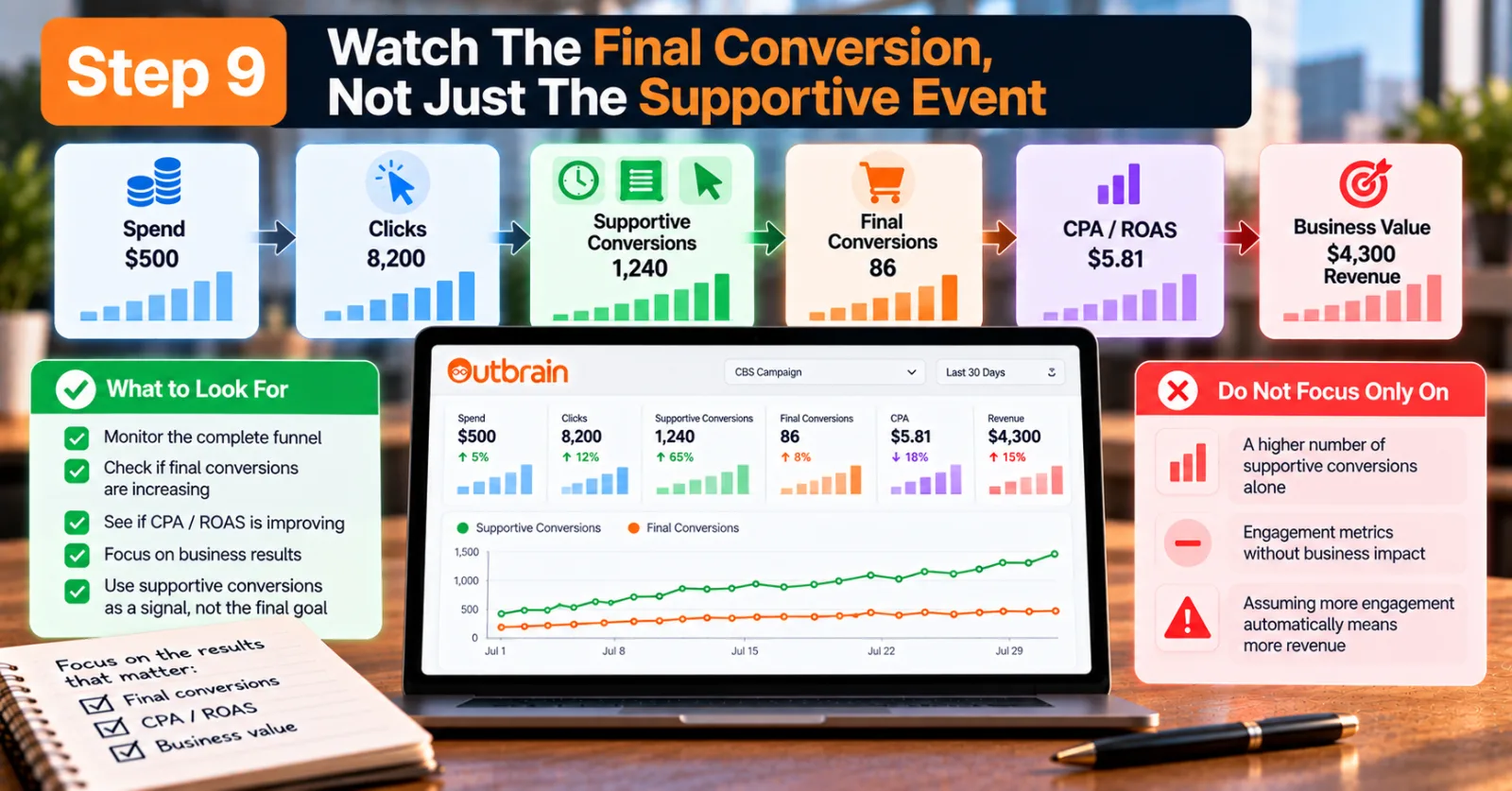
This is probably the most important reporting rule in the entire process. A supportive conversion can increase in volume while your actual business results remain unchanged.
For example, imagine that after adding a time-on-page event, the campaign records many more supportive conversions. That sounds positive. But if completed purchases remain flat and CPA does not improve, the extra engagement is not necessarily creating more business value.
This is why you should monitor the complete funnel: Spend → Clicks → Supportive Conversions → Final Conversions → CPA/ROAS → Business Value. The supportive conversion is a signal. The final conversion is still the result that matters to the business.
Step 10: Review Whether The Supportive Conversion Is Actually Useful
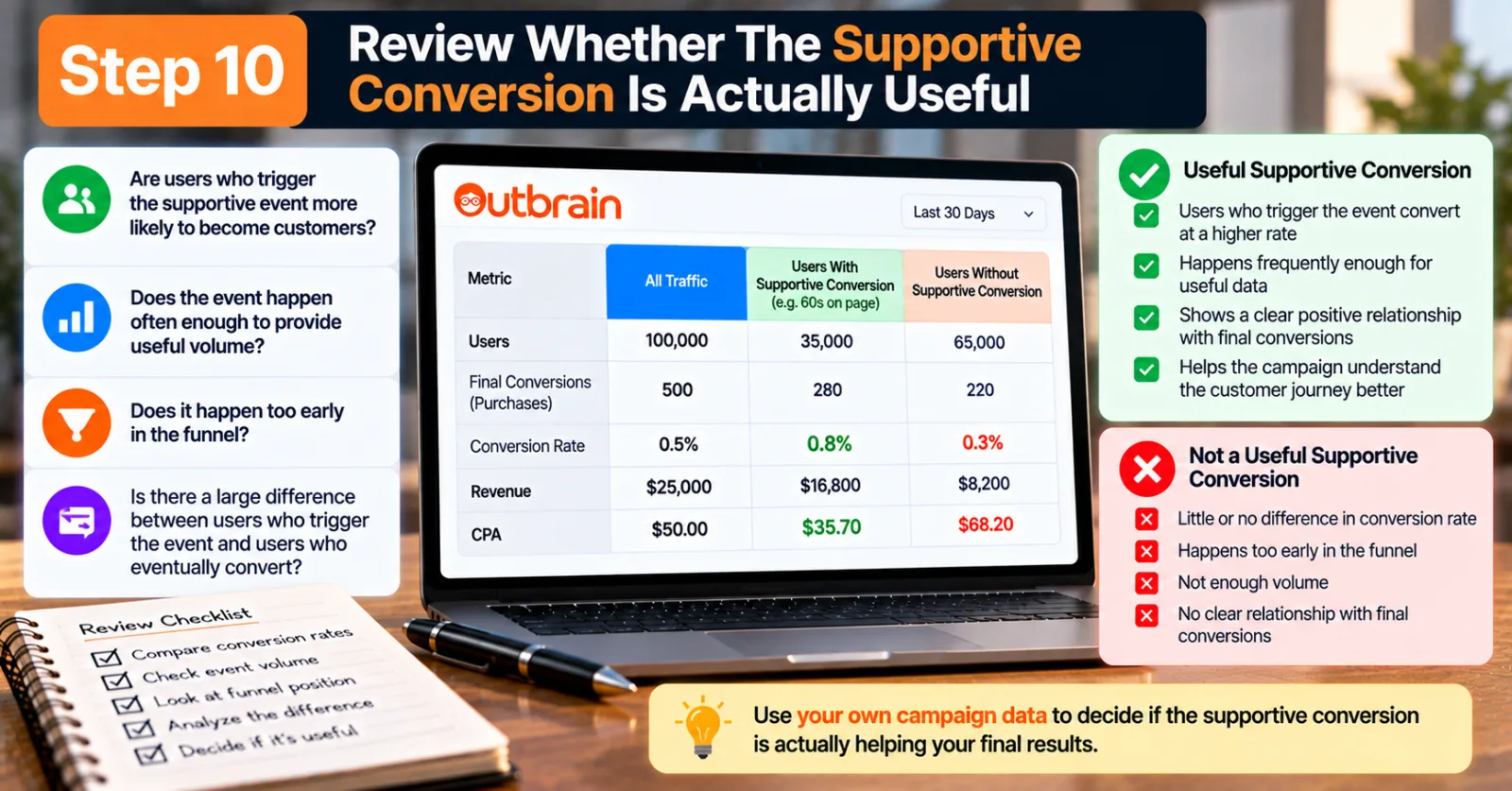
After the campaign has collected enough data, compare the traffic associated with the supportive event against your final conversion data. Ask yourself: Are users who trigger the supportive event more likely to become customers? Does the event happen often enough to provide useful volume? Does it happen too early in the funnel? Is there a large difference between users who trigger the event and users who eventually convert?
If the answer to these questions is mostly positive, the supportive signal may be helping the campaign understand the customer journey better. If the event has little relationship with the final conversion, it may not be a useful optimization signal. This is where your own campaign data becomes more valuable than a generic recommendation.
When Should You Use Outbrain Supportive Conversions?
Supportive Conversions make the most sense when your campaign has a genuine data-volume problem. A new campaign may not have enough purchases or leads yet. A high-consideration product may naturally have a long path to conversion. A campaign promoting a high-ticket service may receive plenty of traffic but relatively few final actions.
These are situations where additional funnel signals can be useful. Outbrain has also discussed the broader concept of using soft engagement signals to create a faster feedback loop when macro-conversions are limited.
However, this does not mean every campaign needs supportive signals. If your campaign already generates plenty of reliable final conversions, adding several additional events may create unnecessary complexity. The first question should always be: Does the campaign need more useful conversion information? If the answer is yes, then supportive conversions are worth testing.
What If Your Campaign Still Has Low Conversions?
Supportive Conversions are not a replacement for fixing a weak campaign. If you add a soft conversion and the final conversion volume still does not improve, look at the rest of the funnel.
Your creative may attract clicks from the wrong audience. Your headline may promise something that the landing page does not deliver. Your landing page may load slowly or make the offer difficult to understand. Your CPA target may be too aggressive. Your budget may be too limited. Or the offer itself may simply not be competitive.
Outbrain's current CBS guidance warns that unrealistic Target CPA or Target ROAS goals can restrict delivery. The platform recommends reachable goals and notes that setting a CPA target too low can cause the system to miss traffic that could potentially convert.
So, if supportive conversions are not helping, do not keep adding more events. Go back through the campaign from the beginning.
Outbrain Supportive Conversions vs. Simply Tracking More Conversions
There is a small but important difference between tracking more events and using those events intelligently. You can track dozens of actions on a website. That does not mean all of them should be used for campaign optimization.
For example, tracking page view, 10-second visit, 30-second visit, 60-second visit, scroll, button click, form start and form submit can give you a very detailed picture of the customer journey. But if you use every event without understanding what each one means, the data can become noisy.
The better approach is to identify the few events that provide a meaningful signal about progress toward the final goal. This is also consistent with Outbrain's broader approach to Engagement Conversions, where the platform provides a small set of configurable default events rather than asking advertisers to create endless micro-conversions.
Final Thoughts
Outbrain Supportive Conversions are useful because they address a very common problem in conversion-based advertising: the campaign's final conversion may happen too rarely to give the optimization system enough feedback.
Instead of ignoring everything that happens before the final conversion, advertisers can use meaningful engagement events as additional signals. The important word here is meaningful.
A supportive conversion should not be selected just because it produces a lot of numbers. It should have some reasonable connection to the customer journey and happen frequently enough to provide useful information.
Start by checking your tracking. Then identify your actual business conversion. After that, choose an earlier event that shows genuine engagement, add it as a supportive signal where appropriate, and give the campaign enough time to collect data.
Most importantly, keep watching the final business outcome. A campaign that produces more page engagement but no additional leads or sales has not necessarily improved. The purpose of Supportive Conversions is to give Outbrain more useful information while it works toward the real campaign objective.
For advertisers already working with native traffic, this can be a practical way to deal with the early stages of a low-volume conversion campaign without abandoning the lower-funnel goal.
If you are comparing Outbrain with other native platforms, AdScaleLab's Taboola vs Outbrain comparison can help you look at differences in bidding, targeting, publisher reach and campaign controls. You can also explore the Outbrain network page for more information about running Outbrain campaigns.
Agency ad accounts, without the wait.
Buy and top up Google, Meta, native, and more from one dashboard.
Get started
No comments yet. Be the first to comment.
Comments are open to registered AdScaleLab clients.
Sign in to comment