





Taboola Search Keyword Targeting Bundles How To Use Them
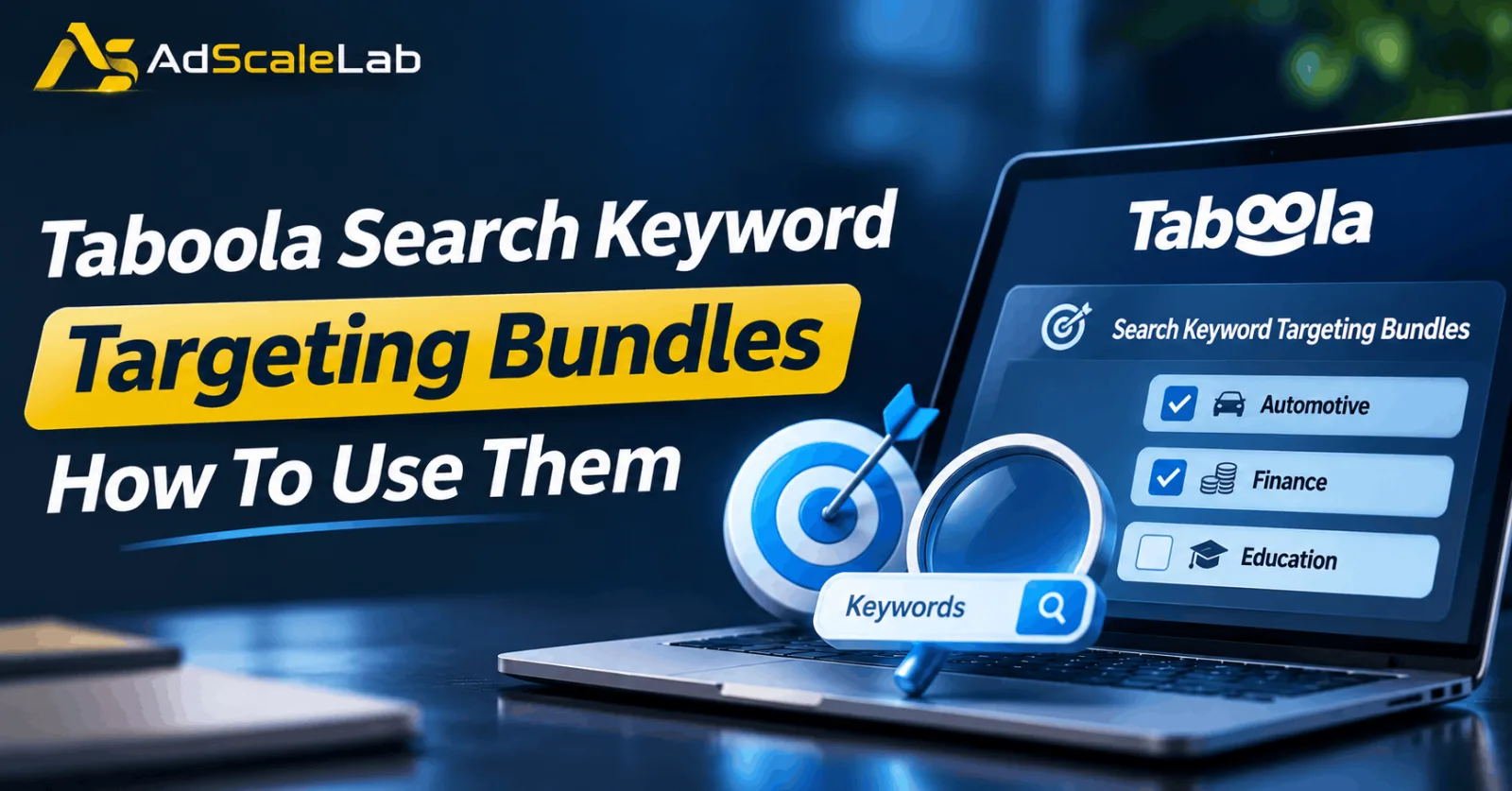
When running a Taboola campaign, Taboola Search Keyword Targeting Bundles can help advertisers reach people who have already shown interest in specific topics, products, or services. Finding the right audience is not always easy. You might have a good ad creative and a landing page that looks convincing, but that does not mean every person who clicks your ad is going to become a customer. Sometimes the problem is simply that your campaign is reaching people who are not interested in what you are offering.
Taboola has a feature called Search Keyword Targeting Bundles in its Realize advertising platform. It gives advertisers another way to reach people based on the search keywords they interact with. Instead of trying to build every audience segment manually, advertisers can choose from ready-made bundles that cover different industries and interests. For example, someone promoting an insurance service might be interested in an audience related to car insurance, while an online education company could explore audiences connected to learning and training.
In this guide, we will look at how Taboola Search Keyword Targeting Bundles work, how to find them inside Realize, and how advertisers can use them when setting up or improving their campaigns. We will also cover a few things worth checking before adding these audiences to a live campaign.
What Are Taboola Search Keyword Targeting Bundles?
In simple terms, Taboola Search Keyword Targeting Bundles are pre-built audience groups based on users' search keyword interactions. These groups help advertisers find people who have shown interest in particular subjects, products, or services. Taboola organizes these bundles into different industry categories. Its official documentation gives examples from Automotive, Finance, and Education. Get Taboola ads agency account here

Let's take a simple example. Imagine you are advertising a car insurance comparison website. Reaching people who have shown interest in car insurance or vehicle registration could be more relevant than reaching a completely unrelated audience. The same idea applies to other industries. An advertiser promoting an investment education course might want to explore finance-related bundles, while a company selling online training programs could look at education-related audiences.
The useful part is that advertisers do not have to start by creating every audience group themselves. They can explore the available bundles through the Realize Marketplace and select the ones that match their campaign. One thing worth clearing up is that this feature is not the same as bidding on keywords in Google Search Ads. You are not choosing search terms to make your ads appear on a search results page. You are using pre-built audience groups based on search keyword interactions.
Why Should Advertisers Try Taboola Search Keyword Targeting Bundles?
Not every person who visits a website has the same level of interest in a product. Someone casually reading an article about personal finance may have a different level of interest from someone actively exploring investment-related topics. This is one reason advertisers look for additional audience signals when planning campaigns.
Taboola Search Keyword Targeting Bundles give advertisers another option when deciding who should see their ads. They can help make audience selection more relevant, especially when the selected category closely matches the offer. There is also a practical advantage. Instead of spending time building several audience groups from individual keywords, advertisers can explore the bundles already available in Realize. For agencies managing campaigns across different industries, this can make audience testing easier to organize. One campaign might use an automotive-related bundle, while another might test a finance-related audience.
However, choosing a more specific audience does not automatically mean you will get more conversions. A smaller audience can also mean fewer available impressions. The real question is whether the people reached by that audience are taking the actions you want.
How To Use Taboola Search Keyword Targeting Bundles In Realize
If you want to try this feature, you can follow the steps below. The process is based on Taboola's official instructions, although the exact dashboard layout and available options may differ between accounts.
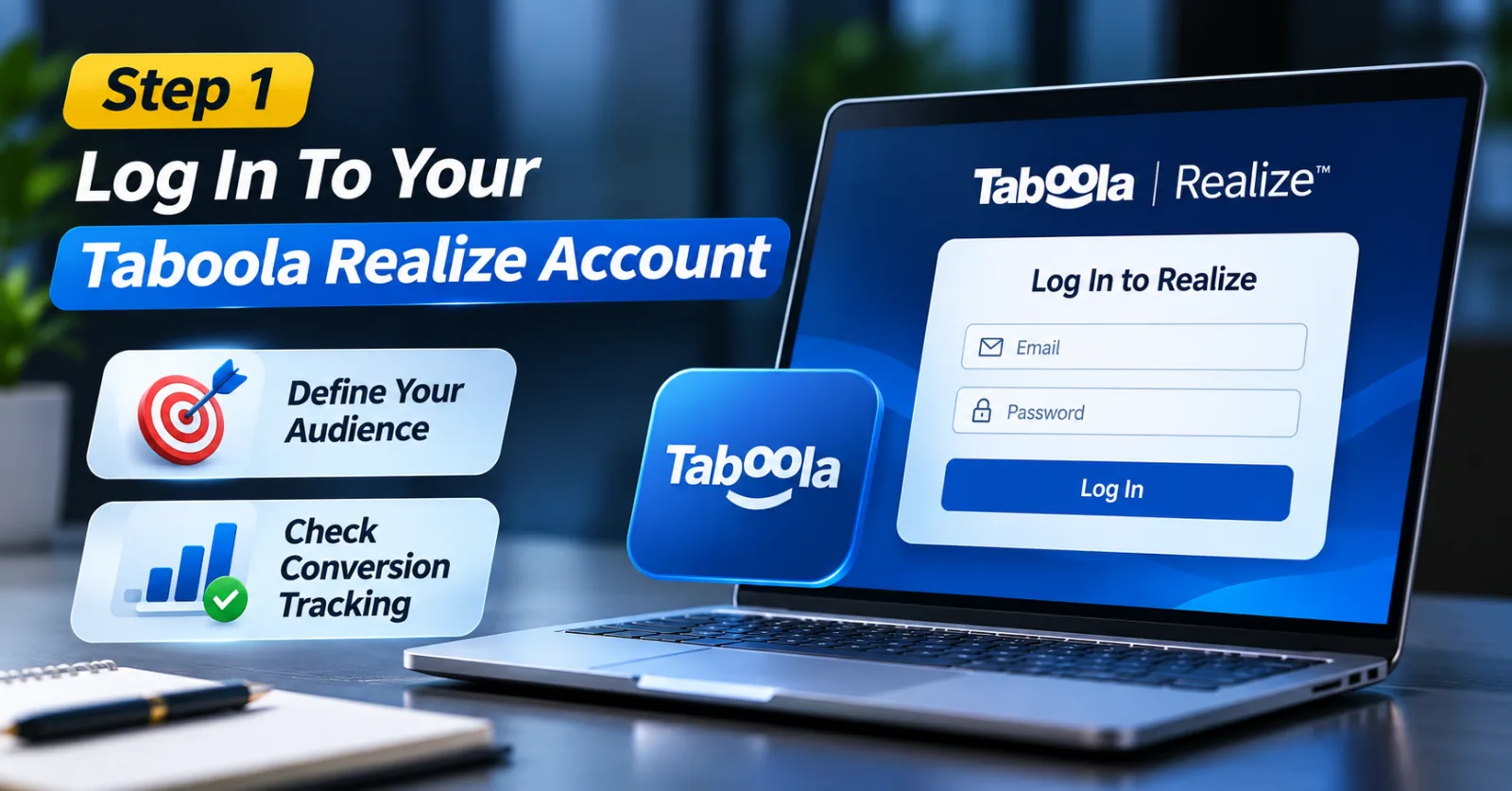
Step 1: Log In To Your Taboola Realize Account
First, open your Taboola Realize advertiser dashboard and sign in to the account where you want to run the campaign. Before doing anything else, think about what you are advertising and who you want to reach. For example, a company promoting car insurance will have a different audience from a business selling an online marketing course.
It is also worth checking your conversion tracking before launching a new campaign. If you are trying to generate leads or sales, you need to know whether those actions are being recorded correctly.
Without proper tracking, you might receive clicks and impressions but still have no clear idea about which audience is bringing useful results. If you are still working on your tracking setup, you can explore our Taboola advertising resources before moving ahead.
Step 2: Go To The Marketplace And Start A New Campaign
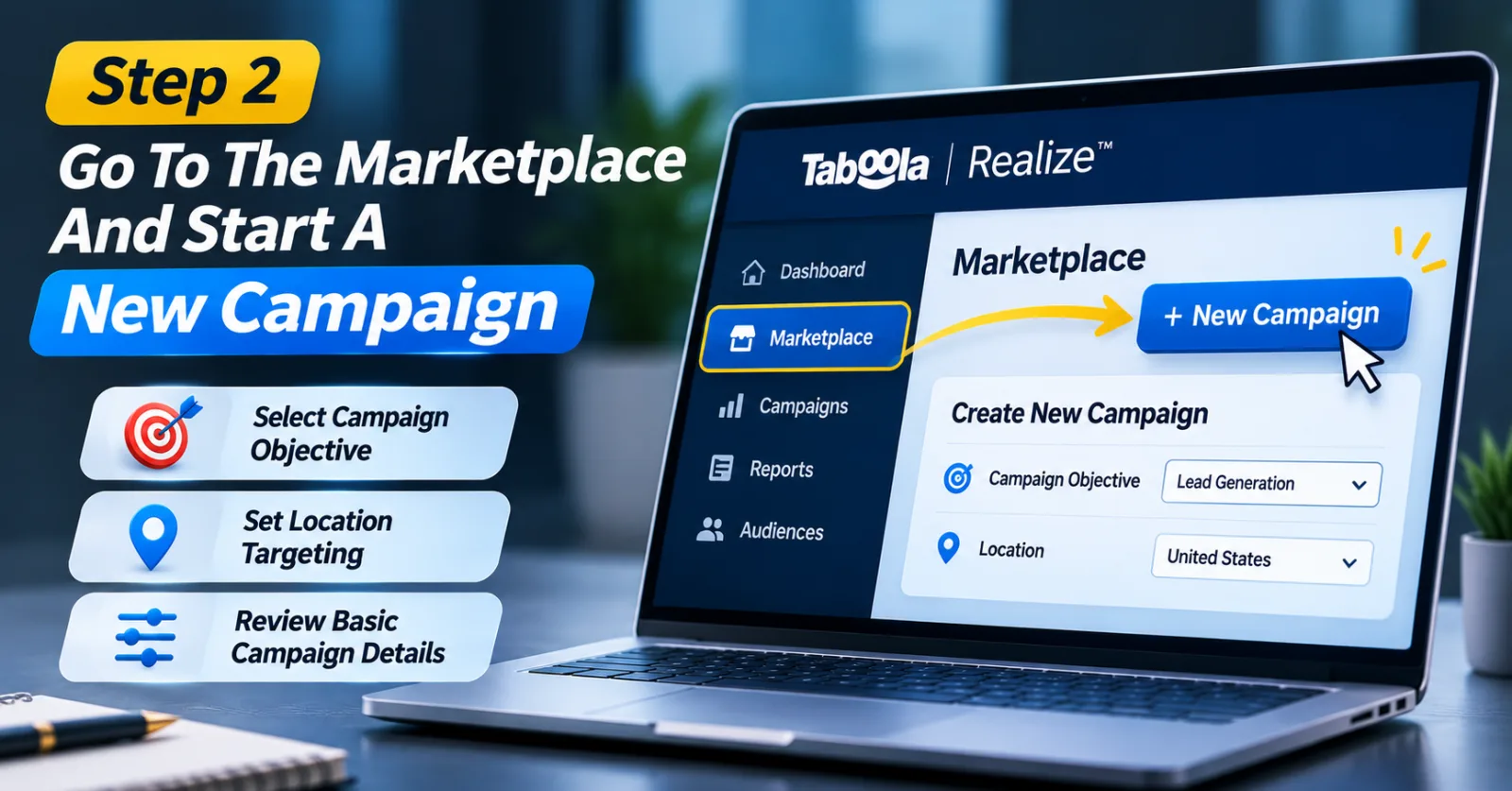
Once you are inside Realize, navigate to the Marketplace and select the New Campaign option, following the workflow described in Taboola's Search Keyword Targeting documentation. You will then be taken through the campaign creation process.
At this stage, enter the basic campaign details and select the objective that matches your advertising goal. For example, if you want people to submit a contact form, your campaign should be planned around lead generation.
There is no need to rush through the settings. Take a little time to check the campaign objective, location, and other basic requirements before moving to audience selection. This will make it easier to understand the results later, especially if you plan to compare different audience bundles.
Step 3: Find The Intent Targeting Section
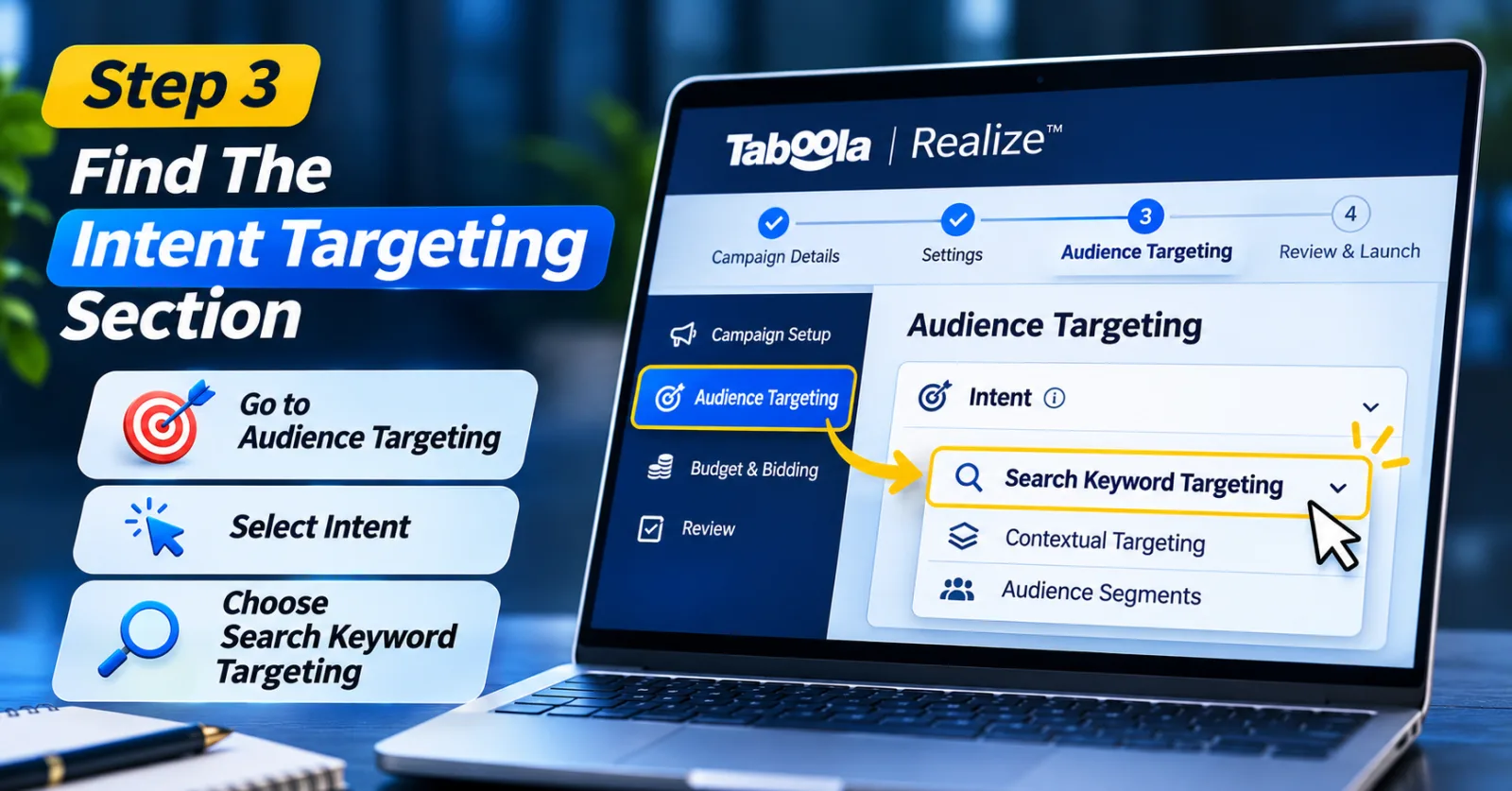
During campaign setup, look for the Audience Targeting section. According to Taboola's published instructions, you can find Search Keyword Targeting by going to Intent and selecting Search Keyword Targeting. This is the section where the available bundles are displayed.
If you have never used this feature before, spend some time looking through the available options. Do not select the first audience you see simply because its name sounds relevant. Think about the people who would actually be interested in your offer. The closer the audience is to your product or service, the better your starting point for testing.
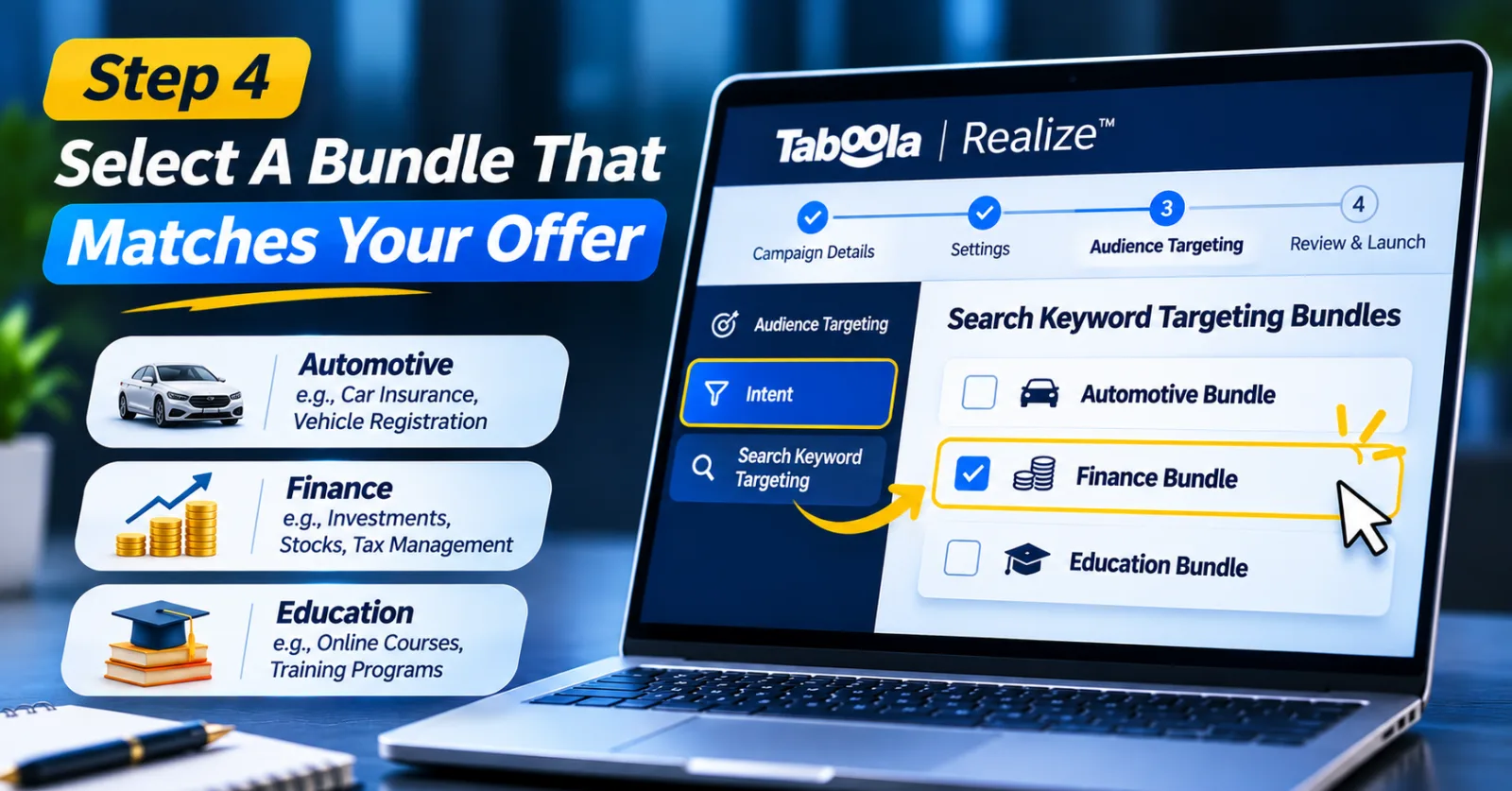
Step 4: Select A Bundle That Matches Your Offer
Now comes the important part: choosing the right audience.
Taboola's documentation gives examples of bundles across Automotive, Finance, and Education. The specific options available to you should be checked directly inside your account. Suppose you are promoting an online investment course. You could explore finance-related bundles connected to subjects such as investments, stocks, or tax management.
If your business is related to the automotive industry, bundles connected to car insurance or vehicle registration may be worth exploring. The main thing is to connect the audience with what you are actually selling. For instance, choosing a finance-related bundle for an online cooking course would not make much sense just because the category is available.
Also, remember that the audience name alone does not tell you exactly how every individual user will behave. Treat the bundle as a way to find potentially relevant users, not as a promise that everyone in it is ready to purchase.
Step 5: Add The Selected Bundle To Your Campaign
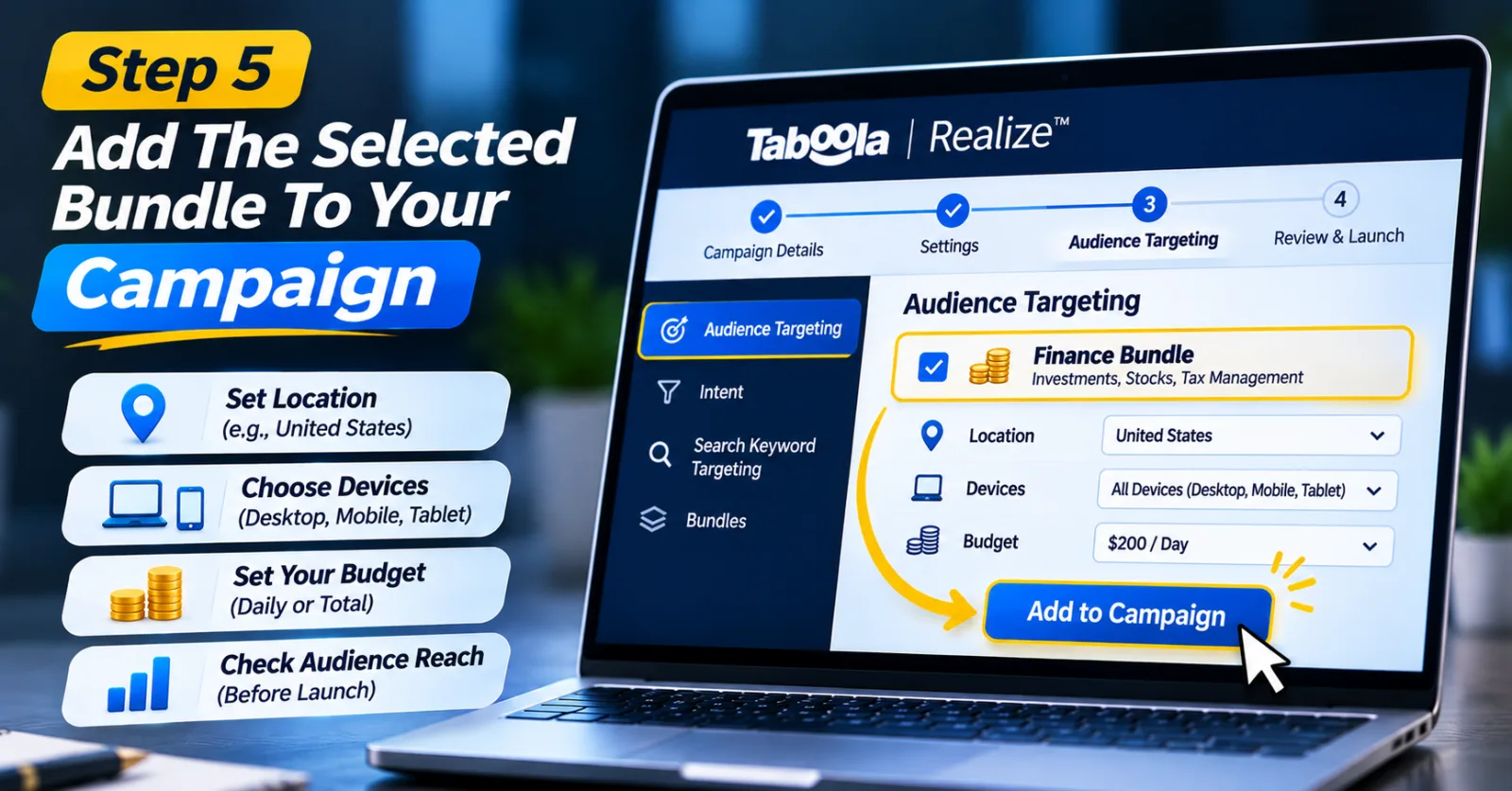
After finding a suitable bundle, select it and add it to your campaign targeting. Once you have done that, go through the other campaign settings again. Check the location, device targeting, budget, and other restrictions to make sure everything matches your plan.
For example, if you are advertising a service available only in the United States, your location settings should reflect that.
You should also pay attention to audience reach if an estimate is available in your dashboard. Adding too many restrictions can make your audience very small, which may affect how easily the campaign spends its budget. If you already have a campaign running with broader targeting, it may be better to test the new bundle separately rather than changing the original campaign immediately. That way, you have a clearer way to compare the two approaches.
Step 6: Keep Your Audience Tests Organized
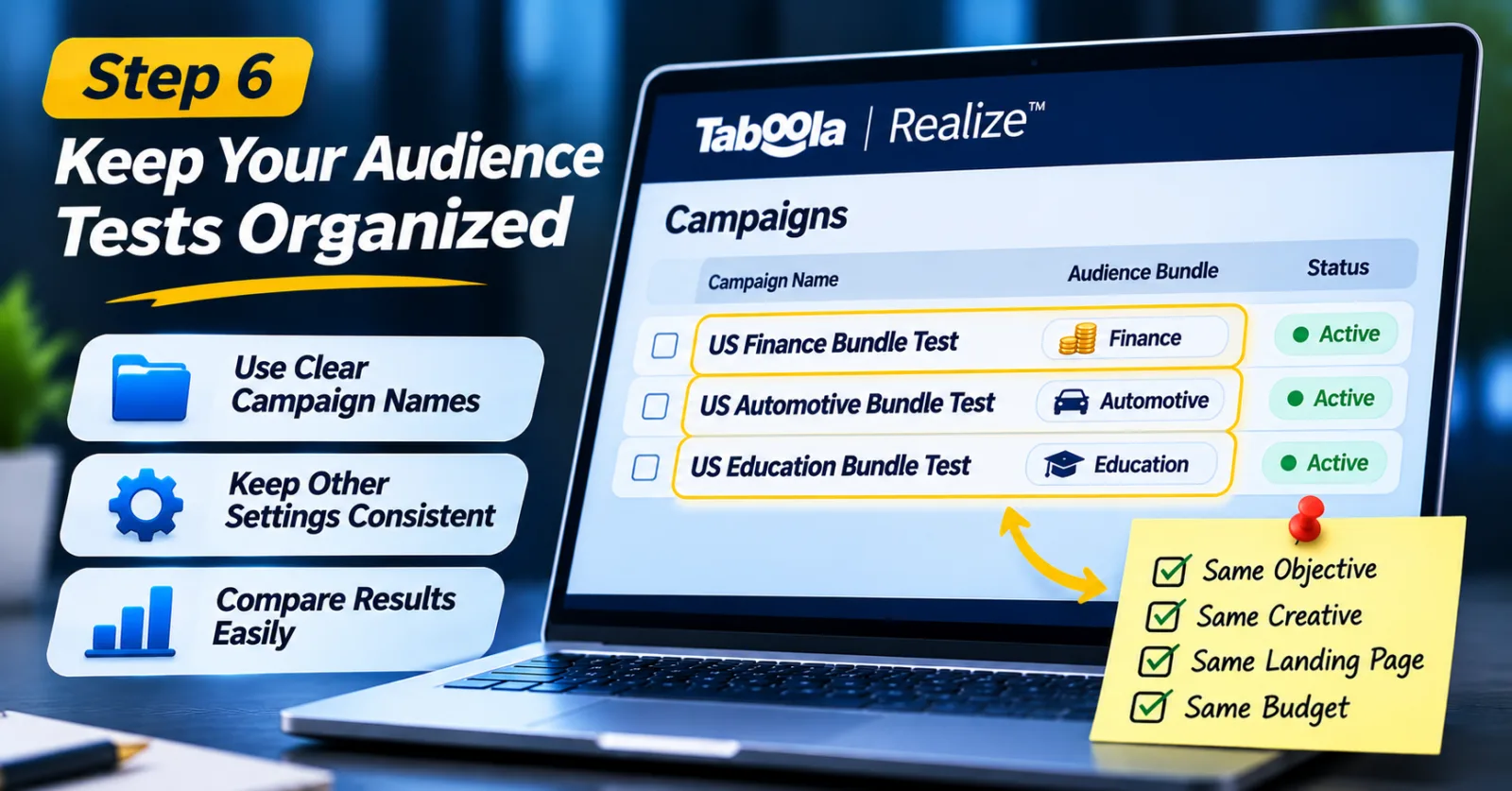
If you plan to test more than one Search Keyword Targeting Bundle, try to keep the campaign structure simple. For example, you could use campaign names such as US Finance Bundle Test, US Automotive Bundle Test, and US Education Bundle Test. These names are only examples, but they make it easier to understand what each campaign is testing.
Another useful approach is to avoid changing too many things at once. If you change the audience, creative, landing page, and budget at the same time, it becomes difficult to understand why the results have changed. Try to keep the other campaign settings reasonably consistent when comparing different bundles.
This is particularly useful for agencies that manage several advertisers or campaigns at the same time. A clear structure saves time when checking reports and discussing results with clients.
Step 7: Check Which Audience Is Bringing Better Results
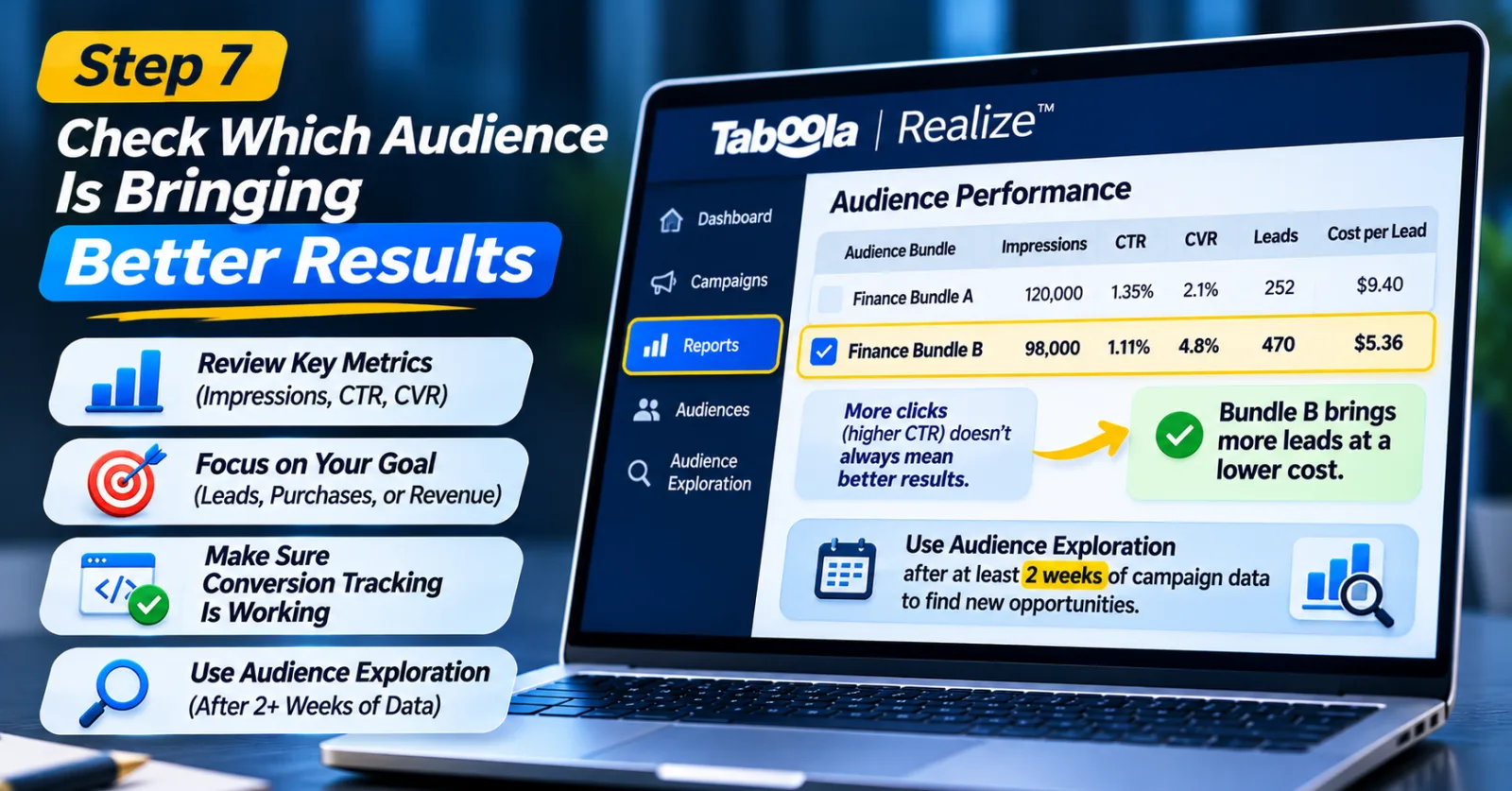
Once your campaign starts receiving traffic, do not focus only on how many clicks it is getting. Open the reporting section in Realize and look at the available audience performance data. Taboola provides audience reporting features that can help advertisers review metrics such as impressions, click-through rate (CTR), and conversion rate (CVR).
For example, imagine you are testing two finance-related audience bundles. The first one receives more clicks, but the second one brings more completed lead forms.
In that situation, choosing the first audience simply because it has a higher CTR might be the wrong decision. Look at the actual goal of your campaign. If you are running lead generation, check completed leads and cost per lead. If you are promoting an online store, look at purchases and revenue.
Also, make sure your conversion events are working correctly. Incorrect tracking can make a good audience look unsuccessful or make poor traffic look better than it really is. Taboola also provides an Audience Exploration report to help advertisers discover additional audience segments. Its official guidance recommends having at least two weeks of campaign spending history before using this report to identify useful opportunities.
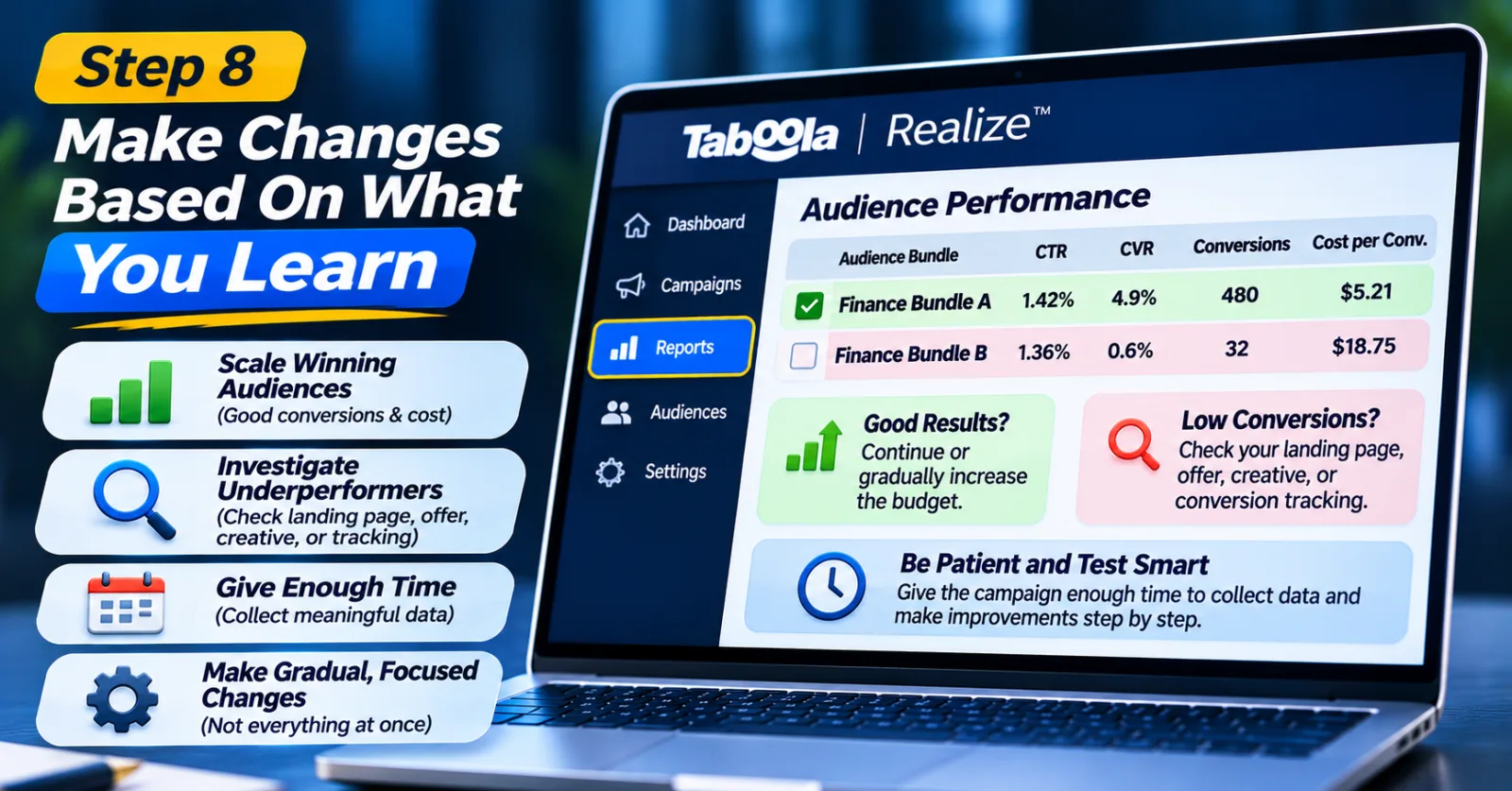
Step 8: Make Changes Based On What You Learn
After collecting enough data, you will have a better idea of which bundles deserve further testing. If an audience is bringing relevant visitors and conversions at an acceptable cost, you can consider continuing the campaign or gradually increasing its budget.
If another audience is receiving clicks but very few conversions, take a closer look before switching it off. The issue could be related to the landing page, offer, creative, or even the conversion tracking setup. You should not assume that every weak result is caused by the audience itself.
It is also a good idea to avoid making major changes every few hours. Give the campaign enough time to collect useful data, keeping in mind that the amount of time needed depends on its budget, traffic, and conversion volume. The goal is to understand what is working and make improvements without changing everything at once.
A Few Things To Remember Before Using These Bundles
There are a few mistakes worth avoiding when testing Taboola Search Keyword Targeting Bundles. The first is choosing an audience that does not match your offer. A bundle might belong to the right industry but still be too broad for the product you are promoting.
Another mistake is adding too many targeting restrictions. Advertisers sometimes try to make their audience as specific as possible, but this can reduce reach and limit campaign delivery. You should also avoid judging performance only by CTR. A large number of clicks does not necessarily mean that people are interested in completing a purchase or submitting a lead form.
Finally, do not forget about your landing page. Even if the audience is relevant, a confusing page, slow loading time, or unclear offer can stop visitors from converting. Good audience targeting and a good landing page need to work together.
Final Thoughts
Finding the right audience is not always easy, especially when you are managing campaigns across different industries. Sometimes broad targeting brings useful traffic, while in other cases a more specific audience can give you a better starting point. Taboola Search Keyword Targeting Bundles give advertisers another option to explore. They make it possible to select pre-built audience groups based on search keyword interactions instead of building every audience segment manually.
Still, the feature should not be treated as a shortcut to guaranteed results. You need to choose a bundle that fits your offer, check whether your tracking is working, and give the campaign enough time to produce useful information.
If you are already advertising through Taboola Realize, it is worth exploring the available bundles and testing whether they make sense for your next campaign. The results will tell you much more than simply choosing an audience because its category looks relevant.
Agency ad accounts, without the wait.
Buy and top up Google, Meta, native, and more from one dashboard.
Get started
No comments yet. Be the first to comment.
Comments are open to registered AdScaleLab clients.
Sign in to comment