





How To Diagnose High CPC In MediaGo Advertising Campaigns
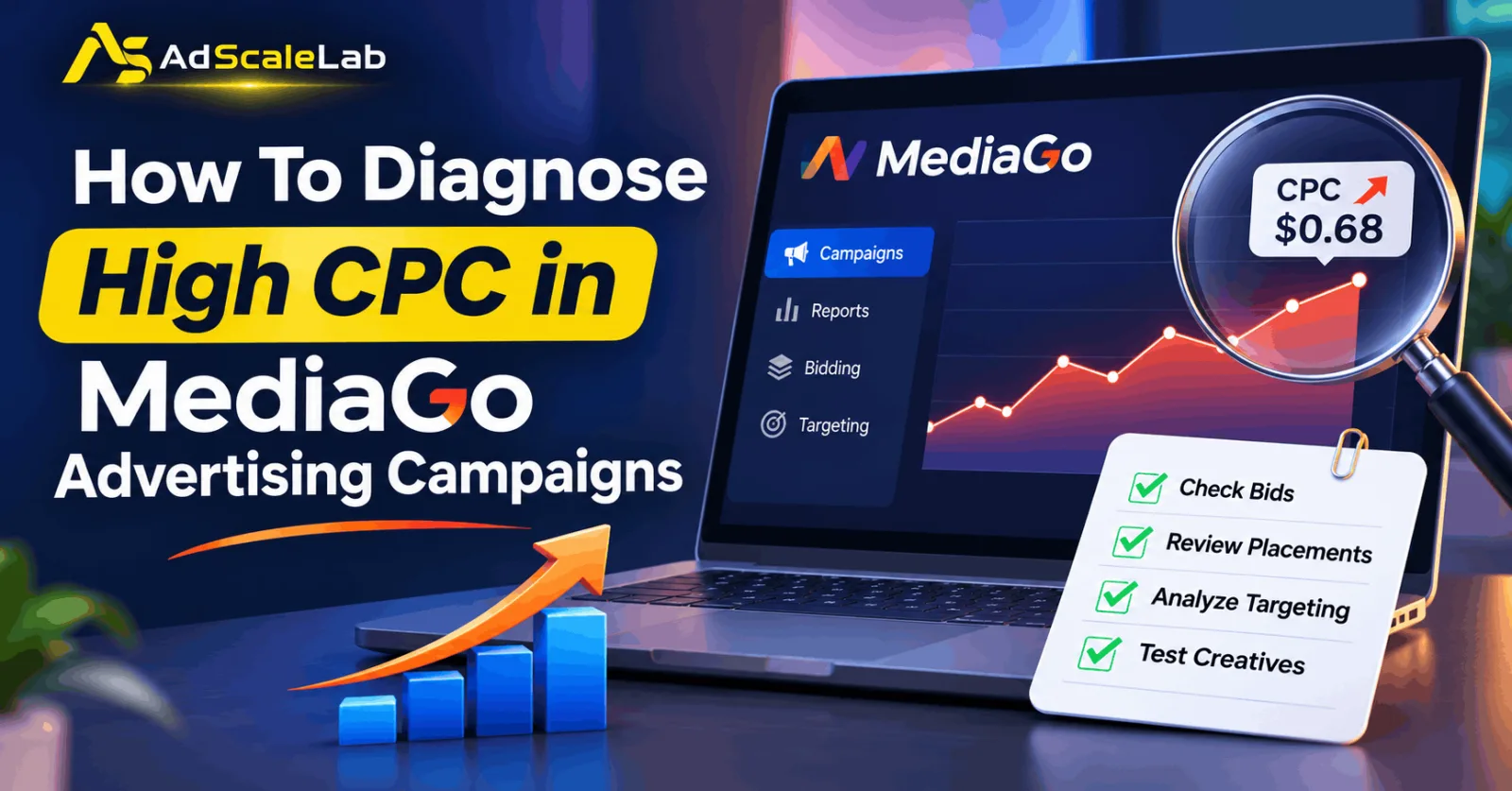
High CPC in MediaGo Advertising Campaigns can become a serious problem when the cost of getting clicks keeps increasing. You may start with a reasonable CPC and see good results, but after some time, the same budget may bring fewer visitors than before. Even worse, your campaign may continue spending money without generating enough leads or sales. When this happens, many advertisers immediately think about lowering their bids. But that is not always the right solution. A high CPC can be caused by several things, including bidding settings, competition, publisher placements, audience targeting, or even the advertisement itself. Before making any changes, it is important to find out what is actually increasing your campaign costs.
Before making any changes, it is important to understand what has actually gone wrong. High CPC in MediaGo Advertising Campaigns does not always mean that the platform is charging too much. Sometimes, the campaign is simply receiving more expensive traffic than it did before. Get Mediago ads agency account here

MediaGo uses CPC-based advertising and offers automated bidding technology such as SmartBid. Its official platform information explains that bidding decisions can take auction conditions, competing bids, available inventory, and predicted performance into account. This means the cost of a click can change as campaign and market conditions change. In this article, we will look at some common reasons why MediaGo CPC increases and, more importantly, how to find the problem inside your campaign. You will also learn what to check before changing your bids or spending more money.
Why Is Your MediaGo Campaign Getting More Expensive?
Imagine that you were getting clicks at an average cost of $0.35, but now the average CPC has increased to $0.65. Your budget has not changed, and you are still running the same advertisement. Naturally, you would want to know what happened. There is no single answer because several things can affect advertising costs. One possibility is increased competition. If more advertisers are trying to reach the same audience or appear on the same publisher inventory, the cost of winning those opportunities can change. MediaGo's bidding system considers auction-related signals, so the price of traffic may not remain the same throughout a campaign.
Another possibility is that your campaign is receiving traffic from different placements. Some publisher sites may bring clicks at a lower cost, while others may be more expensive. If the campaign starts receiving more traffic from the expensive placements, your average CPC can increase. Your advertisement may also be part of the problem. If people are seeing your ad but are not interested enough to click, the campaign may receive fewer clicks from its impressions. This can affect the relationship between your spending and the number of visitors you receive. The important thing is not to guess. You need to look at the campaign data and find out which part has changed.
How To Diagnose High CPC In MediaGo Advertising Campaigns
Before changing anything, open your MediaGo campaign reports and collect the basic performance numbers. The following steps will help you investigate the problem in a sensible order.
Step 1: Find Out When Your CPC Started Increasing
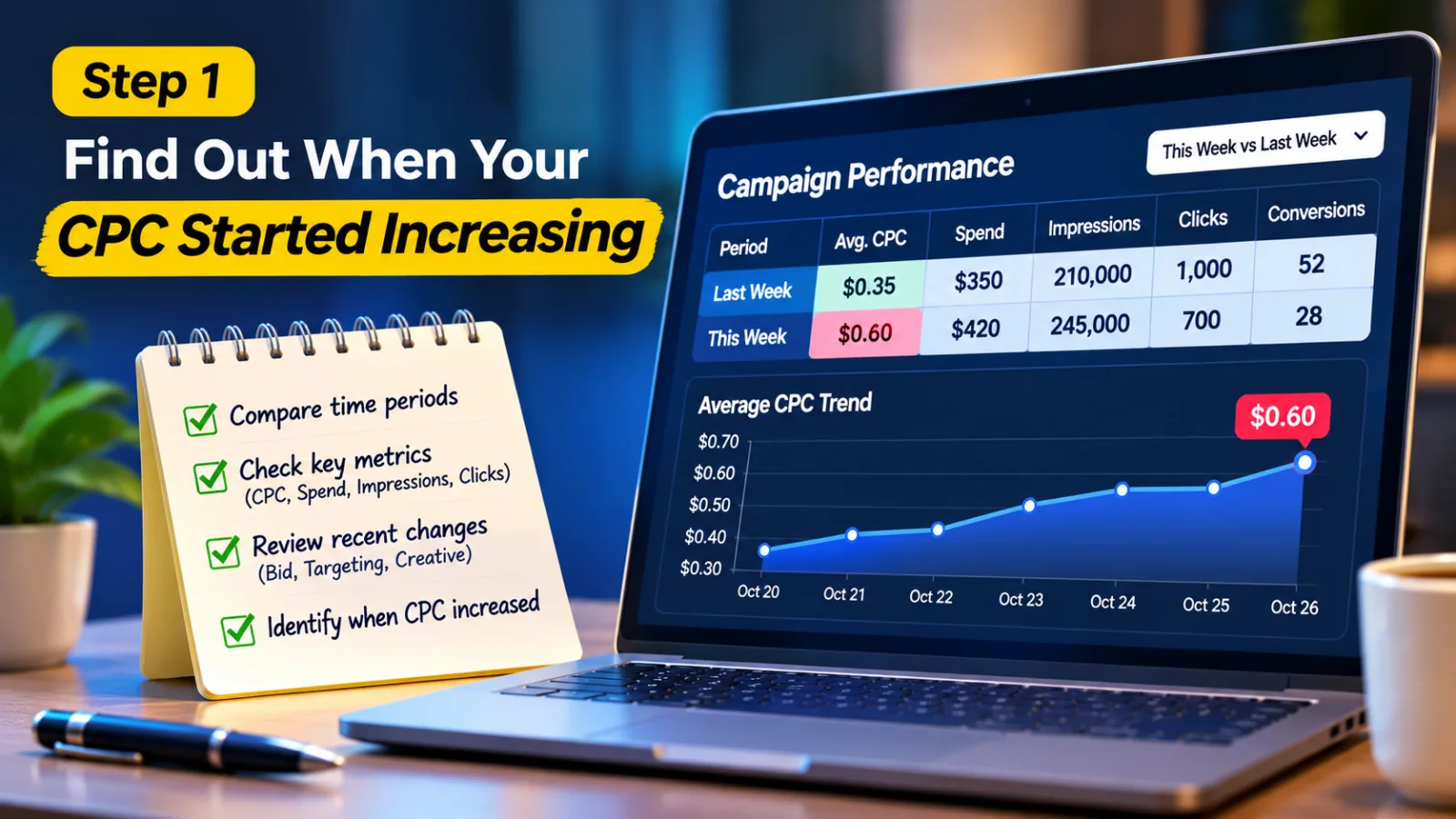
The first thing I would check is whether the CPC has been increasing for several days or whether it suddenly changed. Open your campaign report and compare the current performance with an earlier period when the campaign was doing well. Look at the average CPC, total spending, impressions, clicks, and conversions. Try to compare similar periods so that you are not drawing conclusions from incomplete data.
For example, suppose your campaign was getting clicks at an average CPC of $0.35 last week. This week, the average has reached $0.60. That is a noticeable change, but it does not tell you the reason by itself.
Now check when the increase started. Did it happen after you changed the bid? Did you add new targeting restrictions? Did you upload a different creative? Or did the CPC increase even though you left the campaign settings untouched?
These details matter because they can help you narrow down the possible cause. If the increase started immediately after a campaign change, investigate that change first. If nothing was changed, look more closely at traffic distribution and auction conditions. Do not make a decision based on one expensive day. A small amount of data can make a campaign look worse than it really is.
Step 2: Take Another Look At Your Bidding Settings
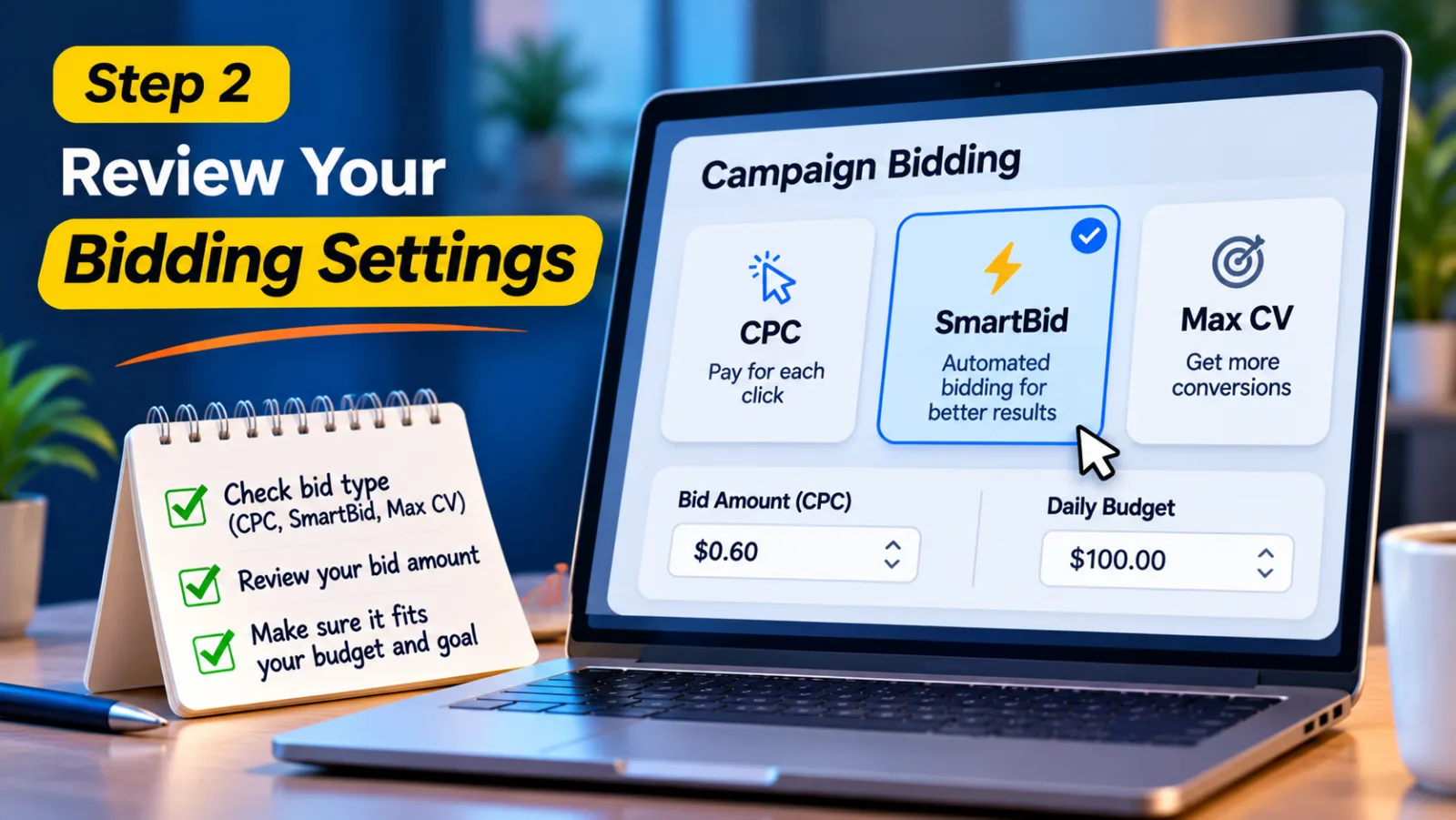
Once you know when the problem started, check how your campaign is bidding. MediaGo provides different bidding options, including CPC, SmartBid, and Max CV, as documented in its campaign API. The option you use can affect how your campaign competes for advertising opportunities.
If you are using a CPC-based bidding strategy, check the bid amount you have configured. Ask yourself whether it is still suitable for your campaign's budget and business target. If the bid is much higher than you actually need, you may be allowing the campaign to compete more aggressively than necessary. However, do not simply reduce the bid because the average CPC looks high. A lower bid may reduce the cost of some clicks, but it could also reduce delivery or change the traffic your campaign receives.
The same care is needed when using SmartBid. Automated bidding does not mean that you can ignore campaign performance. You should still check whether the campaign is bringing useful visitors and whether the cost of those visitors makes sense for your business. If you want to understand this bidding system in more detail, you can read our existing guide on how to optimize MediaGo campaigns with SmartBid 3.0. It covers the role of SmartBid in campaign optimization and gives you more background before you adjust your bidding approach.
Step 3: Check Which Publisher Placements Are Costing You More
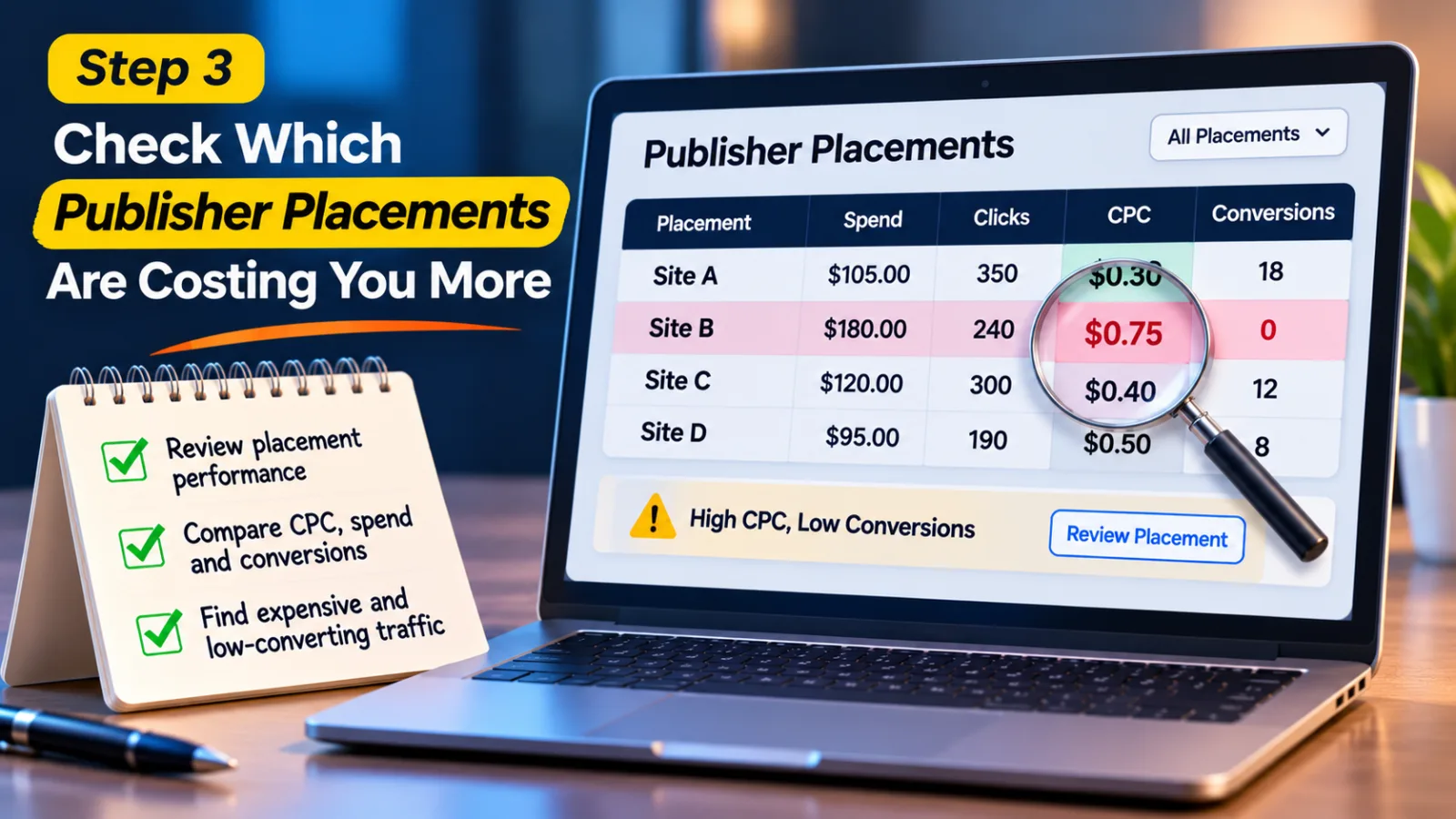
This is an area that advertisers sometimes overlook. Your campaign may be running across different publisher sites, but not every placement will perform in the same way. One site may bring clicks at $0.30, while another may bring clicks at $0.75. Both placements are generating visitors, but their costs are very different.
If a larger share of your campaign's clicks starts coming from the more expensive site, your average CPC will naturally increase. To investigate this, look for site-level or placement-level reporting in your MediaGo account, where available. Compare the spending, clicks, CPC, and conversions generated by different placements. Try to find sites that are using a noticeable amount of your budget but are not bringing useful results.
For example, a placement might have a high CPC and several clicks but no conversions. If this pattern continues after enough data has accumulated, it may deserve further investigation. You could consider whether the placement should be excluded or whether the campaign needs a different approach.
MediaGo's API documentation includes reporting options for campaign and site dimensions. These reports can help advertisers examine performance beyond the overall campaign average. Still, be careful before blocking a publisher. A placement with an expensive click is not necessarily a bad placement. It may be bringing visitors who are more likely to become customers. Look at the conversions and overall value before making a decision.
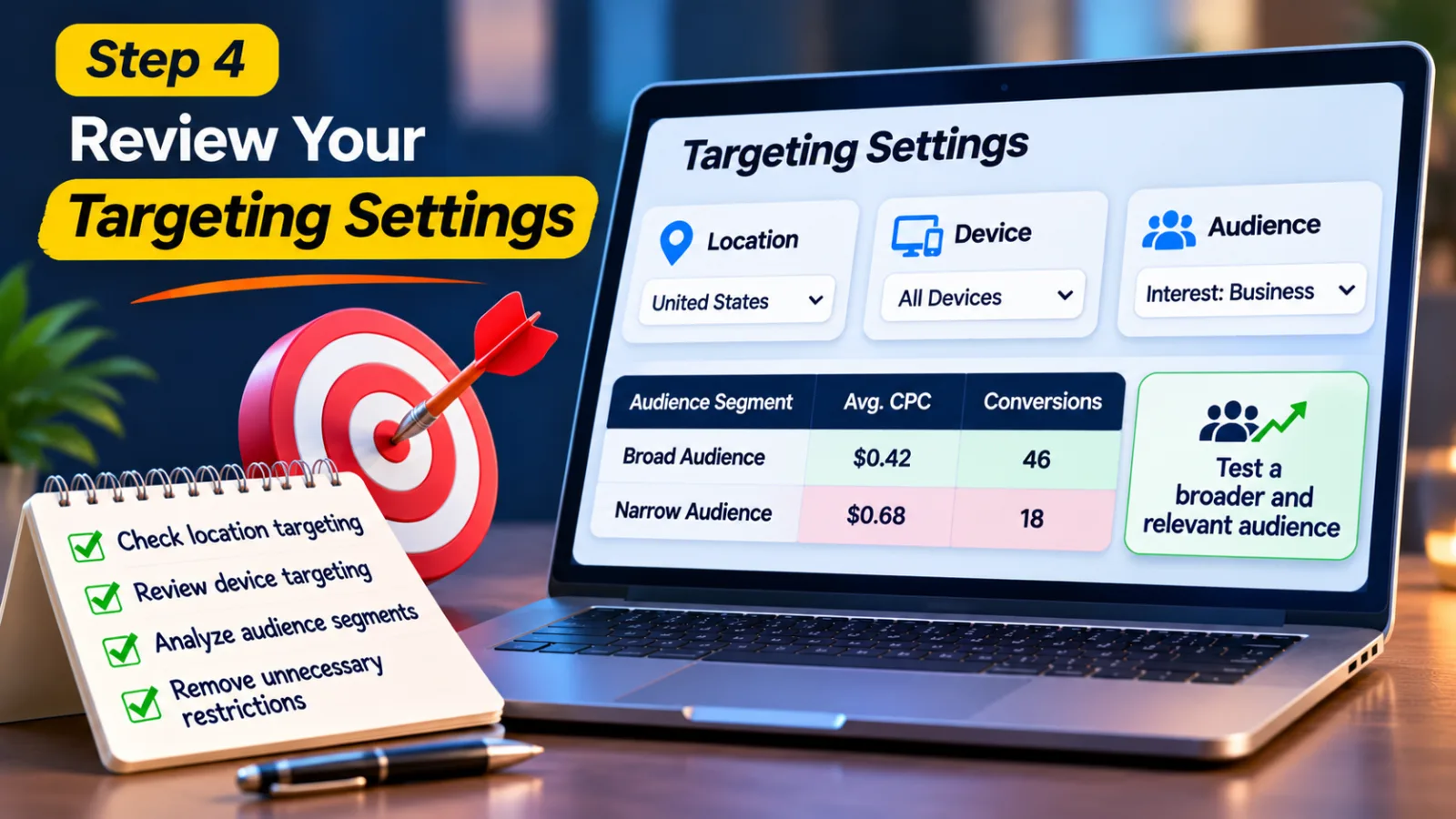
Step 4: Review Your Targeting Settings
Sometimes, the problem is not the bid or the advertisement. It is the audience you are trying to reach. Think about a campaign targeting customers across the United States. If you suddenly restrict it to only a few cities, selected devices, and a very narrow audience, you may reduce the number of available advertising opportunities.
Depending on competition and inventory, those remaining opportunities may cost more. This is one reason why it is worth checking your targeting whenever CPC changes unexpectedly. Go through the location, device, audience, and other targeting settings available in your campaign. Compare them with the settings you used when the campaign was performing well. Check whether anything has been changed recently or whether your targeting is more restrictive than it needs to be.
If you find unnecessary restrictions, consider testing a broader audience. But do not open your targeting completely just to get cheaper clicks. There is little benefit in paying less for visitors who have no interest in your product. The aim is to reach the right people without limiting the campaign more than necessary. If your account provides audience-level reports, compare the CPC and conversion performance of different groups. This can help you understand which audiences are expensive and which ones are actually worth targeting.
Step 5: See Whether Your Ad Is Still Getting Enough Clicks
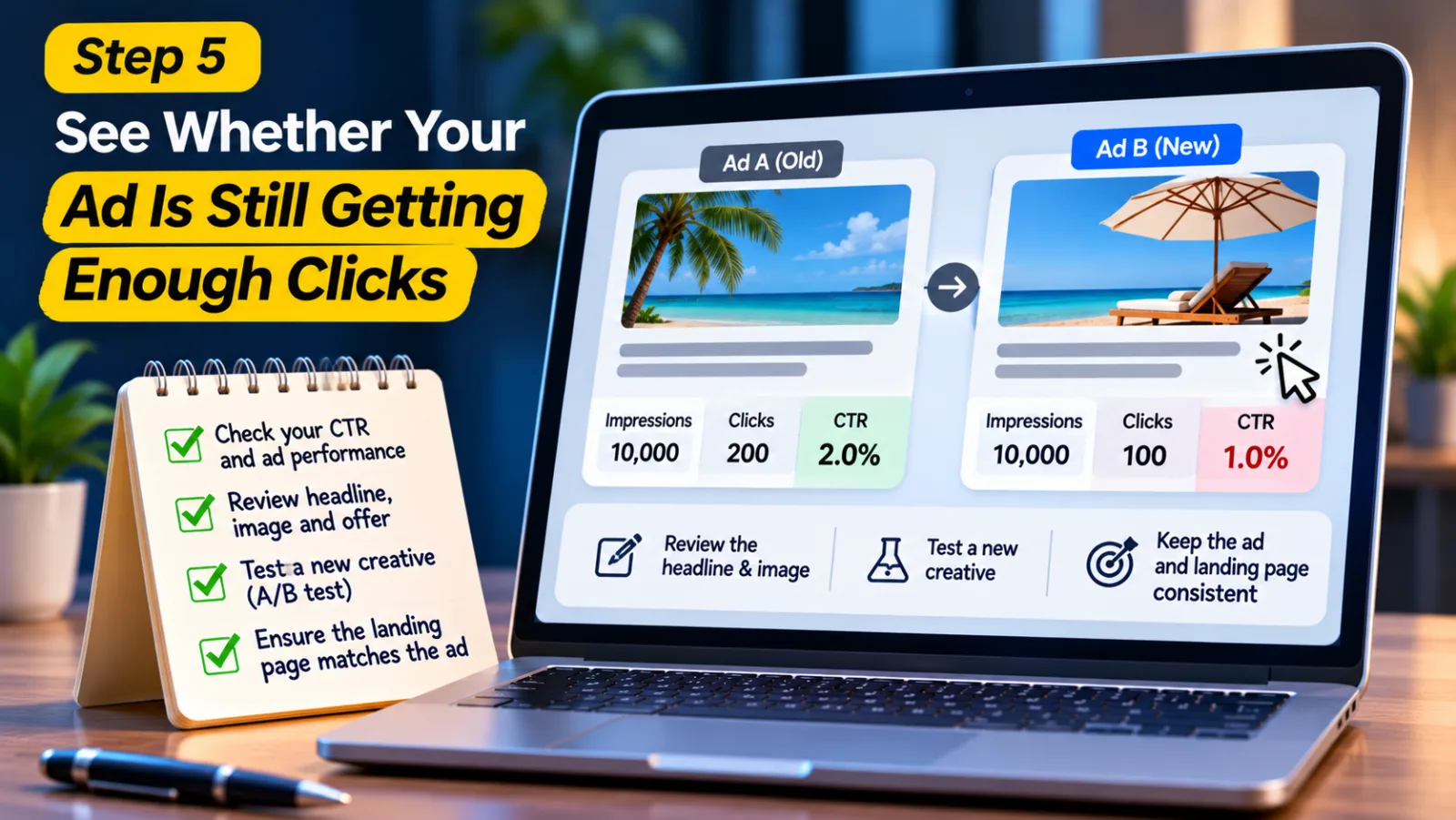
Now take a look at the advertisement itself. An ad that worked well when you first launched the campaign may not perform as well after some time. People may have already seen it many times, or the headline and image may no longer attract the same attention. This is where click-through rate, or CTR, becomes useful. CTR tells you how many people clicked your advertisement compared with how many times it was shown.
For example, if your ad receives 10,000 impressions and 200 clicks, its CTR is 2%. If it receives the same number of impressions but only 100 clicks in the next period, the CTR has fallen to 1%.
That does not automatically prove that your creative is responsible for the higher CPC. But it gives you a reason to check whether the advertisement is still interesting to the people seeing it. Look at the headline first. Does it clearly explain what the user will get after clicking? Does the image support the message? Is the offer relevant to the audience?
Try creating a different headline or image and compare its performance with the existing creative. Avoid changing every advertisement at once because you will not know which version made the difference. Also, make sure your ad does not promise something that the landing page fails to deliver. Getting more clicks is not useful if visitors leave immediately because the page does not match what they expected.
Step 6: Check Whether Your Expensive Clicks Are Bringing Conversions
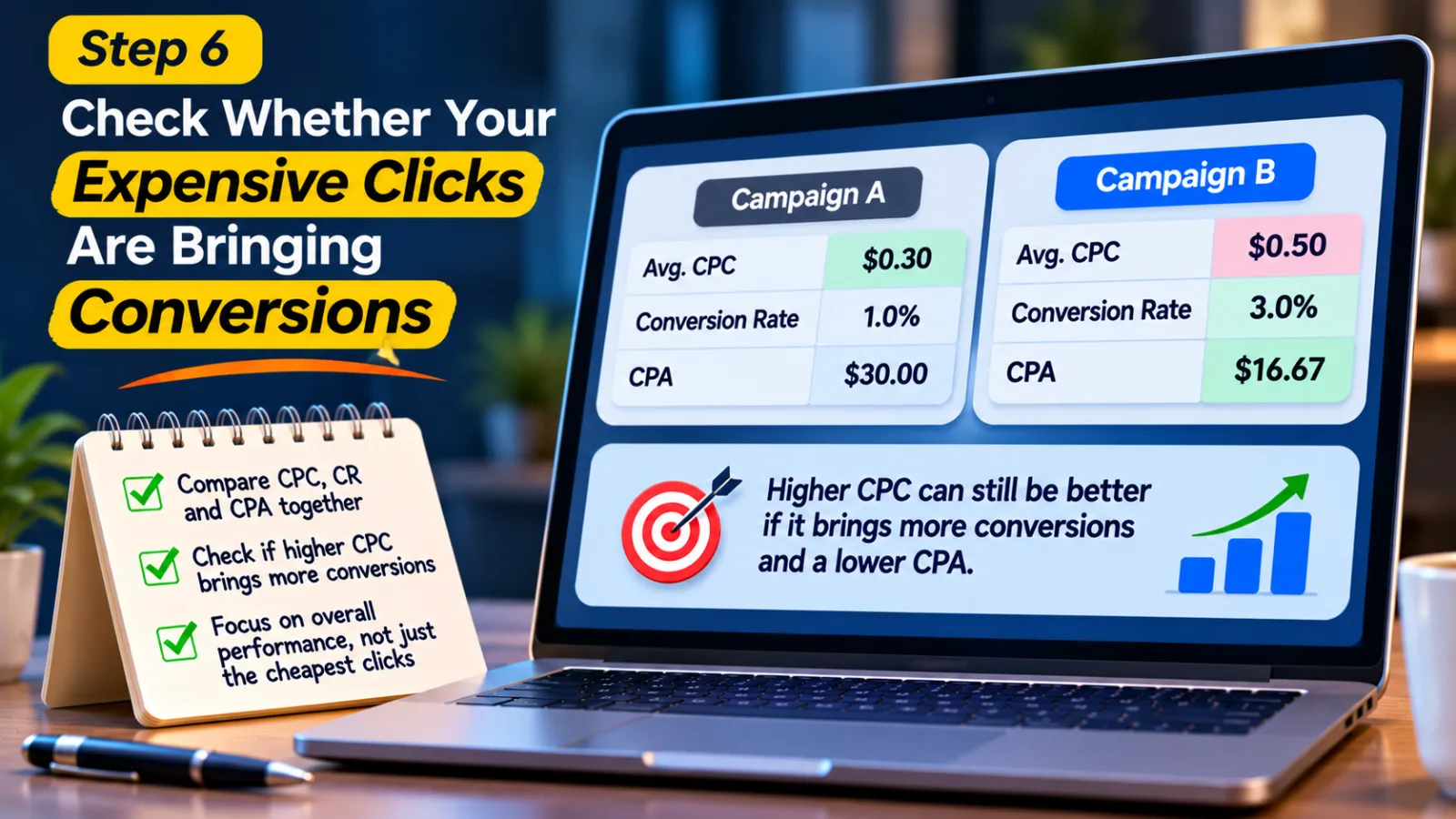
Here is something worth remembering: the cheapest click is not always the best click. Many advertisers become so focused on lowering CPC that they forget to check what happens after someone visits their website. A campaign can have a higher CPC and still perform better if those visitors are more likely to become customers.
For example, imagine two campaigns. The first campaign has an average CPC of $0.30, but only a small percentage of visitors convert. The second campaign has an average CPC of $0.50, but it brings visitors who are much more interested in the offer. The second campaign could produce a lower cost per acquisition even though each click costs more. This is why you should compare CPC with conversion rate and CPA. CPA tells you how much you spend to get one conversion, such as a sale or a lead.
If CPC is increasing and CPA is increasing at the same time, you may have a real performance problem. You should investigate whether the campaign is reaching the wrong audience, using weak creatives, or sending visitors to a page that does not convert. But if CPC increases while CPA stays the same or improves, there may be no reason to make a major change. The more expensive traffic could still be valuable to your business.
Step 7: Make Sure Your Landing Page And Tracking Are Working Properly
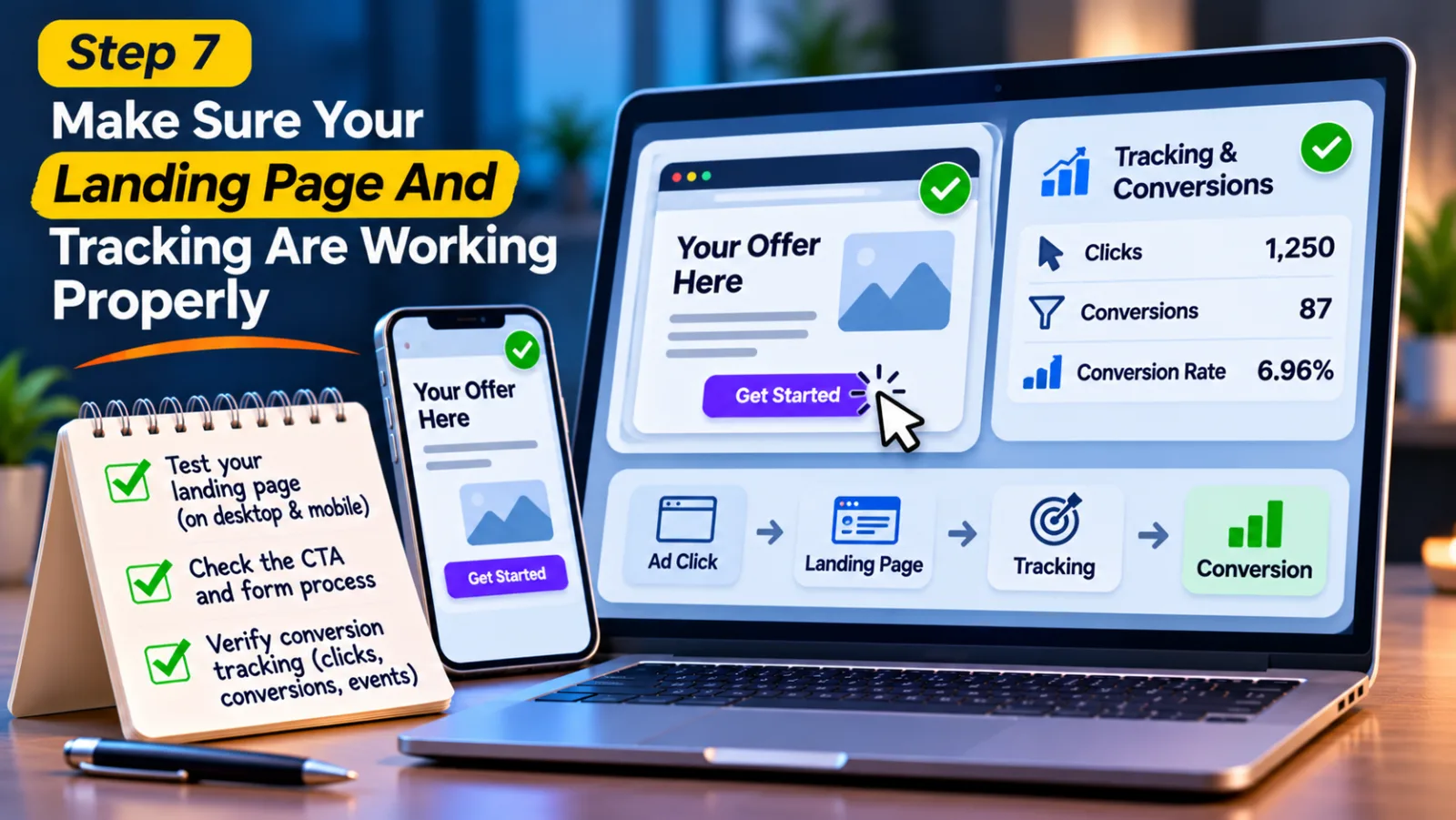
An advertiser's job does not end when someone clicks an ad. What happens after that click is just as important. Imagine that your MediaGo campaign is bringing visitors, but the landing page takes too long to load. Some users may leave before they even see the offer. Others may find the page confusing or have difficulty completing a form. In that situation, the campaign may be paying for clicks without getting enough conversions.
Open your landing page on both desktop and mobile. Check whether it loads properly, whether the main offer is easy to understand, and whether the call-to-action button works. If you are asking visitors to complete a form or make a purchase, go through the process yourself. You should also check conversion tracking. Sometimes, the problem is not that visitors are failing to convert. The problem is that conversions are not being recorded correctly.
Compare the clicks and conversions reported by MediaGo with your website analytics or tracking system. If the numbers are very different, investigate your tracking setup, URL parameters, redirects, and conversion events. Our guide on native ads attribution can help you understand why accurate conversion measurement matters when evaluating advertising performance.
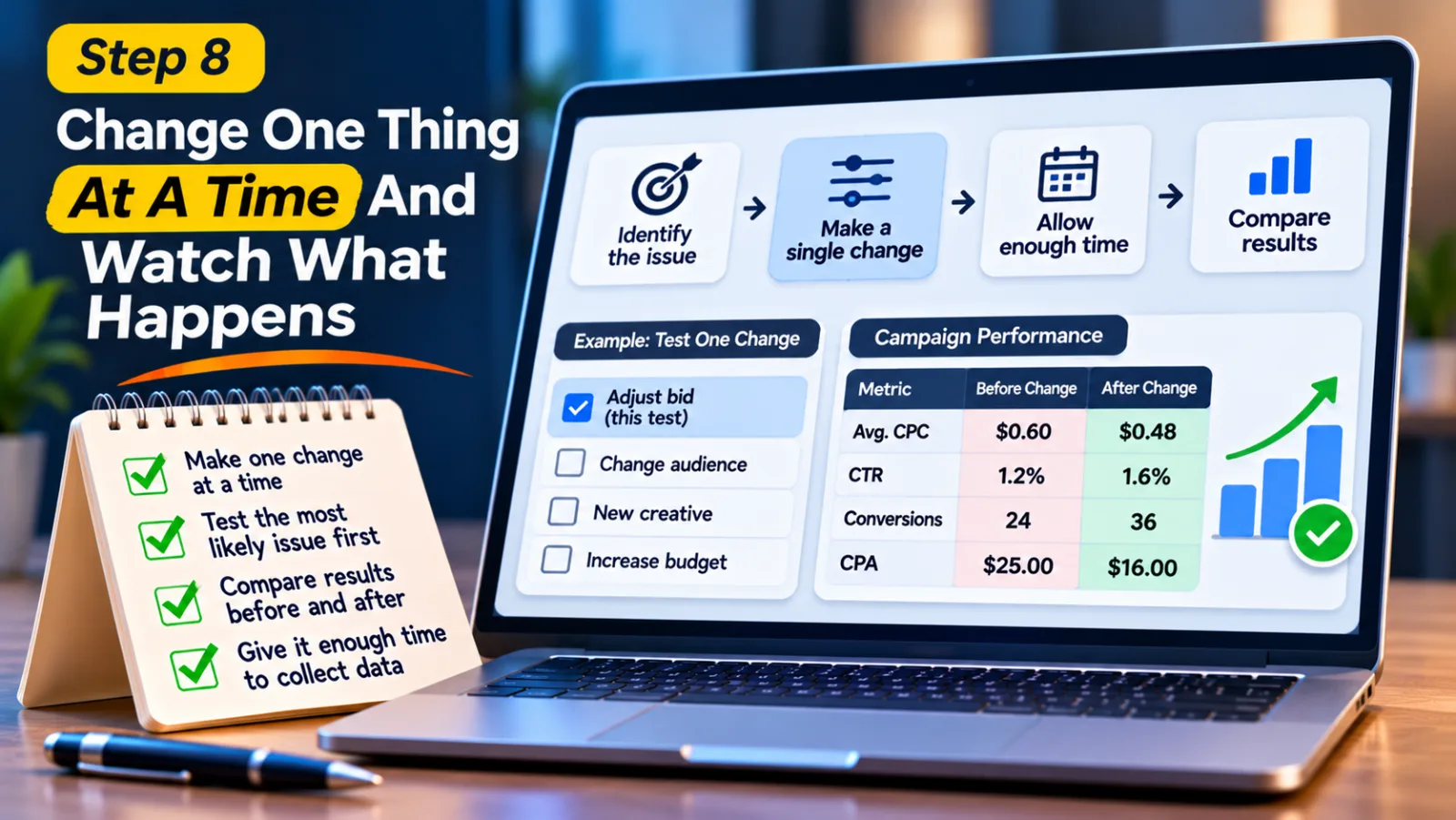
Step 8: Change One Thing At A Time And Watch What Happens
By now, you should have a better idea of where the problem might be coming from. It could be the bidding strategy, a particular publisher placement, your targeting, the creative, or the landing page. The next mistake to avoid is changing everything together.
For example, if you lower your bid, change the audience, upload a new creative, and increase the budget on the same day, it becomes almost impossible to know which change affected the results.
Instead, start with the issue that your data points to most clearly. If one placement is consistently spending money without producing useful results, investigate that placement first. If the CTR has fallen, test a new creative. If the bid is too aggressive for your business target, make a careful adjustment. After making the change, compare the results over a suitable period. Keep a record of CPC, spend, clicks, conversions, and CPA before and after the adjustment.
If you are using SmartBid, avoid making frequent major changes without giving the campaign enough time to collect useful data. Automated bidding uses performance signals, so constantly changing campaign settings can make it harder to understand what is working. And if the CPC continues increasing without an obvious explanation, contact your MediaGo account manager or support team. Share the campaign ID, the dates when the problem occurred, relevant reports, and any changes you have already made. This gives the support team something specific to investigate.
Mistakes Advertisers Should Avoid When CPC Goes Up
When CPC increases, it is tempting to make quick changes just to bring the number down. But some of those changes can create bigger problems.
The first mistake is reducing the bid without checking conversions. A cheaper click does not necessarily bring a better customer. If you reduce your bid too much, you may lose access to traffic that was actually producing results. Another mistake is blocking publisher placements after seeing only a few expensive clicks. Give the placement enough time to generate useful data before deciding whether it is worth keeping.
You should also avoid changing several campaign settings together. If you make too many adjustments at once, you will struggle to identify the real reason behind any improvement or decline.
Finally, do not ignore the landing page and conversion tracking. Sometimes advertisers spend hours adjusting their campaigns when the actual issue is a slow website, a broken form, or an incorrectly configured tracking event. A little investigation before making changes can save a lot of unnecessary spending.
How To Keep MediaGo CPC Under Control
There is no permanent setting that guarantees a low CPC for every MediaGo campaign. Advertising costs can change, and what works for one campaign may not work for another. What you can do is keep a regular check on your campaign performance. Do not look at CPC in isolation. Review CTR, conversions, CPA, and total spending together. If placement-level reports are available, use them to understand where your money is going.
It is also a good idea to decide how much you can afford to spend to acquire a customer before launching a campaign. This gives you a clear target when evaluating results. Without one, you may keep lowering CPC even when the campaign is already profitable.
Budget planning matters as well. If you are increasing your campaign spending, make sure the results justify it first. You can read our guide on how to plan a MediaGo agency account budget before launching campaigns for more information about planning campaign budgets.
Final Thoughts
A rising CPC can make any advertiser concerned, especially when the campaign is using more money without bringing better results. But the best solution is not always to lower the bid. Start by finding out when the increase happened. Then check your bidding settings, publisher placements, audience targeting, and ad creatives. After that, look at conversions, landing page performance, and tracking to understand whether the expensive clicks are actually producing value.
MediaGo's SmartBid technology can help manage bidding opportunities, but advertisers still need to understand how their campaigns are performing. The numbers in your reports can tell you a lot if you look at them together instead of focusing on just one metric.
Take your time, find the part of the campaign that is causing the problem, and make one change at a time. This is a much better way to manage high CPC than making random adjustments and hoping the costs will come down.
Agency ad accounts, without the wait.
Buy and top up Google, Meta, native, and more from one dashboard.
Get started

No comments yet. Be the first to comment.
Comments are open to registered AdScaleLab clients.
Sign in to comment