



How To Use MediaGo AD Learning To Speed Up Campaign Optimization
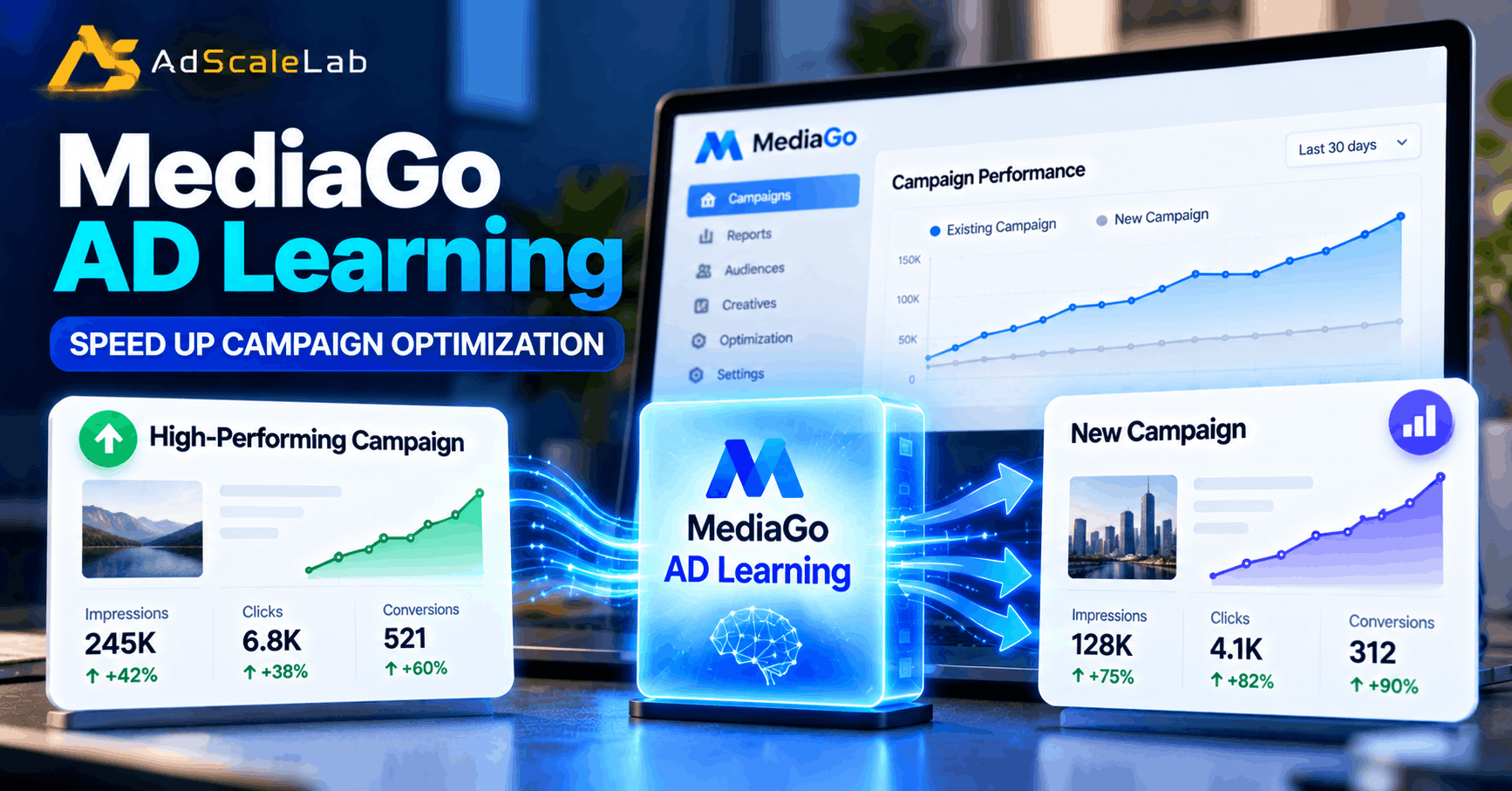
Starting a new advertising campaign can be frustrating. You may have a good offer, strong creatives and enough budget, but the campaign can still take time to find the right users and start producing useful results. MediaGo AD Learning is designed to help with this problem by allowing a new campaign to use learning from an existing high-performing campaign instead of starting completely from zero.
This matters because the early stage of a campaign can be the hardest part. The system needs to understand which audiences, traffic opportunities and other signals are useful for the campaign. MediaGo calls this the cold-start problem.
In May 2026, MediaGo announced AD Learning as a new feature designed to let new campaigns inherit model features and optimization signals from high-performing historical campaigns. The company said the goal was to shorten the learning curve, reduce trial-and-error costs and improve early campaign performance.
So, How Should An Advertiser Actually Use It?
The basic idea is simple: find a strong existing campaign, connect its learning to the new campaign, choose how much experience should be inherited, and then give the new campaign enough time to learn.
Let's go through the process step by step.
What Is MediaGo AD Learning?
Before using the feature, it helps to understand what it actually does.
A normal new campaign has to collect its own performance signals. The system has little or no history for that specific campaign, so it needs to explore different traffic and learn from the results.
MediaGo AD Learning is designed to reduce that starting period. Instead of treating every new campaign as completely new, MediaGo allows the new campaign to use useful learning from an older campaign that already has a history of performance.
MediaGo describes three important parts of the process: the learning-to campaign, the learning-from campaign, and the system that matches the two campaigns. The new campaign receives the learning, while the established campaign provides the historical experience.
That does not mean the new campaign simply copies the old campaign. The purpose is to give the new campaign a better starting point while still allowing it to find its own opportunities.
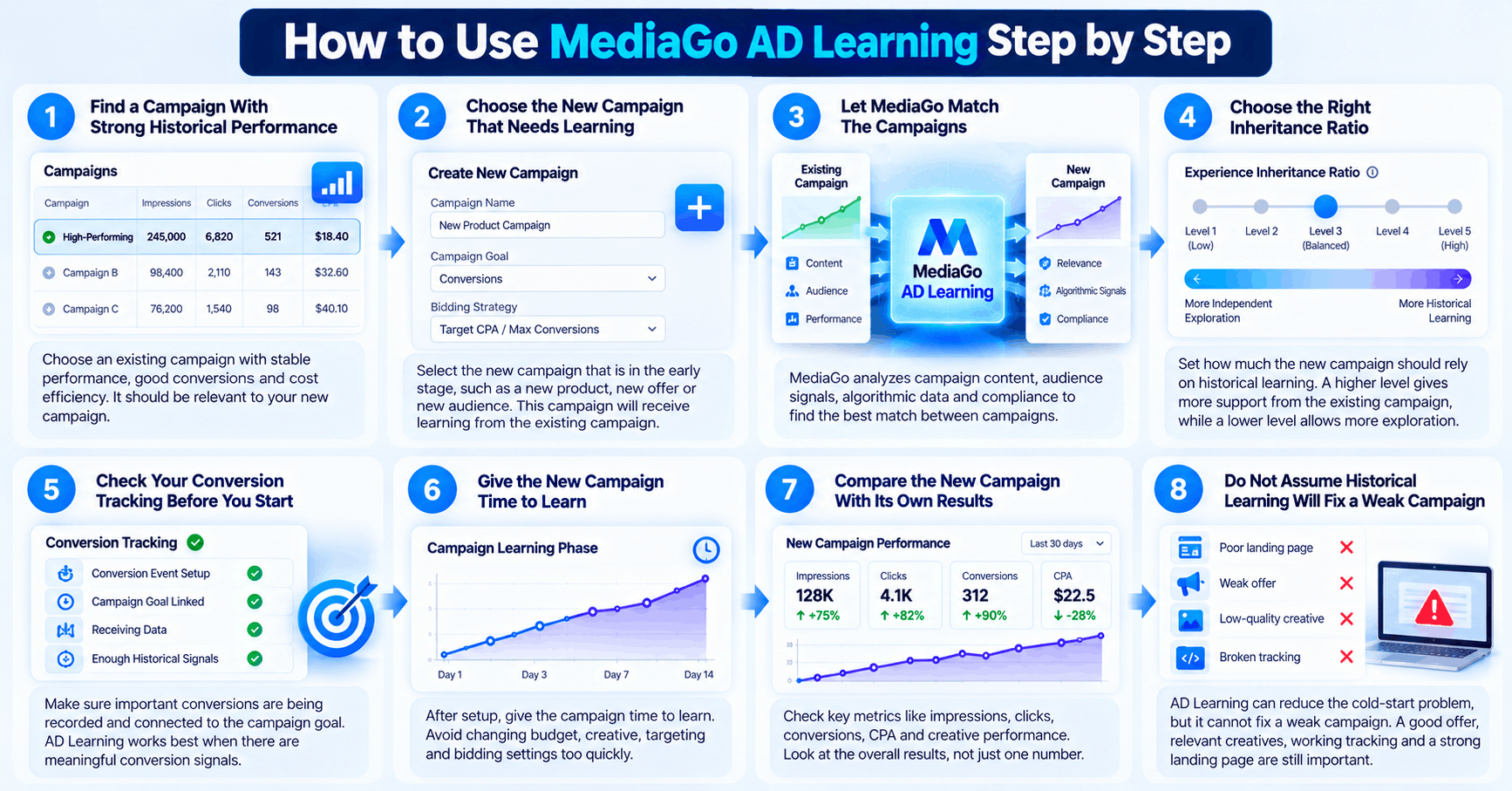
How To Use MediaGo AD Learning Step by Step
Step 1: Find a Campaign With Strong Historical Performance
The first step is to look at your existing MediaGo campaigns.
Do not simply choose the campaign with the highest amount of spending. A campaign that spent a lot but produced weak results is not necessarily a good source of learning.
Instead, look for a campaign that has shown stable performance. You can consider things such as conversions, cost efficiency, traffic quality and whether the campaign has enough historical data to provide useful signals.
MediaGo describes the learning-from campaign as an existing campaign with stable performance, sufficient conversion history and good cost efficiency. For example, imagine you already ran a campaign for a financial product and it produced steady conversions at an acceptable cost. Now you are launching a similar campaign for another product or market.
That older campaign may contain useful learning that can help the new campaign get started. The important part is similarity. The best source campaign is not always your biggest campaign. It should make sense for what you are launching now.
Step 2: Choose The New Campaign That Needs Learning
Next, identify the campaign that is still in its early stage.
This could be a new campaign for a different product, a new offer, a new audience or an expansion of an existing strategy.
A common problem with new campaigns is that advertisers expect results immediately. When the first few hours or days are slow, they may start changing the budget, creative, targeting and bidding settings all at once. That can make the situation harder to understand.
The purpose of AD Learning is to give the new campaign a better starting point by using useful signals from an established campaign. MediaGo says this can help shorten the learning curve and improve early-stage conversion performance. So before making several manual changes, check whether AD Learning can be used for the campaign.
Step 3: Let MediaGo Match The Campaigns
The next part is matching the campaigns.
According to MediaGo's explanation, its system looks at factors such as campaign content, audience characteristics, algorithmic signals and compliance considerations when evaluating whether the campaigns are suitable for a learning relationship.
This is important because historical data is not automatically useful just because it exists.
For example, an old campaign selling shoes may not be a good learning source for a completely different financial product. The audiences, creative approach and conversion behavior can be very different. But two campaigns with similar products, goals or audience signals may have more useful information to share.
Think of it like helping a new student learn from someone who has already studied the same subject. The previous student's experience can help, but the new student still has to do their own work.
Step 4: Choose The Right Inheritance Ratio
This is one of the most important parts of MediaGo AD Learning.
MediaGo explains that advertisers can configure an experience inheritance ratio. This controls how strongly the new campaign relies on the historical model compared with how much it explores new traffic independently. MediaGo describes five levels for this setting. A higher inheritance level can give the new campaign more support from the existing campaign's learning.
A lower level gives the new campaign more freedom to explore on its own.
There is no reason to assume that the highest setting is automatically the best choice for every campaign. The right balance depends on how similar the new campaign is to the campaign providing the learning. If the campaigns are very similar, stronger use of historical learning may make more sense. If the new campaign is targeting a very different audience or market, giving it more room to explore may be more appropriate.
The main idea is to use historical data as a starting advantage, not as a replacement for new learning.
Step 5: Check Your Conversion Tracking Before You Start
AD Learning can only be useful if your campaign is producing meaningful signals.
Before launching or connecting the campaigns, check your conversion tracking.
Ask yourself a few simple questions.
Are the important conversions being recorded? Is the conversion event actually connected to the campaign goal? Are there enough useful signals for MediaGo's optimization system to learn from?
MediaGo's broader advertising platform is built around real-time prediction and optimization of the advertising funnel, including user awareness, interest, intent and conversion behavior. Its advertiser materials also emphasize intelligent bidding and self-learning optimization.
This is why tracking should not be treated as a small technical detail. If the conversion signal is wrong, incomplete or too weak, giving the campaign more historical learning will not magically fix the underlying problem.
Step 6: Give The New Campaign Time To Learn
After setting up AD Learning, one of the biggest mistakes is changing everything too quickly.
Advertisers sometimes launch a campaign in the morning, check it a few hours later and decide that something must be wrong.
Then they change the budget.
Later they change the creative.
Then they change targeting.
Then they change the bidding settings.
At that point, it becomes difficult to understand what actually caused the performance change.
MediaGo introduced AD Learning specifically to reduce the cold-start problem, but that does not mean every campaign will immediately become perfect. The system still needs to work with actual campaign traffic and new performance signals.
MediaGo reported that one e-commerce campaign using AD Learning generated its first conversion within four hours and scaled at twice the speed of a campaign without AD Learning. These are MediaGo-reported results from a specific campaign example, not a guarantee that every advertiser will see the same result.
That distinction is important. Use the feature to improve the starting point, but still watch the campaign's own data.
Step 7: Compare The New Campaign With Its Own Results
Once the campaign starts collecting data, focus on what is happening inside the new campaign.
Look at:
- Spend
- Impressions
- Clicks
- Conversions
- Conversion rate
- CPA or other cost targets
- Revenue or business value
- Creative performance
Do not look at just one number.
For example, a campaign can receive more clicks but still produce fewer conversions. Another campaign may spend less but bring higher-quality customers. MediaGo's current advertiser materials describe a broader optimization approach that uses deep learning to evaluate traffic, bidding opportunities and conversion behavior. The platform also offers native and display advertising with a primarily CPC-based pricing model.
The goal is therefore not simply to make the campaign spend faster. The goal is to help the campaign find useful traffic and conversions at a reasonable cost.
Step 8: Do Not Assume Historical Learning Will Fix A Weak Campaign
This is an important point.
AD Learning can help with the cold-start stage, but it cannot fix every campaign problem.
If the landing page is poor, historical learning will not repair it.
If the offer is not attractive, the campaign may still struggle.
If the creative does not connect with the audience, more historical data will not automatically solve the problem.
If the conversion tracking is broken, the system may not receive the right feedback.
That is why AD Learning should be treated as one part of the campaign optimization process.
MediaGo's current product approach combines several technologies, including SmartBid 3.0 for intelligent bidding and Approval Copilot for creative approval diagnostics. In September 2026, MediaGo said its product approach combines these capabilities with AD Learning to address different problems advertisers face on the Open Internet.
How AD Learning Fits With MediaGo SmartBid
If you are already using MediaGo SmartBid, AD Learning is easier to understand.
They solve different parts of the campaign optimization problem.
SmartBid is focused on intelligent bidding and evaluating advertising opportunities.
AD Learning is focused on reusing useful learning from established campaigns when starting a new campaign. Approval Copilot is focused on helping advertisers identify problems with creative approvals and potential risks.
MediaGo's September 2026 announcement describes this combination as part of its broader deep-learning advertising solution.
This is also why AD Learning should not be viewed as a replacement for SmartBid. Instead, it can help provide the new campaign with a stronger starting point while the bidding system continues optimizing based on current campaign signals.
Common Mistakes To Avoid With MediaGo AD Learning
Choosing the wrong source campaign
Do not select an old campaign just because it spent a lot of money. Look for useful and stable performance.
Copying everything from an old campaign
Historical learning can help a new campaign, but the new campaign may have different audiences, products or market conditions.
Changing settings too quickly
If you change multiple campaign settings every few hours, it becomes difficult to understand what is actually working.
Ignoring conversion tracking
The optimization system needs useful signals. Make sure important conversions are being recorded correctly.
Expecting guaranteed results
MediaGo's reported case studies can show what happened in specific campaigns, but they should not be treated as guaranteed performance for every advertiser. MediaGo's own materials present these figures as results from particular campaigns and tests.
Why MediaGo AD Learning Matters For Advertisers
The bigger idea behind AD Learning is actually quite simple.
Advertisers spend a lot of time and money building successful campaigns. Those campaigns collect useful information about what works. Starting every new campaign completely from zero means some of that experience may not be used as efficiently as it could be. AD Learning is designed to make that historical experience reusable.
MediaGo launched the feature in May 2026, and by September the company was presenting AD Learning as one of the key parts of its wider deep-learning product strategy alongside SmartBid 3.0 and Approval Copilot. The company also says its broader platform uses deep learning for real-time prediction, bidding and optimization across open-web inventory. For advertisers, the practical lesson is straightforward: good campaign data should not only be useful for looking backward. It can also help you start the next campaign more intelligently.
Final Thoughts
A new campaign does not have to learn everything from the beginning.
MediaGo AD Learning gives advertisers a way to use learning from high-performing campaigns when launching new campaigns. The process starts with finding a strong source campaign, matching it with the new campaign, choosing an appropriate inheritance level and then watching the new campaign's own results.
The important thing is not to treat AD Learning as a magic button. Good conversion tracking, useful creatives, a clear campaign goal and a suitable landing page still matter. AD Learning can give the campaign a better starting point, but the new campaign still needs to collect fresh data and prove its own performance.
For advertisers managing several MediaGo campaigns, that ability to reuse proven campaign intelligence could make the early optimization process much less dependent on starting from scratch.
Agency ad accounts, without the wait.
Buy and top up Google, Meta, native, and more from one dashboard.
Get started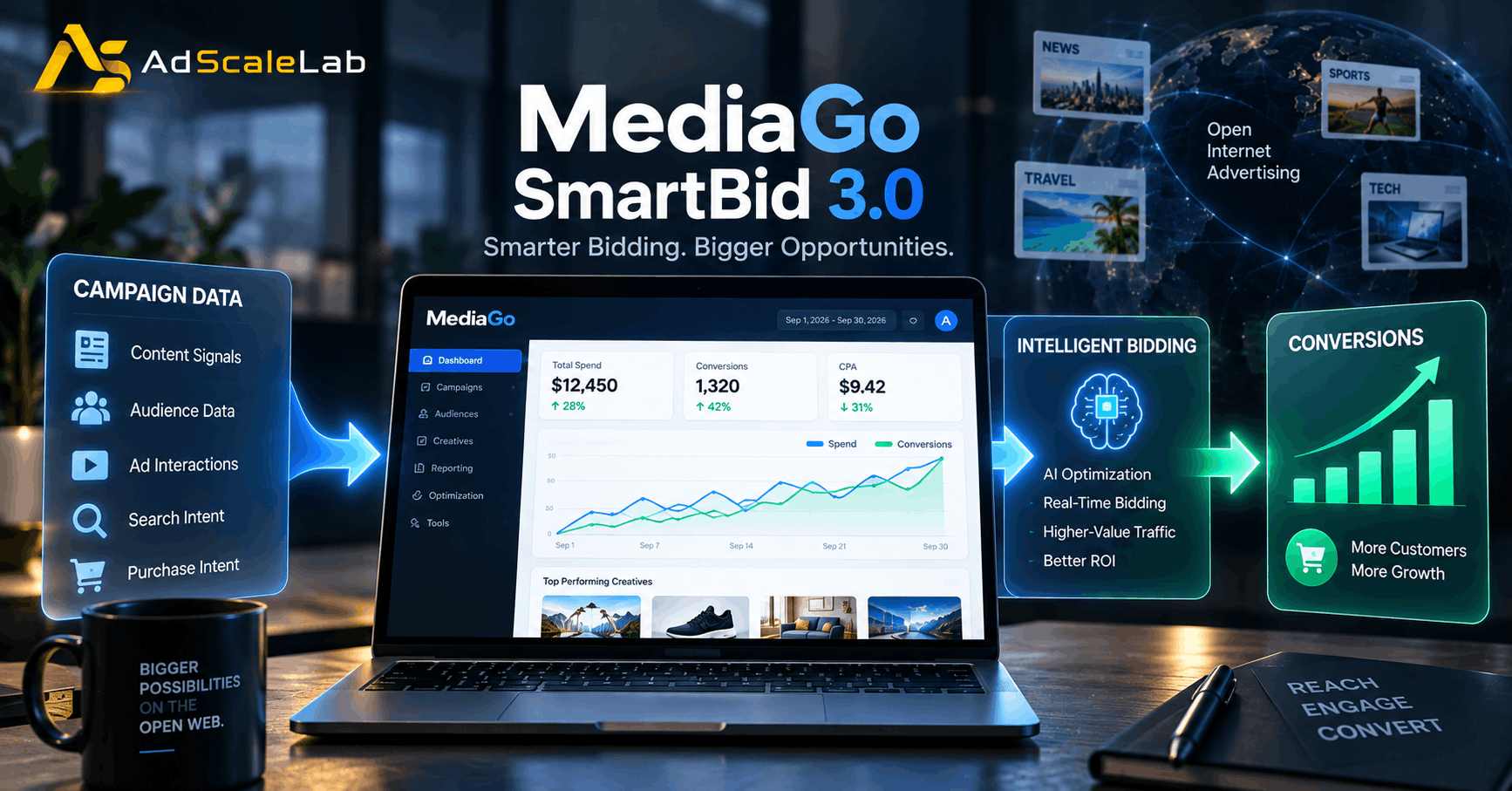

No comments yet. Be the first to comment.
Comments are open to registered AdScaleLab clients.
Sign in to comment