






How To Use MediaGo AI Generated Creatives For Native And Display Ads
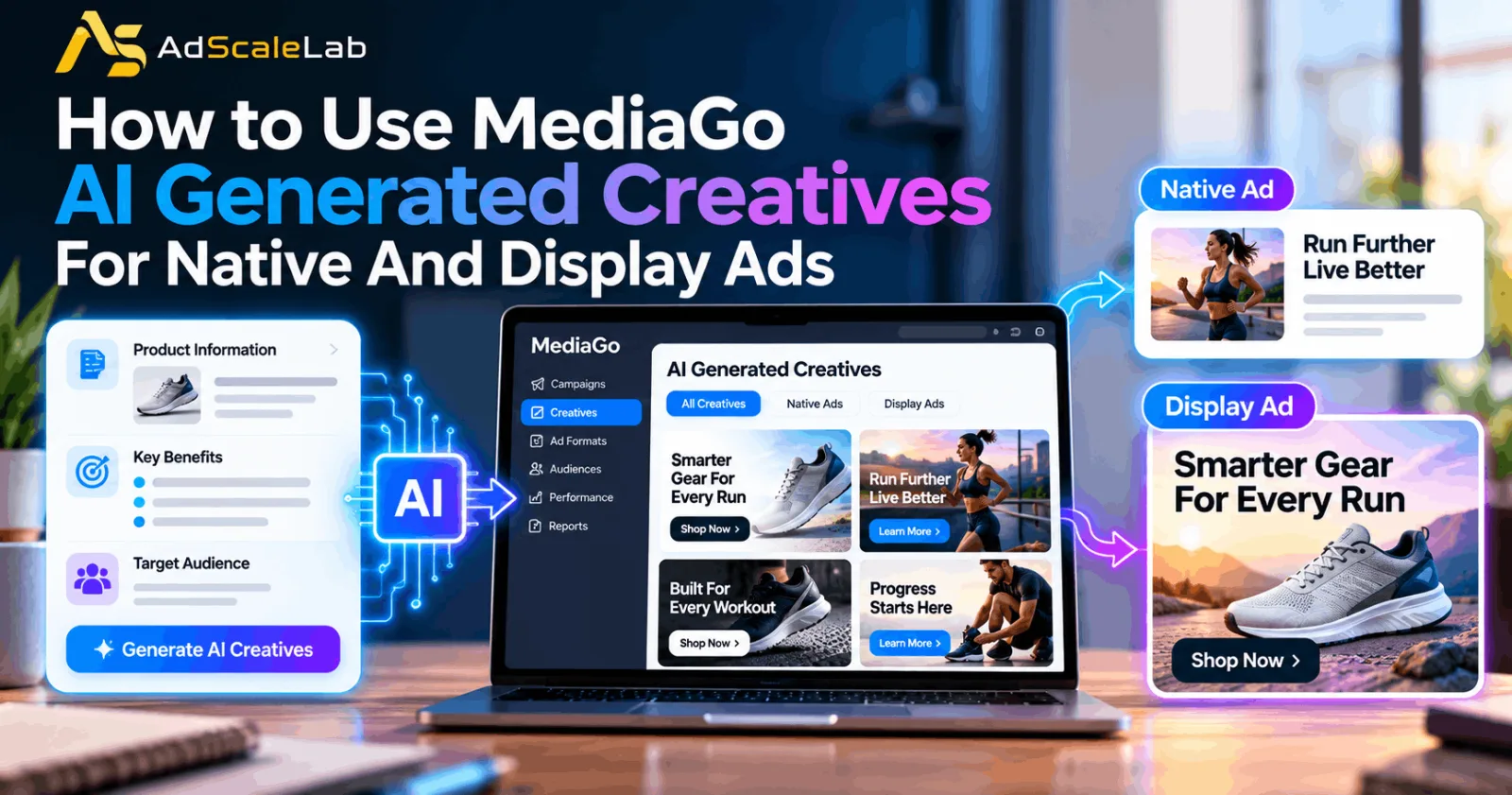
MediaGo is moving further into AI-powered advertising, and one of the more useful parts of its current platform is its approach to AI-generated and dynamically matched creative materials. MediaGo says its AI can generate creative materials based on the characteristics of the promoted product and dynamically match those materials with ad inventory. The company also describes this capability as part of a wider performance system that uses deep learning, conversion prediction and real-time bidding.
That sounds simple, but using AI-generated creative well is not just about asking a platform to make more ads. The campaign still needs a clear goal, a strong commercial message, the right format, a relevant landing page and reliable conversion data. MediaGo's own materials make the connection between creative, inventory and performance, so advertisers should treat AI creative as one part of the campaign rather than a replacement for campaign strategy.
The practical workflow below focuses on how to use MediaGo AI generated creatives for both native and display advertising without inventing a click-by-click interface that MediaGo does not publicly document in detail.
What Are MediaGo AI Generated Creatives?
MediaGo describes its AI-generated creative capability as a system that creates creative materials from characteristics of the promoted product and dynamically matches them with ad inventory. The platform says it uses generative AI and product-specific creative generation models as part of this process.
The important point is that the AI is connected to the product and advertising context. An advertiser should therefore think about the product, audience, message and desired action before thinking about the number of creative assets to produce.
MediaGo supports both native and display advertising, and its current advertiser materials position AI-generated and dynamically matched creatives inside a wider performance system. That makes creative quality, format fit and conversion measurement important parts of the same workflow.
Step 1: Start With One Clear Campaign Goal
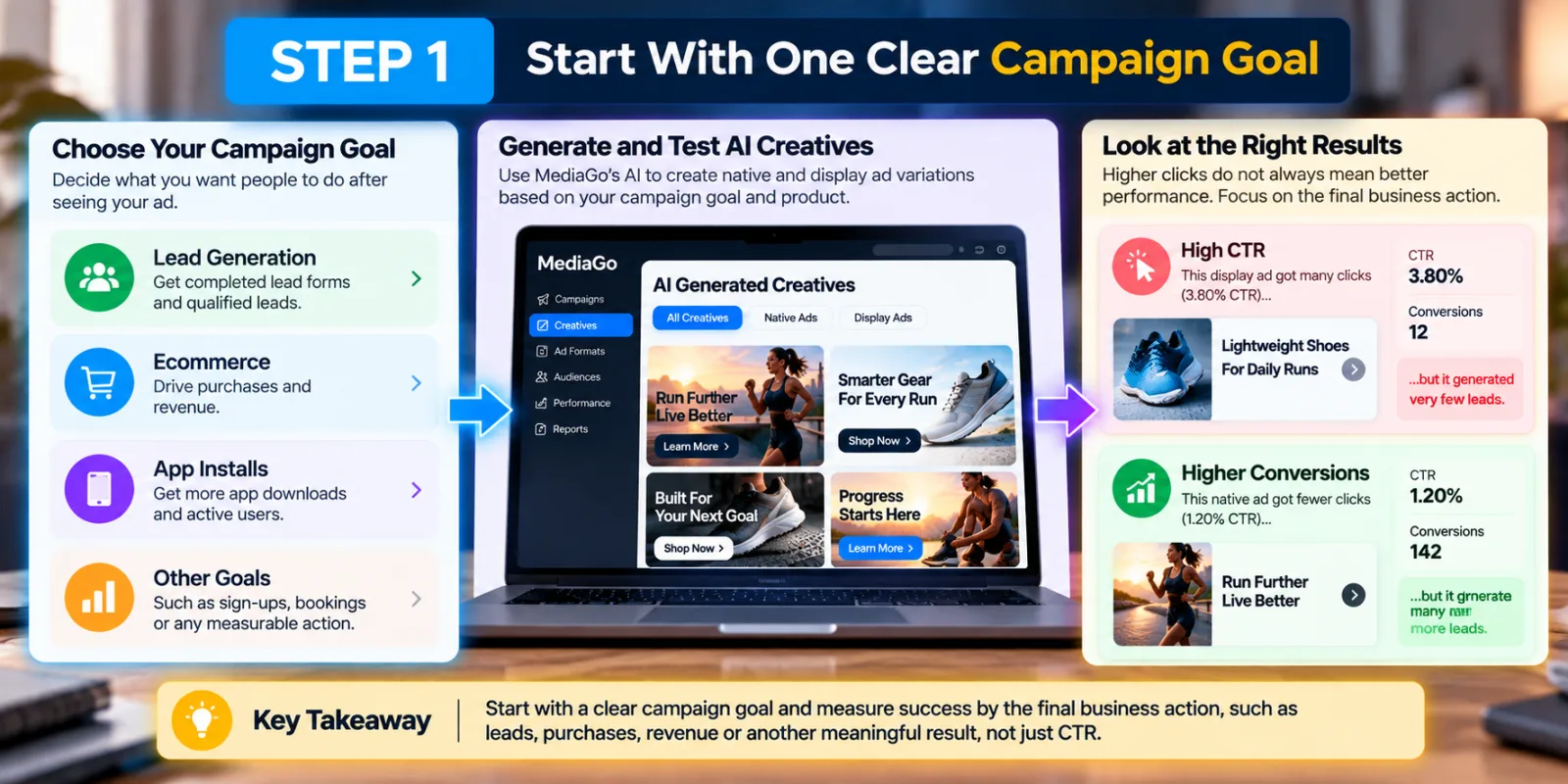
Before generating or testing creative materials, decide what the campaign is actually trying to achieve. A lead-generation campaign may want completed lead forms. An ecommerce campaign may care about purchases or revenue. Another advertiser may want qualified leads, app installations or another measurable action.
Do not start with the question, “What creative should AI make?” Start with, “What do I want the person to do after seeing this ad?” A clear campaign objective also makes it easier to judge the creative later.
For example, if a display ad gets a lot of clicks but produces very few leads, you should not call it a winner just because its CTR looks good. The final business action matters more. If you are new to MediaGo, you can first read AdScaleLab's guide to advertising on MediaGo and launching a first campaign before working on the creative strategy.
Step 2: Give MediaGo A Strong Product And Message To Work With
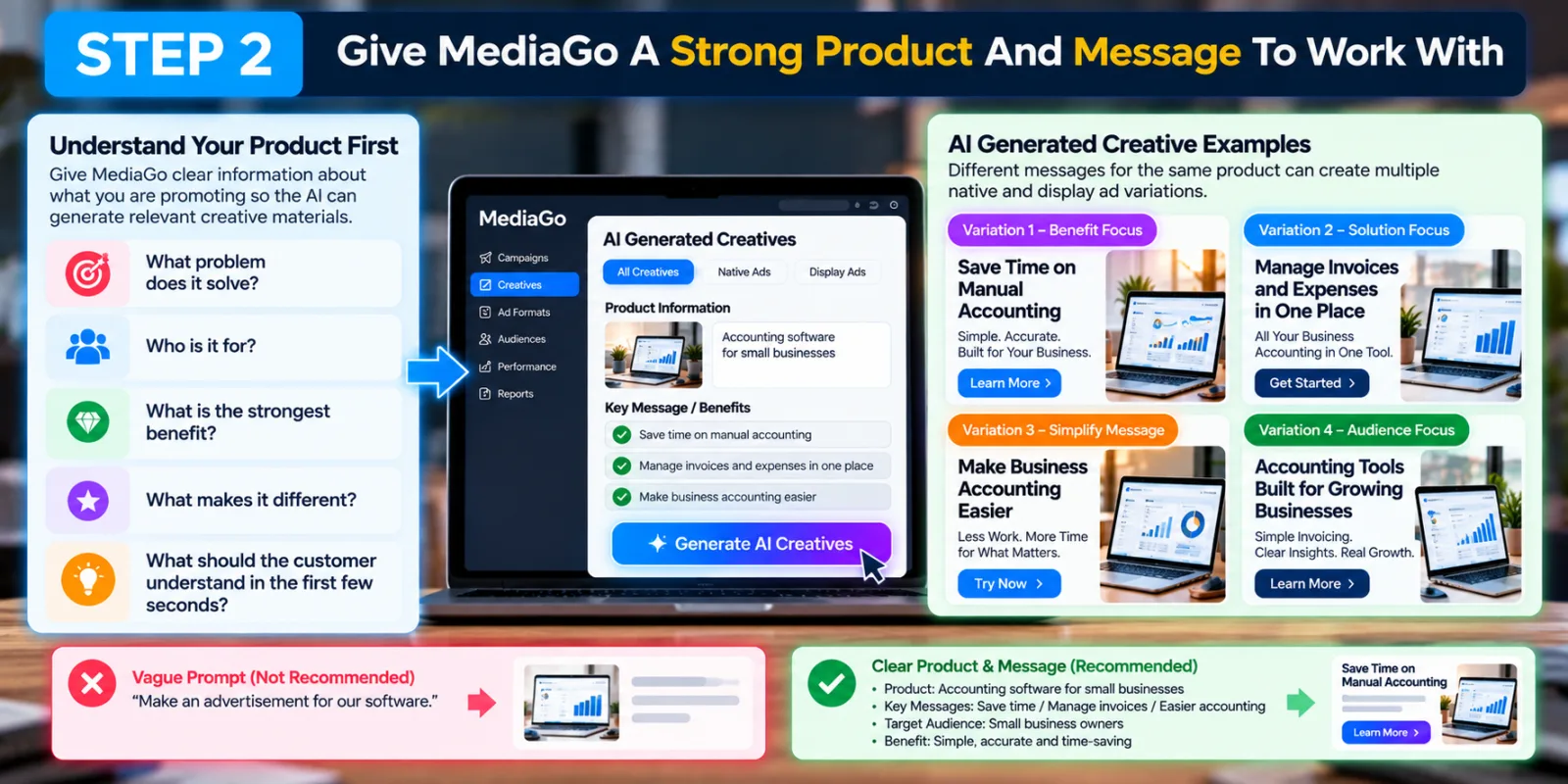
AI can generate creative material, but it still needs a good starting point. Think about the product you are promoting. What problem does it solve? Who is it for? What is the strongest benefit? What makes it different? What should the customer understand in the first few seconds?
For example, imagine you are advertising accounting software for small businesses. You could focus on saving time on manual accounting, managing invoices and expenses in one place, or making business accounting easier. These are different creative ideas even though they promote the same product.
The mistake would be giving AI a vague instruction such as “Make an advertisement for our software” and then accepting whatever comes back. A better approach is to establish the commercial message first. MediaGo's own platform description says its AI-generated creative materials are based on the characteristics of the promoted products. So the quality of the product information and campaign strategy still matters.
Step 3: Decide Whether Native, Display Or Both Make Sense
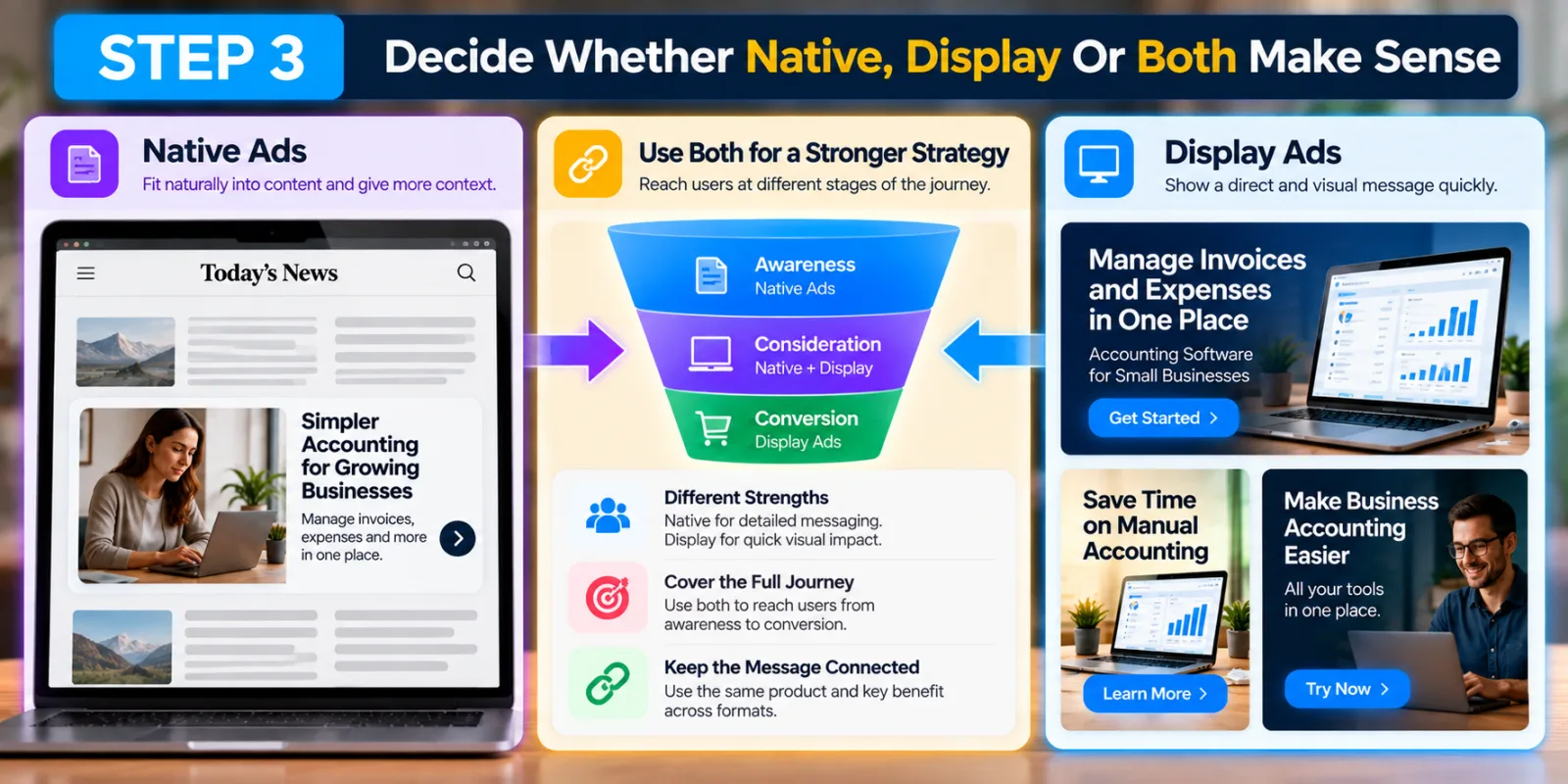
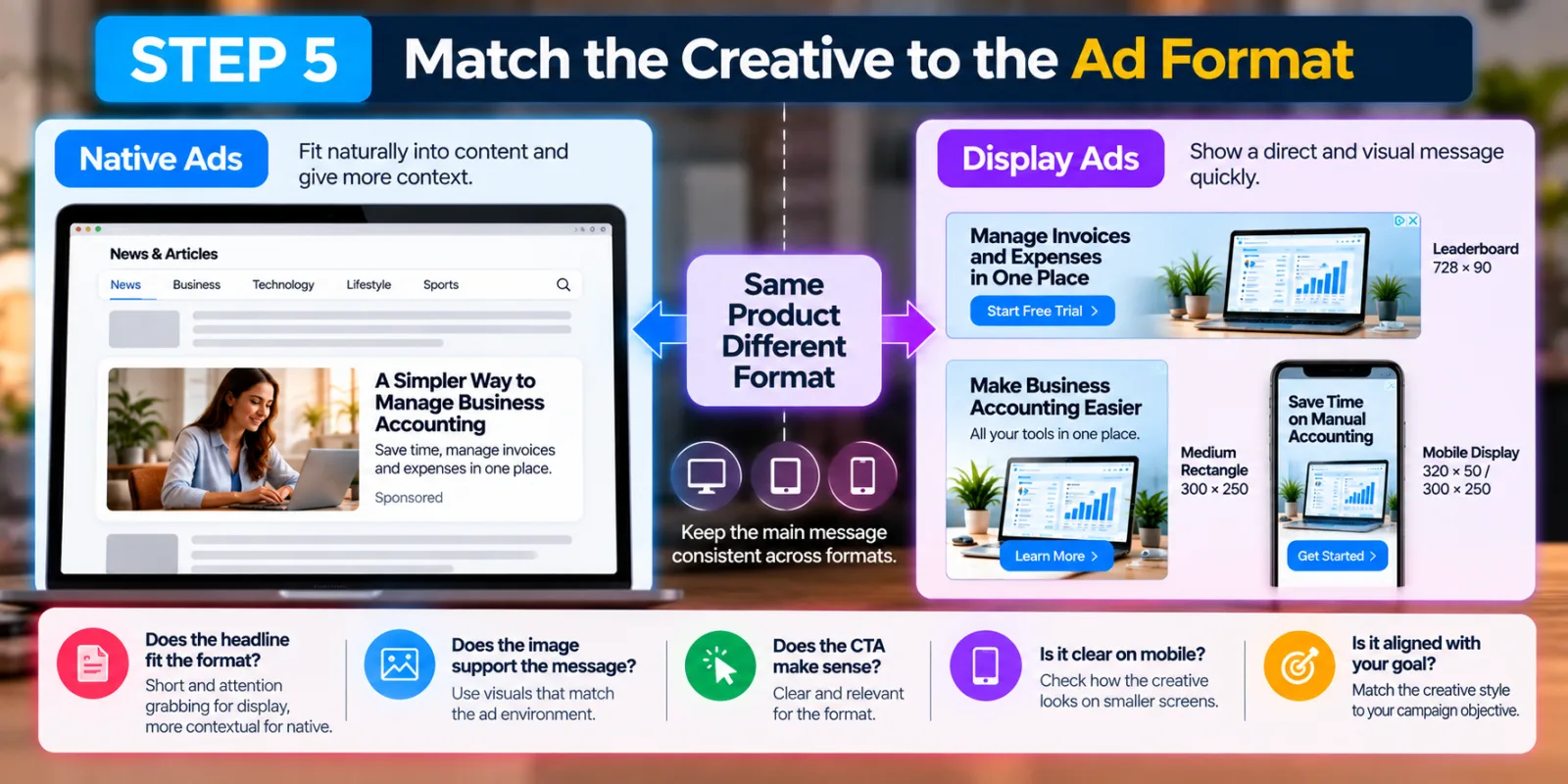
MediaGo supports both native and display advertising. Its official materials describe native and display advertising as part of its open-web advertising offering, with creative materials dynamically matched to ad inventory. That does not mean you should automatically use both. Think about how your audience behaves. Native ads can fit naturally into publisher environments and can be useful when the message needs context. Display ads can be useful when a visual product message needs to be shown quickly.
For example, a financial product might use native creative to explain a problem and introduce the solution, while display creative could reinforce the product benefit with a simpler visual message. The important part is to keep the main commercial idea connected across formats.
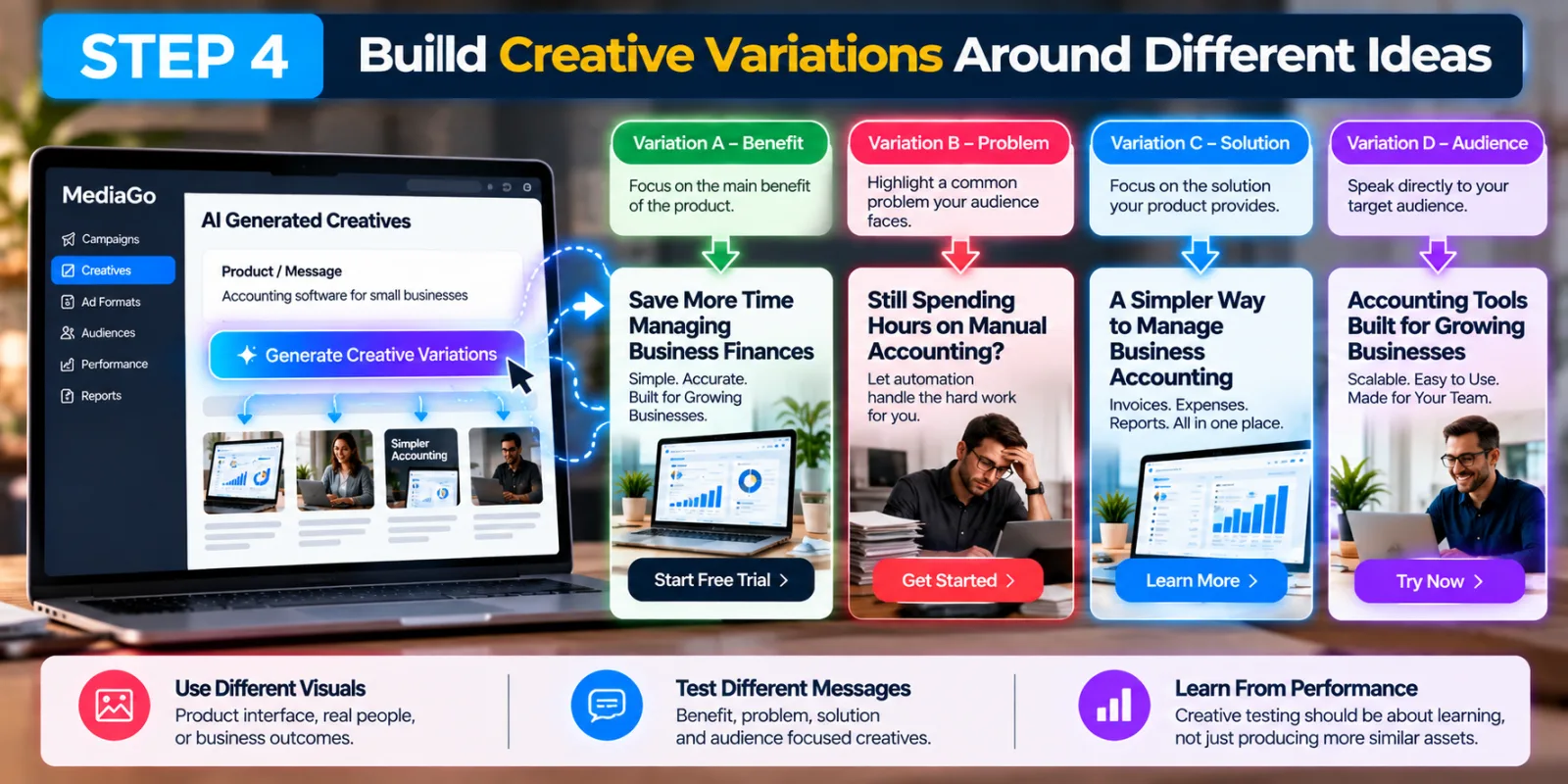
Step 4: Build Creative Variations Around Different Ideas
This is where AI-generated creative can become especially useful. Instead of making ten versions that all look almost identical, create variations around different messages.
For example, one variation can focus on a benefit such as “Save More Time Managing Business Finances.” Another can highlight a problem such as “Still Spending Hours on Manual Accounting?” A third can focus on the solution with “A Simpler Way to Manage Business Accounting.” A fourth can speak directly to the audience with “Accounting Tools Built for Growing Businesses.”
The visual treatment can also change. One version could show the product interface. Another could show a person using the software. Another could focus on the business outcome. The point is to give the system meaningful creative differences to work with. Creative testing should be about learning, not simply producing more assets. If every AI variation says almost exactly the same thing, you may get more files but not much more information.
Step 5: Match The Creative To The Ad Format
A creative that looks good as a native ad does not necessarily work the same way as a display ad. This is one reason format matters.
Native ads need to fit the surrounding content environment while still attracting attention. Display ads have to communicate their message quickly because the visual space and user interaction are different. MediaGo's own materials treat native and display as distinct advertising formats.
So when using MediaGo AI generated creatives, do not judge every asset only by how it looks in the design file. Ask where the user will actually see it. Will the headline make sense in a native content feed? Will the display version communicate the product in a short glance? Does the image support the headline? Does the CTA make sense? Does the creative still look clear on mobile? Creative generation and placement strategy should work together rather than being treated as separate decisions.
Step 6: Make Sure The Landing Page Matches The Creative
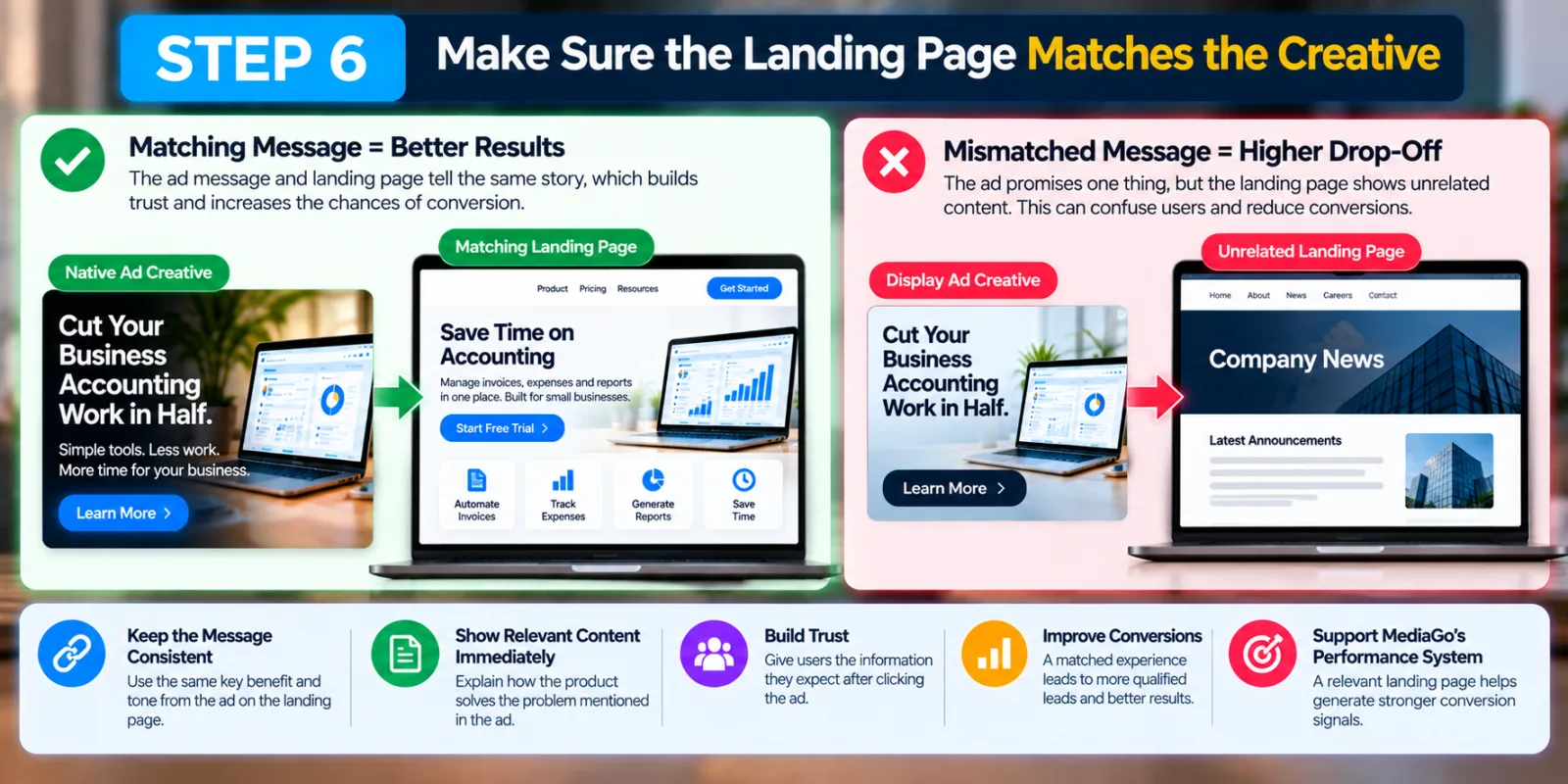
This step is easy to ignore when AI makes it possible to create many different ads quickly. Suppose the AI-generated creative says, “Cut Your Business Accounting Work in Half.” The landing page should immediately explain how the product helps with accounting. If the ad talks about saving time but the landing page opens with an unrelated company announcement, the user may lose interest.
The same problem can happen with display ads. The creative creates one expectation, but the landing page creates another. This can hurt conversion performance even if the ad itself receives clicks. MediaGo's wider optimization system looks at conversion-related signals, so the landing page remains an important part of the journey. For this reason, do not use AI-generated creative simply because it looks attractive. Use it when the message can be supported by the page the user will see after clicking.
Step 7: Give The System Reliable Conversion Data
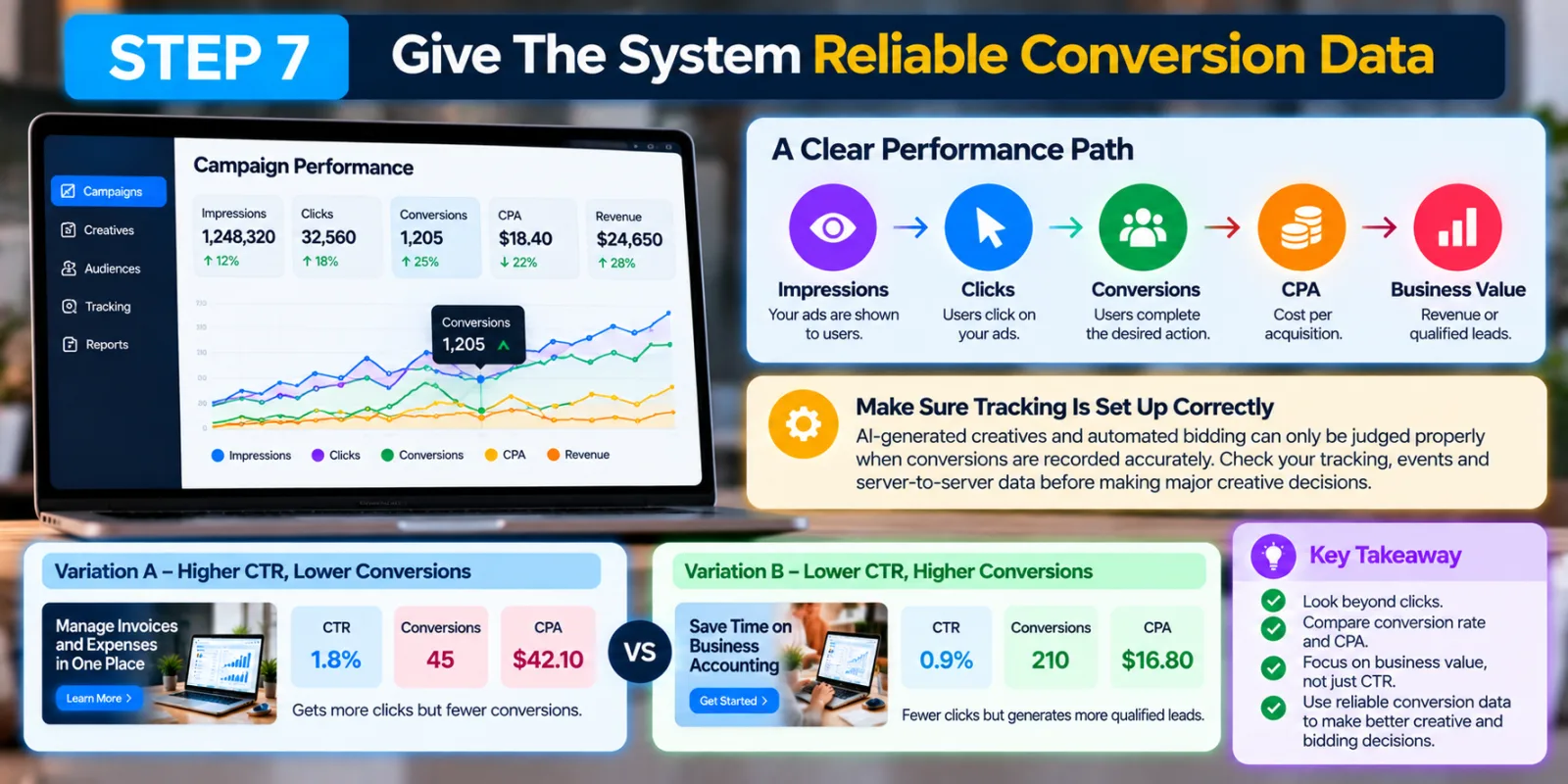
This is one of the most important steps. AI-generated creatives and automated bidding can only be judged properly when you have reliable campaign data. If conversions are not being recorded correctly, you may think one creative is better when the difference is actually caused by tracking problems.
MediaGo's current advertising materials describe real-time prediction of conversion rates and business value. So make sure your conversion setup is working before making major creative decisions. Look beyond clicks.
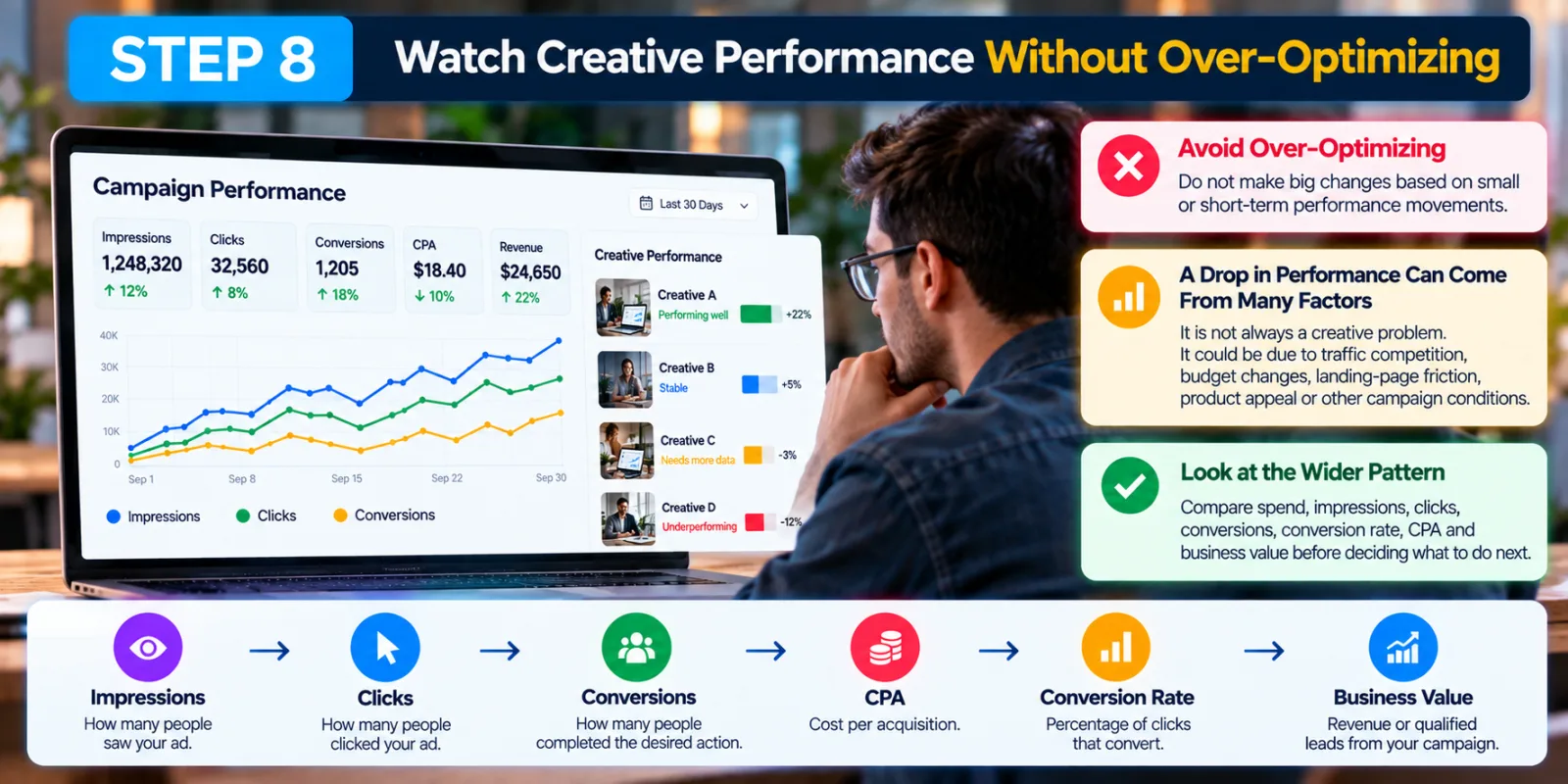
A useful performance path is: Impressions → Clicks → Conversions → CPA → Business Value.
For example, one AI-generated creative might have a higher CTR but a lower conversion rate. Another might get fewer clicks but generate more qualified leads. The second creative could be more valuable. This is also why AdScaleLab's existing MediaGo SmartBid 3.0 campaign optimization guide fits naturally with this article. Smart bidding and creative performance should be looked at together rather than treated as completely separate parts of the campaign.
Step 8: Watch Creative Performance Without Over-Optimizing
Once your creatives are running, resist the urge to change everything after every small movement in the numbers. A short-term performance change does not automatically mean that a creative is bad.
MediaGo has published guidance warning advertisers about over-optimization and has also discussed creative fatigue as something that should be diagnosed rather than assumed. A drop in performance can come from several causes, including traffic competition, budget changes, landing-page friction, product appeal or other campaign conditions.
Look at the wider pattern. Compare spend, impressions, clicks, conversions, conversion rate, CPA and business value where available. Then decide whether the problem is really the creative or whether another part of the campaign needs attention.
Step 9: Use Creative Approval And Refresh Tools Alongside AI Generation
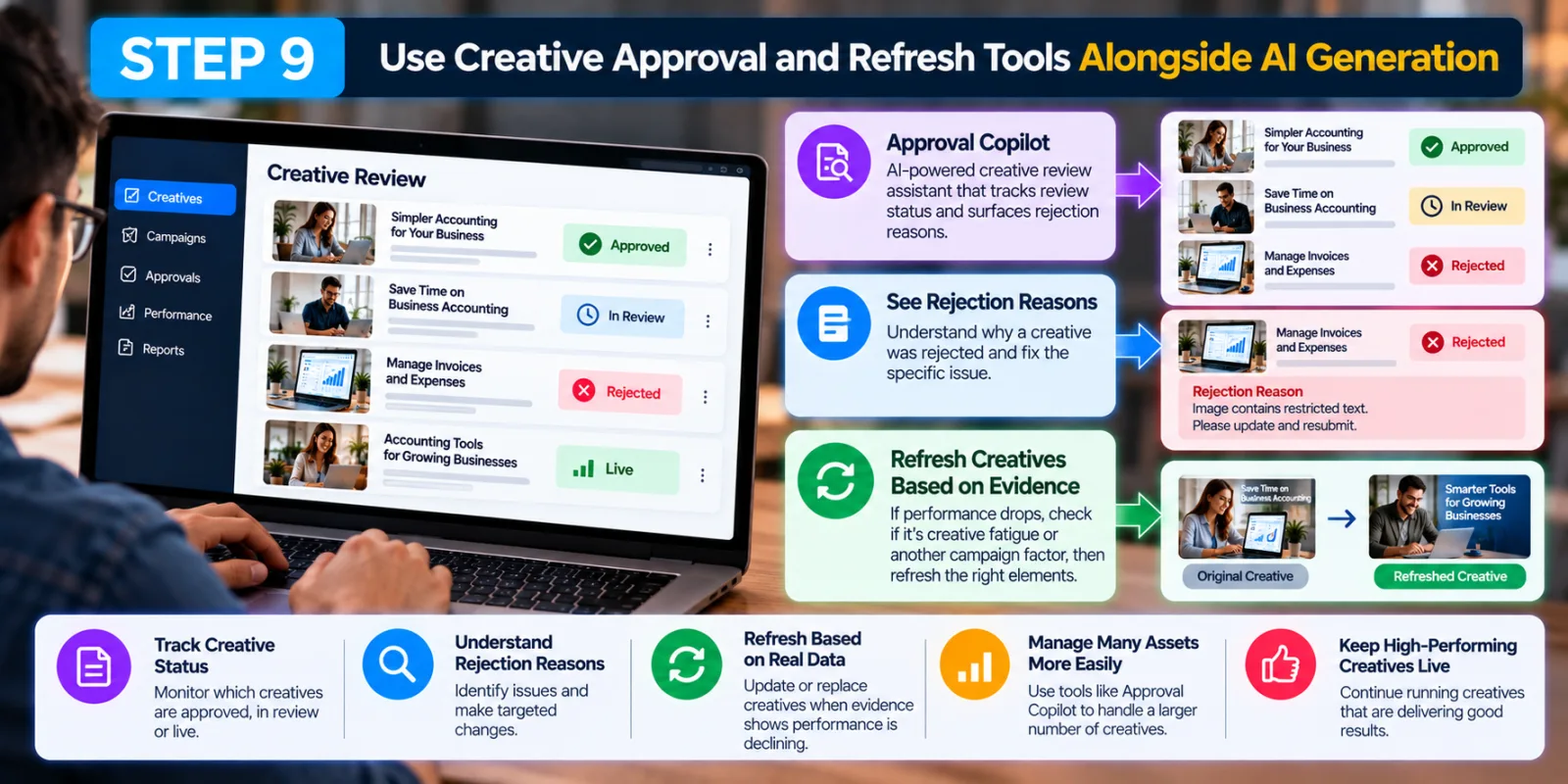
AI generation is only useful if the resulting creative can actually run and continue to perform. MediaGo has also introduced tools around creative review and campaign management that can help advertisers monitor creative status and deal with approval issues.
MediaGo's Approval Copilot is described as an AI-powered creative review assistant that can track review status, surface rejection reasons and help advertisers monitor live creatives. It is a separate part of the workflow from generating creative materials, but it can be useful when an advertiser is working with many assets.
Creative refresh should also be based on evidence. If a creative is weakening, first ask whether the issue is genuine creative fatigue or another campaign factor. Then replace or adjust the part that needs improvement instead of changing everything at once.
How MediaGo AI Generated Creatives Fit With SmartBid
Creative and bidding should not be treated as two unrelated parts of a MediaGo campaign. MediaGo describes SmartBid as an intelligent bidding system and positions its creative technology alongside real-time prediction and optimization.
This means a creative can attract attention, but the campaign still needs the bidding system and conversion data to identify valuable opportunities. If a creative gets clicks but poor business results, increasing delivery to that creative may not solve the real problem. AdScaleLab's existing SmartBid 3.0 guide can be used alongside this workflow when you want to connect creative decisions with bidding and campaign optimization.
A Simple Example Of Using MediaGo AI Generated Creatives
Imagine a small-business accounting software company wants to generate leads. The campaign goal is completed lead forms. The advertiser first gives MediaGo a clear product description, identifies small-business owners as the audience and chooses a few strong benefits: saving time, managing invoices and simplifying accounting.
The advertiser then creates several creative ideas. One focuses on the product interface, another focuses on the problem of manual accounting and another focuses on the outcome of spending less time on financial administration. The same commercial idea is adapted for native and display formats rather than simply copying one design into every placement.
After launch, the advertiser checks whether the tracking is working and compares clicks, conversions, conversion rate and CPA. If one creative has a lower CTR but produces more qualified leads, it should not automatically be replaced. The final decision should be based on the campaign goal and the quality of the resulting business outcomes.
What You Should Avoid With MediaGo AI Generated Creatives
Do not assume more AI-generated assets automatically mean better performance. More variations are useful only when they test meaningful differences.
Do not let the AI invent the commercial strategy for you. Start with the product, audience, problem, benefit and desired action.
Do not judge native and display creatives in exactly the same way. The user experience and available visual space are different.
Do not send users to a landing page that contradicts the ad. A strong creative cannot repair a confusing post-click experience.
Do not make major creative decisions from broken or incomplete conversion data. Tracking quality comes first.
Do not over-optimize after every small performance change. Look for a real pattern before replacing a creative or changing several campaign settings at once.
Final Thoughts
MediaGo AI generated creatives can make it easier to produce and match creative materials across native and display inventory, but the technology works best when it is given a clear campaign strategy. MediaGo itself describes AI-generated and dynamically matched creative materials as part of a wider performance system built around prediction, bidding and conversion optimization.
The strongest workflow is therefore not “generate as many ads as possible.” It is to define the goal, give the system a strong product message, choose the right formats, create meaningful variations, match the landing page, verify conversion data and then judge performance using real business outcomes.
That approach also makes the rest of the MediaGo stack easier to understand. SmartBid can handle bidding and optimization signals, AD Learning can support campaign learning, and creative review tools can help manage the growing number of assets. The creative itself remains an important part of the chain because the user still has to notice the ad, understand the message and decide to act.
Agency ad accounts, without the wait.
Buy and top up Google, Meta, native, and more from one dashboard.
Get started
No comments yet. Be the first to comment.
Comments are open to registered AdScaleLab clients.
Sign in to comment