





How To Use Taboola Mail Domain Targeting Bundles For Better Reach
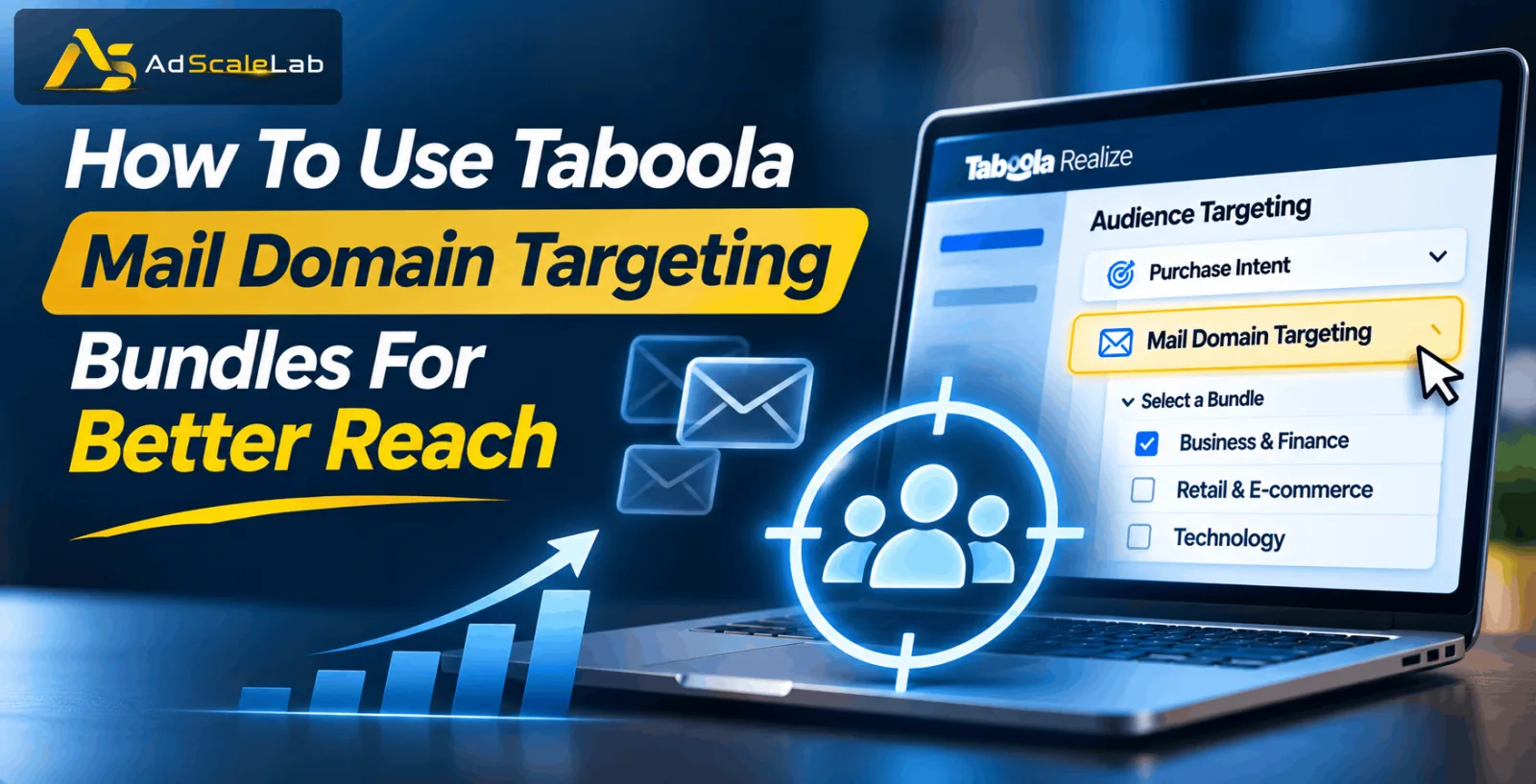
Finding the right audience is not always easy when you are running paid advertising campaigns. You might have a good product, an attractive ad and a landing page that looks great, but none of that will help much if your ads are reaching people who are not interested in what you are offering. This is one reason advertisers should pay attention to Taboola Mail Domain Targeting Bundles. The feature gives advertisers another way to reach relevant audiences through Taboola Realize. Instead of selecting individual email domains one by one, advertisers can choose ready-made bundles that group domains around different industries and interests.
For example, someone promoting an automotive product may want to reach people connected with automotive-related domains. A financial services advertiser, on the other hand, may find finance-related audiences more useful.
It is worth understanding that Mail Domain Targeting is not an email marketing feature. You are not sending emails to people, and you are not getting access to their private inboxes. It is an audience-targeting option that uses domain-related signals to help advertisers find people who may be relevant to their campaigns. In this guide, we will look at how the feature works, where to find it in Taboola Realize and how to use it in a campaign. We will also go through some practical steps that can help you test different audience bundles and understand which ones are bringing useful results.
What Are Taboola Mail Domain Targeting Bundles?
Think about how advertisers normally choose an audience. They might select a location, target a particular interest or use other available audience signals. Mail Domain Targeting adds another option to that process. Taboola Mail Domain Targeting Bundles are pre-built groups of email domains arranged around different industries and categories. These groups help advertisers reach audiences based on the email domains they interact with. Get Taboola ads agency account here

For example, a person who interacts with emails from automotive-related brands may have some connection with the automotive industry. Similarly, domains associated with financial services may be relevant when an advertiser is promoting banking, insurance or other finance-related products.
Rather than building a list of individual domains from the beginning, advertisers can choose a suitable bundle from the options available in Realize. One thing worth remembering is that this targeting method does not tell you that every person in a selected audience is ready to purchase something. A domain-related signal can help identify a relevant audience, but it should not be treated as proof of buying intent. The feature is best used as another way to narrow down your audience and test whether a particular group responds well to your offer.
What Types Of Mail Domain Bundles Can Advertisers Choose?
Before opening a campaign, it helps to understand the types of bundles you may come across. Taboola's official documentation gives examples from several industries, including automotive, finance, lifestyle and retail. The automotive category is useful to consider if you are promoting products or services connected with vehicles. Taboola mentions brands such as Volvo and Hyundai as examples of domains in this category. An advertiser selling car accessories, vehicle-related products or automotive services could explore this audience.
Finance is another category. It covers domains associated with financial services, including banking, credit and insurance. This may be worth testing for campaigns promoting financial products, although advertisers should always make sure their offer and targeting follow the relevant advertising policies. There are also lifestyle-related categories. These cover different areas, such as weddings, travel, winter sports and children's clothing. This is a broad group, so it is important to choose an audience that actually makes sense for the product being advertised.
Retail and e-commerce advertisers may also find relevant options in areas such as sportswear, beauty, and home and garden. You do not need to select every available bundle. In fact, doing so can make it harder to understand which audience is actually helping your campaign. Start with the category that has the closest connection to your offer.
How To Use Taboola Mail Domain Targeting Bundles In Realize
Now that you have a basic idea of what these bundles do, let's look at how to use them. You do not need to make your campaign complicated from the beginning. The important thing is to choose a relevant audience, set up your campaign properly and give it enough time to collect useful data.
Step 1: Log In To Your Taboola Realize Account
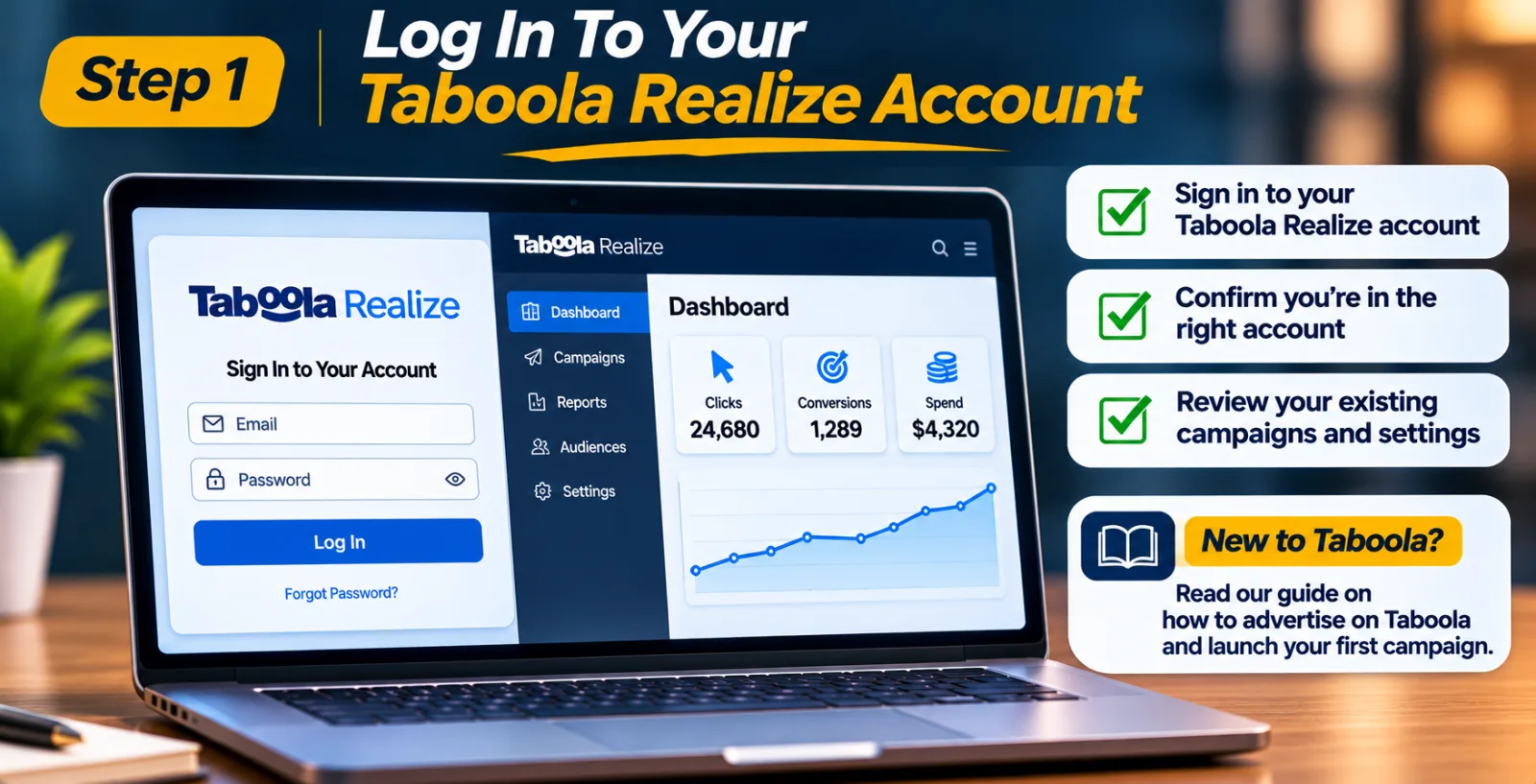
First, open Taboola Realize and sign in to your advertiser account. If you manage more than one account, check that you are working in the correct one before creating a campaign. Once you reach the dashboard, take a moment to check your existing campaigns and account settings. If you are new to Taboola, it may help to understand the basic campaign setup before moving into advanced targeting.
You can also read our guide on how to advertise on Taboola and launch your first campaign. It covers the basics and can help you understand the different settings you will come across in Realize.
Step 2: Open The Marketplace Ad Start A New Campaign
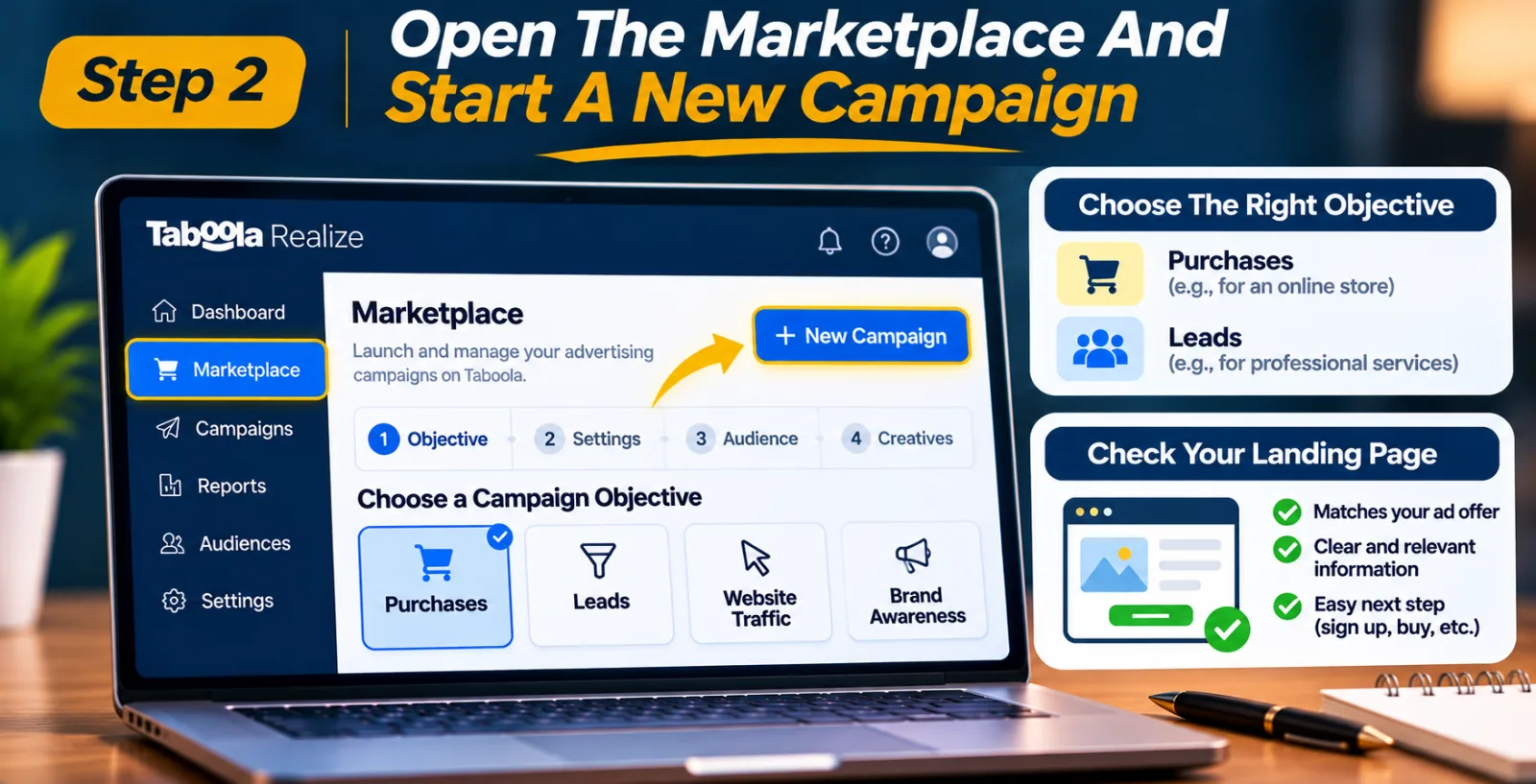
After logging in, go to the Marketplace and select the option to create a New Campaign. You will need to complete the basic campaign settings before reaching the audience-targeting section. Choose an objective that matches what you actually want to achieve.
For example, an online store may want to generate purchases, while a company offering professional services may be more interested in getting leads. Your campaign objective should match the action you want visitors to take after clicking your advertisement.
Also, take a look at your landing page before moving ahead. If your ad promises a particular product or service, visitors should be able to find that offer easily after clicking. A good audience cannot make up for a confusing landing page.
Step 3: Find The Purchase Intent Section
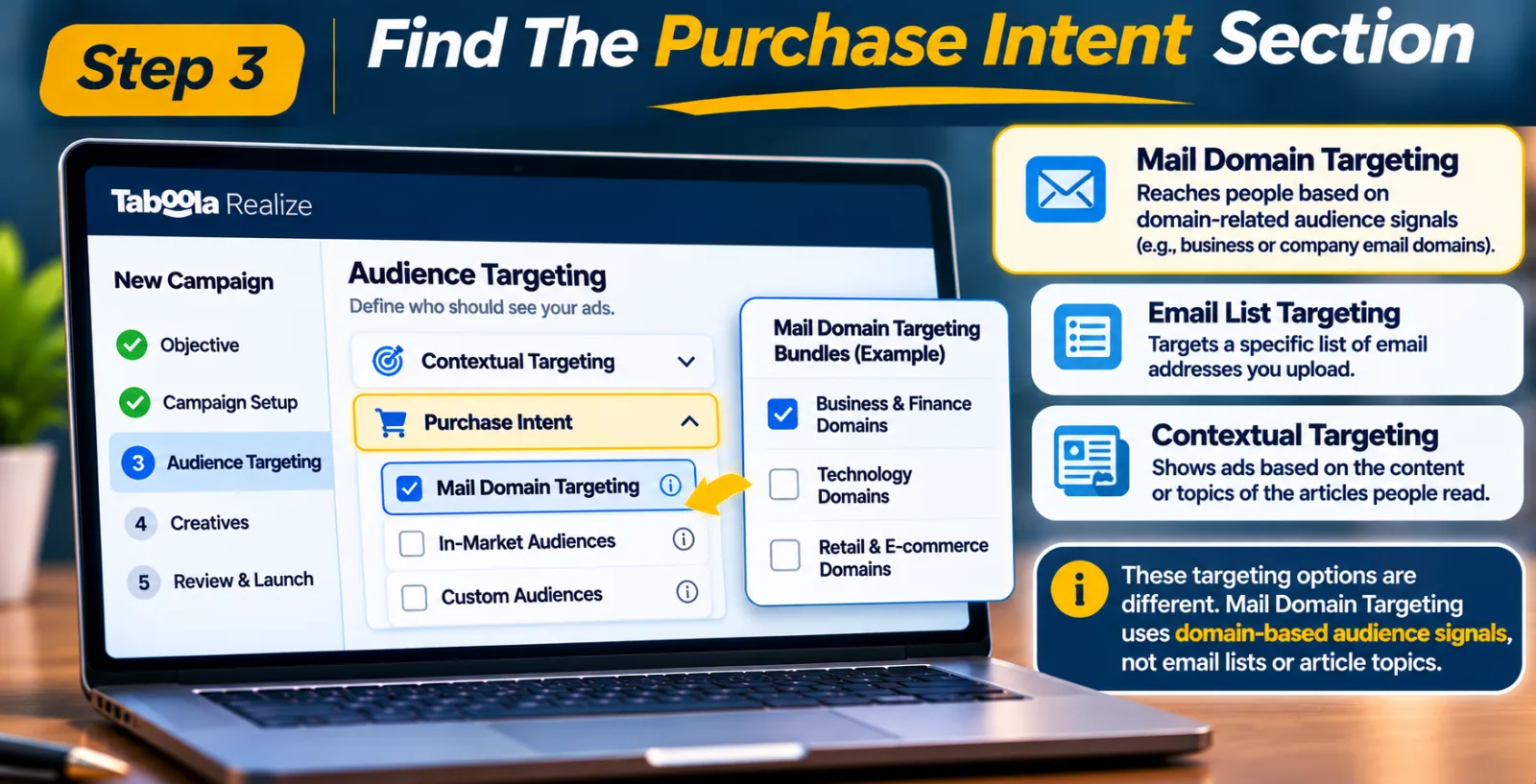
Once you reach the audience-targeting settings, look for the Purchase Intent section. This is where you can find the Mail Domain Targeting option according to Taboola's official setup instructions.
Open the section and check which bundles are available to your account. You may notice different categories depending on the targeting options displayed in Realize.
Do not confuse this feature with email list targeting or regular contextual targeting. Mail Domain Targeting uses domain-related audience signals, so it serves a different purpose from selecting people based on the articles they read.
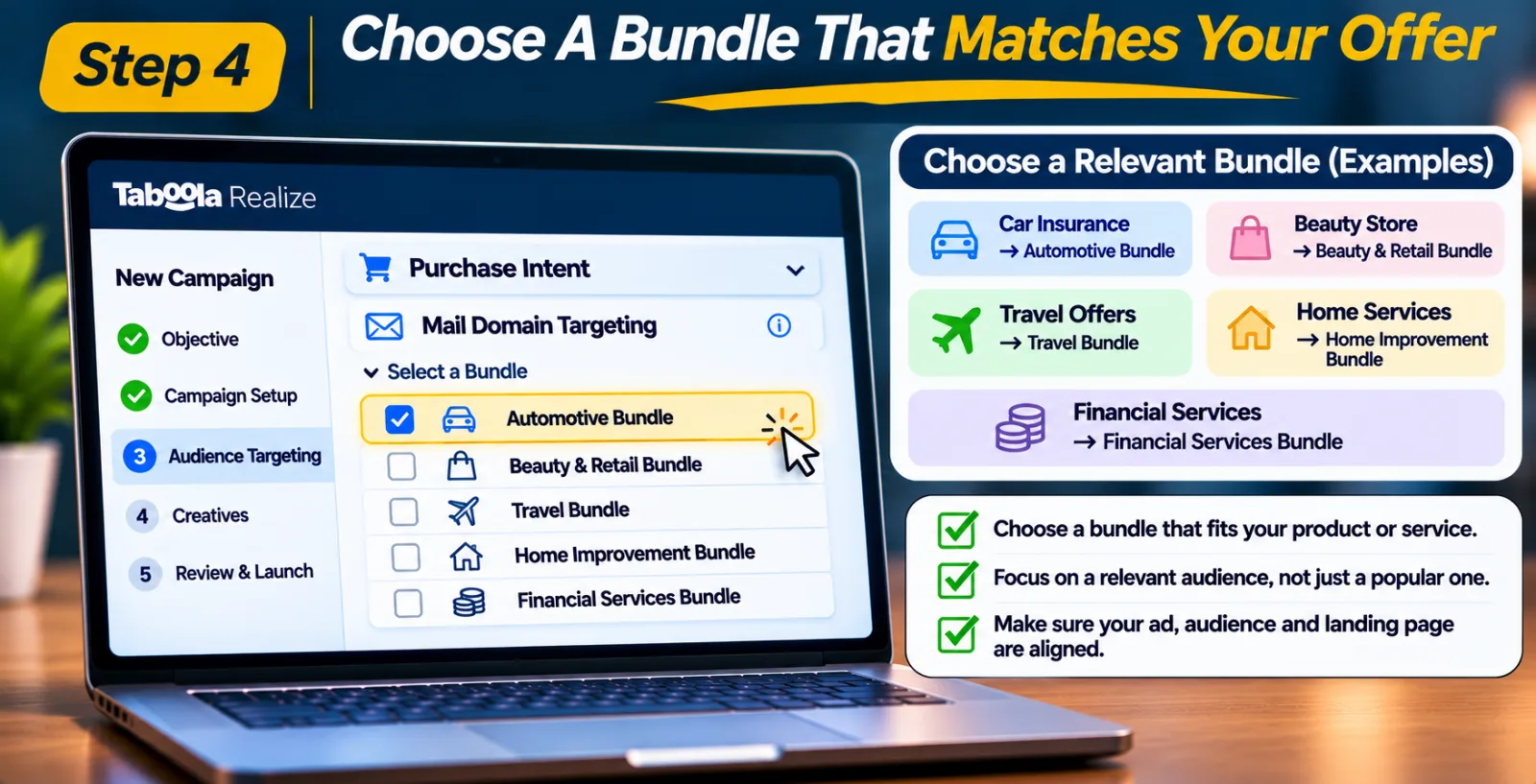
Step 4: Choose A Bundle That Matches Your Offer
This is probably the most important part of the setup. Take a little time to choose a bundle that makes sense for the product or service you are promoting. Let's say you are advertising car insurance. An automotive-related bundle could be a reasonable place to start. If you run an online beauty store, a beauty-related retail bundle may be more relevant. The same idea applies to travel, home improvement and financial services campaigns.
Do not choose a bundle just because its name sounds popular. Think about the people who are most likely to be interested in your offer. A broad audience is not always a useful audience, especially when your product is designed for a particular group of customers. You should also check whether the selected audience fits your landing page. The ad, audience and landing page should all make sense together.
Step 5: Add The Bundle To Your Campaign
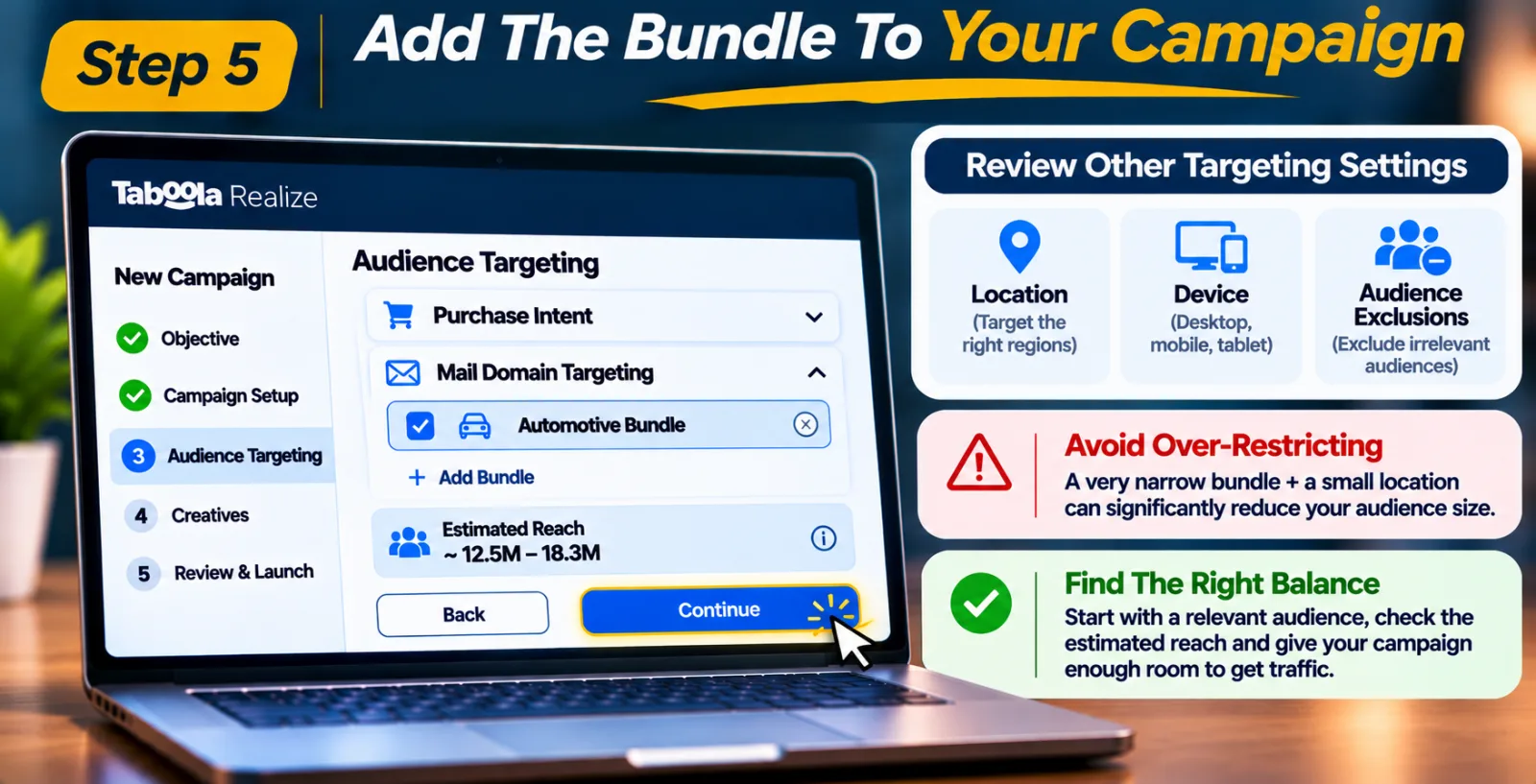
After selecting the bundle you want to test, add it to your campaign's audience-targeting settings. Before moving forward, review the other targeting options as well. Your location, device settings and audience exclusions can all affect how many people your campaign can reach.
One mistake advertisers sometimes make is adding too many restrictions at the same time. For example, selecting a very narrow Mail Domain Bundle and then limiting the campaign to a small location can leave you with a much smaller audience than expected. You do not need to make everything highly specific from day one. Start with a relevant audience and check the estimated reach and delivery information available in Realize. The aim is to find a balance between reaching the right people and giving the campaign enough room to receive traffic.
Step 6: Launch The Campaign And Watch Its Early Performance
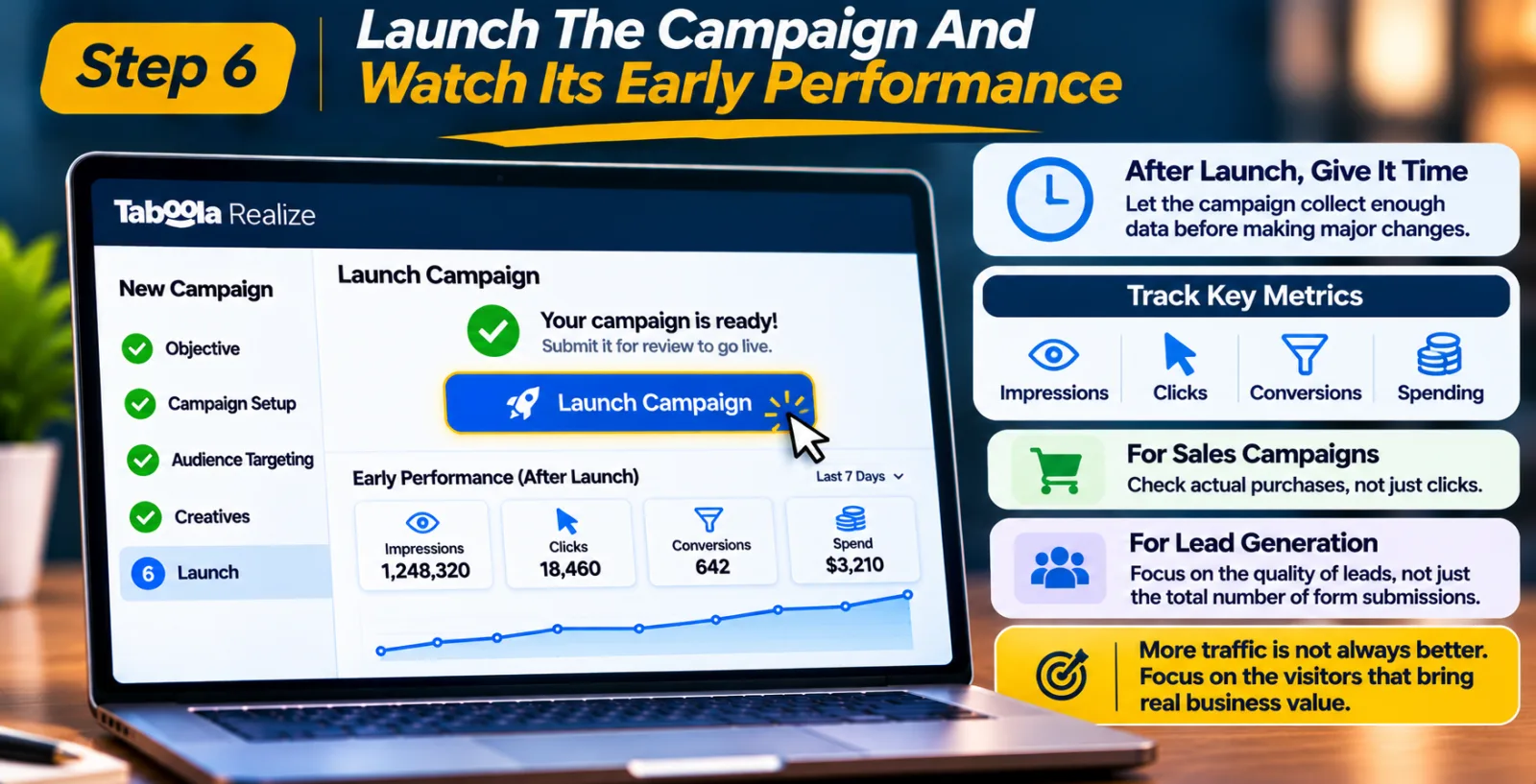
Once you are happy with the settings, complete the remaining campaign details and submit the campaign for review. After the campaign is approved, give it some time to collect data. Avoid making several major changes immediately after launch, because you may not have enough information to understand what is working. Keep an eye on impressions, clicks, spending and conversions. If your campaign is focused on sales, look beyond the number of clicks and check whether visitors are actually buying something.
For lead generation campaigns, pay attention to the quality of the leads rather than counting every form submission as a successful result. A bundle that brings more visitors is not automatically the better choice. What matters is whether those visitors are useful to your business.
Step 7: Compare The Results And Make Changes
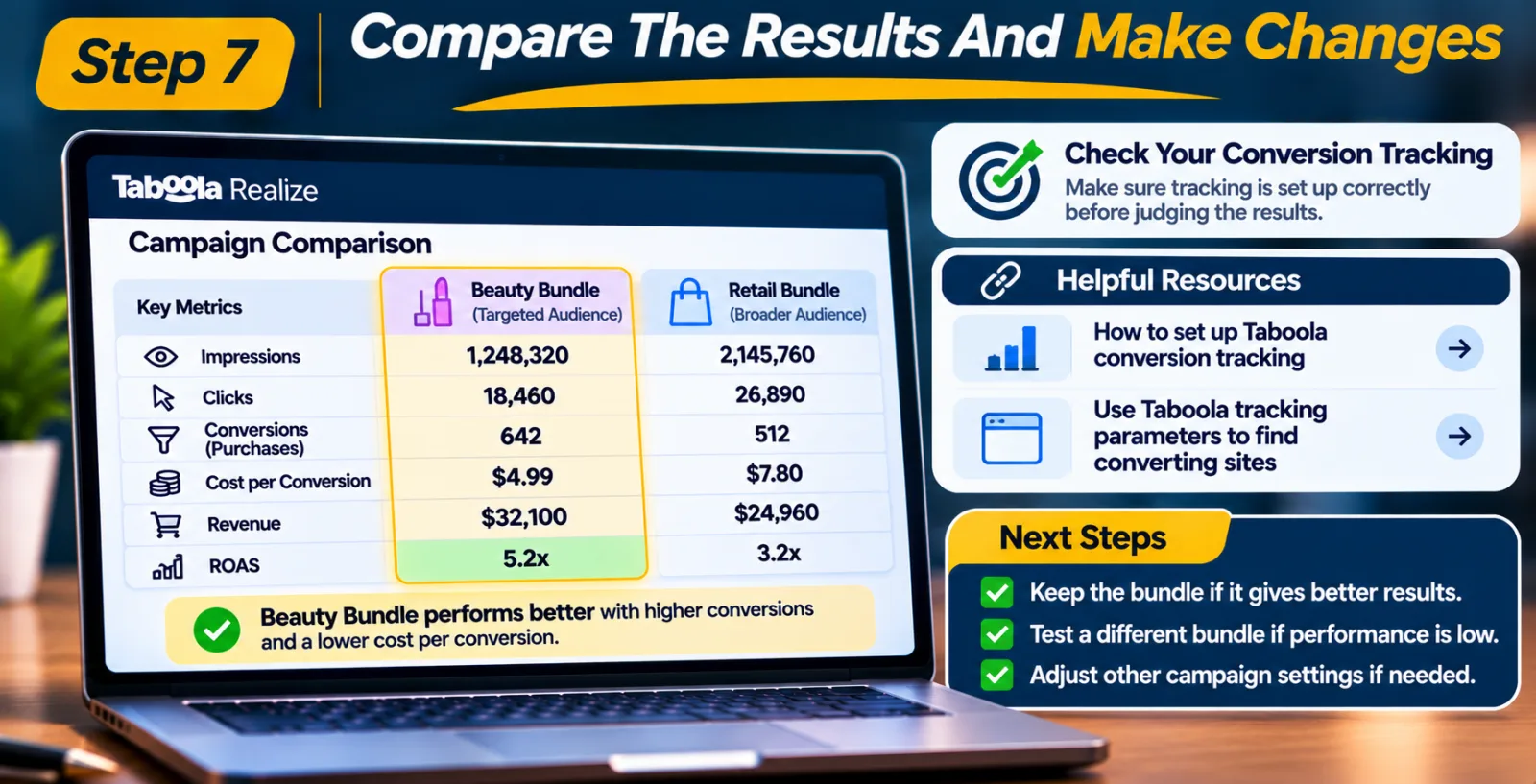
Once you have collected enough information, compare the results with your other audience-targeting options. For example, an online beauty store could test a beauty-related bundle against a broader retail audience. After the campaigns have received enough traffic, the advertiser can compare which group is bringing more valuable purchases and whether the cost makes sense.
Before making a decision, check that your conversion tracking is working correctly. Otherwise, you may end up judging the campaign using incomplete information. If you need help with this, read our guide on how to set up Taboola conversion tracking. It explains how to check your tracking setup and understand the conversion data reported by Realize.
You can also use Taboola tracking parameters to identify which publisher sites convert. This is useful when you want to understand where your campaign traffic is coming from and which sources are bringing better results. Once you have enough information, you can decide whether to keep the bundle, test a different one or adjust the rest of your campaign settings.
Tips For Getting Better Results With Mail Domain Targeting
Selecting a bundle is not the end of the work. You still need to see how it performs with your actual offer and campaign setup. One simple thing you can do is avoid testing unrelated audiences together. If you are promoting home improvement products, start with a relevant home and garden audience rather than adding finance or automotive bundles just to increase your reach.
It is also better to keep your tests organized. When you test different bundles separately, it becomes easier to understand which audience is responsible for the results. If you combine several audiences without a clear testing structure, comparing their performance can become difficult. Another thing to watch is audience size. If your targeting is too narrow, the campaign may struggle to get enough delivery. Check the other restrictions you have applied and consider testing a slightly broader but still relevant audience.
Do not judge a campaign only by its click-through rate. A high number of clicks may look encouraging, but those clicks are not very useful if visitors leave without taking any action. Keep an eye on conversions and the actual value they bring to your business. Finally, give your campaign regular attention. Audience performance can change as competition, offers and customer behaviour change. Review the data and make adjustments when there is a clear reason to do so.
Mail Domain Targeting vs. Other Taboola Audience Options
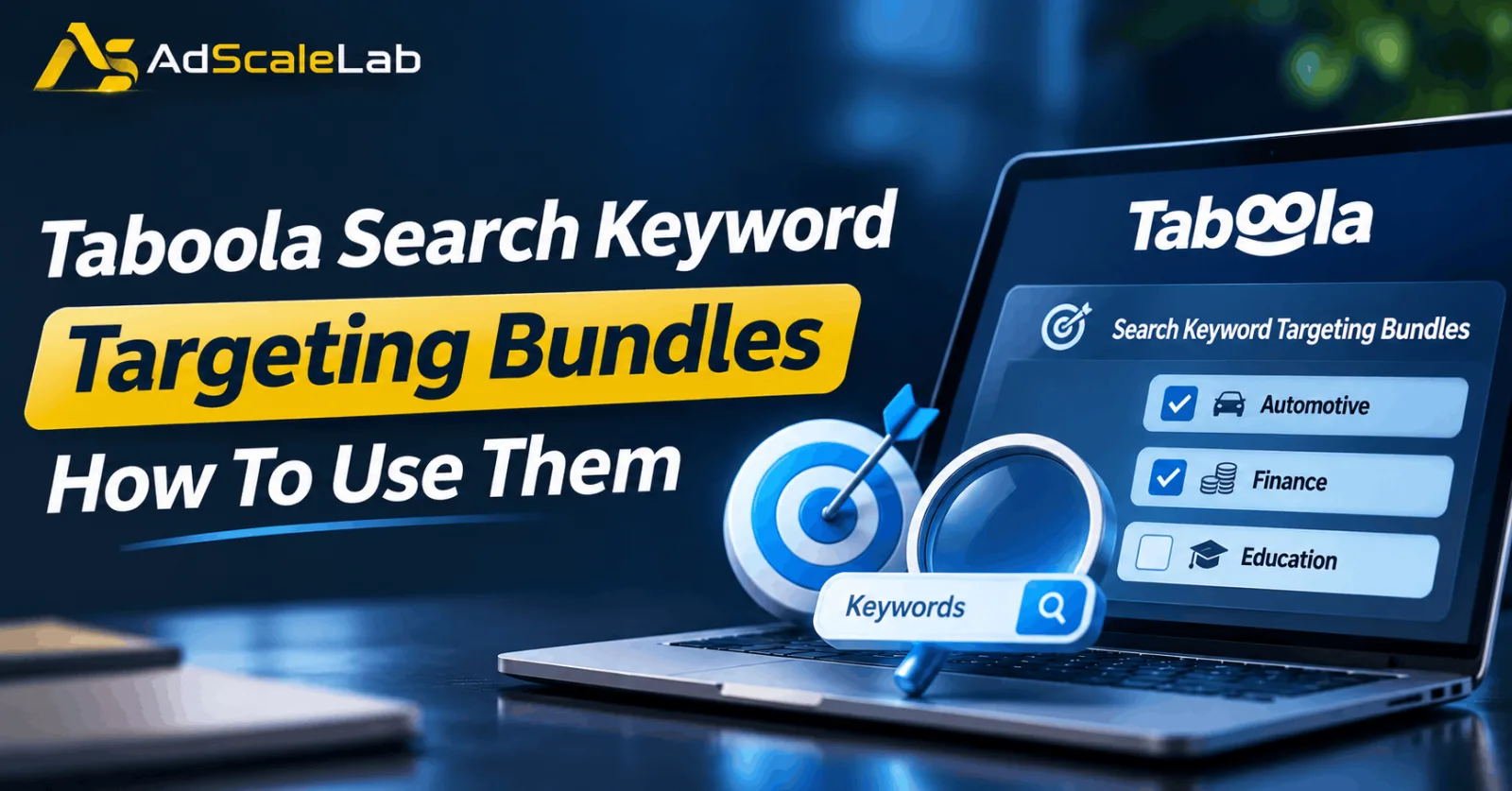
Mail Domain Targeting is not the only way to find relevant audiences in Taboola Realize. The platform offers other targeting options, and each one can be useful in a different situation. For example, Search Keyword Targeting helps advertisers reach users based on the search keywords they interact with. This can be useful when you want to connect your campaign with people showing interest in a particular subject. Taboola also offers ready-made search keyword bundles. You can learn more in our guide to Taboola Search Keyword Targeting Bundles.
Contextual targeting works differently. Instead of focusing on domain-related signals, it considers the content environment in which an advertisement appears. This can be useful when you want your ads to appear alongside content related to your product or industry. Pixel-based audiences are another option. They can help advertisers reconnect with people who have already visited their website or completed a particular action. This is especially useful for remarketing campaigns.
So, which one should you use? There is no single answer for every campaign. Mail Domain Targeting may be worth testing when its domain categories match your offer. Search Keyword Targeting, contextual targeting and pixel-based audiences can support other parts of your advertising strategy. The best approach is to understand what each option does and choose the one that fits your campaign goal.
Final Thoughts
Taboola Mail Domain Targeting Bundles give advertisers another option when they are trying to reach people who may be interested in their products or services. The main advantage is that you do not have to start by selecting individual email domains. You can explore ready-made groups based on categories such as automotive, finance, lifestyle and retail, then choose the ones that make sense for your campaign.
But selecting a bundle does not automatically mean you will get more sales or cheaper leads. Your results will still depend on the offer, ad creative, landing page, audience size and how well the campaign is managed. If you are planning to try this feature, start with one relevant bundle, monitor the campaign and compare its results with your other targeting options. Make changes based on actual performance rather than assumptions. That is a much more useful way to find out whether Mail Domain Targeting deserves a place in your Taboola advertising strategy.
Agency ad accounts, without the wait.
Buy and top up Google, Meta, native, and more from one dashboard.
Get started
No comments yet. Be the first to comment.
Comments are open to registered AdScaleLab clients.
Sign in to comment